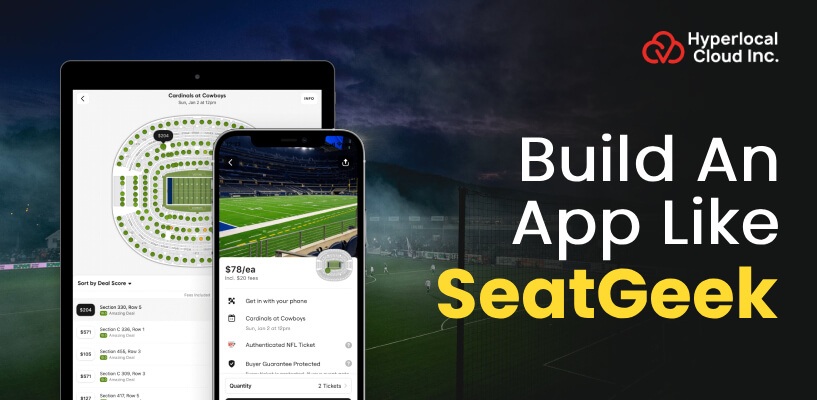
- Building an app like SeatGeek requires event discovery, ticket booking, secure payments, interactive seat maps, and ticket verification.
- White-label ticketing software enables faster launches, while custom development offers greater flexibility.
- Hyperlocal Cloud's white-label solution costs 8,000–10,000, while custom development starts at $20,000.
- Multiple revenue streams, including ticket commissions, resale fees, and sponsored listings, can support business growth.
- Choosing the right development partner helps create a secure, scalable, and user-friendly ticket marketplace.
The growing demand for convenient digital ticket booking has created opportunities for businesses to launch platforms that connect event organizers, ticket sellers, and customers. From concerts and sports matches to theater performances and live entertainment, users increasingly expect a seamless way to discover events, compare ticket prices, select seats, and complete purchases online.
Building an app like SeatGeek allows entrepreneurs to enter the event ticketing market with a platform that simplifies ticket discovery and purchasing while creating opportunities for ticket resale and marketplace monetization.
However, launching a successful ticketing platform requires more than developing a mobile application. Businesses must consider event listings, ticket inventory management, secure payments, interactive seating maps, digital ticket delivery, seller verification, and fraud prevention.
This guide explains how to build an app like SeatGeek, covering essential features, development steps, technology choices, business models, and costs. It also explores how white-label ticket booking software and custom development can help businesses launch a branded ticket marketplace based on their goals and requirements.
What Is SeatGeek and How Does It Work?
SeatGeek is an event ticket marketplace that helps users discover live events and purchase tickets for entertainment experiences, including concerts, sports events, and theater performances. Its platform focuses on simplifying event discovery, presenting ticket options, and helping customers make informed purchasing decisions.
A SeatGeek-like application brings these capabilities together in a digital environment where users can explore events, review available tickets, compare options, and complete transactions.
Overview of the SeatGeek Ticket Marketplace
An event ticket marketplace connects different participants through a centralized platform. Customers use the application to discover events and buy tickets, while sellers and event partners provide ticket inventory.
A similar platform can support several event categories, such as:
- Concerts and music festivals
- Professional and local sports events
- Theater performances and comedy shows
- Conferences and business events
- Cultural festivals and entertainment experiences
- Special events and live shows
Entrepreneurs can focus on a specific category or build a broader ticket marketplace serving multiple audiences.
Discuss Your SeatGeek Clone App Requirements With Our Team
How Users Discover, Buy, and Resell Tickets
A typical ticket booking workflow begins when a customer opens the application and searches for an event by name, category, date, location, or venue.
The user reviews event details, compares available ticket options, checks seating information, and selects a suitable ticket. After completing payment, the customer receives a digital ticket or booking confirmation according to the platform’s ticket delivery process.
A ticket resale marketplace can also allow eligible sellers to list tickets for other users to purchase. The platform must validate ticket eligibility, maintain accurate inventory, and manage transfers according to the event organizer’s rules.
A well-designed workflow generally includes:
- Event discovery and search.
- Event details and ticket availability.
- Seat selection and price comparison.
- Secure checkout and payment processing.
- Digital ticket delivery or authorized transfer.
- Booking history, support, and notifications.
Key Business Models Behind Ticketing Platforms
A ticket booking marketplace can operate through different commercial arrangements. The appropriate model depends on the platform’s target audience, supplier relationships, and ticketing capabilities.
For example, a business may earn revenue by charging commissions on completed sales, collecting seller transaction fees, offering premium event promotions, or providing ticketing tools to event organizers.
The business model should be established before development because it affects payment flows, user roles, administrative tools, and reporting requirements.
Why Invest in an App Like SeatGeek?
An event ticket booking app can serve customers who want convenient access to live entertainment while helping organizers and sellers reach a wider audience. The opportunity is particularly attractive when a business identifies an underserved audience, event category, or geographical market.
Growing Demand for Digital Event Ticketing
Online ticket booking makes it easier for customers to discover events without relying exclusively on physical ticket counters or separate venue websites.
A digital platform can centralize event information, streamline checkout, and provide access to booking records. Mobile notifications and personalized recommendations can also help users discover upcoming events that match their interests.
For businesses, this creates opportunities to develop recurring customer relationships rather than relying on individual transactions.
Opportunities in Concert, Sports, and Theater Ticketing
Different event categories have distinct ticketing requirements.
Concert platforms may prioritize artist discovery, venue seating, and tour schedules. Sports ticketing applications may require team-based discovery, match schedules, and seat comparisons. Theater platforms may need detailed seating arrangements and performance-specific availability.
Businesses can choose a niche based on local demand, supplier access, competition, and customer acquisition opportunities.
Benefits of Launching a Ticket Resale Marketplace
A ticket resale marketplace can help eligible ticket holders transfer or resell tickets when they can no longer attend an event. Buyers may benefit from additional availability, while sellers gain an authorized channel to offer their tickets.
However, resale functionality introduces operational responsibilities. The platform must verify listing eligibility, prevent duplicate sales, communicate transfer restrictions, and support refunds or disputes under its policies.
A reliable resale workflow can become an important differentiator when implemented with appropriate safeguards.
Choosing a Profitable Ticketing Niche
Before investing in development, identify the audience the platform will serve.
Consider whether the application will focus on regional concerts, sports events, university activities, festivals, or a broad range of live experiences. Research existing alternatives, event organizer relationships, local payment preferences, and customer expectations.
A focused launch can help businesses validate demand, build supplier partnerships, and refine the customer experience before expanding into additional categories.
Essential Features of an App Like SeatGeek
The features of an event ticket booking app determine how effectively customers discover events, compare ticket options, complete purchases, and manage their bookings. A successful platform should provide a smooth customer experience while giving sellers and administrators the tools they need to manage operations.
User Registration and Profile Management
A registration system allows customers to create accounts, save preferences, manage bookings, and access digital tickets. Users may register through email, phone number, or supported social sign-in options.
Important capabilities include profile management, password recovery, account security, saved payment preferences where appropriate, and booking history.
Seller and event organizer accounts may require additional verification and permissions. Separating customer, seller, organizer, and administrator roles helps protect sensitive information and maintain appropriate access controls.
Event Discovery, Search, and Filters
Event discovery is one of the most important capabilities of a ticket marketplace. Users should be able to find relevant events without navigating through complicated menus.
Useful features include:
- Search by event, artist, team, venue, or location.
- Filters for event category, date, price, and availability.
- Featured events and upcoming attractions.
- Location-based event recommendations.
- Event details with venue information and schedules.
- Favorites and saved events.
Search results should reflect current event information and available inventory. Clear filtering and sorting options can reduce the time customers spend finding suitable tickets.
Interactive Venue and Seat Maps
Interactive seat maps help customers understand where they will sit before making a purchase. Users can review seating sections, compare available seats, and select options that match their preferences and budgets.
Depending on the venue, the interface may display seat categories, accessibility information, viewing areas, and price differences.
The application should also account for inventory changes during checkout. Temporary seat holds, inventory synchronization, and reservation expiration rules help reduce conflicts when multiple customers attempt to purchase the same seats.
Ticket Pricing and Deal Comparison
Ticket comparison features allow users to evaluate available options based on price, seat location, quantity, and applicable fees.
A transparent checkout experience should explain mandatory charges before the customer confirms the transaction. Showing relevant ticket details and final payable amounts helps users make informed decisions.
If the marketplace supports multiple sellers, it should maintain consistent pricing displays and clearly communicate seller terms, delivery methods, and applicable restrictions.
Secure Payments and Digital Ticket Delivery
A secure payment workflow is essential for any ticket booking application. The platform may integrate payment gateways that support the currencies, payment methods, and markets it serves.
Core capabilities include:
- Secure checkout and payment confirmation.
- Order and transaction records.
- Booking confirmation notifications.
- Refund and cancellation workflows.
- Digital ticket delivery.
- Payment reconciliation and seller settlement.
Digital tickets may be delivered through the app, email, or an authorized ticketing partner. Sensitive payment information should be handled according to applicable security requirements and the chosen payment provider’s integration model.
Ticket Resale and Seller Verification
A resale marketplace allows eligible ticket holders to list tickets for sale through the platform. Sellers should be able to submit ticket details, set permitted prices, monitor listings, and track completed transactions.
The system should verify that tickets can legally and technically be resold or transferred under the relevant event rules.
Seller verification, listing moderation, duplicate detection, secure ticket transfer, and dispute management are important safeguards. The platform should also clearly communicate any resale restrictions or limitations.
QR Code Ticket Validation and Fraud Prevention
QR codes or other approved digital ticket credentials can simplify event entry. However, displaying a QR code alone does not guarantee ticket authenticity.
The backend should validate ticket status through an authoritative ticketing system or secure verification process. Where supported, single-use validation, revocation, and transfer controls can help prevent duplicate entry and unauthorized reuse.
Additional safeguards may include suspicious-transaction monitoring, account verification, rate limiting, and audit logs.
Push Notifications and Personalized Recommendations
Notifications help customers stay informed about booking confirmations, event changes, payment updates, and ticket delivery.
With user consent, personalization can highlight events based on saved artists, teams, preferred locations, or previous interactions.
Businesses should provide notification preferences and avoid sending excessive promotional messages. Timely, relevant communication is more useful than frequent generic alerts.
Admin Dashboard and Event Organizer Panel
A centralized dashboard gives platform administrators visibility into events, users, transactions, ticket listings, and operational performance.
Depending on the business model, the dashboard may include:
- Event and venue management.
- Ticket inventory and listing controls.
- User and seller verification.
- Commission and transaction reporting.
- Refund and dispute management.
- Promotional campaign management.
- Sales analytics and performance reports.
- Role-based permissions and audit logs.
An event organizer panel can provide additional tools for managing listings, monitoring sales, updating event information, and reviewing settlement reports.
Build Your Own Ticket Resale Marketplace With Our Expert Team
Advanced Technologies to Build a Competitive Ticketing App
Advanced technology can improve the user experience and operational efficiency of a ticket marketplace. Businesses should select technologies based on measurable requirements instead of adding complex features that do not support their core business goals.
AI-Powered Event Recommendations
Artificial intelligence can help personalize event discovery using relevant signals such as user-selected interests, location, event category, and browsing behavior.
Recommendation systems can surface concerts, sporting events, or performances that customers may find useful. Their effectiveness depends on data quality, privacy safeguards, and the ability to evaluate whether recommendations improve engagement or sales.
Dynamic Pricing and Demand Analytics
Pricing analytics can help sellers and organizers understand changes in demand, inventory availability, and sales performance.
Where permitted, a marketplace may support automated pricing recommendations based on historical transactions, remaining inventory, event timing, and demand indicators.
Any dynamic pricing feature should follow applicable laws, contractual restrictions, and transparent pricing practices. It should not mislead customers about availability or fees.
Real-Time Inventory and Availability Management
Accurate inventory management is critical when multiple sellers, channels, or ticketing partners are involved.
The system should synchronize inventory where integrations allow it, maintain temporary reservations during checkout, and confirm purchases against authoritative availability data.
If a partner API becomes unavailable, the application should handle errors gracefully and avoid presenting unconfirmed inventory as guaranteed.
Interactive Seat Visualization
Venue visualization tools can help users understand seating layouts and compare locations before purchasing tickets.
Depending on available venue data, businesses may implement two-dimensional seating maps, seat-level pricing, or richer visual previews. The choice should balance usability, data availability, implementation complexity, and performance.
Secure Ticket Transfers and Fraud Detection
Ticket transfers require clear ownership records and safeguards against duplicate or unauthorized transactions.
Fraud detection systems can identify unusual activity using transaction patterns, account signals, and rule-based risk indicators. High-risk transactions may require additional verification or manual review.
A strong implementation combines preventive controls, monitoring, customer support, and transparent dispute-resolution policies.
How to Build an App Like SeatGeek Step by Step
Developing a ticket booking app requires careful planning across business strategy, product design, software engineering, integrations, and ongoing operations. The following process can help businesses organize development and reduce avoidable risks.
Step 1: Conduct Market Research and Competitor Analysis
Start by studying the ticketing landscape in your target market. Review existing marketplaces, event organizer platforms, venue websites, and other ticket booking applications.
Identify customer pain points, such as complicated seat selection, unclear fees, fragmented event listings, or limited resale options.
Research should also cover potential event partners, ticket supply, competitor positioning, customer acquisition channels, and local compliance requirements.
Use these findings to define a differentiated value proposition rather than copying another platform’s interface or branding.
Step 2: Define Your Target Audience and Revenue Model
Determine who will use the platform and how the business will earn revenue.
Potential users include event attendees, ticket sellers, organizers, venues, and promoters. Each group may require different workflows and account permissions.
Next, choose a revenue model such as transaction commissions, seller fees, organizer subscriptions, or sponsored event placements. Model expected order values, operating expenses, payment fees, support costs, and customer acquisition costs.
A clear business model helps establish which features are necessary for the initial launch.
Step 3: Choose White-Label or Custom Development
Choose a development approach based on launch objectives, available resources, required flexibility, and technical complexity.
White-label software can provide a prebuilt foundation that businesses customize with their branding and selected functionality. It can be useful when speed to market and a defined initial scope are priorities.
Custom development is appropriate when the product requires distinctive workflows, specialized integrations, advanced ticket inventory rules, or a highly tailored user experience.
Evaluate both approaches against your business requirements before committing to a solution.
Step 4: Plan UI/UX and Interactive Seat Selection
Create user journeys for searching events, viewing details, comparing tickets, selecting seats, checking out, and accessing bookings.
Design wireframes and prototypes before building the complete application. Test whether users can understand ticket prices, fees, seating information, and purchase restrictions.
The design should also consider accessibility, mobile screen sizes, loading performance, error states, and users who need assistance during checkout.
Step 5: Develop the App and Integrate Ticketing APIs
Build the frontend, backend, database, administrative tools, and integrations required by the chosen product scope.
Event data APIs may provide event information, venue details, schedules, or ticket availability, depending on provider capabilities and contractual permissions.
Payment gateways process transactions, while notification services deliver confirmations and updates. Venue map providers may supply seating data or visualization components.
Before selecting a provider, verify API access, pricing, rate limits, licensing, data freshness, geographic coverage, and permitted commercial use.
Step 6: Implement Payments, Security, and Ticket Verification
Implement secure authentication, authorization, payment handling, ticket ownership records, and transaction monitoring.
Protect customer information through appropriate encryption, access controls, secure secrets management, and logging practices. Use reputable payment providers and avoid storing sensitive payment credentials unless the architecture and compliance obligations explicitly support it.
Test ticket issuance, transfers, refunds, failed payments, duplicate requests, and inventory conflicts. For resale functionality, verify that tickets are eligible for transfer and that the system can accurately track their status.
Step 7: Test, Launch, and Maintain the Platform
Before launch, test the application across supported devices, browsers, and operating systems.
Functional testing should cover registration, event search, ticket availability, seat selection, checkout, notifications, refunds, and administrative workflows. Load testing can help assess performance during high-demand ticket releases.
Launch with a defined set of events or partners, monitor user feedback, and resolve critical issues quickly. After release, maintain integrations, update dependencies, monitor security, and use analytics to prioritize improvements.
A phased rollout allows the business to validate assumptions before expanding its marketplace.
White-Label vs. Custom SeatGeek Clone App Development
Businesses planning to launch a ticket booking marketplace can choose between a white label ticketing solution and custom application development. Both approaches can support an event ticketing business, but they differ in flexibility, implementation requirements, and the level of product customization.
What Is a White-Label Ticket Booking Solution?
A white-label ticket booking solution is a prebuilt software foundation that businesses can adapt to their own brand and business requirements. Depending on the solution, it may include customer-facing interfaces, event listings, ticket management, booking workflows, payment integrations, and administrative functionality.
Instead of developing every component from scratch, businesses can configure supported features and focus on launching their marketplace.
A white-label SeatGeek clone app may be suitable for startups, entrepreneurs, event organizers, and businesses seeking a faster route to market. The exact capabilities depend on the product’s existing functionality and the customizations included in the project.
Benefits of White-Label Ticketing Software
White-label software offers several potential advantages:
- Faster implementation: Start with an existing software foundation rather than creating every component from the beginning.
- Brand customization: Apply your business identity, including logos, colors, and supported interface elements.
- Defined feature scope: Begin with established workflows and add supported functionality as needed.
- Reduced initial engineering effort: Reuse existing components where they meet your requirements.
- Business model flexibility: Configure supported commissions, transaction workflows, and user roles.
- Expansion opportunities: Add functionality or integrations as your business grows, subject to the solution’s architecture.
Before choosing a provider, confirm which features are included, which require additional work, how source code and intellectual property are handled, and what ongoing support is available.
What Is Custom Ticket Marketplace Development?
Custom development involves designing and building an application around a business’s specific requirements. It provides greater control over product architecture, user journeys, integrations, operational rules, and future development priorities.
This approach may be suitable for businesses planning to introduce complex ticket resale workflows, specialized venue integrations, proprietary pricing systems, or differentiated customer experiences.
A custom ticket booking application can also be designed around the organization’s preferred infrastructure, reporting requirements, security controls, and expansion strategy.
However, greater flexibility also brings additional planning, engineering, testing, and maintenance responsibilities.
Which Development Approach Is Right for Your Business?
White-label software may be a practical option when you want to validate a business idea, launch with established features, and avoid unnecessary initial complexity.
Custom development may be more appropriate when existing solutions cannot support your essential workflows or when your competitive advantage depends on distinctive technology.
The best choice is the one that satisfies your current business requirements while providing a realistic path for future growth. Assess both approaches against your must-have features, integration needs, timeline, ownership expectations, and maintenance capacity.
Turn Your Ticketing Business Idea Into a Profitable Digital Platform
Technology Stack for Event Ticket Booking App Development
The technology stack determines how the ticketing platform handles its user interface, transactions, event information, data storage, security, and performance.
The right choices depend on the project’s scale, development team’s expertise, integration requirements, and expected traffic.
Frontend and Mobile App Technologies
The frontend presents the event discovery experience, venue information, ticket options, and checkout interface.
Depending on the product scope, businesses may use technologies such as React or Next.js for web applications and Flutter or React Native for cross-platform mobile applications. Native iOS and Android development may be appropriate when platform-specific capabilities or deeper native optimization are required.
The interface should support responsive layouts, accessible navigation, clear pricing, and reliable interactions during checkout.
Backend, Database, and Cloud Infrastructure
The backend manages users, event listings, inventory, bookings, payment records, ticket transfers, and administrative operations.
Technologies such as Node.js, Python, Java, or comparable backend frameworks can support these workflows. PostgreSQL or another suitable relational database can manage structured transaction records, while caching systems and background processing can improve performance when appropriately designed.
Cloud infrastructure can provide application hosting, monitoring, storage, and scaling capabilities. Architecture decisions should prioritize transaction consistency and reliable inventory handling rather than relying on infrastructure alone to guarantee scalability.
Payment Gateway and Authentication Integrations
A payment gateway enables the application to accept supported payment methods and process transactions securely.
The integration should cover successful and failed payments, refunds, payment confirmations, transaction reconciliation, and seller payouts where applicable.
Authentication services can support secure account access, account recovery, and multi-factor authentication when appropriate. Businesses should select providers based on their target markets, currencies, commercial requirements, and compliance obligations.
Event Data APIs and Venue Map Integrations
Event APIs can supply event details, schedules, venue information, and ticket data where the provider permits access. Venue map integrations can support seating visualization and location-specific information.
Not every provider supplies real-time ticket inventory or seat-level availability. Businesses should confirm the precise capabilities, licensing conditions, commercial permissions, and data refresh mechanisms before implementation.
When several ticket suppliers are involved, the application may need an integration layer to normalize data formats and manage differences between providers.
Security, Scalability, and Performance
Security and reliability are essential because a ticket marketplace handles customer accounts, transactions, and potentially high-demand sales.
Recommended engineering practices include:
- Encrypt data in transit and protect sensitive data at rest.
- Use role-based access controls and secure authentication.
- Validate requests and protect against common application vulnerabilities.
- Monitor errors, performance, and suspicious activity.
- Maintain backups and a tested recovery process.
- Apply rate limiting and abuse prevention.
- Use appropriate caching and queue-based processing.
- Test concurrency and inventory reservation logic.
Regular security reviews and integration monitoring help maintain platform reliability after launch.
How Much Does It Cost to Build an App Like SeatGeek?
The cost of building an app like SeatGeek depends on the development approach, functionality, number of platforms, integration requirements, security needs, and long-term operating model.
Businesses should distinguish the initial software investment from recurring expenses such as hosting, third-party services, maintenance, and support.
White-Label Solution Cost
Hyperlocal Cloud’s white-label solution is priced at $8,000–$10,000.
This approach is designed for businesses that want to launch a branded ticket booking marketplace using an existing software foundation. It can reduce the need to engineer every component from scratch and help businesses focus on their target market and launch strategy.
The final project scope should establish the supported features, branding options, integrations, deployment requirements, and any additional customization needed.
Custom Ticket Booking App Development Cost
Custom bus ticket booking app development typically starts at $20,000 and can reach $150,000, depending on the scope and complexity of the application.
A comparatively straightforward product with essential event listings, booking, and payment workflows will generally require less engineering effort than a sophisticated marketplace with multiple ticket suppliers, interactive seat maps, resale functionality, advanced fraud prevention, and complex settlement processes.
Businesses should request a project estimate based on defined requirements rather than relying on a single generic price for every type of ticketing platform.
Factors That Affect Development Costs
Several factors influence the total investment:
Feature complexity: Advanced search, personalized recommendations, seating visualization, ticket transfers, and automated risk checks require additional implementation and testing.
Number of platforms: Developing web, iOS, and Android experiences may increase the work required for design, engineering, testing, and maintenance.
Third-party integrations: Event APIs, payment providers, venue maps, notification services, and ticket verification systems can involve integration fees and recurring usage charges.
Design requirements: Custom interfaces, accessibility improvements, and detailed seat-selection experiences can increase design and engineering effort.
Security and compliance: Payment workflows, privacy controls, fraud monitoring, and applicable legal requirements affect implementation and operational planning.
Ongoing maintenance: Infrastructure, software updates, customer support, monitoring, and provider changes contribute to long-term operating expenses.
A detailed requirements document and transparent statement of work make it easier to compare development proposals and avoid unexpected costs.
How Does a SeatGeek-Like App Make Money?
A ticket marketplace can combine multiple revenue streams, provided each is appropriate for its audience, business model, and supplier agreements.
Commission on Ticket Sales
The platform can earn a percentage or agreed fee from eligible completed transactions. The commission structure should be defined clearly for sellers and organizers.
Businesses should calculate commissions after considering payment processing, refunds, customer support, and other transaction-related expenses.
Ticket Resale and Transaction Fees
A resale marketplace may charge permitted transaction fees for completed secondary-market sales. The fee structure should be transparent and consistent with applicable laws and ticketing agreements.
Businesses must also consider dispute handling, ticket transfer restrictions, refunds, and seller payout timing when designing this revenue stream.
Premium Memberships and Exclusive Access
A platform may introduce paid memberships that provide benefits such as enhanced discovery tools, member offers, or eligible early-access opportunities.
Any promised benefits must be supported by the platform’s actual supplier agreements and inventory arrangements. Membership pricing should reflect the value delivered to customers.
Sponsored Event Listings and Advertising
Event organizers and promoters may pay for additional visibility through sponsored listings or advertising placements.
Sponsored content should be clearly identified, and promotional placements should not compromise the accuracy of ticket availability or pricing information.
Event Organizer Subscriptions
A business-to-business model can offer organizers subscription-based access to event management tools, reporting, promotional features, or ticket sales administration.
The subscription package should define usage limits, supported features, integrations, and service expectations. This model may complement transaction-based revenue, depending on the platform’s positioning.
A sustainable monetization strategy should balance revenue generation with transparent fees, customer trust, and a reliable ticket purchasing experience.
How to Choose the Right Ticket Booking App Development Company
Selecting the right development partner can influence the quality, reliability, and long-term maintainability of your ticketing platform. Look for a company that understands marketplace workflows rather than evaluating providers solely on their ability to build a mobile interface.
Consider the following factors when assessing a development partner.
Experience with marketplace applications: Review relevant experience with booking systems, payment processing, multi-user platforms, and inventory management.
Integration capabilities: Confirm that the team can work with event data providers, payment gateways, venue maps, notification services, and ticket verification systems.
Security expertise: Ask how the team approaches authentication, transaction security, access controls, data protection, and fraud prevention.
Scalability planning: Discuss how the proposed architecture will handle high-demand ticket releases, concurrent purchases, and growing event inventory.
Customization options: Confirm whether the company can support your branding, preferred workflows, business model, and future feature requirements.
Maintenance and support: Establish expectations for bug fixes, software updates, integration maintenance, monitoring, and technical support after launch.
Transparent project scope: Request documentation covering deliverables, milestones, assumptions, exclusions, payment terms, and ownership rights.
Comparing these factors helps businesses select a partner that aligns with their objectives and operational requirements.
Launch Your Own Ticket Booking App Like SeatGeek Today
Why Choose Hyperlocal Cloud for SeatGeek Clone App Development?
Hyperlocal Cloud helps businesses explore software solutions for launching branded digital platforms. For entrepreneurs planning an event ticketing marketplace, the right development approach should balance launch requirements, customization needs, and long-term product goals.
A SeatGeek-like application may require customer-facing booking functionality, event discovery, administrative tools, payment integration, and workflows for sellers or event organizers. The final feature set should reflect the business model and the availability of suitable third-party integrations.
White-Label Solutions for Faster Launches
A white-label approach can help businesses establish their brand using a prebuilt software foundation. It may be suitable for startups and entrepreneurs who want to validate demand without building every component from scratch.
The implementation scope should clearly identify available features, customization options, integration requirements, and deployment arrangements.
Customization for Your Business Model
Every ticketing marketplace has different priorities. Some businesses focus on local events, while others target sports, concerts, festivals, or multiple categories.
Your platform can be planned around the audience you want to serve, the user roles you need, the transaction workflow, and the operational capabilities required to manage bookings.
Scalable Architecture and Integrations
A reliable ticketing platform needs careful handling of event information, ticket availability, payment confirmations, and transaction records. Integrations should be selected according to provider capabilities, data access permissions, and business requirements.
Planning for monitoring, security, and future expansion can help businesses manage the platform as usage grows.
FAQs (Frequently Asked Questions)

Patt Cummins is an experienced content writer with over 10 years of experience creating clear and engaging content for technology-focused industries. He specializes in simplifying complex technical topics into easy-to-understand stories that educate readers, support brand communication, and help businesses effectively share their solutions.

Need Help With
Development?