


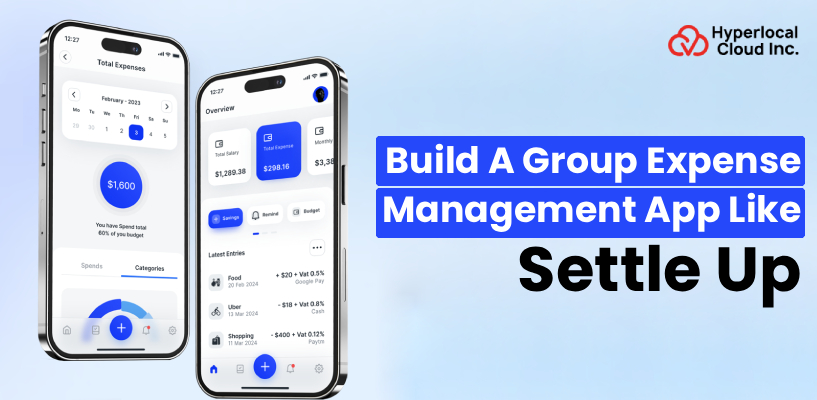
In a world full of digitalization, where digital payments are quite common, people are now looking for an option by which they can calculate their overall expenses, either for a long trip or just for a casual date. To overcome this, a Settle Up application has been introduced to eliminate the need for manual expense tracking. Because of this, people can now avoid confusion, disputes, and miscommunication that typically occur with manual expense tracking.
From a market perspective, this segment is expanding due to:
- Increased group travel and social spending
- Growth of shared living and co-working cultures
- Rising adoption of digital wallets and online payments
- Demand for transparency in financial interactions
Additionally, integration of AI in the Settle Up app makes it even more advanced, which allows people to easily split their expenses without any hassle, and even offline. This huge growth in the financial ecosystem encourages businesses to build their own expense management app similar to Settle Up.
A Brief Conception on a Settle Up App
A Settle Up is a digital expense management application that enables users to split their expenses among groups with ease. In simple words, the application replaces the traditional way of expense tracking with a modern world application. Settle Up app records the data, such as who paid to whom, calculates how much each person owes or is owed, and divides costs among members. This will, however, increase transparency and reliability in financial dealings, rather than relying on manual calculations.
Bring your app idea to life with the right strategy
How does a Group Expense Management App Like Settle Up Work?
The overall working of a group expense management app like Settle Up is quite easy and user-friendly. That’s why we have outlined a step-by-step process that guides you to operate the application with accuracy to get the appropriate results.
1. Create a Group
The first and foremost step is to create a group in the application by giving it a specific name, such as trip, household, or event. Every single group serves as a separate ledger where all the related expenses are going to be stored. Creating the group helps users to manage their financial activities by preventing any kind of confusion and mixing expenses from different occasions.
2. Add Participants
Once you are done with creating a group, it’s time to add participants with whom you want to split the expenses. Every participant you add to a group is part of that group’s ledger, where their financial contributions and liabilities are tracked. This will, however, increase reliability and a sense of clarity among people involved in a group.
3. Add Transactions
Whenever an expense occurs, it is recorded as a transaction. The user entering the expense provides details such as:
Total amount spent
- Who paid the amount
- Who should share the expense
- How the amount should be split
4. View Balance
Once transactions are added, the app automatically calculates each participant’s balance. It shows:
- Total amount paid by each person
- Total share of expenses
- Net amount owed or receivable
5. Settle Up
The final step is settling the debts. The Settle Up clone app suggests to users who should pay whom and how much. However, users can settle or complete the payments by utilizing digital payment methods or cash, and mark the payment completed to update the record.
Understand the Key Benefits of an app like Settle Up
Many benefits are offered by an expense management app like Settle Up, which facilitates users as well as businesses. A complete and detailed breakdown of the same is discussed below.
For User
1. Simply Debt Management
The app simplifies complicated calculations by automating them. Users do not need to manually set prices or calculate stocks, reducing mistakes and saving time.
2. Versatility for Travelers and Groups
It can be used in multiple scenarios, which include journeys, shared housing, events, or even informal outings. This flexibility makes it a treasured device for a wide range of users.
3. User-friendly Collaboration
All institution participants can access and replace the cost information. This collaborative method ensures transparency and prevents disputes.
4. Customization and Data Management
Users can customize how costs are cut up and classified. Additionally, the app shops historical statistics, allowing users to study beyond transactions and analyze spending styles.
For Businesses
1. High ROI and Cost-Effective
Developing such an app requires a moderate investment as compared to different fintech solutions, but the excessive demand results in strong returns.
2. Diverse Monetization Opportunities
Businesses can generate sales through subscriptions, advertisements, top-class features, and transaction costs.
3. Increase User Retention
Since users often use the app for ongoing costs, it clearly results in high engagement and long-term retention.
4. Market Customization and Expansion
The app can be customized for different regions by means of supporting nearby currencies, languages, and fee systems, allowing worldwide attainment.
5. Increased Operational Efficiency
Automation reduces manual effort, making the platform more efficient for both customers and organizations.
Explore the Lucrative Features of a Settle Up Clone App
All the required features and functionalities that make the application top-notch and well-functional are outlined below. Businesses should implement all these features to get cutting-edge outcomes. Just have a look:
1. Expense Tracking
Expense monitoring permits customers to record all shared fees in one location. It ensures that no transaction is neglected. This characteristic paperwork is in the middle of the app, offering a clear evaluation of institutional spending.
2. Optimal Settlement
Optimal agreement reduces the quantity of transactions required to clear money owed. It simplifies the charging manner. This makes settling up quicker and more convenient for customers.
3. Flexible Splitting
Flexible splitting permits users to divide charges equally or unequally. This comprises distinct real-life situations. It ensures equity by means of allowing custom-designed contributions.
4. Multi-Currency Support
Multi-foreign money assistance allows customers to document charges in exceptional currencies. This is useful for global travel. It ensures accurate calculations notwithstanding currency variations.
5. Offline Mode
Offline mode lets users add charges without a web connection. This guarantees uninterrupted usage. Data is stored regionally and synced once the relationship is restored.
6. Integration of Voice Assistants
Voice assistant integration permits users to feature costs using voice commands. This enhances comfort. It additionally improves accessibility for customers who prefer armless interaction.
7. Optimal Debt Minimization
This characteristic ensures that money owed is simplified and decreased to a minimum wide variety of transactions. It improves performance. Users can settle balances quickly without pointless complexity.
8. Flexible Split Types
Flexible split kinds allow one-of-a-kind methods, including percentage-based or custom splits. This will increase usability. It helps accommodate numerous monetary preparations within groups.
9. Offline Mode & Synchronization
This guarantees that facts entered offline are synced automatically when online. It continues to be consistent. Users do no longer lose any statistics even in low-connectivity conditions.
10. Member Statistics & Reports
This feature presents insights into person and group spending patterns. It helps customers recognize their economic conduct. Such analytics can enhance budgeting and decision-making.
11. Quick Input
Quick enter simplifies adding fees with minimal steps. It enhances a person’s revel in it. This function is in particular useful for frequent users who need speed and performance.
Want to launch the next big expense-sharing app?
AI-Driven Functionalities in the Group Expense Management App Like Settle Up
Here is a detailed overview of the AI-powered functionalities in the group management app like Settle Up, that provide users with top-notch advanced features that make the app easy-to-use.
1. Automated Expense Entry (OCR & GenAI)
Integration of AI in the app provides advancement to the app, where it can automatically scan receipts and extract the essential details like date and amount. The whole process, however, reduces the manual efforts and improves the overall accuracy in the expense tracking process.
2. Contextual Expense Categorization
AI categorizes expenses based on context and past behavior. This keeps records organized. It saves users time and improves data management.
3. Smart Settlement Optimization
An AI-based settlement optimization process is quite an easy and efficient way to settle debts with the minimum number of transactions. This approach will automatically make the settlement process faster and easier.
4. Conversational Interface
With AI-driven integrations, users can easily interact with the application by having a chat or sending a voice command. This feature makes the Settle Up clone app even more user-friendly, which, however, enhances their user-experience by simplifying the navigation and actions.
5. Fraud Detection and Anomaly Alerting
AI detects unusual transactions and alerts users. This improves security. It helps prevent errors and potential misuse of the app.
6. Automated Reminders
The app sends reminders for pending payments. This ensures timely settlements. It reduces the chances of forgotten dues and delays.
Steps to Build a Group Expense Tracker App Like Settle Up
A complete roadmap of the steps that are used to build an app like Settle Up is mentioned below. Businesses can review these steps to start developing their own application to get the productive outcomes.
1. Market Research
Before starting to develop the app, it is essential for businesses to create a blueprint of everything, which includes the pain points, target audience, and competitor analysis. With this approach, businesses can easily build their own app by matching the current industry norms to stand out among their competitors.
2. Define Features
Once done with the planning and market research, it’s time to integrate the features into the application. Make sure to add all the required features, like expense tracking, group creation, and settlement. Pre-planning feature integration will reduce last-minute confusion during development.
3. UI/UX Design
When creating UI/UX design, use simple, clean wireframes and prototypes that make the application user-friendly. The more the app is user-friendly, the more it attracts users.
4. Begin Development
Developing the application takes some extra effort from frontend and backend developers. They use their expertise and implement a smooth user interface and the right programming languages. However, there are two specific methods of app development, where one is directly from scratch, and the other is by utilizing a white label solution. Now it’s totally up to businesses what type of approach they are going to opt for.
5. Testing & Quality Assurance
Once done with the development part, simply move on to testing and the QA process in order to ensure that the application is ready to run on a different operating system with no errors, glitches, or bugs.
6. Launch the App
Once you get the high-quality application, it’s time to launch the application in the market to facilitate your target market audience. To get lucrative results and massive downloads, make sure to launch the app on the Google Play Store for Android users and the Apple App Store for iOS users.
7. Maintenance & Updates
After the completion of each step, it is now important to update the application so that users will get an up-to-date and feature-enriching app. Regular updates in the app are directly proportional to quality performance.
Tech Stacks to Make A Cutting-Edge Settle Up Clone App
The tech stacks we have listed in the table are the essential ones, used by custom software development companies in order to build a Settle Up clone app. Businesses should integrate these tech stacks to create a well-functioning application.
| Category | Tech Stack |
| Frontend Technologies | React Native or Flutter |
| Backend Technologies | Node.js, Django, or Ruby on Rails |
| Database Management | PostgreSQL or MongoDB |
| Cloud Services | AWS, Google Cloud, or Microsoft Azure |
| Payment Gateway Integration | Stripe, Razorpay, or PayPal |
| AI & Machine Learning Tools | TensorFlow, or OpenAI APIs |
| Authentication & Security | Firebase Auth or OAuth |
| Real-Time Synchronization | WebSockets or Firebase Realtime Database |
Start building your own expense-splitting app today
Who Can Utilize Expense Management Software Like Settle Up?
A Settle Up clone is a versatile app that helps several users from different niches so that they can easily handle and track the shared expenses. Here, we have mentioned all the required key users who can utilize the app.
1. Travelers & Vocational Groups
Travelers are the primary users of the application in order to track the total shared expense of accommodation and food. The Settle Up clone app is an effective way of tracking the cost-sharing during trips. This will result in every person contributing fairly without any confusion or dispute.
2. Roommates & Flatmates
People who are typically living in PGs or hostels can also utilize the application in order to track the shared expenses of food, utilities, and groceries. However, this will help them to settle the living arrangements without any miscommunication.
3. Couples & Friends
Couples and friends can easily manage daily shared expenses. It simplifies financial interactions. This strengthens trust and reduces misunderstandings.
4. Small Businesses & Freelancers
Small teams can track project-related expenses and reimbursements. This improves financial organization. It is especially useful for collaborative work environments.
List of the Latest Trends in an App Like Settle Up
Just go through the information mentioned below in order to know the latest trends in the group expense management app like Settle Up. Review and start developing your own app to transform the way people split money.
1. Advanced AI & Automation
AI is making apps smarter by automating expense tracking and analysis. It reduces manual effort. This trend is enhancing user experience and efficiency.
2. Seamless Settlement & Embedded Finance
The payment gateway integration in the application permits a quick settlement within the app, which, however, provides a convenient payment method to users. This results in users being able to easily pay within the app without leaving the app.
3. Niche & Specific Use-Case Focus
The main focus of the application, or you can say that the target audience of the app, is travelers and event planners. This approach is a good source of increasing relevance that helps businesses to set an advanced and competitive approach in the financial market.
4. Sustainability & Security Trends
There is a growing focus on data privacy and secure transactions. Users demand safe platforms. Sustainability features are also being introduced to align with modern values.
5. Social & Collaborative Features
Apps are adding social elements like activity feeds and shared goals. This improves engagement. It makes financial management more interactive and collaborative.
Ways to Generate Money from the Group Expense Management App Like Settle Up
For businesses that are looking to monetize, the Settle Up clone app can simply follow the steps below in order to earn money from the application. All these steps are a good source of revenue, helping businesses boost their earnings.
1. Freemium Subscription Model
Basic features are offered for free, while advanced features require payment. This attracts a large user base. It allows users to upgrade as their needs grow.
2. In-App Ads
Ads are displayed to free users to generate revenue. This supports the app’s free version. It provides a steady income stream for businesses.
3. Monetizing Transactions
A small fee is charged for processing payments within the app. This adds to revenue. It is a common model in fintech applications.
4. Added Value Features
Premium features such as advanced analytics and AI tools are available at an additional cost. This enhances revenue potential. Users are willing to pay for added convenience and insights.
Create, launch, and grow—your app journey starts here
The Development Cost to Build a Settle Up Clone
The development cost to build a Settle Up clone starts at $8,000. The amount mentioned is just an estimation because the final cost is based on several aspects. Businesses looking to build a Settle Up clone app should approach a mobile app development company that delivers a cost-effective solution. However, the cost also depends on whether you develop the application from scratch or simply go with white label expense management software. Although there is a list of factors that affect the development cost of an expense management application.
- The choice of platform
- Team expertise
- Team location
- Team size
- UI/UX design
- Third-party integrations
- AI-driven Integrations
Winding-Up!
At the end, businesses that are ready for a fresh business start can hire Hyperlocal Cloud as their trusted mobile app development partner. We have expertise in developing mobile apps that facilitate the financial ecosystem. From an asset management app to an expense management app, we are ready to serve you with a cutting-edge application that suits your business requirements. So start scaling your business by getting a scalable and reliable group expense management app like Settle Up. Contact us to know more.
FAQs(Frequently Asked Questions)
How does the app calculate who owes whom?
The app automatically calculates balances by tracking all expenses and determining the simplest way to settle debts between group members.
Can I create multiple groups?
Yes, users can create and manage multiple groups for different purposes, like trips, home expenses, or events.
Is the app free to use?
The app can offer a free version with basic features and a premium version with advanced functionalities like reports, exports, and ad-free usage.
Do all group members need to install the app?
No, expenses can be added for members even if they don’t have the app, but they’ll need it to interact directly.
Can I split expenses unequally?
Yes, the app allows equal, unequal, percentage-based, or custom splits.
Does the app support multiple currencies?
Yes, users can add expenses in different currencies, and the app converts them automatically.
Is my data secure?
Yes, the app uses encryption and secure authentication methods to protect user data.
Does the app work offline?
Basic functionality may work offline, but syncing requires an internet connection.
Can I use the app for business expenses?
Yes, it can be used for team expense tracking, though advanced business features may require a premium plan.
Does the app support payment integrations?
Yes, integrations with digital payment platforms can allow users to settle balances directly within the app.

Patt Cummins is an experienced content writer with over 10 years of experience creating clear and engaging content for technology-focused industries. He specializes in simplifying complex technical topics into easy-to-understand stories that educate readers, support brand communication, and help businesses effectively share their solutions.

Need Help With
Development?