


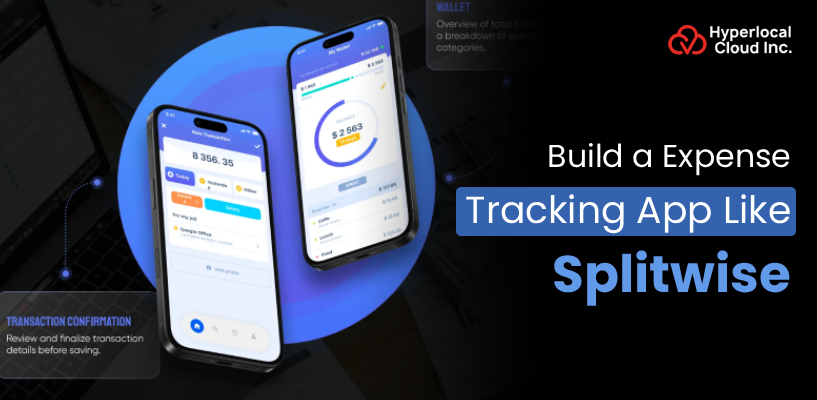
Splitwise redefined the way individuals use shared money – it made uncomfortable discussions about money into automated, smooth payments. The market of tracking group expenses has boomed since its debut, and nowadays millions of travelers, roommates, and teams use the apps every day. The management software market in global expense management is set to exceed $6 billion in the year 2026, pointing to huge investment opportunities. However, the new free-tier limitations at Splitwise have created an opportunity to be exploited, and savvy entrepreneurs are leaping at the chance.
Creating an expense-tracking application such as Splitwise at present is like joining a massively underserved, high-demand market with established user behavior and well-defined ways to monetize it. This is an opportunity that is never larger.
Introduction To The Splitwise App
Splitwise is a famous cost-sharing application that allows friends, roommates, or groups to manage and pay shared bills without any difficulties. It was launched in 2011, and it is a way to simplify a process that can be uncomfortable, whether splitting costs (rent, groceries, travel costs, and dining out). Users are able to form groups and record expenses, and have the app figure out who owes whom automatically. Splitwise boasts more than 50 million users all over the world, becoming the favorite financial tool of any person who has to deal with collective expenses in their personal or business life.
Ready to create your Splitwise clone?
Understanding How Splitwise Manages Shared Expenses
Splitwise removes the tension out of shared costs by ensuring it is easy to manage, divide, and pay anyone – here’s how it works:
1. Create a Group
Users began by creating a group and inviting friends, roommates, and travelling companions. All people are informed and can view all the costs shared.
2. Add an Expense
Whenever one pays a bill, they enter the details of the amount and the person they engaged with in the app. Splitwise is a web application that automatically computes individual shares.
3. Uneven Splits
Not all the expenses are split equally, Splitwise allows splitting by percent, specific amount, or shares. This ensures that it is just to all, every time.
4. Track Balances
The application maintains a running account of the person’s owed costs to everyone. You never need to do any math to know or see where you stand.
5. Send Reminders
In case one forgets to pay, the person can send a friendly reminder through the application itself. No embarrassing messages, Splitwise does it professionally.
6. Settle Up
Users are able to pay through built-in payment methods such as PayPal or Venmo when they need to do so. A single tap and the debt has been washed off.
Key Benefits of Launching a Group Expense Management App
Creating a Splitwise clone is not just a question of recreating an app but winning a market that is booming and has a successful business model and customer base. The reason why an investment is the ideal thing to do is that:
| Benefits | Description |
| High Market Demand | The cost management application market expands at a tremendous rate, and millions of users at this moment are actively seeking smarter bill division methods. Investing today should be seen as being on a wave that has no indication of diminishing. |
| Multiple Revenue Streams | Splitwise premium subscriptions, in-app purchases, and processing fees could be a source of income to a Splitwise clone. This provides your business with a diversified and sustainable income model right at the beginning. |
| Global User Base Potential | The joint costs occur all over the world, in the halls in London or excursions in Tokyo. You can easily reach people across borders with multi-currency support. |
| Low Competition at Entry Level | The limitations of the free tier at Splitwise have angered millions of users and created the golden window for new entrants. An attractive copy with all the generous free features can attract such users in no time. |
| High User Retention | Expense monitoring applications also create the power of habit, the user visits everyday to enter, pay, and check bills. This active interaction leads to retention and lifetime value per user. |
| Scalable & Customizable | Nothing provides a better basis to initiate a clone app than to provide a proven base, which you can tailor, brand, and scale to any niche, whether it is roommates, corporate teams, or frequent travelers. The architecture is developed as your ambitions expand. |
Which features define an expense-sharing app?
Developing a competitive expense tracking app entails filling it with intelligent, easy-to-use capabilities that address actual issues. Here are the features required by the panel that are must-haves and sorted in order to make it look like a great application:
User Panel Features
1. Easy Registration & Login
Users are able to register fast by mail, phone, or social accounts such as Google and Facebook. An easy onboarding process guarantees that users do not experience difficulty during the onboarding process.
2. Group Creation & Management
One can make various groups based on various situations, such as trips, roommates, or office expenses. The addition or deletion of members is easy and only requires a few taps.
3. Add & Split Expenses
Users are able to record any expense in real time and divide it into equal or custom parts. The program is fully automated and does all the calculations automatically, saving time and avoiding mistakes.
4. Multiple Split Options
In addition to equal splits, users may split the bills by percentage, precise amounts, or weighted portions. This is the reason why it is flexible, and all situations are addressed in a precise manner.
5. Real-Time Balance Tracking
Users receive a live perspective of those to whom they are indebted and those to whom they are owed money in all the groups. Balances are updated immediately upon adding a new expense.
6. Payment Reminders
The user is able to send friendly payment reminders to group members who have yet to pay. This eliminates the embarrassment of owning up to friends or workmates to seek money.
7. Multi-Currency Support
The users are allowed to enter the costs in any currency and have the app convert the values automatically. This ensures that international travel is easy and cost-effective for all concerned.
8. Expense History & Activity Feed
All past expenses, edits, and settlements are shown in an elaborate log that the users can easily view. This entire history enables solving a conflict or making a retrospective on the past journeys without difficulty.
9. Push Notifications & Alerts
The app sends instant notifications whenever new expenses are added or balances have changed. Users can always be informed without the need to check the app by hand.
10. In-App Settlement
The app has inbuilt payment gateways that allow users to pay bills within the application. The transactions can be done in one tap, and hence the whole process is quick and easy.
Admin Panel Features
1. User Management Dashboard
The admin is able to see, control, and monitor all registered users in a centralized dashboard. It is possible to suspend, edit, or check accounts with a single click.
2. Expense Monitoring
Admins can see all the expenses that are being logged on the platform on a pre-group basis. This monitoring is to guarantee the accuracy, transparency, and prevent misuse of the platform.
3. Revenue & Subscription Management
The admins will be able to monitor all the premium subscriptions, in-app purchases, and payment transactions in real time. Comprehensive income statements assist one in making quality business and pricing judgments.
4. Analytics & Reporting
Detailed dashboards show the growth of the users, their engagement, and usage of features. These lessons enable the business to know how people use the app and how to constantly refine the app.
5. Content & Notification Management
Admins are able to send specific push notifications, announcements, and promotional messages to everybody. This makes the user base active and aware of new features or offers.
6. Fraud Detection & Security Monitoring
The admin panel notifies of any suspicious activity, suspicious transactions, and failed logins. It is an anticipatory measure that makes the platform safe and reliable for each user.
7. Currency & Exchange Rate Management
Admins are allowed to add and maintain supported currencies and live exchange rate integrations through the backend. This makes it possible to have multi-currency features that constantly provide the real and updated financial information.
8. Group & Activity Oversight
Admins can track any group, its members, and the costs that are being incurred in the group. This serves to define inactive groups and achieve resource optimization of the servers.
9. Support & Ticket Management
An in-built helpdesk enables administrators to obtain, monitor, and address user complaints and inquiries. Quick response to support enhances user satisfaction, and churn rate is low.
10. App Settings & Configuration
Admins can control preferences related to apps, including fee structure, switching features, and gateways. It is also not too rigid to such an extent that the business will be unable to modify it quickly without necessarily having to rework the whole app.
Launch your own expense-sharing startup today
How can AI optimize expense tracking apps like Splitwise?
The implementation of AI into your expense tracking app is not a craze; it is a revolutionary move that will automate the task, provide you with more intelligent insights, and create a highly personalized experience for every user. The following are the 8 essential AI features:
| AI-Powered Features | Description |
| Smart Expense Categorization | AI will automatically find out and group all the expenses, such as food, travel, and entertainment, without the user pressing any button. This time is saved, and expenditure is planned in a neat, well-sorted manner. |
| AI-Powered Receipt Scanning | One has to take a picture of any receipt, and the artificial intelligence will automatically get the amount, date, and merchant information. No manual entry is required; the cost will be recorded correctly in a few seconds. |
| Intelligent Split Suggestions | Artificial intelligence proposes the most suitable method of dividing every bill based on previous behavior and group dynamics. It studies history, and it becomes wiser with each bill incurred. |
| Spending Pattern Analysis | AI will help predict spending patterns of users in the long term and provide easy-to-interpret insights and trends. Customers can easily trace the way their money is spent and make better financial choices. |
| Predictive Payment Reminders | Rather than using reminders at set intervals, AI will guess the most appropriate moment to remind users depending on their habitual activities. This enormously gives the possibility of timely settlements without being obtrusive. |
| Automatic Currency Detection | The AI can identify the user’s location, which is used to automatically charge new expenses in the appropriate local currency when the users are traveling. This eliminates the process of changing things manually, and international group outings are absolutely hassle-free. |
| Fraud & Anomaly Detection | AI will be checking on the transactions at all times and will indicate suspicious or unusual entries in the expense records immediately. This makes the site secure and creates confidence among all the users of the application. |
| AI Chatbot & Voice Expense Entry | It is only necessary to enter expenses by typing or talking to an in-app AI assistant using basic language. This will be a hands-free system, making it easier than ever to log the bills. |
Creating a Splitwise-Like Expense Sharing App
The creation process of a Splitwise-like application is properly structured, and this makes every functionality of the application flawless and all the user interactions satisfactory. The following is a step-by-step process of how all this can be done:
Step 1 – Market Research & Requirement Gathering
The first one is the knowledge of your target audience, competitor research, and positioning the gaps that your app will occupy. It means that the user pain point, desired functionality, and pricing expectations are to be analyzed in detail. A good groundwork in research assures that your app is going to be purpose-built and with a clear-cut competitive advantage right at the start.
Step 2 – UI/UX Design & Prototyping
After defining the requirements, the designers provide wireframes and interactive prototypes that provide a mapping of all the screens and user flows. The emphasis will be on creating a user-friendly, neat interface that will make any user feel at ease when logging expenses. There are several design cycles that are discussed and perfected before a single line of code is written.
Step 3 – Splitwise Clone Development
In order to build an expense tracking app like Splitwise, you need to first choose an approach from a custom-based or white-label solution. A custom-based solution is one in which the app is developed from scratch, and it generally requires more investment and time, like months, to develop the app. On the other hand, if you buy a white-label solution, it will cost you less as it is a ready-to-use and pre-tested solution that you can rebrand as your own and launch in the market within a week or two.
Step 4 – Payment Gateway Integration
The development of a web application that provides high-quality payment gateways, such as Stripe, PayPal, or Razorpay, is a crucial point of the development process. This will enable the users to pay debts directly in the app without the need to switch to a different platform. At this stage, security measures such as encryption and two-factor authentication are employed to secure all the transactions.
Step 5 – Testing & Quality Assurance
The app is also thoroughly tested with regard to functionality, performance, security, and user experience of the device prior to launch. QA teams identify and resolve bugs, broken flows, and edge cases, which can frustrate real users. This is the stage that prepares the completed product as stable, reliable, and capable of working in the real world without any doubts.
Step 6 – App Launch & Deployment
When the testing is done, the app is uploaded to the Google Play Store and Apple App Store in accordance with their policies. A comprehensive launch strategy with a marketing campaign, press release, and buzz via social media is implemented concurrently. The rollout must be flawless to ensure that the visibility is maximum and user uptake is high on the first day itself.
Step 7 – Post-Launch Support & Continuous Improvement
After the launch of the app, the team will monitor the performance of the app, user reviews, and crash reports to identify areas of improvement. New updates are also done periodically to build problem fixes, new features, and make the app competitive in the market. With continuous support, users will be happy, and the app will keep on expanding with the changing needs of the users.
Start building your own expense tracking app today!
Monetization Strategies for Splitwise-Style Expense Apps
It is a properly designed revenue model that turns a good expense tracking application into a sustainable, profitable business venture. Here are the five most efficient monetization strategies that you can use during your first day of operation:
1. Freemium Subscription Model
Offer a free basic model, with limited functionality, and a more expensive model with greater functionality, including scanning receipts, limitless expenses, and reports. The users who would find the value in the app will automatically transition to paid plans, which will result in a steady and predictable monthly stream of recurrent income.
2. Transaction-Based Fees
Impose a minimal percentage cost each time a customer pays any amount of money directly via the payment gateway installed in the app. Millions of transactions occur on your users every day, and any percentage difference is a huge revenue in the long term.
3. In-App Advertising
Serve exceptionally focused advertisements to free-tier users of prominent travel, banks, and lifestyle brands. By ensuring that ads are never too invasive and that they are also contextually relevant, you make sure that the user experience is never negatively affected and that you have a steady stream of passive income for your business.
4. Business & Corporate Plans
Provide special enterprise plans where companies need to take care of team billing, reimbursements, and the cost of the project. Organizations are ready to pay higher prices for features such as sophisticated reporting, administrative controls, and priority support that are helpful to their business.
5. Affiliate & Partnership Revenue
Collaborate with financial services, travel apps, and payment applications, where you will receive referral fees upon the user registering on your app. Such strategic alliances form a layer of revenue further and at the same time provide an added genuine value to the overall experience of your users.
Summing Up!
One of the best fintech investments in the digital-first world today is to build an expense tracking app like Splitwise. As the market demand increases, the behavior of the users is proven, and there are numerous chances to make a profit, the prospect of success is colossal. The trick is to collaborate with the appropriate development team in order to make your vision come true. We at Hyperlocal Cloud are a company that specializes in custom app development, clone apps, and white-label solutions. We are offering a world-class product at a starting cost of only $8,000. You should not skip this chance. Contact us now to create something amazing together!

Patt Cummins is an experienced content writer with over 10 years of experience creating clear and engaging content for technology-focused industries. He specializes in simplifying complex technical topics into easy-to-understand stories that educate readers, support brand communication, and help businesses effectively share their solutions.

Need Help With
Development?