

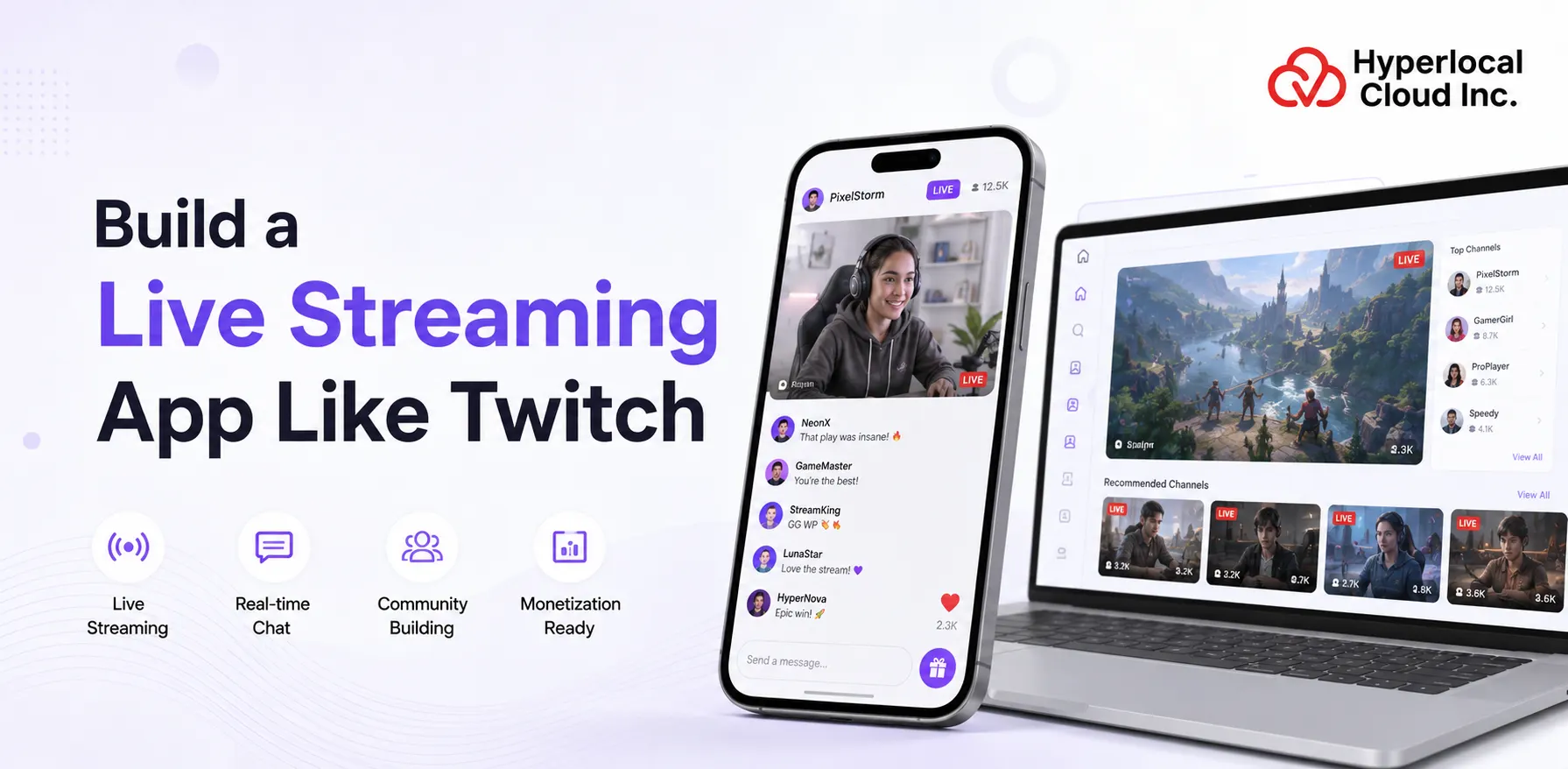
Building a Twitch-like streaming platform requires more than adding live video. You need a scalable streaming architecture, real-time chat, creator tools, content discovery, subscriptions, virtual gifting, moderation, and monetization. In this guide, we explain how to build a Twitch clone app, the features and technology stack you need, development costs and timelines, monetization models, and the options available for custom or ready-made development.
A Twitch clone app provides a starting point for launching your own live streaming platform with the features users already expect. Instead of building every component from scratch, you can customize the platform around your brand, target audience, content niche, and business model. From live video and real-time chat to subscriptions, virtual gifts, creator profiles, and content discovery, the platform can be adapted for gaming, education, entertainment, music, or other live content categories.
What Is a Twitch Clone App?
Twitch is a live-streaming application, owned by Amazon, with users viewing and communicating with streamers (creators) who broadcast live content, mostly video games, esports, music, art, and in real-life (IRL) streams, and conversing with other users in real time. It is a social gaming app that lets viewers subscribe to popular streamers, find new content on a feed of discoveries, and interact with people interested in a certain hobby.
Build a Powerful Live Streaming Platform Tailored to Your Business
Working Mechanism of An App Like Twitch
The workflow of the Twitch clone app is an interactive, real-time environment to stream and watch live streams, mainly of gaming content, but also music, “just chatting,” and other creative categories. The application is an all-in-one platform for creating, finding, and interacting with video content. The viewers’ and streamers’ work process comprises the following:
1. Account Creation
A free Twitch account is created by users who create an email account and a password. Then they can customize their profile with a username, avatar, and bio.
2. Streaming
Broadcasters record their game or content with a broadcasting program such as OBS. The software transmits the video stream to the Twitch servers, which broadcast the stream to users around the globe.
3. Watching Streams
Customers navigate through the categories or channels to acquire content they prefer. They can watch real-time live streaming in their browser or by using their app.
4. Chat Interaction
Each stream has a live chat through which the viewer can type messages. Streamers and viewers interact live with each other, and this makes the interaction of the community engaging.
5. Following & Subscriptions
Free following is available, where users can follow channels to receive notifications whenever streamers go on air. Paid subscriptions are able to use special emotes and badges, as well as ad-free viewing, and provide support to the streamer.
6. Monetization
Streamers make revenue via subscriptions, donations from viewers (bits), and advertisements. Streamers keep some of the income, and the app takes a percentage.
7. Discoverability
Twitch suggests streams according to the history of views and popular categories. New content is available through search using a game, tag, and streamer name.
8. Moderation
Streamers have moderators who control chat and administer rules. To make streams friendlier, mods can ban or temporarily suspend users who break the rules of the community.
Why Is Investing In A Live Streaming Platform Like Twitch Profitable?
The following table displays the business benefits of investing in a live streaming platform like Twitch:
| Benefits | Description |
| Faster Time-to-Market & Lower Cost | Take advantage of a ready-made solution to go to market fast without extensive research and development, save money, and take advantage of trends much quicker than a start-up strategy does. |
| High User Engagement | Tap into established features such as real-time chat, emotes, and user-created content to establish robust communities and serve to keep users informed on interactive, instantaneous content. |
| Proven Monetization | Introduce proven monetization, such as subscriptions, donations, advertisements, and virtual gifts, with the possibility of introducing individual sources of revenue. |
| Niche Market Dominance | Compete against the big players by building a platform to serve particular audiences (e.g., a specific game, hobby, or education) that they do not serve. |
| Reduced Risk | Have the advantage of a model that has proven user acceptance and features that are already proven, and is less risky than totally new ideas. |
| Scalability & Control | The code will be scalable for future expansion and updates, and fully control the branding and features. |
| Data-Driven Insights | Give creators analytics boards to monitor the performance and demographics of a fanbase, and enhance the content plans. |
Turn Your Streaming Platform Idea Into a Profitable Business
Must-Have Features For Live Streaming App Like Twitch
A Twitch clone application generally has three primary panels that accommodate the various user types: viewers, streamers, and admins to administer the live-streaming experience. These panels are centered on high-quality streaming, real-time interaction, and monetization. The essential panel functionalities of a Twitch clone are:
User/Viewer Panel Features
➤ Live Stream Player
Users can use the app to view live streams at any quality setting, with pause/play features and full-screen.
➤ Chat Interface
The chat interface provides a web-based chat that allows users to send messages, emotes, and engage with other viewers, and to talk in real time during streams.
➤ Follow & Subscribe
Users can subscribe to their favourite streamers to receive notifications and become supporting members, making monthly payments to receive exclusive benefits.
➤ Channel Points
Users can earn points by viewing streams and use them to get custom rewards, unlock emotes, or special interactions.
➤ Notifications Center
This feature keeps users updated by sending notifications when followed channels come online, raid notifications, and letting them know what is happening in the community.
➤ Directory Browser
Discover live content by game genres, search what is trending in live streams, meet new streamers, and filter streams by language or tag.
➤ Clip Creation
Users can share their best moments on the stream by creating short clips, which could be published on social media.
➤ Video Library
Users can access past broadcasts (VODs), watch highlights, view saved clips, and watch missed streams.
➤ Bits & Cheering
Support streamers with bits and cheer them in chat, as well as unlock special animated emotes and badges.
➤ Whispers & Direct Messages
This provides a private chat feature for friends and streamers, as well as one-on-one conversations, not in the open channel.
Streamer/Creator Dashboard
➤ Stream Manager
Using the stream manager feature, streamers can manage their live stream and chat, as well as set up everything through a single dashboard.
➤ Chat Moderation Tools
Moderate chat messages, view chat messages, time out or ban users, control AutoMod settings, and grant moderator privileges.
➤ Activity Feed
View real-time updates of new followers, subscribers, and bits, host notifications, and viewer milestones in the creator’s stream.
➤ Stream Preview Monitor
View the results of the creator’s live stream to make sure the video is clear, check overlays, test scene transitions, and audio levels.
➤ Quick Actions Panel
This is an instant way to run commercials, make clips out of epic moments, update the stream name and tags, or switch game categories without having to leave the stream.
➤ Analytics Dashboard
Monitor the number of simultaneous viewers, the highest number of simultaneous viewers, the rate of activity in the chat room, the dynamics of follower growth, and the general performance indicators of the stream.
➤ Extensions Manager
Add, delete, and customize interactive overlays, viewer polls, leaderboards, mini-games, or third-party applications to add more immersion.
➤ Raid Controls
Creators can send their whole viewer community to a different channel with a few clicks when they are done streaming to promote other creators.
➤ Stream Health Indicators
Creators can visualize their bitrate consistency, dropped packets, connection strength, and encoding efficiency in real time.
➤ Channel Points Management
Develop tailor-made rewards, set point costs, manage redemption queues, and automatically fulfill rewards.
Admin Panel Features
➤ User Management
The admin can view, search, edit, suspend, or permanently ban user accounts within the platform in the case of policy violations and misconduct.
➤ Content Moderation Dashboard
This is a section where reported streams, clips, VODs, and chat messages can be reviewed in order to enforce community guidelines and terms of service.
➤ Live Channel Monitoring
Watch all live streams in real-time, mark inappropriate content, and directly intervene in broadcasts that do not follow the rules.
➤ Platform Analytics & Reports
This provides the admin with a complete platform-wide view of the growth of users, stream data, revenue data, engagement, and retention rates.
➤ Partner & Affiliate Management
The admin can review and approve partnership applications, monetization eligibility, revenue sharing, and payouts.
➤ Appeals Review System
The admin receives appeals from users on bans, suspensions, and channel strikes or DMCA claims over issues, and finalizes the enforcement.
➤ Copyright & DMCA Tools
Process copyright infringement cases, give takedown notices, administer counter-notifications, and resolve intellectual property cases.
➤ Advertising Controls
Run ad campaigns, set platform ad rates, ad placement policies, and monitor advertising revenue and advertisers.
➤ Security & Fraud Detection
Track any suspicious activity, identify bot accounts, stop viewbotting and follow-botting, and prevent spam and platform abuse.
➤ Site-wide Announcements
Generate and send platform notices, planned changes, feature introductions, policy changes, and emergency messages to every user.
What AI Capabilities Drive Twitch-Like Streaming Platforms?
In order to enhance the Twitch-like live streaming app functionality similar to platforms like Dazz Live, businesses or startups can integrate the AI-powered features below:
| AI-Powered Features | Description |
| Content Recommendations | AI uses your history, watch time, and interaction history to recommend live channels and streamers that you will enjoy. The system also gets to know your tastes and preferences in order to keep on improving personalized content discovery. |
| AutoMod Chat Filtering | Chat is kept safe by automatically blocking toxic messages, harassment, slurs, and spam in real time using AI. Streamers are able to regulate sensitivity levels according to their community norms and moderation requirements. |
| Automatic Clip Highlights | AI will recognize the exciting moments of the stream, such as clutch plays, massive reactions, or moments of maximum interest, and recommend clipping. This assists the viewers and streamers in recording the best content without having to sit in front of the TV and watch the overall broadcasts. |
| Smart Transcription & Captions | AI creates closed captions in real-time on live content, thus enabling the deaf and the hard-of-hearing to watch content. The system accommodates various languages and can adjust to various accents and styles of speech. |
| Suspicious User Detection | AI helps identify bot accounts, spam networks, hate raids, and organized harassment campaigns in order to protect the streamers. The system identifies anomalous behavioral patterns and assists the moderators in making prompt decisions against bad actors. |
| Copyright Detection System | AI is a continuous scanner of streams in search of copyrighted music, video clips, and audio to avert DMCA strikes and violations. When the streamers have detected protected content, instant alerts are generated so that they can take the appropriate action. |
| Chat Sentiment Analysis | The AI examines the mood of chats, level of engagement, and viewer behavior to assist the streamer in determining how their audience reacts. This will give an idea of what material works and when the audience is excited or not. |
| Personalized Feed Curation | AI sorts your home page by priority content, whereby streams most favored by your behaviors are prioritized to watch. The feed is personalized for the day based on your activity and the live channels available. |
| Smart Notifications | AI will understand your viewing patterns and habits and will send notifications at the best time when your favorite streamers are live. This will not give rise to notification fatigue and will make sure that you do not miss streams that matter to you. |
| Voice & Audio Enhancement | AI will remove background noise, optimize audio quality, and enhance the quality of the voice correctly to make the stream sound better. The technology is real-time optimized to accommodate various environments and equipment configurations without being manually changed. |
Add AI-powered Features to Make Your Streaming Platform Smarter
A Complete Methodology to Build A Live Streaming App Like Twitch
Building a live streaming app like Twitch requires a step-by-step approach that combines streaming infrastructure, user experience, real-time communication, monetization, and security. A typical development process includes:
1. Define the Concept and Features
Identify your target audience, content niche, monetization model, and core features. Start with an MVP covering user registration, live streaming, chat, profiles, stream discovery, notifications, and basic moderation.
2. Design the UI/UX
Create simple and engaging interfaces for viewers, streamers, and admins. Focus on easy stream discovery, smooth video playback, interactive chat, creator dashboards, and responsive design across devices.
3. Develop the Streaming Infrastructure
Set up the architecture for video ingestion, transcoding, storage, and delivery. Technologies such as RTMP, WebRTC, HLS, CDN, and cloud-based media services can be used to provide reliable and scalable streaming.
4. Build the Application
Develop the frontend, backend, real-time chat, user management, notifications, creator tools, and admin panel. Integrate databases, caching, APIs, and WebSocket-based communication as required.
5. Add Monetization and Moderation
Integrate subscriptions, virtual gifts, tipping, advertisements, and payment gateways. At the same time, implement reporting, chat moderation, content management, copyright controls, and security features.
6. Test and Launch
Test streaming quality, latency, chat performance, payments, security, and concurrent-user capacity. After deployment, monitor platform performance and user behavior, then continuously improve features and infrastructure as the audience grows.
Technology Stack for Twitch Clone App Development
The technology stack should be selected according to your required latency, audience size, supported platforms, and expected concurrency.
| Technology Layer | Recommended Options | Purpose |
| Mobile App | Flutter, React Native, Swift, Kotlin | Viewer and creator applications |
| Web Frontend | React, Next.js | Web streaming and dashboards |
| Backend | Node.js, NestJS, Python | APIs and business logic |
| Database | PostgreSQL, MySQL | Users, channels, payments, subscriptions |
| Cache | Redis | Sessions, frequently accessed data |
| Real-Time Communication | WebSockets | Live chat and real-time events |
| Video Ingestion | RTMP, WebRTC | Sending live video into the platform |
| Video Delivery | HLS, LL-HLS, WebRTC | Delivering streams to viewers |
| Media Infrastructure | AWS Elemental, managed streaming services, media servers | Processing live video |
| Storage | Amazon S3 | Recordings, thumbnails, clips |
| CDN | Amazon CloudFront, Cloudflare | Global content delivery |
| Payments | Stripe, Razorpay | Subscriptions and payments |
| Notifications | Firebase Cloud Messaging | Push notifications |
| Analytics | GA4, Mixpanel, custom analytics | User and content analytics |
The exact stack will vary depending on the platform. AWS’s current live-streaming architecture, for example, uses MediaLive for ingest/transcoding, MediaPackage for packaging, and CloudFront for CDN delivery.
Twitch Clone App Development Cost in 2026
The cost to develop a Twitch clone app can start from around $8,000 for a basic, ready-made or MVP solution and increase based on the features, platforms, streaming infrastructure, customization, and scalability requirements. A simple platform with core features such as user registration, live streaming, profiles, chat, and basic admin controls can be developed at a lower cost, while advanced functionality requires a larger investment.
For a more feature-rich Twitch-like platform, the development cost can increase significantly as you add iOS and Android apps, advanced streaming architecture, subscriptions, virtual gifts, VOD, creator analytics, AI moderation, personalized recommendations, and support for large numbers of concurrent viewers. Therefore, the final cost should be estimated according to your required features, target audience, technology stack, and expected platform scale.
What Affects Twitch Clone Development Cost?
Number of Platforms
Developing for a single platform, such as web or Android, generally costs less than building and maintaining web, iOS, and Android applications.
Streaming Architecture
The choice of streaming technology, media servers, transcoding, CDN, and low-latency delivery directly affects development and infrastructure costs.
Concurrent Viewers
A platform designed to support thousands or millions of simultaneous viewers requires a more robust backend and video-delivery infrastructure than a small MVP.
Video Quality
Supporting HD, Full HD, adaptive bitrate streaming, multiple resolutions, and reliable playback across different network conditions increases development complexity.
Real-Time Features
Features such as live chat, reactions, notifications, moderation, and real-time interactions require additional backend and WebSocket infrastructure.
Monetization
Subscriptions, virtual currencies, tipping, creator payouts, advertising, refunds, and payment integrations can increase the overall development scope.
Recording & VOD
Saving live broadcasts for replay requires additional storage, video processing, transcoding, and content-delivery infrastructure.
Advanced Moderation & AI
AI-powered moderation, recommendation systems, automatic highlights, copyright detection, fraud prevention, and suspicious-activity detection require additional development and infrastructure investment.
Calculate Your Twitch Clone Development Budget Based on Required Features
What Are The Monetization Strategies for a Twitch Clone?
Given below are the monetization strategies that businesses or startups can implement to earn money if they build a Twitch clone app similar to platforms like Mico Live:
➤ Advertising
During streams, there are advertisements that are a source of revenue, frequently with a revenue split favoring the creators of their show, such as in the Ads Incentive Program (AIP).
➤ Subscriptions
Subscribers have the option of channel support, which allows them to enjoy no advertisements, personalized emotes, and badges at a monthly price. Businesses can earn a share from the biggest partners.
➤ Bits & Cheering
Businesses can earn through virtual currency, which users can purchase to send animated cheers (Bits) in chat, and can get a share of the purchase made, while streamers receive a portion as well.
➤ Direct Support
This category of donation and virtual gifts (such as paid emotes or badges) directly benefits the streamers, and businesses make money on the transactions.
➤ Sponsorships & Merch
Brands and branded merch sales are also part of the total revenue of creators and the platform.
Bringing It All Together!
Launching a live streaming app like Twitch can help businesses tap into the growing creator economy and build an engaged community of streamers and viewers. With the right features, monetization strategy, and scalable streaming infrastructure, you can create a platform tailored to your target audience and niche.
Whether you choose a ready-made clone solution or a fully customized platform, starting with the right MVP and scaling based on user demand can help reduce development costs and accelerate time to market. With a strong technology foundation and continuous improvements, your live streaming platform can grow into a successful and engaging community.

Nisha Bagga is a technical writer with more than 7 years of experience creating high-quality content for a wide range of industries. She specializes in developing clear, engaging, and well-researched technical and business content tailored to diverse audiences and industry requirements.

Need Help With
Development?