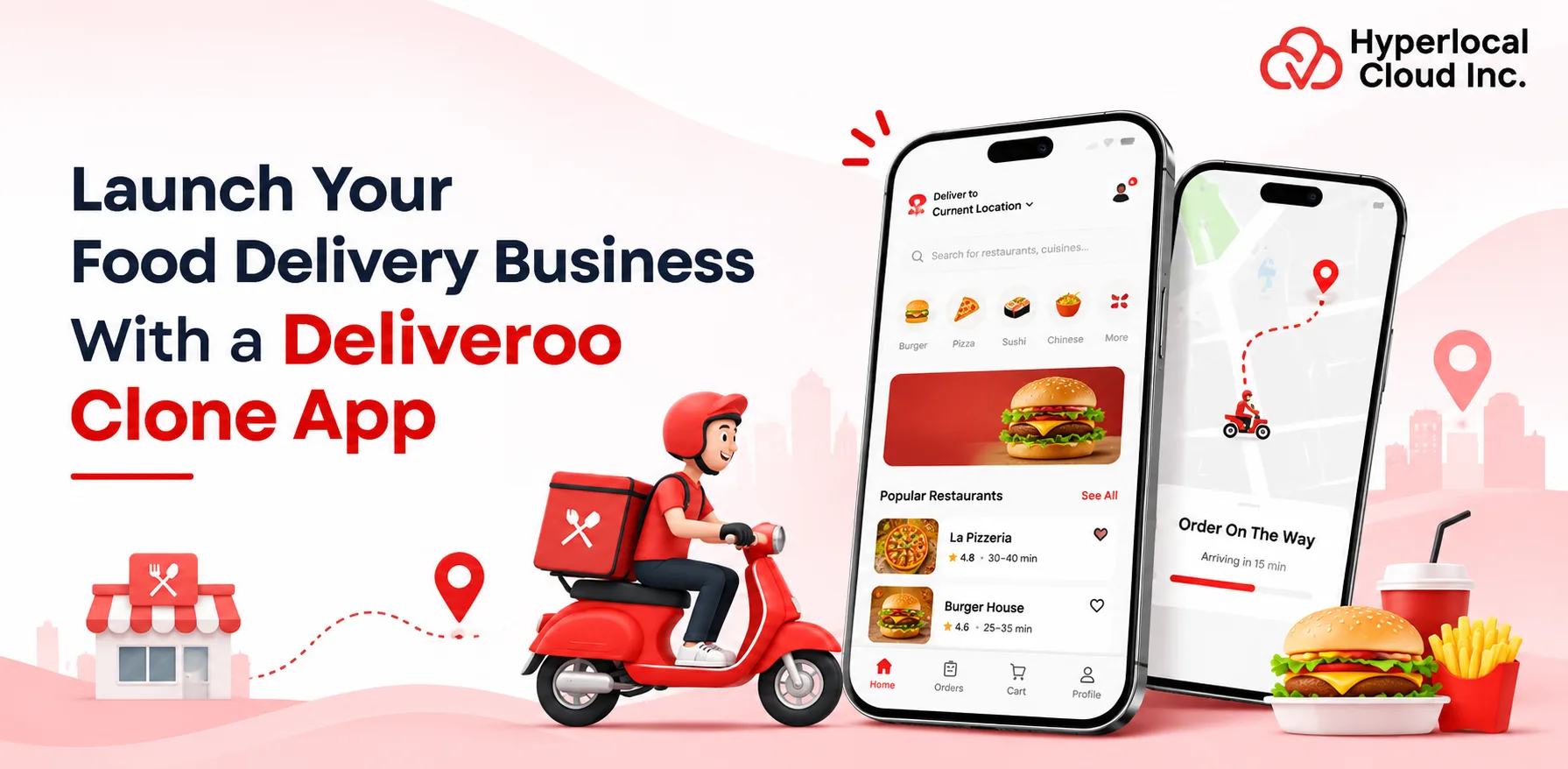
The online food delivery industry has transformed how customers discover restaurants, order meals, and receive food at their doorsteps. With the growing demand for convenient food ordering experiences, entrepreneurs and businesses are exploring opportunities to launch their own food delivery platforms.
Developing an application like Deliveroo allows businesses to connect customers, restaurants, and delivery partners through a single digital platform. However, building such an application from scratch requires considerable time, investment, and technical resources.
A Deliveroo clone app offers a practical alternative by providing ready-made food delivery functionalities that businesses can customize with their own branding, features, and business requirements. With a white-label food delivery solution from Hyperlocal Cloud, entrepreneurs can establish their own food delivery marketplace and enter the competitive online food ordering market.
Let’s explore the essential features, development costs, business models, revenue opportunities, and steps involved in launching a food delivery application like Deliveroo.
What Is a Deliveroo Clone App?
A Deliveroo clone app is a ready-made food delivery application designed to replicate the core functionalities of popular food delivery platforms like Deliveroo. It enables customers to browse nearby restaurants, explore menus, place food orders, make online payments, and track deliveries in real time.
The platform generally consists of four interconnected panels: a customer application, restaurant partner application, delivery partner application, and an admin dashboard. Each panel serves a specific purpose while maintaining a connected food ordering and delivery ecosystem.
Businesses can use Deliveroo clone software to launch their own branded food delivery marketplace app without developing every functionality from the beginning. The solution can be customized according to business requirements, target locations, pricing strategies, and operational workflows.
Create Your Own Food Ordering Application
How Does a Deliveroo Clone App Work?
A Deliveroo-like application connects customers with restaurants and delivery partners through a centralized system. Each participant interacts with the platform through a dedicated application or dashboard, allowing orders and delivery operations to run smoothly.
Customer App Workflow
Customers begin by registering or logging into the application and entering their delivery location. The application displays available restaurants based on their location, operating hours, and delivery coverage.
Customers can browse restaurant menus, select food items, customize orders, and add them to their shopping carts. After selecting a payment method and confirming the order, they receive order updates and real-time delivery tracking.
Restaurant Partner Workflow
Restaurants receive incoming orders through their dedicated partner application or dashboard. They can accept or reject orders, manage menus, update food availability, and change order preparation statuses.
Once the food is prepared, the restaurant updates the order status so that the delivery partner can collect it.
Delivery Partner Workflow
Delivery partners receive delivery requests based on their availability, location, and assigned orders. After accepting a request, they can view restaurant details, navigate to the pickup location, and collect the prepared food.
They then use GPS navigation to reach the customer’s delivery address. Delivery status updates help customers monitor the progress of their orders.
Admin Dashboard Workflow
The administrator manages the entire food delivery ecosystem from a centralized dashboard. They can monitor customers, restaurants, delivery partners, transactions, commissions, and orders.
The dashboard also provides access to analytics, promotional campaigns, payment records, and operational reports, helping business owners manage daily activities efficiently.
Why Invest in Deliveroo Clone App Development?
The growing preference for online food ordering has created opportunities for businesses to introduce innovative food delivery services. A food delivery application like Deliveroo can help entrepreneurs establish a digital presence and serve customers looking for convenient meal ordering experiences.
Growing Demand for Online Food Ordering
Customers increasingly prefer ordering meals through mobile applications instead of visiting restaurants or making traditional phone calls. Online food delivery platforms simplify restaurant discovery, menu comparison, ordering, and payment.
Businesses can capitalize on this changing customer behavior by introducing an easy-to-use food ordering platform.
Increasing Smartphone-Based Food Purchases
Smartphones have become an important part of everyday purchasing activities. Customers can order food whenever they need it without depending on restaurant websites or physical visits.
A mobile-first food delivery solution allows businesses to connect with customers through accessible ordering experiences.
Opportunities in Hyperlocal Food Delivery
Hyperlocal delivery focuses on connecting customers with restaurants operating within specific geographical areas. This model allows businesses to build partnerships with local restaurants and serve customers within defined delivery zones.
Entrepreneurs can initially target a small geographical area and gradually expand operations into neighboring locations.
Expansion into Multiple Delivery Categories
A food delivery platform can expand beyond restaurant meals by introducing additional categories such as bakery products, desserts, beverages, groceries, and specialty foods.
This creates opportunities to attract different customer segments and diversify business operations.
Growing Demand for Convenient Ordering Experiences
Customers value convenience, transparent pricing, multiple payment options, and real-time delivery updates. A well-designed food delivery application brings these services together in one place.
Businesses can improve customer satisfaction by offering smooth navigation, personalized recommendations, and reliable delivery experiences.
Essential Features of a Deliveroo Clone App
Features play an important role in determining the usability, performance, and overall success of a food delivery application. A Deliveroo clone should include dedicated functionalities for customers, restaurant partners, delivery professionals, and administrators.
Customer App Features
The customer application should provide a simple and convenient food ordering experience. From restaurant discovery to delivery tracking, every feature should help customers complete their orders without unnecessary steps.
1. Easy Registration and Login: Allow customers to create accounts using their email addresses, mobile numbers, or social media accounts. Secure authentication makes account access convenient.
2. Restaurant Discovery: Display nearby restaurants based on customer locations, delivery availability, cuisine preferences, and ratings.
3. Advanced Search and Filters: Enable customers to search for restaurants and food items using keywords, cuisines, prices, ratings, and dietary preferences.
4. Menu Management and Customization: Allow customers to explore restaurant menus, view food descriptions, select portion sizes, and customize ingredients or add-ons.
5. Add to Cart and Checkout: Provide a convenient shopping cart where customers can review selected items, modify quantities, apply discounts, and confirm orders.
6. Multiple Payment Options: Integrate payment gateways that support credit cards, debit cards, digital wallets, and other locally available payment methods.
7. Real-Time Order Tracking: Allow customers to monitor order preparation, pickup, and delivery progress through GPS-enabled tracking.
8. Ratings and Reviews: Let customers rate restaurants, food quality, and delivery experiences to help other users make informed decisions.
9. Order History and Reordering: Maintain previous order records so customers can review transactions and quickly reorder their favorite meals.
10. Push Notifications: Send notifications about order confirmations, preparation updates, delivery status, discounts, and promotional offers.
Restaurant Partner Panel Features
The restaurant partner panel enables restaurant owners to manage their online presence, receive orders, and monitor business performance.
1. Restaurant Registration: Allow restaurant owners to register their businesses and submit the required information for verification.
2. Menu and Category Management: Enable restaurant partners to add food items, upload images, edit descriptions, and organize menus into categories.
3. Order Management: Provide a centralized interface to accept, reject, and process incoming food orders.
4. Pricing Management: Allow restaurant owners to update menu prices, add special offers, and manage item availability.
5. Promotional Campaigns: Help restaurants create discounts, promotional deals, and special meal offers to attract customers.
6. Earnings and Commission Tracking: Display order revenue, platform commissions, transaction records, and settlement details.
7. Restaurant Analytics: Provide insights into total orders, popular menu items, customer activity, and sales performance.
8. Availability Management: Allow restaurants to manage opening hours, temporary closures, and food item availability.
Delivery Partner App Features
The delivery partner application helps drivers receive assignments, manage pickups, navigate delivery routes, and track their earnings.
1. Delivery Partner Registration: Allow delivery professionals to register and submit the necessary verification documents.
2. Order Assignment: Automatically assign delivery requests based on predefined business rules, driver availability, and location.
3. Accept or Reject Orders: Allow delivery partners to review incoming requests and accept or decline assignments according to platform policies.
4. GPS Navigation: Integrate navigation services to help drivers find restaurants and customer delivery addresses.
5. Real-Time Location Tracking: Share delivery partner locations with customers and administrators during active deliveries.
6. Delivery Status Updates: Allow drivers to update order statuses, including accepted, picked up, on the way, and delivered.
7. Earnings Dashboard: Display completed deliveries, incentives, commissions, and earnings summaries.
8. Delivery History: Maintain records of completed, cancelled, and ongoing delivery assignments.
Admin Dashboard Features
The admin dashboard provides business owners with centralized control over the entire food delivery marketplace.
1. Customer Management: Manage customer accounts, profile information, order records, and account activities.
2. Restaurant Management: Review restaurant registrations, verify partner details, manage listings, and monitor restaurant performance.
3. Delivery Partner Management: Manage driver profiles, verification, availability, delivery assignments, and performance.
4. Order Management: Monitor all incoming, ongoing, completed, and cancelled orders from one dashboard.
5. Commission Management: Configure platform commission rates and monitor earnings generated through restaurant partnerships.
6. Payment and Refund Management: Track payments, process eligible refunds, and maintain transaction records.
7. Promotional Management: Create coupon codes, discounts, referral campaigns, and platform-wide promotional offers.
8. Reports and Analytics: Generate reports related to orders, revenue, customer acquisition, restaurant performance, and delivery operations.
9. Geo-Fencing: Define delivery zones and geographical service boundaries to manage order availability.
10. CMS Management: Manage application content, banners, informational pages, policies, and promotional material.
Discuss your food delivery business goals with our team
Advanced Technologies to Integrate into a Deliveroo Clone App
Integrating modern technologies can improve food delivery operations, automate repetitive activities, and create more personalized customer experiences. Businesses should select technologies according to their platform requirements and long-term growth plans.
Artificial Intelligence for Personalized Recommendations
AI-powered recommendation systems can analyze customer preferences, previous orders, browsing activities, and food choices to suggest relevant restaurants and menu items.
For example, customers who frequently order vegetarian meals can receive recommendations for similar restaurants and dishes. Personalized suggestions can improve customer engagement and encourage repeat purchases.
Machine Learning for Demand Forecasting
Machine learning algorithms can analyze historical order data, seasonal patterns, customer behavior, and peak ordering periods to estimate future demand.
Restaurants can use these insights to prepare inventory, manage staffing requirements, and reduce unnecessary food wastage.
GPS and Geolocation Integration
GPS technology helps identify customer locations, restaurant distances, and delivery partner positions. Location-based services also support delivery zone management and route planning.
Integrating mapping services allows delivery partners to navigate efficiently between restaurants and customer locations.
Automated Delivery Assignment
Automated assignment systems can allocate orders to suitable delivery partners based on distance, availability, workload, and business rules.
This can reduce manual coordination and help businesses manage multiple deliveries more efficiently.
Chatbots for Customer Support
AI-powered chatbots can answer frequently asked questions, provide order status updates, explain refund policies, and guide customers through common issues.
Businesses can use chatbot integration to provide faster assistance while reducing repetitive customer support activities.
Predictive Analytics
Predictive analytics helps business owners identify customer ordering patterns, restaurant performance trends, and potential operational challenges.
These insights can support better decisions related to marketing campaigns, restaurant partnerships, pricing, and delivery capacity.
Cloud-Based Infrastructure
Cloud infrastructure provides the computing resources required to operate a food delivery platform. It supports data storage, application hosting, server management, and infrastructure scaling.
A properly configured cloud environment can help the application handle changing traffic and order volumes as the business expands.
Business Models for a Deliveroo-Like Food Delivery Platform
Choosing the right business model is essential before launching a food delivery application. The model determines how restaurants participate, how orders are fulfilled, and how the platform generates revenue.
Restaurant Aggregator Model
In this model, the platform connects multiple restaurants with customers through a single application. Restaurants manage food preparation, while delivery can be handled by the platform or individual restaurant partners.
The platform generally earns revenue through restaurant commissions, delivery charges, and promotional listings.
Restaurant-Owned Delivery Model
Under this model, restaurants use the application to receive online orders and manage their own deliveries. The platform acts as a digital ordering channel without necessarily maintaining an independent delivery fleet.
This model is suitable for restaurant chains and food businesses that already have delivery operations.
Multi-Vendor Marketplace Model
A multi-vendor marketplace allows several independent restaurants to register and sell food through one application. Customers can explore multiple vendors, compare menus, and place orders.
The platform owner manages vendor onboarding, commission structures, payments, and marketplace operations.
Hyperlocal Delivery Model
A hyperlocal food delivery platform focuses on serving customers within specific geographical locations. It connects nearby restaurants with customers and delivery professionals.
Businesses can start operations in selected neighborhoods and gradually expand their delivery coverage.
Subscription-Based Food Delivery Model
In this model, customers pay a recurring membership fee to access benefits such as discounted delivery charges, exclusive deals, or special offers.
Subscription plans can encourage customer retention and create an additional recurring revenue stream.
How Does a Deliveroo Clone App Generate Revenue?
A food delivery marketplace can generate income through multiple monetization channels. Businesses can combine different revenue streams depending on their target audience, operational costs, and restaurant partnership agreements.
Restaurant Commission Fees
Restaurant commission is one of the common revenue sources for food delivery marketplaces. The platform charges restaurants a predefined percentage of each eligible order generated through the application.
For example, if a restaurant receives an order worth $40 and the agreed commission is 15%, the platform earns $6 before applicable expenses and adjustments.
Customer Delivery Charges
Businesses can charge customers delivery fees based on delivery distance, order value, location, or demand conditions.
These charges help cover delivery-related expenses and support the platform’s logistics operations.
Subscription and Membership Plans
Food delivery businesses can introduce monthly or annual membership plans with benefits such as free or discounted delivery, exclusive promotions, and priority offers.
Subscription revenue can provide a recurring income source when customers find sufficient value in the membership.
Featured Restaurant Listings
Restaurants can pay additional fees to receive prominent placement within the application. Featured listings can improve restaurant visibility and help vendors attract more customers.
In-App Advertising
The platform can offer advertising opportunities to restaurants and relevant food businesses. Sponsored banners, promotional placements, and featured menu campaigns can generate advertising revenue.
Packaging and Service Fees
Businesses can charge reasonable service or packaging fees where applicable. These charges should be communicated transparently during checkout to maintain customer trust.
How Much Does It Cost to Build a Food Delivery App Like Deliveroo?
The cost of developing a food delivery application like Deliveroo depends on the development approach, required features, technology integrations, design complexity, and business requirements.
Entrepreneurs can choose between a white-label food delivery solution and custom application development. Each approach offers different levels of flexibility, investment, and development effort.
Cost of a White-Label Solution ( $6,000)
A white-label food ordering app solution generally provides pre-developed food delivery functionalities that can be customized according to a business’s branding and operational requirements.
The overall investment depends on the selected package, included applications, customization requirements, integrations, and support services.
This approach can reduce the time and resources needed to build a platform from the ground up.
Cost of Custom Food Delivery App Development ($15,000 to $ 70,000+)
Custom food delivery app development involves creating an application according to specific business requirements. The development process generally includes planning, UI/UX design, frontend and backend development, integrations, testing, and deployment.
The cost can increase when businesses require advanced features, complex workflows, multiple applications, or extensive third-party integrations.
Factors Affecting Development Costs
Several factors influence the total cost of developing a Deliveroo-like application.
-
App Features and Functionality: Advanced capabilities such as AI recommendations, automated delivery assignments, and real-time tracking can increase development requirements.
-
UI/UX Design Requirements: Custom interfaces, animations, and personalized user journeys influence design and development expenses.
-
Number of Platforms: Developing applications for Android, iOS, and web platforms affects the overall project scope.
-
Third-Party API Integrations: Payment gateways, mapping services, notification systems, and analytics tools can add integration costs.
-
Technology Stack: Programming languages, frameworks, databases, and infrastructure choices affect development and maintenance expenses.
-
Customization Requirements: Custom workflows, branding, business rules, and additional modules influence project complexity.
- Maintenance and Support: Ongoing updates, bug fixes, security improvements, and technical assistance should be included in the long-term budget.
Launch a Feature-Rich Food Delivery Application
White-Label Solution vs. Custom Development: Which Is Better?
The right development approach depends on your business goals, available budget, launch timeline, and customization needs.
| Comparison factor | White-label solution | Custom development |
|---|---|---|
| Development time | Generally faster | Usually longer |
| Initial investment | Often lower | Often higher |
| Customization | Based on available options and scope | Greater flexibility |
| Scalability | Depends on architecture | Can be designed around requirements |
| Branding | Supports business branding | Fully tailored |
| Maintenance | Depends on provider agreement | Managed by the business or development team |
| Time to market | Faster launch potential | Requires a longer development cycle |
For entrepreneurs who want to enter the food delivery market quickly, a white-label solution can be a practical option. Businesses with highly specialized requirements may prefer custom development.
How to Launch Your Own Food Delivery Business Using a Deliveroo Clone?
Launching a food delivery business requires more than developing an application. Entrepreneurs need a clear business strategy, reliable restaurant partnerships, an efficient delivery network, and a platform that supports daily operations.
A ready-made Deliveroo clone can simplify the technical side of launching a food delivery marketplace. Here are the essential steps to follow.
Step 1: Research Your Target Market
Start by identifying your target customers, preferred cuisines, restaurant availability, and existing food delivery competitors. Research local ordering habits, delivery expectations, and customer preferences.
This research will help you identify market opportunities and select a suitable geographical area for launching your platform.
Step 2: Select Your Food Delivery Business Model
Choose a business model that matches your operational capabilities and revenue goals. You can operate as a restaurant aggregator, multi-vendor marketplace, restaurant-owned delivery platform, or hyperlocal delivery service.
Define your commission structure, delivery charges, restaurant agreements, and customer pricing policies.
Step 3: Choose a White-Label Solution
Select a white-label food delivery solution that provides the essential applications and administrative functionalities required to operate your business.
Evaluate the available features, customization options, scalability, security, technology infrastructure, and technical support before making a decision.
Step 4: Customize Your Application
Customize the application according to your business identity. Add your brand name, logo, color scheme, application content, and preferred functionalities.
You can also configure restaurant categories, delivery charges, payment options, and commission structures according to your operational requirements.
Step 5: Onboard Restaurants and Delivery Partners
Build partnerships with restaurants that offer popular cuisines and quality food services. Provide restaurant owners with the necessary tools to manage menus and incoming orders.
Similarly, onboard delivery partners and establish clear delivery procedures to maintain reliable operations.
Step 6: Integrate Payment and Location Services
Integrate suitable payment gateways to support secure transactions. Add GPS and mapping services to support location detection, delivery tracking, and navigation.
Test these integrations to ensure that customers, restaurants, and delivery partners receive accurate information.
Step 7: Test and Launch Your Platform
Before launching, test the complete application workflow. Check registration, restaurant listings, menu management, order placement, payment processing, notifications, and delivery tracking.
Resolve identified issues and ensure that all application panels work correctly.
Step 8: Promote Your Food Delivery Business
Develop a marketing strategy to attract customers and restaurant partners. Use search engine optimization, social media marketing, referral programs, introductory discounts, and local advertising to increase platform awareness.
Monitor customer feedback and application performance to identify opportunities for improvement.
Benefits of Choosing a White-Label Deliveroo Clone Solution
A white-label food delivery solution provides businesses with an opportunity to establish their own branded online food ordering platform using pre-developed software. Instead of investing significant resources in developing every functionality independently, entrepreneurs can focus on business operations, restaurant partnerships, and customer acquisition.
Faster Market Entry
A ready-made solution can reduce the time required for initial application development. Businesses can use existing functionalities and focus on customization, testing, and launch preparation.
Reduced Development Investment
White-label software can help reduce the resources needed for building an application from scratch. Businesses can leverage existing modules instead of developing every component independently.
Complete Brand Customization
Entrepreneurs can introduce their own brand identity through customized logos, colors, application interfaces, and platform content. This helps establish a recognizable food delivery business.
Ready-Made Functionalities
Pre-developed applications can include essential modules for customers, restaurants, delivery partners, and administrators. These functionalities simplify the process of setting up food ordering and delivery operations.
Multi-Vendor Business Support
A white-label marketplace can support multiple restaurant partners through a centralized platform. Business owners can manage restaurant registrations, menus, orders, commissions, and transactions.
Business Scalability
A scalable food delivery solution can support business expansion as customer demand and restaurant partnerships increase. Businesses can explore additional geographical areas and introduce new delivery categories according to platform capabilities.
Centralized Business Management
The admin dashboard provides access to important operational activities from one location. Business owners can monitor orders, customers, restaurants, payments, delivery partners, and performance reports.
Why Choose Hyperlocal Cloud for Deliveroo Clone App Development?
Launching a food delivery app requires a reliable technology solution that supports customers, restaurant partners, and delivery professionals. Hyperlocal Cloud offers a white-label Deliveroo clone solution designed to help entrepreneurs establish their own branded food delivery platforms.
With ready-made application modules and customization options, businesses can configure the platform according to their operational requirements and target markets.
Key reasons to consider Hyperlocal Cloud include:
-
Ready-Made Food Delivery Solution: Get access to pre-developed functionalities for managing online food ordering and delivery operations.
-
Customizable Application Design: Customize the platform with your business logo, brand colors, and preferred interface elements.
-
Multiple User Applications: Support customer, restaurant partner, and delivery partner workflows through dedicated application modules.
-
Advanced Admin Dashboard: Manage restaurants, customers, delivery partners, orders, and transactions from a centralized interface.
-
Payment Gateway Integration: Support suitable payment options to facilitate convenient online transactions.
-
Third-Party API Integrations: Integrate relevant mapping, notification, and other external services according to business requirements.
-
Scalable Architecture: Support business expansion with infrastructure and technical capabilities suited to your deployment requirements.
-
Technical Support and Maintenance: Access assistance for implementation, troubleshooting, and ongoing platform requirements according to the selected service agreement.
Hyperlocal Cloud aims to simplify the process of launching a food delivery business by providing a customizable technology foundation.
FAQs (Frequently Asked Questions)

Patt Cummins is an experienced content writer with over 10 years of experience creating clear and engaging content for technology-focused industries. He specializes in simplifying complex technical topics into easy-to-understand stories that educate readers, support brand communication, and help businesses effectively share their solutions.

Need Help With
Development?