

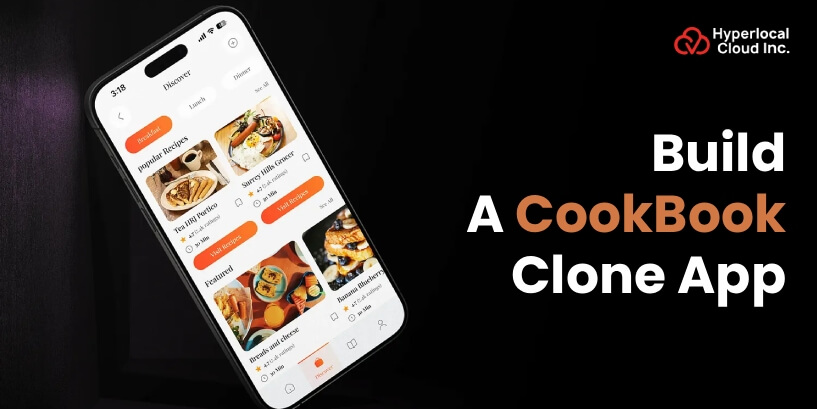
The idea of having a personal chef in your pocket, with knowledge of taste, dietary requirements, and exactly what you have in your refrigerator, is a good one. That is the strength of AI-powered recipe applications like CookBook. The global food technology market is on a rampage, with an anticipated growth of up to $342 billion by 2027, with meal planning apps being powered by AI taking the lead.
A current customer desires one-on-one experiences, HealthTech integration, and time-management options for cooking daily meals. In the case of businesses, a marketplace for an AI recipe organizer is not a mere trend but a viable business opportunity where customers are already in the market in search of an intelligent kitchen assistant. The technology makes regular meal planning an exciting, high-profit business prospect with users that are highly retentive and have many streams of monetization.
Understanding The CookBook Recipe Management App
A CookBook app is a computer application that can help you organize recipes, plan your meals, and create a shopping list. The application allows users to save recipes for sites, social media, or pictures. Most of them offer useful features, such as AI support, nutritional information, and offline capabilities. These are applications that serve as your own recipe catalog that you can access using your phone, tablet, or computer. They are convenient in that you can store all your favorite recipes in a single place and also help you keep order in the kitchen.
Turn your recipe idea into a powerful mobile app
How Meal Planner Apps Like CookBook Actually Work
A CookBook clone app serves as a digital kitchen helper, helping the user to get ideas and cook the meal (recipe) till the end by a set of organized steps: planning, shopping, and cooking. The steps that are usually followed in the working process include:
1. Onboarding and Profile Setup
Users make an account in order to synchronize recipes on all their devices. They choose their preferences and allergies to receive individual recipes.
2. Recipe Discovery and Collection
Ingredients, time, or difficulty level are also used to search for recipes. They can import recipes through the websites, social media, or scan physical recipe cards.
3. Meal Planning
The recipes are grouped by the user into a calendar to plan on a daily or weekly basis. The application will alter the amount of ingredients based on the number of servings required.
4. Shopping
The app will create a grocery list that is dependent on automatically selected recipes. It integrates replicated ingredients and has the capacity to link with delivery systems to place orders with ease.
5. Cooking
It has a hands-free cooking feature whereby it remains on and presents step-by-step cooking instructions on the screen. Users can use the voice commands and the built-in timers when cooking.
6. Post-Cooking and Sharing
Customers give reviews and comments regarding cooking. They are able to post their completed meals on social media or provide recipes to their friends.
7. Managing Leftovers
Customers add ingredients that are left in their houses. The app proposes recipes to consume food to eliminate food waste.
Advantages of Investing in a CookBook Clone App
The CookBook app is an established technology, which will require the business to tap into the already flourishing digital cooking market in a relatively short time. The main advantages of investing in a cookbook clone app are the following:
➢ Fast Development
This is because the core code, features, and structure are already developed, and hence you can launch within a few weeks as opposed to months, and this increases time to market.
➢ Ready-Made Features
The application is installed with basic functionality such as user authentication, database administration, recipe importing (through URLs/images), and social sharing.
➢ Validated Concept
You do not gamble on an established concept. It is a solution with features (e.g., meal planners, shopping lists, video tutorials) that are already proven to be required.
➢ Higher Success Rate
A successful example, say a feature-full “CookBook” application, provides a greater opportunity of success than an entirely new and untested idea.
➢ Monetization Options
Monetization of the app may be instantly done through various avenues like premium subscriptions, in-app purchases, advertisements, and affiliate marketing.
➢ High Engagement
The presence of features such as AI scanning of recipes, meal planning, and categorized interactive shopping lists makes it highly engaging and retention-inducing for users.
Powerful Tools In A CookBook-Inspired Meal Planner
CookBook clone is an all-inclusive online recipe organizer and meal planner with features of importing recipes from any site, Instagram, or TikTok, and scanning physical cookbooks. Here are the features it offers for the user panel and the admin panel:
User Panel
➤ Recipe Search & Browse
Find recipes with a keyword, ingredients, type of cuisine, or dietary requirements, like vegan or gluten-free. The new food that will suit your needs and preferences will be identified with the help of high-tech filters.
➤ Favorites Collection
Pin recipes that you are fond of in a customized folder and collection to reach them at any time of the day. To cope with them, it is preferable to group them into categories like fast dinners or holiday specials.
➤ Smart Shopping Lists
Shopping lists with recipes that are automatically generated into a list with a single tap. You can cross off items on the list as you shop and add lists to devices to make it convenient.
➤ Recipe Reviews & Notes
Leave comments on cooking recipes and add personal comments on how you substituted or improved them. View the ratings made by other users to get the most popular and experimented recipes.
➤ Custom Recipe Upload
Enter your own home recipes or innovative recipes with step-by-step directions and images. Store your own recipes and the local recipes in one location.
➤ Portion Calculator
Change the portion for 2-20 people within a second with the automatic re-calculation of the ingredients. Always have no worries about math when multiplying and dividing recipes when having a group of people.
➤ Advanced Filters
You may sort and filter by cooking time, skill level, calories, or ingredients, which you already have. Get only what you want; you have set aside time, 15 minutes or all afternoon.
➤ Social Sharing
Share your favorite recipes with friends and family members with the help of email, WhatsApp, or social media. Establish a food culture and get to know what is being cooked by others.
➤ Cooking History
See all the recipes that you have already prepared in the past and your own ratings. Follow your food history and recreate your hits very fast.
➤ Meal Planner
Schedule the whole week of breakfast, lunch, and dinner with the drag and drop features. Plan meals and save time on making daily decisions.
Admin Panel
➤ Dashboard
This gives the admin a quick summary of the performance of the app, with charts and numbers displaying the number of daily visitors. View user activities and updates made by important people in the same convenient screen.
➤ User Management
See the entire list of registered users and their profiles and account details. Change user details, delete spam accounts, or discipline community members.
➤ Content Management (CMS)
Create new recipes for the application or update the old ones with new pictures and instructions. Organize data, create groups of the content, i.e., desserts, main courses, or cuisines.
➤ Recipe Moderation
Recipe moderation is another strategy whereby recipes posted by users undergo vetting to ensure that they are of high quality only before they are posted. Take good recipes and leave the half-baked and improperly selected ones.
➤ Analytics & Reports
Check what recipes are most popular, as well as how many people use your application every day or month. Know the user behavior patterns in order to make improved decisions regarding improvements on the apps.
➤ Push Notifications
Provide a real-time message to the phone users about new featured recipes or other cooking tips. Inform users of the promotions, changes, or personalized suggestions to ensure they are not bored.
➤ Monetization & Subscriptions
Manage the premium memberships and charge a special feature or advertisement-free viewing. Track the income of the app both in subscriptions and in-app purchases.
➤ Feedback Management
A review, rating, and suggestion are provided by users to learn what they like and do not like. React to complaints, solve issues, and implement demanded features with the help of feedback.
Launch your CookBook clone in record time
What AI-Powered Features Make A CookBook-Like Recipe Organizer Smart?
The smart technology will transform home cooking as smart apps will deliver customized and effective cooking experiences. The table below demonstrates the AI-driven features:
| AI-Powered Features | Description |
| Intelligent Recipe Generation & Customization | AI chefs prepare new foods with the existing ones, and the ingredients could be replaced, turning the dishes vegan or gluten-free. |
| Visual Recipe Search & Scanner | It allows users to scan a photo of a handwritten recipe card or, in certain applications, take a photo of a meal and identify it to find related recipes. |
| Smart Meal Planning & Nutrition | The AI app will make weekly meal plans according to your health objectives and will analyze the nutritional content of your meals and give you healthy options. |
| Automated Digital Cookbook Organizer | This app will automatically add recipes to custom digital cookbooks based on webpages, Instagram, and TikTok, and extract them through AI. |
| Interactive Cooking Assistance | The application provides real-time, voice recognition, or step-by-step instructions to guide the users. |
Design And Development Of A Cookbook-Style Meal Planner App
This process of structured development will make sure that your CookBook clone app is efficient to develop and provides a great experience, as well as being successful in the competitive app market.
1. Planning & Research
Find out who your target audience is and research what your competitors have done to come up with what the users require the most. Write a detailed project roadmap, schedules, and budget, and create a list of features that will be required to be created, including recipe search, favorites, and meal planning.
2. Design & Prototyping
Create the user interface of the application based on wireframes and mockups of how each screen will appear and what it will do. Design an interactive version to see what the end user goes through, and refine it first; actual development would be initiated.
3. Choose an Approach
Choose a development approach from a custom-based or white-label solution. A custom-based approach is the one that requires the app to be developed from scratch and requires more time and investment. A white-label solution is a pre-built, pre-tested solution that you can purchase and rebrand as your own. You can launch this solution in days or a week, and it also requires less investment as compared to the custom-based solution.
4. Backend Development
Develop the server, database, and APIs that will store the recipes, user accounts, and app data in a secure manner. Install user authentication, recipe storage, image uploading systems, and make sure that the whole infrastructure works well in the background.
5. Frontend Development
Program the actual interface of the app on iOS and Android, based on the approved designs, and connect it to the backend. And all user-friendly options, such as searching recipes, making side-shopping lists, making favorites, and posting customized recipes in an appropriate manner.
6. Testing & Quality Assurance
Test all the features to debug, break, and resolve bugs, crashes, or performance problems on various devices. Carry out user testing on actual individuals to seek feedback and make the app user-friendly and flawless.
7. Launch & Maintenance
The app can be released on the Apple App Store and the Google Play Store when it is finally approved and checked. Always keep a close eye on the user feedback, fix reported bugs, add more features with every update, and provide the users with constant service to attract them.
Book a free consultation to plan your CookBook clone app
What Monetization Strategies Power The Meal Planner App Like CookBook?
The CookBook clone application revenue model is mainly based on a freemium business model with a combination of both monthly/annual subscriptions. Let’s have a look at the monetization strategies.
| Monetization Strategy | Description |
| Subscription Model (Freemium) | Customers subscribe to an ad-free version, content, higher-level searching, and meal planning. |
| In-App Advertising | Advertising to free users can be very personalized depending on their preferences. |
| In-App Purchases | These are the offers to sell individual collections of recipes, masterclasses, and special district-oriented content bundles. |
| Sponsored Content & Partnerships | The food brands that will have their products included in the recipe or sponsored and branded content. |
| Affiliate Marketing | Making a percentage off a recommendation of certain kitchen devices or ingredients. |
| Print-on-Demand | Giving users the opportunity to print their own digital collections of recipes in hard-copy cookbooks. |
Putting It All Together!
Creating an AI-based recipe organizer like CookBook is a smart investment in the current health-conscious and technological market. Your app has the potential to be a success, with such features as customized meal plans, intelligent shopping lists, and AI recommendations, which will attract consistent revenue.
The most suitable app development company that provides affordable pricing and offers custom and clone app solutions is Hyperlocal Cloud. We offer clone app solutions starting at $10,000. Our professional team is capable of providing quality and feature-rich apps that suit your business requirements. Do you want to build a CookBook clone app? Contact us now and make your dream come true!

Patt Cummins is an experienced content writer with over 10 years of experience creating clear and engaging content for technology-focused industries. He specializes in simplifying complex technical topics into easy-to-understand stories that educate readers, support brand communication, and help businesses effectively share their solutions.

Need Help With
Development?