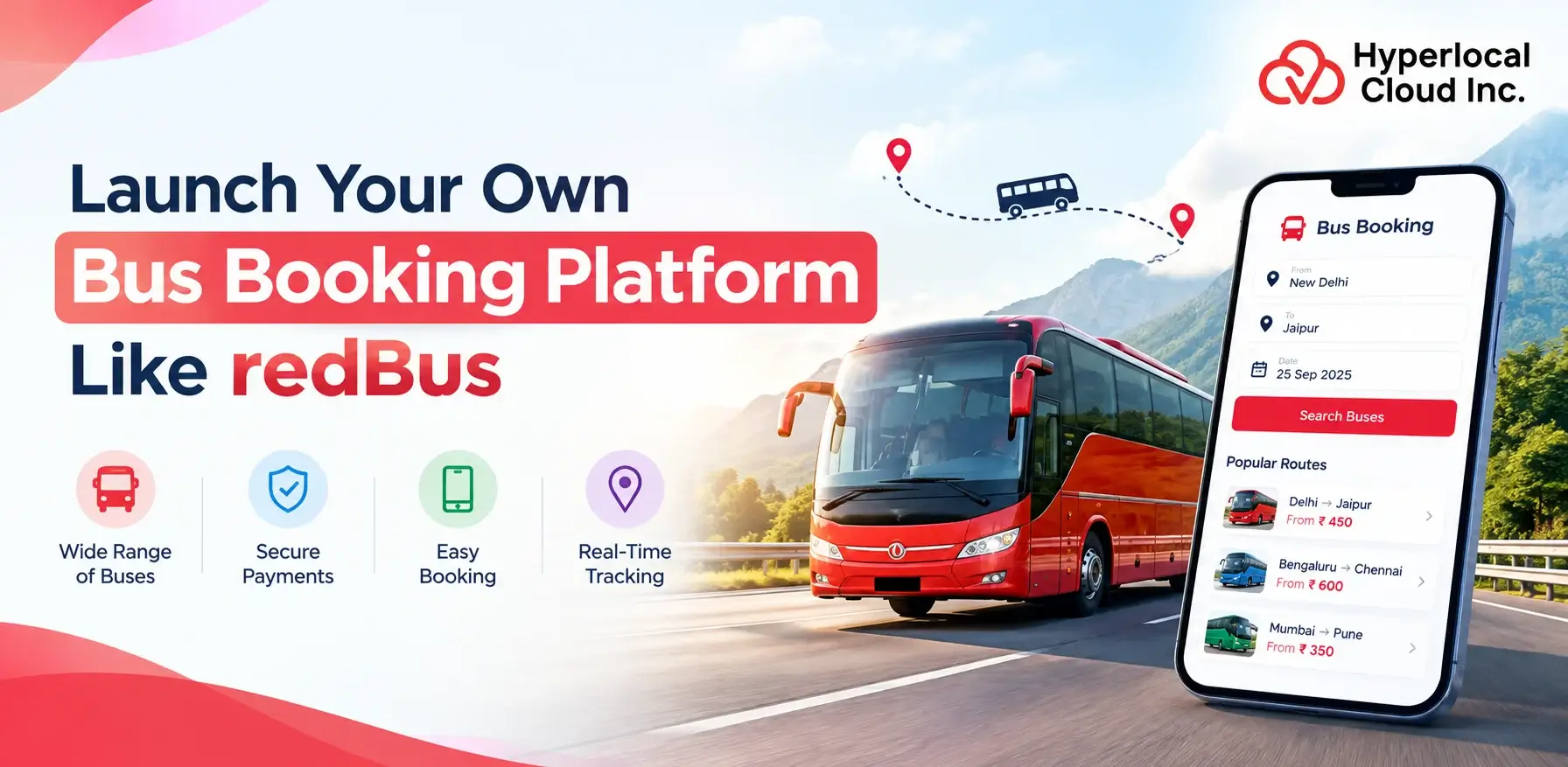
- Launch your own bus booking platform with RedBus clone software.
- Offer passengers easy bus searches, seat selection, and online ticket booking.
- Manage routes, operators, reservations, and payments through a centralized platform.
- Choose white-label software for a faster launch or custom development for specialized requirements.
- Generate revenue through booking commissions, service fees, and operator subscriptions.
- Hyperlocal Cloud offers white-label solutions for 8,000–10,000 and custom development from $20,000 to $150,000.
The online bus booking industry provides opportunities for entrepreneurs, travel agencies, and transportation companies to connect passengers with bus operators through digital platforms. A RedBus clone app enables businesses to establish their own online bus reservation marketplace where users can search routes, compare services, select seats, make payments, and manage bookings conveniently.
Hyperlocal Cloud offers a RedBus clone solution designed to help businesses launch a branded bus booking platform with essential passenger, operator, and administrative functionalities. The platform provides a solution for managing reservations, routes, schedules, seat availability, payments, and customer interactions from a centralized system.
Whether you want to digitize an existing bus service, establish a multi-operator booking marketplace, or expand your travel business, the right software can simplify operations and improve the passenger experience.
With a well-designed bus booking platform, businesses can streamline reservation management, improve service accessibility, and create new opportunities for revenue generation.
What Is a RedBus Clone?
RedBus clone is a ready-made or customizable bus booking solution inspired by the core functionality of online bus reservation platforms. It lets businesses build a branded digital service where passengers can discover routes, compare schedules, reserve seats, and buy tickets online.
The software generally consists of three primary interfaces:
- Passenger application: Allows users to search for buses, select seats, make payments, and manage reservations.
- Bus operator dashboard: Enables operators to manage routes, schedules, fares, vehicles, and passenger bookings.
- Admin dashboard: Provides centralized control over users, operators, transactions, platform settings, and business reports.
These components work together to simplify the booking process and coordinate activities between passengers, transportation providers, and platform administrators.
Depending on the selected solution, the software can support features such as electronic tickets, booking notifications, cancellation workflows, payment integration, operator management, and reporting.
For startups and established transportation businesses, a RedBus clone app provides a solution for entering the digital travel market without independently building every standard booking component.
Start Your Own Online Bus Ticket Booking Business Like RedBus
How Does a Bus Booking Platform Work?
A bus booking platform connects passengers and bus operators through a coordinated digital reservation process.
Step 1: Search for Available Buses
Passengers enter their departure city, destination, and travel date. The platform displays matching services based on configured routes, schedules, fares, and available inventory.
Step 2: Compare Bus Services
Users review departure times, arrival times, ticket prices, journey durations, available seats, and operator information to find a suitable service.
Step 3: Select Seats and Enter Passenger Details
Passengers choose available seats and provide the necessary booking information. The system validates seat availability before proceeding with the reservation.
Step 4: Complete the Payment
Passengers pay through an available payment gateway. Once the transaction is confirmed, the platform records the reservation and generates the booking confirmation or electronic ticket.
Step 5: Manage Reservations
Passengers can access their booking details, review upcoming journeys, and submit eligible cancellation requests. Bus operators manage their schedules, seat inventory, and reservations through their dashboards.
Step 6: Monitor Platform Operations
Administrators oversee users, operators, bookings, payments, and reports through the admin panel. This helps maintain operational visibility across the marketplace.
A reliable bus booking workflow should also address failed payments, concurrent seat reservations, cancellations, and refund processing to minimize booking conflicts and improve user confidence.
Key Features of a RedBus Clone App
A successful bus ticket booking platform requires separate tools for passengers, operators, and administrators. Each interface should support its users’ specific responsibilities.
Passenger App Features
Bus Search and Route Discovery
Passengers can search for services by departure location, destination, and travel date. Search filters help users find relevant routes and available services.
Interactive Seat Selection
An interactive seat layout allows passengers to view available seats and select their preferred positions before confirming a booking.
Bus Details and Fare Comparison
Users can compare ticket prices, departure times, journey durations, operator information, and available amenities when those details are provided.
Online Ticket Booking
Passengers can reserve tickets digitally and receive booking confirmations without visiting a physical ticket counter.
Secure Payment Integration
Supported payment gateways allow users to complete transactions online. Available payment methods depend on the selected provider and target market.
Booking History and Electronic Tickets
Passengers can access their reservation history, retrieve ticket details, and review upcoming trips through their accounts.
Cancellation and Refund Management
The platform can support cancellation requests and refund workflows based on operator policies and configured booking rules.
Notifications and Travel Updates
Email, SMS, or push notifications can communicate booking confirmations, payment statuses, schedule changes, and other relevant updates.
Bus Operator Dashboard Features
The operator dashboard helps transportation providers manage their services efficiently.
Route management
Create and update routes, stops, and destination information.
Schedule management
Configure departure times, arrival times, and service availability.
Fare management
Set ticket prices and manage permitted fare adjustments.
Seat inventory management
Maintain bus layouts and available seat information.
Booking management
Review passenger reservations and booking statuses.
Fleet management
Maintain vehicle information and service records.
Revenue reports
Review booking activity and transaction summaries.
Cancellation management
Process eligible booking changes according to configured policies.
Admin Dashboard Features
The admin panel provides centralized control over the booking marketplace.
User and Operator Management
Manage passenger accounts, operator profiles, access permissions, and onboarding processes.
Commission Management
Configure commission structures or other agreed revenue arrangements between the platform and participating operators.
Booking and Transaction Monitoring
Review reservations, payment statuses, cancellations, and transaction records.
Content Management
Update platform content, banners, route information, policies, and other supported settings.
Analytics and Reporting
Monitor available metrics such as booking volumes, transaction values, and operator activity.
Security and Access Controls
Apply role-based permissions and appropriate security measures to protect sensitive operations.
Benefits of White-Label Bus Booking Software
White-label bus booking software gives businesses an existing technological solution for establishing their own branded reservation platform. Rather than developing every standard feature independently, businesses can focus on configuring the product and preparing their operations for launch.
Faster Time to Market
Using an existing software solution can reduce the development work required for standard booking functionality. This allows businesses to focus earlier on operator partnerships, customer acquisition, and service availability.
Your Own Brand Identity
Businesses can establish their own digital identity using supported branding elements, including their business name, logo, colors, and interface customization options.
Ready-Made Booking Functionality
Depending on the selected package, the platform can provide passenger booking, route management, operator tools, payment workflows, and administrative functionality.
Reduced Initial Development Effort
An existing software solution can eliminate the need to build every core component from scratch. This can simplify project planning and reduce the engineering effort required to establish the business.
Easier Operational Management
Centralized dashboards help businesses coordinate passengers, transportation providers, bookings, and platform activities.
Flexible Business Expansion
Businesses can evaluate additional routes, operators, integrations, and features as their operational requirements evolve, subject to the capabilities of the chosen platform.
Suitable for Different Business Models
The solution can be relevant to travel agencies, regional bus operators, transportation startups, and entrepreneurs planning to operate a multi-vendor booking marketplace.
Develop a Bus Ticket Booking App Like RedBus With Advanced Booking Features
Bus Booking App Development Process
A successful bus booking platform requires coordinated planning, implementation, testing, and operational preparation.
Step 1: Define Business Requirements
Identify your target audience, service area, business model, operator relationships, and essential booking functionality.
Step 2: Select the Development Approach
Evaluate whether an existing white-label solution meets your requirements or whether specialized features justify custom development.
Step 3: Plan Features and User Roles
Define passenger functionality, operator permissions, administrative controls, booking rules, payment workflows, and reporting requirements.
Step 4: Configure the Platform Design
Establish the branding, interface requirements, booking journey, supported devices, and accessibility expectations.
Step 5: Implement Required Integrations
Configure payment gateways, communication services, mapping tools, and any necessary operator or inventory APIs.
Step 6: Test Critical Workflows
Test seat reservations, concurrent bookings, payment failures, cancellations, refunds, notifications, and administrative operations.
Step 7: Deploy and Onboard Operators
Prepare the production environment, configure routes and schedules, onboard participating operators, and verify service information.
Step 8: Monitor and Improve
After launch, monitor booking activity, user feedback, platform performance, and operational issues. Use the findings to prioritize future improvements.
The overall implementation timeline depends on project scope, integrations, customization requirements, testing, and third-party approvals.
White-Label vs. Custom Bus Booking App Development
Businesses can choose between an existing white-label software solution and a custom-built platform. The appropriate option depends on the required features, operational workflows, integration needs, and long-term objectives.
| Factor | White-Label Solution | Custom Development |
|---|---|---|
| Development approach | Uses an existing software solution | Built around project-specific requirements |
| Time to market | Generally faster | Usually requires more development and testing |
| Core functionality | Existing features, depending on the package | Designed and implemented for the project |
| Branding | Supported branding customization | Greater design flexibility |
| Integrations | Depends on supported integrations and agreed additions | Can be designed around specific integration needs |
| Feature flexibility | Subject to the existing architecture | Greater flexibility for specialized functionality |
| Best suited for | Startups, travel agencies, and businesses seeking a faster launch | Businesses requiring complex workflows or extensive customization |
Which Option Should You Choose?
A white-label solution is generally the practical starting point when your business needs established booking functionality and wants to minimize the effort involved in building standard features.
Custom development is more appropriate when your business model requires specialized booking rules, complex integrations, advanced operational workflows, or architectural capabilities that the existing platform cannot adequately support.
Before making a decision, identify your essential features, integration requirements, target platforms, and future expansion plans. This helps you select a solution that fits your business rather than investing in unnecessary functionality.
Technology Stack and Third-Party Integrations
The technology stack should support secure transactions, reliable reservation workflows, maintainable integrations, and future growth.
The final implementation depends on whether the project uses an existing white-label product or a custom architecture.
Frontend Technologies
Modern web frameworks such as React or Next.js can be considered for web interfaces. Mobile applications may use native technologies or suitable cross-platform frameworks, depending on the project requirements.
Backend Technologies
The backend manages booking requests, user accounts, route information, seat availability, payment workflows, and business rules. Suitable frameworks may include Node.js, Python, or other technologies selected for the project.
Database Management
A database stores passenger information, schedules, reservations, seat inventories, transaction records, and operator details. Proper transaction handling is essential for maintaining consistent booking information.
Cloud Infrastructure
Cloud services can support application hosting, database operations, backups, monitoring, and scaling. Infrastructure choices depend on performance requirements, availability needs, and operational budgets.
Payment Gateway Integration
Payment gateways enable online ticket purchases and, where supported, refunds and payment-status updates. Available methods depend on provider eligibility, target markets, and technical compatibility.
Maps and Location Services
Mapping services can display terminals, boarding points, and route information. Live bus tracking may require GPS hardware, operator systems, or external tracking APIs.
Bus Operator and Inventory APIs
Third-party integrations can synchronize schedules, fares, and seat availability with external systems. Available functionality depends on API access and the capabilities of participating operators.
Communication Services
Email, SMS, and push-notification integrations can deliver confirmations, travel reminders, cancellation updates, and other transactional messages.
For custom development, the technology stack should be chosen according to expected traffic, integration requirements, security needs, and long-term maintenance considerations. White-label products may have a predefined architecture that limits technology choices.
Develop Your Own Bus Ticket Booking Application
Revenue Models for a Bus Booking Business
A bus booking platform can generate revenue through different commercial models. The most appropriate approach depends on the target market, operator agreements, booking volume, and services provided.
Commission Per Booking
The platform earns a commission on eligible completed bookings. Commission arrangements can be established with participating bus operators.
Passenger Convenience Fees
A platform may charge a disclosed service fee for processing reservations, subject to applicable regulations and customer-facing pricing requirements.
Operator Subscription Plans
Bus operators can pay recurring fees for access to the booking platform and its management tools. Subscription tiers may differ according to supported features or usage limits.
Featured Listings and Promotions
Operators may pay for eligible promotional placements or enhanced visibility within the marketplace. Promotional terms should be transparent to users.
Business-to-Business Licensing
A company can provide booking technology to travel agencies or transportation businesses through software licensing or subscription arrangements.
Corporate and Group Bookings
Where supported, the platform can serve corporate customers, travel organizers, and groups requiring coordinated reservations.
Before selecting a revenue model, evaluate operator margins, customer acquisition costs, payment charges, and expected booking volume to understand the potential profitability of the business.
How Much Does a RedBus Clone App Cost?
The cost of developing a RedBus clone app depends on the chosen development approach, feature requirements, platform coverage, integrations, and customization level.
Hyperlocal Cloud offers the following starting price ranges for businesses planning to launch a bus booking platform.
White-Label Solution: $8,000–$10,000
The white-label solution is intended for businesses that want to launch a branded bus booking platform using an existing software solution .
Depending on the selected package, the solution may include passenger booking functionality, route discovery, seat selection, operator management, an administrative dashboard, and supported payment integrations.
This approach is suitable for startups, travel agencies, regional transportation providers, and entrepreneurs who want to establish an online booking business without commissioning a fully custom platform.
The final quotation depends on the selected package, included modules, branding requirements, deployment arrangements, and agreed deliverables.
Custom Development: $20,000–$150,000
Custom development is suitable for businesses that require functionality tailored to their operational requirements or business model.
Projects start at $20,000 and can reach $150,000 depending on the complexity and overall scope.
Factors that can influence the cost include:
- Custom UI/UX design and user journeys
- Web and mobile application requirements
- Advanced reservation and seat inventory logic
- Third-party bus operator and inventory API integrations
- Complex payment, commission, and settlement workflows
- Loyalty programs, promotions, and dynamic pricing
- Advanced analytics and reporting
- Enterprise access controls and security requirements
- Testing, deployment, and support arrangements
A smaller project may focus on a limited set of specialized features, while a larger project may involve multiple applications, complex integrations, and extensive operational requirements.
Additional Costs to Consider
The overall ownership cost may include hosting, maintenance, third-party API charges, payment processing fees, software licenses, and ongoing technical support. These expenses depend on the selected infrastructure, service providers, and contractual terms.
Before confirming your project, request a detailed quotation that identifies the included features, customization scope, third-party dependencies, deployment requirements, and ongoing costs.
Why Choose Hyperlocal Cloud for RedBus Clone App Development?
Selecting a suitable software partner helps businesses align their technology decisions with their operational requirements and growth plans.
Hyperlocal Cloud provides a white label bus reservation system for businesses looking to establish their own digital bus booking platform.
Existing Software Foundation
Start with an established booking software foundation rather than independently building every standard component.
Configurable Business Workflows
The platform can be configured around passenger reservations, operator management, and administrative processes according to the selected solution.
Branding and Customization Options
Businesses can establish their own branded booking experience and discuss additional functionality based on project requirements.
Integration Planning
Payment gateways, mapping services, communication tools, and operator APIs can be evaluated according to compatibility and availability.
Support for Different Business Models
The solution can be assessed for travel agencies, regional bus operators, startups, and multi-operator booking marketplaces.
Before proceeding, request a product demonstration, confirm the included modules, review customization limitations, and establish deployment and support expectations.
FAQs (Frequently Asked Questions)

Nisha Bagga is a technical writer with more than 7 years of experience creating high-quality content for a wide range of industries. She specializes in developing clear, engaging, and well-researched technical and business content tailored to diverse audiences and industry requirements.

Need Help With
Development?