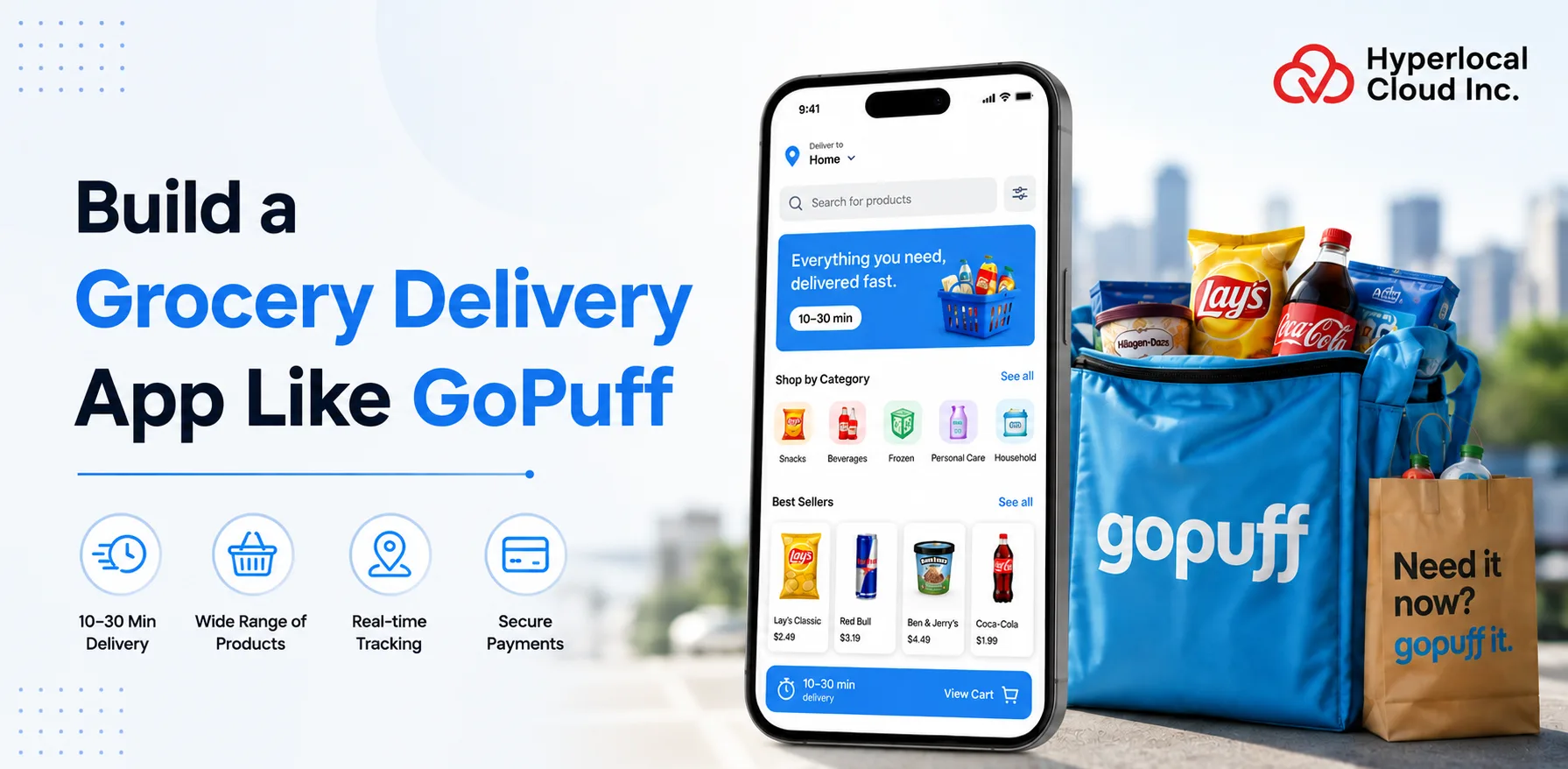
- GoPuff is an instant-commerce and grocery delivery platform designed to deliver everyday products directly to customers quickly.
- The platform offers groceries, snacks, beverages, household essentials, personal care products, over-the-counter medicines, and other daily-use items.
- GoPuff uses a network of micro-fulfillment centers to keep products close to customers. This helps the company process and deliver orders quickly.
- The platform focuses strongly on speed, convenience, product availability, and a simple ordering experience.
- GoPuff currently promotes delivery of 5,000+ products, with some orders delivered in as little as 15 minutes, depending on the market.
- The grocery delivery market is moving toward faster delivery, personalized shopping, better digital experiences, and more convenient fulfillment models.
- GoPuff has also been adding technology-led features, including personalized recommendations, real-time order updates, improved search, and nutrition-based product information.
- For businesses planning to build a grocery delivery app, GoPuff is a useful example of how technology, local inventory, fulfillment centers, and delivery operations can work together to create a strong on-demand shopping experience.
The evolution of grocery delivery app development has completely changed the process of how people used to buy groceries or everyday products. Unlike traditional methods where people used to visit stores physically to buy products, online applications revolutionize this approach by enabling users to browse and order products quickly at their doorsteps.
GoPuff is a strong example of this business model. Founded in 2013, the company built its platform around delivering everyday products quickly. According to Business of Apps, it has been reported that the GoPuff application generated approximately $1.2 billion in revenue in 2023. Over 20 million people have downloaded the application, and 1.8 million are active users. The most recent valuation of the GoPuff application was $15 billion.
Overall, the market is moving toward a faster, more connected, and more personalized grocery shopping experience. Businesses entering this space can learn from GoPuff’s approach while creating a solution that fits their target audience, location, product range, and delivery model.
What Is the GoPuff App?
The GoPuff app is a digital shopping and delivery application that allows customers to order groceries, snacks, beverages, household essentials, and other everyday products through their smartphones. Customers can browse products, add items to their cart, complete payment, and have their order delivered to their location. GoPuff also allows customers to place orders through its website.
Turn Your Grocery Delivery Idea Into a Scalable Digital Platform
Working Mechanism of A Grocery Delivery App Like GoPuff
A GoPuff-like app connects customers, stores, delivery partners, and administrators through a unified platform, ensuring smooth ordering, inventory management, real-time tracking, and rapid doorstep delivery.
1. Customer Opens the App
The process starts when the user opens the food delivery app. The user enters their shipping address by identifying or creating an account.
2. Customer Browses or Searches for Products
After entering the shipping location, customers can browse specific product categories or search for items without delay.
3. The App Checks Product Availability
Once a user selects an item, the platform must determine whether to keep it.
4. Customer Adds Products to the Cart
The buyer selects the specific product and adds it to the shopping cart. The cart shall accurately indicate the product name, parts, charges, delivery charges, taxes (where applicable), discounts, and final order quantity.
5. Customer Places the Order
The patron confirms the order by selecting the payment method. The device then sends the command to the appropriate availability zone.
6. Order Is Sent to the Nearest Fulfillment Center
This is one of the most important parts of a GoPuff-like model. Instead of shipping each order to a large primary warehouse, the platform can use multiple small fulfillment facilities located near customers.
7. Staff Picks and Packs the Order
Once the store receives the order, a team of workers finds the products, reviews the order, and packs the equipment.
8. Delivery Partner Receives the Order
The order is packaged and handed over to a transport partner or the Internal Transport Authority. The system can then assign the order to the most appropriate transport controller.
9. Customer Tracks the Order
The current food delivery software can provide real-time order updates. Push notifications and permanent monitoring can make the method more transparent.
10. Order Is Delivered, and the Data Is Recorded
The Transport Administration completes the transport, and the platform marks the system as complete.
Why Build a Grocery Delivery App Like GoPuff in 2026?
With growing demand for instant commerce, building a GoPuff-like app in 2026 can help businesses capture new customers, streamline operations, and generate sustainable revenue. So here are some proven advantages of building a grocery delivery app like GoPuff.
1. Growth of Quick Commerce
Quick commerce has changed patron expectations about delivery speed. People who want groceries or household items don’t want to wait for traditional delivery. They can also order through the app and pick up products as soon as possible.
2. Increasing On-Demand Delivery
On-demand delivery is becoming a regular part of virtual shopping. Customers use transportation services more than they do for planned weekly grocery shopping. They can additionally order products because they unexpectedly want something at home, have guests coming over, want a forgotten party item, or really don’t need to go to the store.
3. Demand for Convenience Products
Modern consumers want convenience in more areas of their daily lives. A guardian will not order specialty foods, snacks, family items, personal care items, and other essentials. A platform that brings together many of these categories may be more beneficial to the patron.
4. Opportunities in Underserved Cities and Regions
Large cities have already faced strong competition in the food delivery sector. This can make it difficult for a start-up commercial business to compete on my own fees or shipping. A common method is to target cities, suburbs, small urban areas, or certain areas where customers have limited access to quick grocery delivery.
5. Scope for Niche Grocery Delivery
A company doesn’t want to pay thousands of dollars daily to be successful. Niche food trucks may appeal to a particular patron group, product category, lifestyle, or neighborhood. A stakeholder model can make it simple to create a clear brand identity.
6. AI-Driven Personalization and Automation
AI is becoming one of the most important opportunities for food delivery companies in 2026. AI adds value through chatbots in each app. It can help companies enhance the experience and internal operations of each customer.
Essential Features For Your GoPuff-Like App
A successful GoPuff-like app should include essential features such as easy registration, product search, secure payments, order tracking, notifications, ratings, and efficient delivery management.
Customer App Features
1. Registration, Login & Social Login
Allow customers to create accounts and securely sign in using email, phone number, Google, Apple, or other supported authentication methods.
2. Location Detection & Address Management
Enable location detection and allow customers to add, edit, save, and select multiple delivery addresses.
3. Product Categories & Discovery
Organize products into clear categories so customers can easily browse groceries, beverages, household essentials, personal care products, and other items.
4. Product Search, Filters & Sorting
Help customers quickly find products using keywords, filters, and sorting options such as price, brand, rating, popularity, and availability.
5. Product Details
Display product images, descriptions, prices, sizes, availability, offers, and other important information before customers add an item to their cart.
6. Shopping Cart & Checkout
Allow customers to review products, adjust quantities, apply discounts, select delivery options, and confirm their orders through a streamlined checkout process.
7. Multiple Payment Options
Support credit and debit cards, digital wallets, and other regionally supported payment methods for convenient and secure transactions.
8. Promo Codes & Offers
Allow customers to apply valid promo codes, discounts, and promotional offers during checkout.
9. Instant & Scheduled Delivery
Give customers the option to choose instant delivery or select a preferred delivery date and time where available.
10. Order Confirmation & Notifications
Send confirmation messages and push notifications about order placement, payment, preparation, dispatch, delivery, offers, and other important updates.
11. Real-Time Order Tracking & Delivery ETA
Allow customers to monitor their order status and view the estimated delivery time from preparation through final delivery.
12. Wishlist, Favorites & Reordering
Let customers save frequently purchased products, create favorites, and quickly reorder items from their previous purchases.
13. Order History
Maintain a record of previous orders so customers can review purchases and easily place repeat orders.
14. Ratings & Reviews
Allow customers to rate products and delivery services and share feedback about their experience.
15. Customer Support
Provide in-app support for order issues, refunds, payments, missing products, delivery problems, and other customer concerns.
Admin Panel Features
1. Dashboard & Business Overview
Provide a centralized dashboard showing orders, customers, revenue, inventory, deliveries, and other important business metrics.
2. User & Role Management
Allow administrators to manage customer accounts and control employee access through role-based permissions.
3. Product & Category Management
Enable businesses to add, edit, organize, and remove products, categories, prices, images, and availability information.
4. Inventory Management
Monitor stock levels and product availability across stores, warehouses, and fulfillment locations.
5. Order & Fulfillment Management
Allow administrators to view, process, update, cancel, and manage orders throughout the fulfillment process.
6. Delivery & Driver Management
Manage delivery assignments, service areas, driver availability, delivery status, documents, and driver performance.
7. Pricing & Fee Management
Give administrators control over product prices, delivery charges, service fees, and other applicable pricing rules.
8. Promotions & Coupon Management
Create and manage discounts, promotional campaigns, seasonal offers, coupon codes, and usage limits.
9. Payment & Refund Management
Monitor successful and failed payments, refunds, transaction records, and other payment-related activities.
10. Revenue & Financial Reports
Generate reports covering sales, revenue, delivery fees, commissions, refunds, and other financial information.
11. Analytics & Business Insights
Track customer behavior, order trends, product performance, delivery metrics, and overall business growth.
12. Customer Support Management
Give support teams access to customer complaints, order issues, refund requests, and resolution workflows.
13. Content & Banner Management
Allow administrators to manage banners, promotional content, FAQs, notifications, and other customer-facing information.
14. Notifications & Communication
Send targeted notifications to customers, drivers, and other platform users about orders, promotions, updates, and operational changes.
15. Security & Access Control
Protect business data by managing employee permissions, authentication, account access, and other security controls.
Delivery Partner App Features
1. Registration and Verification
Allow delivery partners to register and submit the required personal and vehicle documents for verification.
2. Driver Profile
Provide a profile section where delivery partners can manage their personal information, vehicle details, and account settings.
3. Availability Toggle
Let drivers switch their status between available and unavailable based on their working hours.
4. Order Requests
Show nearby delivery requests with important order, pickup, delivery, and estimated earning information.
5. Order Acceptance
Allow delivery partners to accept suitable delivery requests directly through the app.
6. Navigation
Provide map-based navigation to help drivers reach pickup locations and customer addresses.
7. Pickup Instructions
Display clear instructions about where and how the driver should collect the order from the store or fulfillment center.
8. Delivery Instructions
Show customer notes, delivery preferences, access information, and other details needed to complete the delivery.
9. Route Optimization
Suggest efficient routes based on location, traffic, and delivery destinations to help reduce travel time.
10. Proof of Delivery
Allow drivers to confirm completed deliveries through photos, signatures, OTPs, or other supported verification methods.
11. Earnings Dashboard
Show drivers their completed deliveries, earnings, incentives, fees, and available payouts.
12. Delivery History
Maintain a record of completed, cancelled, and previous delivery assignments for easy reference.
13. Notifications
Send drivers alerts about new orders, delivery updates, earnings, incentives, and other important information.
14. Ratings and Performance
Allow businesses to monitor driver ratings, delivery completion rates, customer feedback, and overall delivery performance.
15. Support and Assistance
Provide an easy way for delivery partners to contact support when they face order, payment, navigation, delivery, or safety-related issues.
Store/Warehouse Management Features
1. Inventory Dashboard
Give store and warehouse teams a real-time view of available stock, incoming orders, and inventory activity.
2. Stock Alerts
Notify staff when product quantities reach defined stock limits.
3. Order Picking
Guide staff through locating and collecting products for each customer order.
4. Packing Workflow
Provide a structured process for checking, packing, labeling, and preparing orders for delivery.
5. SKU Management
Allow businesses to create and manage unique stock codes for different products and product variations.
6. Barcode Scanning
Enable staff to scan product barcodes to improve inventory accuracy and reduce picking mistakes.
7. Inventory Synchronization
Keep product availability and stock information synchronized across the app, warehouse, and admin panel.
8. Expiry Tracking
Help staff monitor product expiry dates and identify items that need attention before they expire.
9. Low-stock Notifications
Automatically alert the relevant team when a product’s inventory falls below the required level.
10. Fulfillment Analytics
Provide data on picking time, packing time, order volume, stock movement, and overall fulfillment performance.
Planning Your Grocery Delivery App? Let’s Discuss Your Feature Requirements
Advanced Features That Can Make Your GoPuff-Like App Worthwhile
Advanced features like AI recommendations, predictive inventory, personalized offers, smart routing, voice search, and subscription programs can enhance user engagement and give your platform a competitive advantage.
1. AI-Powered Product Recommendations
AI-powered recommendations can help customers find insights that align with their interests and behaviors before purchase.
2. Intelligent Search
Even a daily search function can track results best when the shopper types the exact product name. Search intelligence can further enhance the experience.
3. AI Demand Forecasting
Demand forecasting can help companies determine which products customers are likely to purchase and what inventory they may want.
4. Smart Delivery Routing
The delivery route can have an immediate impact on shipping times and transfer fees. An intelligent routing tool can consider factors such as customer location, traffic conditions, driver availability, transportation priorities, and state-of-the-art systems to suggest efficient routes.
5. AI Customer Support
Customers may have questions about order status, payment, delivery updates, refunds, product availability, and other common issues. An AI-powered customer service machine can provide accurate answers to common questions at any time.
6. Dynamic Pricing and Promotions
Dynamic pricing can help companies regulate fees, shipping costs, or promotions based on market conditions and customer demand.
How to Build A Grocery Delivery App Like GoPuff
From market research and feature planning to UI/UX design, development, testing, deployment, and maintenance, a structured process helps create a reliable, scalable grocery delivery mobile app.
1. Define Your Business Concept
Start by clearly defining what your grocery delivery business will offer. Do not begin development simply because you want to build an app similar to GoPuff. First, decide what problem your platform will solve and who your customers will be. A clear business concept gives the development team a better understanding of what needs to be built.
2. Conduct Market and Competitor Research
Before investing in development, research the market where you plan to launch. Study existing grocery delivery platforms and identify what they do well and where customers still face problems. The goal is not to copy competitors. It is to identify a clear opportunity for your own platform.
3. Choose Your Business and Fulfillment Model
Next, decide how your platform will operate. There are several possible approaches.
- Store-Based Model
- Warehouse or Micro-Fulfillment Model
- Hybrid Model
4. Select the App’s Core Features
Once the business model is clear, decide which features are needed for the first version of the platform. Start with the features needed to operate the business. Add advanced AI features as the platform grows and more useful business data becomes available.
5. Design the UI/UX
The design stage focuses on making the application easy to use. A grocery delivery app should not make customers work hard to find products or complete an order. The design team should create wireframes and prototypes before development begins.
6. Develop an MVP
An MVP, or Minimum Viable Product, is the first working version of the platform with the most important features. The purpose of an MVP is not to build every possible feature. Instead, it helps the business launch faster, collect customer feedback, test the business model, and understand what customers actually need.
7. Test the Application
Testing should happen throughout the development process, not only before launch. A grocery delivery platform has many connected systems, so one small issue can affect the complete customer journey. The platform should also be tested under high order volumes.
8. Launch in a Limited Geographic Area
Instead of launching across a large region immediately, start with a limited geographic area. Choose a location where you can manage inventory, fulfillment, delivery partners, and customer support effectively.
9. Scale the Platform
Once the initial market shows consistent demand, the business can begin expanding. Scaling should not only mean adding more customers. The business should also improve its technology and operations as order volume increases.
Technology Stack for Grocery Delivery App Development
Choosing the right technology stack ensures scalability, security, and performance, with suitable frameworks, databases, cloud services, APIs, and payment technologies supporting seamless grocery delivery operations.
| Category | Tech Stack | Usage |
| Customer App | Flutter, React Native, Swift, Kotlin | Build mobile applications for customers |
| Delivery Partner App | Flutter, React Native, Swift, Kotlin | Build the delivery partner application |
| Admin Panel | React, Angular, Vue.js | Manage products, orders, users, inventory, and business operations |
| Backend | Node.js, Java, Go | Handle business logic, APIs, orders, payments, and other core services |
| Database | PostgreSQL, MySQL, MongoDB | Store customer, product, order, payment, and business data |
| Caching | Redis | Improve response times and support frequently accessed data |
| Cloud Infrastructure | AWS, Google Cloud, Microsoft Azure | Host applications, databases, storage, and other services |
| Maps and Location | Google Maps Platform, Mapbox | Support location detection, navigation, distance calculation, and delivery tracking |
| Payments | Stripe, Razorpay, PayPal, or regional providers | Process online payments and refunds |
| Push Notifications | Firebase Cloud Messaging, Apple Push Notification Service | Send order, delivery, promotional, and account notifications |
| Real-Time Communication | WebSockets, Socket.IO | Support live order status and delivery tracking |
| Analytics | Google Analytics, Firebase Analytics, Mixpanel, Amplitude | Understand customer activity and app performance |
| Search | Elasticsearch, OpenSearch, Algolia | Provide fast product search and filtering |
| AI/ML | TensorFlow, PyTorch, cloud AI services | Support recommendations, forecasting, personalization, and automation |
| Security | OAuth 2.0, JWT, TLS, encryption tools | Protect user accounts, payments, and business data |
| DevOps | Docker, Kubernetes, GitHub Actions, GitLab CI/CD | Support deployment, monitoring, scaling, and software updates |
Get Expert Guidance on Selecting the Right Technology for Your App
Common Challenges in Grocery Delivery App Development
Grocery delivery mobile app development involves challenges such as inventory synchronization, delivery optimization, scalability, data security, and customer retention, requiring careful planning and reliable technical solutions.
1. Inventory Accuracy
Inventory accuracy is one of the biggest challenges in grocery delivery. Customers expect the app to show products that are actually available. If the application shows an item as available but the fulfillment team cannot find it, the business may need to cancel the item, offer a replacement, or refund the customer.
2. Last-Mile Delivery
The last-mile delivery stage is where the order moves from the store or fulfillment center to the customer’s location. This can be one of the most difficult parts of the grocery delivery business because delivery time, distance, traffic, driver availability, and order volume can change throughout the day.
3. Perishable Products
Perishable products create additional challenges because they have limited shelf lives and may require special storage conditions. Products such as fruits, vegetables, dairy products, meat, frozen food, and ready-to-eat items need more careful inventory management than many packaged products.
4. Operational Scalability
A grocery delivery platform may work well with a few hundred orders but face problems when order volume increases. For example, a business may begin with one fulfillment center and a small delivery team.
5. Customer Acquisition
Creating an app does not automatically bring customers. Grocery delivery is a competitive market, and customers may already have several delivery applications installed on their phones. A new platform therefore needs a clear reason for customers to choose it.
6. Data and Security
A grocery delivery platform handles a large amount of sensitive business and customer information. A security problem can damage customer trust and create financial and legal risks. Businesses should therefore include security throughout the development process rather than treating it as a final step.
Explore the Future Trends in Grocery Delivery App Development
Emerging trends including AI-powered personalization, autonomous delivery, smart warehouses, predictive analytics, and sustainable logistics are expected to reshape grocery delivery apps and customer expectations.
1. AI-Powered Commerce
AI is changing how customers discover, select, and purchase products online. In a grocery delivery app, AI can study customer behavior and use that information to make the shopping experience more useful.
2. Autonomous Delivery
Autonomous delivery is another area that could change the grocery delivery industry. Autonomous delivery could be useful for short-distance deliveries in areas where the operating environment supports it.
3. Hyper-Personalization
Personalization is moving from simple product recommendations toward a more complete shopping experience. A future grocery delivery app may understand not only what a customer bought but also when, how often, and what type of products they usually need.
4. Smart Fulfillment Centers
Fast delivery depends heavily on what happens before an order reaches the delivery partner. Smart fulfillment centers can use software, automation, sensors, analytics, and AI to improve how products are stored, picked, packed, and restocked.
5. Sustainable Delivery
As delivery volumes increase, businesses are also looking for ways to reduce their environmental impact. Sustainable delivery can involve changes in both transportation and packaging.
MVP vs Full-Scale GoPuff-Like Platform
The first is to launch an MVP, or Minimum Viable Product. This version includes the essential features needed to test the business idea and serve early customers. The second approach is to develop a full-scale platform with a wider range of customer, delivery, administrative, fulfillment, analytics, and automation features. Choosing between these approaches can significantly affect development time, investment, team size, and scalability.
| Factors | MVP | Full-Scale App |
| Features | Essential ordering and delivery features | Advanced customer, delivery, inventory, AI, analytics, and automation features |
| Development Time | Usually shorter | Usually longer |
| Infrastructure | Basic but scalable cloud setup | More advanced and distributed infrastructure |
| Team Requirements | Small development and product team | Larger team with multiple technical and operational roles |
| Estimated Investment | Lower initial investment | Significantly higher investment |
| Scalability | Designed for initial market testing | Designed for large user and order volumes |
How to Choose A Reliable Grocery Delivery App Development Company
Selecting an experienced development company with relevant expertise, proven projects, transparent pricing, strong communication, and post-launch support can significantly improve your app’s chances of success.
1. Evaluate Technical Expertise
Start by checking whether the development company has the technical skills needed for your project. The company should also be able to explain its technology decisions in simple terms. A good technology partner should not simply list technologies. It should explain how those technologies will help solve your business requirements.
2. Review Previous Projects
Past work can tell you a lot about a development company’s capabilities. Ask to see examples of previous grocery delivery, e-commerce, logistics, marketplace, or on-demand delivery projects. If possible, ask for client references or verified case studies.
3. Ask the Right Questions
Before signing an agreement, ask detailed questions about the project. The answers can help you understand the company’s technical knowledge, development process, pricing, communication style, and ability to support the platform after launch.
- Questions About Technical Development
- Questions About Cost and Timeline
- Questions About Post-Launch Support
- Questions About Ownership
How Much Does It Cost to Develop an App Like GoPuff?
The estimated cost for the development of an app like GoPuff starts at $8,000. The final amount will depend on numerous factors. Also, businesses are required to hire an experienced on-demand app development company so that they can get an exact estimate by consulting an expert. However, we have listed the factors that are the biggest obstacles to the fluctuation of the development cost.
Factors Affecting Development Cost
- Number of Platforms
- Feature Complexity
- UI/UX Requirements
- Backend Architecture
- AI Functionality
- Third-Party Integrations
- Admin Panel Complexity
- Delivery Logistics
- Development Team Location
- Testing Requirements
- Maintenance
Know Your Grocery Delivery App Development Cost Before Starting Today
Monetization Strategies for a GoPuff-Like Grocery Delivery App
A GoPuff-like app can generate revenue through delivery fees, commissions, subscriptions, advertising, premium memberships, surge pricing, and strategic partnerships while maintaining customer value and loyalty.
1. Delivery Fees
Delivery fees are one of the simplest ways to generate revenue from a grocery delivery platform. The business can charge customers a fee for delivering their order.
2. Product Margins
A grocery delivery business can earn revenue by purchasing products at one price and selling them to customers at a higher price.
3. Subscription Plans
Subscription plans can create recurring revenue and encourage customers to order more frequently.
4. Advertising and Sponsored Listings
Brands and product manufacturers may be willing to pay to reach customers directly inside the grocery delivery app.
5. Commission-Based Revenue
A grocery delivery platform can also work with stores, brands, restaurants, or other sellers and charge a commission on successful orders.
6. Surge or Demand-Based Pricing
Demand-based pricing allows the platform to adjust delivery charges or other applicable fees based on current demand and available delivery capacity.
Conclusion
The future of grocery delivery will be shaped by AI, automation, personalization, smart fulfillment, and more efficient delivery systems. For businesses planning to build a GoPuff-like platform, these technologies can create opportunities to improve the customer experience while also reducing unnecessary operating work.

Patt Cummins is an experienced content writer with over 10 years of experience creating clear and engaging content for technology-focused industries. He specializes in simplifying complex technical topics into easy-to-understand stories that educate readers, support brand communication, and help businesses effectively share their solutions.

Need Help With
Development?