

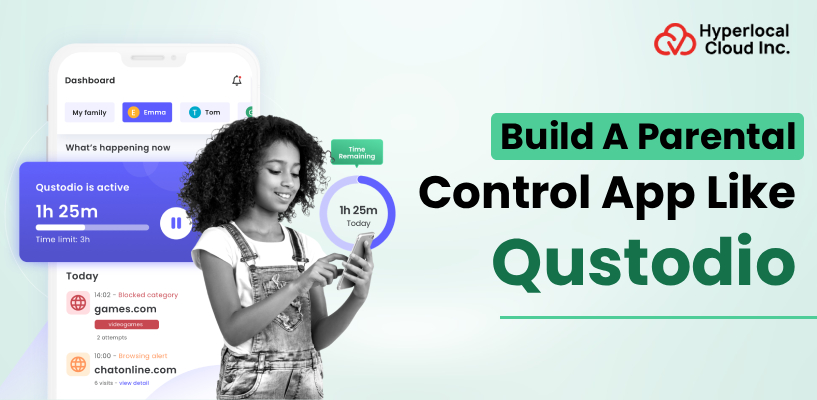
In the modern age, kids spend more time on their mobile devices. This leads to health issues, due to which parents are looking for digital solutions to encourage healthy viewing habits. The rising internet usage has increased the demand for AI parental control tools. Parental control apps protect kids from online risks while minimizing screen time. The size of the global parenting app market will be more than 900 million U.S. dollars by 2030. This presents a great opportunity for businesses investing in Qustodio clone app development services to address safety needs with real-time monitoring and insights. Your business can build a parental control app like Qustodio to enter the industry for ensuring digital security while creating long-term value for your brand.
What is a Qustodio Clone App and its Working Model?
A Qustodio clone app is a professional software solution designed for businesses to launch a digital safety and monitoring platform. It provides a pre-built framework that functions just like Qustodio and allows businesses to offer tools that track device use and filter digital content. By using this established setup, a business offering security services can quickly enter the market with a reliable product without the high costs and long timeline of building the technology from scratch.
This is how the Qustodio clone app works:
Connected App Setup
The system links the app on the user’s device to a main management account. This creates a secure connection that ensures all rules and settings stay in sync across multiple devices.
Live Activity Tracking
The app securely tracks which websites are visited and which apps are being used. This information is sent to a private server, giving the account owner a clear and up-to-date view of all digital activity.
Remote Rule Management
Account owners can manage all digital rules through a private dashboard. They can instantly block specific types of websites or set a strict schedule when the device is available for use.
App Blocking and Reporting
The software is designed to automatically prevent access when a policy is violated. It also turns all the tracked data into simple, professional reports that show usage patterns and warn about any attempts to visit restricted sites.
Turn your vision into a powerful AI-driven app
Top Reasons to Invest in Qustodio Clone App Development
Investing in a Qustodio clone app enables businesses to enter a growing market and focus on digital safety. The growing demand for monitoring tools is an opportunity for service providers to invest in a reliable platform. This framework allows businesses to offer professional-grade tools that address the parents’ concerns while generating long-term revenue.
Advantages for Users
A Safer Online Environment
The Qustodio clone app helps parents see if their child is sharing information or using apps that are not safe. This way kids can use the internet without much risk. The app will automatically block websites and send alerts right away if something suspicious is going on.
Battery Life Monitoring
The app can keep track of the battery level of the phone in real time and provide insights on the dashboard.It sends reminders and alerts to charge phone before leaving home to make it easier for parents to reach out to their child.
Encourages Healthy Habits
Parents can set the Qustodio clone app to lock their child’s device at a time every night. This helps ensure that device usage doesn’t impact sleep and encourages a better bedtime routine. The Study Mode feature helps kids focus on their schoolwork and be more disciplined.
Instant Support for Emergencies
There is an SOS button that kids can press to send their location and a message to their parents asking for help. This is an important safety feature that can be used in any emergency.
Clear Insights
The Qustodio clone app provides reports showing which apps are being used and for how long. These reports help parents have informed discussions about their digital habits and spot potential issues.
Advantages for Business
Faster Market Entry
Using a pre-built clone framework ensures the platform is ready for launch much sooner than a custom-built project. This helps your business meet the demand for digital safety tools quickly.
Multiple Revenue Streams
The platform supports various ways to earn revenue, including monthly subscriptions, one-time premium upgrades or partnerships with educational content providers. This flexibility makes it easier to achieve financial goals.
Scalable Technologies
The Qustodio clone app platform is built to handle the increasing number of users without slowing down. The system adapts to the global user base for sending instant updates and notifications to accounts.
Global Reach
Keeping kids safe online is a priority for parents around the world.
The app’s features and content adapt to different languages and regional regulations. This allows businesses to increase global reach and build user trust.
Understanding Market Trends
The Qustodio clone app can collect data that shows which features or apps are popular. This data allows you to improve the app and make smarter marketing decisions to grow your business.
Parental Control & Digital Wellbeing Features of Qustodio Clone App
Qustodio clone app provides the advanced tools needed to manage a safe and balanced digital environment. The system focuses on practical controls that help in building healthy digital habits while protecting from online risks.
Integrating these essential features makes your platform an essential resource for modern parenting and long-term digital safety:
Call and Text Monitoring
Provides a clear view of calls that the user receives. The users can view incoming and outgoing call history and block specific numbers to prevent contact with strangers.
Remote Dashboard Control
Allows parents to change any setting or lock a device instantly from their own phone. This provides full management power even when the parent is at work or traveling.
Social Media Sentiment Alerts
Monitors for signs of aggressive language or bullying on major social platforms. The system warns about potentially harmful interactions so that parents can step in to support their child’s mental well-being.
Web Filtering
This integrated feature automatically blocks access to harmful web content across all major browsers. This ensures a safe search environment by filtering out adult material, gambling and violent sites.
Monitoring of Content on YouTube
The app tracks search history and specific videos watched on the YouTube app. It helps ensure that the content viewed is educational or age-appropriate.
Games and Entertainment Filtering
This is a specific category filter that disables all gaming sites and apps with one click. This is an easy way to switch a device into study mode during homework hours.
Managing Multiple Devices
The app manages and monitors several devices simultaneously from a single account. This ensures that the same safety rules and time limits apply when using a phone or tablet.
Real-Time GPS Tracking
GPS tracking feature helps to display the current location of the child’s device on a live map. This ensures the user’s safe arrival at the destination.
Notifications for Safe Zone
The app allows marking of specific areas, like school or home, on a map. The system sends an instant alert when the user enters or leaves these designated safety zones.
Activity Summaries
Generates simple reports showing which apps were used and for how long to provide insights about the user’s digital habits.
Accessibility for Educational Apps
Ensures that essential school or learning apps remain usable even after the general time limit has been reached. This prevents study sessions from being interrupted by the app’s safety locks.
SOS Alert System
Includes a dedicated button for children to send an immediate help signal to their parents. The alert includes the child’s exact location, providing a quick way to communicate in an emergency.
Ready to lead the next wave of parental control apps?
The Approach to Building a Parental Control App Like Qustodio
The stages to build a parental control app like Qustodio involve handling the technical details to ensure the app is visible on major stores and supports a growing audience.
These are the steps on how to build a parental control app like Qustodio:
1. Creating a Plan
This stage defines the project goals and needs of the target market.
- Defining Goal
We determine the safety features required for a successful market entry. - Market Analysis
Reviewing existing tools to identify opportunities for building a competitive advantage.
- Project Documentation
A detailed plan is created. It outlines system requirements and the project timeline.
2. User Interface Design
The focus is on making the design simple and easy to navigate for users.
- Developing Wireframe
Mapping out the basic structure ensures a smooth user journey.
- Creating a Unique Design
The goal is to include colors and logos that match the brand’s professional image. - Prototype Testing
Create a prototype and test the flow and usability before the coding phase begins.
3. Building Technical System
This stage involves building the core engine of the app. We emphasize data exchange and live tracking.
- Backend Setup
Configuring servers to manage user data, account rules and system logic.
- API Integrations
Linking the platform to services like GPS mapping and notification systems. - Cross-Platform Development
The application is built to perform consistently on both Android and iOS devices.
4. Quality Control and Security Audits
The app undergoes testing to ensure it is stable, bug-free, and keeps the user data protected.
- Speed and Stability Testing
We check that the app runs smoothly without slowing down the user’s device.
- Data Security Checks
The team audits encryption methods. This ensures all family information remains private and secure.
- Functional Verification
We test the app with real scenarios to ensure every feature works as expected.
5. Deployment and Market Launch
This stage involves handling the technical details to ensure the app is visible on major stores and ready to support a growing audience.
- Store Submission Management
Handle the approval requirements for the Google Play Store and Apple App Store.
- Live Environment Setup
The system moves to a production server. It must support a volume of users.
- Initial Launch
We monitor system performance. This is during the days of release. We ensure a transition for new users.
6. Maintenance
Post-launch support ensures the platform stays compatible across all devices for enhancing user experience.
- System Compatibility Updates
Maintaining performance on new operating system versions.
- Feature Enhancement
Improving features based on user feedback and market trends. - Technical Support
The support team continuously monitors the backend. This ensures uptime and consistent service availability.
Core Technologies Integrated into the Qustodio Clone App
The technology behind the Qustodio clone app focuses on speed, security and reliable data tracking. Using modern frameworks and secure cloud servers allows the app to handle live location updates and content filtering.
| Categories | Technology Stack |
| Mobile App (iOS/Android) | Flutter, React Native, Swift |
| Web Frontend | React.js, Next.js, TypeScript |
| Backend Framework | Node.js, Python (Django), Ruby on Rails |
| Database Management | PostgreSQL, MongoDB, MySQL |
| Cloud Infrastructure | AWS, Google Cloud, Azure |
| AI & Machine Learning | TensorFlow, PyTorch, OpenAI API |
| Real-Time Data | WebSockets, Firebase, Socket.io |
| Push Notifications | Apple Push Notification Service, Twilio, SNS |
| Location Services | Google Maps API, Mapbox, CoreLocation |
| Payment Gateways | Stripe, PayPal, Razorpay |
| Security & Encryption | SSL/TLS, OAuth 2.0, AES-256, JWT, bcrypt |
| Analytics & Logging | Mixpanel, Google Analytics, LogRocket |
| DevOps & CI/CD | Jenkins, GitLab CI, Ansible |
Monetization Strategies of Qustodio Clone App to Maximize Return On Investment
Your business needs a clear strategy for generating consistent income to ensure success while delivering value to users. These are some effective models to generate revenue:
Subscription Tiers
Offering monthly or annual memberships is a reliable way to earn a steady income. By creating different levels of service, a business allows users to select a plan as per their needs. The users can choose a subscription with basic protection for a single device or advanced tracking for a large household. This model keeps revenue predictable while engaging users in the long term.
Freemium Model
A business can offer a high-quality, basic version of the app for free to build trust with a wide audience. Once users experience the core benefits, such as screen time management, they are much more likely to convert to a paid version for deeper analysis and better control.
B2B Licensing
Businesses can gain an opportunity to partner with schools and educational organizations. They can secure large-scale contracts by providing a bulk version of the software to manage devices issued to students. This approach expands market reach into the public and private education sectors.
Family Plans
Modern households often manage multiple devices across several children. Businesses can offer a discounted family plan that covers multiple devices under a single account. This provides a cost-effective solution to build loyalty and a competitive advantage.
Kickstart your parental control app project with expert guidance
How Much Does It Cost To Build An App Like Qustodio?
The total cost for Qustodio clone app development is around $7,000 to $25,000. The development cost depends on the AI feature complexity, the number of operating systems to support, and the level of data encryption. It can be a cost-effective option to build a simple version of the app with basic monitoring. However, a Qustodio clone app with real-time AI content analysis and predictive alerts can impact the cost and timeline for project delivery.
The development approach also affects pricing and the time required for market entry. Businesses can choose to utilize a white label solution, which offers a much faster launch at a lower cost, or opt for development from scratch for a unique final product. Both methods provide a professional and scalable product. But the choice of development approach depends on your specific budget and long-term business goals.
Launch an AI-Powered Parental Control App like Qustodio with Hyperlocal Cloud
Entering the parental control app market is a smart move. Hire a reliable mobile app development company for a strong brand presence. Partner with Hyperlocal Cloud to gain access to the expertise needed to turn your business idea into a high-performing AI parental control app.
We create a high-performing and scalable product, whether the goal is to launch an app from white label solution or build a custom app like Qustodio. Integrate real-time alerts and activity reports to ensure digital safety and build user trust. Launch an AI-powered parental control app like Qustodio for revenue growth and a high-quality user experience. Let’s work together to create a feature-rich app that delivers excellent business results.
FAQs (Frequently Asked Questions)

Patt Cummins is an experienced content writer with over 10 years of experience creating clear and engaging content for technology-focused industries. He specializes in simplifying complex technical topics into easy-to-understand stories that educate readers, support brand communication, and help businesses effectively share their solutions.

Need Help With
Development?