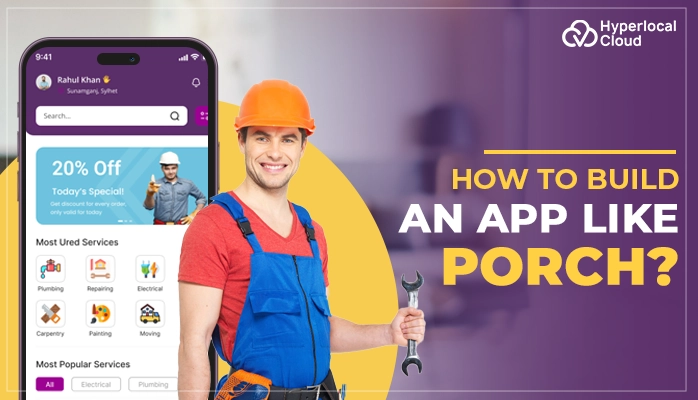
How to Build An App Like Porch
The home services industry is booming, and platforms like Porch are reaping the rewards by connecting homeowners with trusted professionals. The digital marketplaces have changed the way individuals seek plumbers, electricians, contractors, and other service providers-it has become quicker, transparent, and dependable. The statistics are an interesting tale: the market of home services is expected to grow by billions over the next several years, and online services will gain even more.
However, what is so effective about such platforms, and what does it take to develop one? This guide breaks down everything you need to know—features to consider, tech stack to use, and the strategies to make money. To companies, investing in a Porch-like platform is equivalent to having touched recurring revenue streams, creating valuable customer data, and being seen as the reliable connector in a fragmented industry.
Everything You Need To Know About Porch
The Porch app is a home management application that helps in connecting homeowners with local service providers in repair, maintenance, and moving, as well as assisting them in managing home-related information such as appliance details, warranties, and inspection reports, particularly upon the purchase of a home. It is an online hub of everything home and provides services to find pros, book services, monitor maintenance, and even has concierge services to assist with moves.
Similar to platforms such as TaskRabbit, the Porch app connects users with skilled professionals. It goes beyond task-based services by offering comprehensive home management tools and maintenance tracking in the long term.
Start your Porch-like app journey with us today
How Digital Home Management Apps Like Porch Function
The following table displays the working process of the homeowners and the professionals:
| Steps | Homeowner Process | Professional Process |
| Getting Started | Create an account and fill out project information, answering questions regarding the type of service required and the location. | Create a profile with a description of work experience, skills, areas of service performance, and customer feedback. |
| Matching & Connection | Get instant price offers and be paired with experienced workers. Search by “Pro Search” or have an instant connection through a call. | Get notification (email/text) of new job leads in their area of service. Make purchases on an individual basis or automatic lead delivery plans. |
| Communication | Browse through the professional profiles and reviews, and contact details to negotiate the project and cost details. | Whenever you get a lead, act on it immediately to increase the chances of securing employment. Make arrangements with the homeowners through negotiation. |
| Job Management | Monitor every communication on a project page. Porch offers assistance in the course of the job to help in the smooth completion. | Use the platform’s features of project management, scheduling, and job tracking tools. |
| Payment & Completion | The full payment to the professional is made through the platform after the user is satisfied with the work. | Get paid once the job is done and in line with the homeowner’s requirements. |
| Post-Job | Post ratings and reviews to benefit other members. Home management appliances, to-do, and personal “Home Concierge” services. | Gain reputation through customer reviews. Premium vetted network pro members receive background checks, profile badges, and lead credits for unresponsive clients. |
Key Features of App Like Porch
The Porch clone app consists of features in three primary or main panels or interfaces: the homeowner app, the professional/provider app, and the admin panel.
Homeowners Panel Features
➤ Access to Inspection Report
Homeowners can automatically download or add an inspection report to the app and maintain all the pertinent details of a house in a single place.
➤ Custom To-Do Lists
The app uses information on the inspection report to assist homeowners in creating a personalized to-do list for repairs and maintenance.
➤ Appliance Tracking and Recall Alerts
The user has an easy opportunity to maintain the digital record of home appliances and be prompted with the necessary recall messages to stay safe.
➤ Home Management and Organization
Consumers can use the site to monitor warranties and policies, save key contacts, and be generally organized and in touch with all the home ownership details.
➤ Home Concierge Service
Homeowners have a dedicated real person who will be able to help them with multiple tasks, including appointment booking, finding movers, and where to get insurance quotes.
➤ Booking Home Services
Homeowners are able to book more than 200 different home services (e.g., handymen, roofers, plumbers) instantly via the application, and many of the professionals are background-checked, licensed, and insured by the app.
➤ Moving Assistance
The app provides a customized moving checklist and the opportunity to hire movers, compare home insurance policies, and locate the utilities, such as TV and internet services.
➤ Offers and Discounts
Welcome gifts and offers on different home-related products and services can be offered to homeowners by the app.
Professionals Panel Features
➤ Real-Time Lead Generation
As soon as an owner posts a project request, the professionals are informed within minutes of the request in both email and text.
➤ Lead Management Dashboard
A specific dashboard allows organizing and prioritizing leads according to urgency and speciality, and displaying an icon of the state of calls, messages sent, and verification of a lead.
➤ Project Management Tools
The platform provides tools to manage projects through to completion, which might include cost estimation tools, scheduling, and tracking progress.
➤ Booking and Scheduling
The professionals can use this feature and book and schedule the services. The payments are completed through the app, which makes the process hassle-free.
➤ Digital Toolbox
The feature is used to store important business records and documents as well as provide a safe place to store contracts, warranties, and service records.
➤ Customizable Profile
Professionals will be able to make a comprehensive profile that displays their expertise, credentials, previous projects (with pictures), and areas of service.
➤ Ratings and Reviews Management
The service makes it easy to gather and present reviews and ratings of homeowners that can be used to create credibility and influence the decision-making process of potential customers.
➤ Profile Analytics
The professionals can see the important statistics on their performance (profile), including the total views and the position of search results, among others, compared to competitors.
➤ In-App Communication
Real-time communication and an in-app phone system enable one to receive and provide direct and immediate communication with potential and existing clients without phone tagging.
➤ Homeowner Contacts Tracking
The dashboard enables professionals to monitor and manage calls and emails of potential customers so that no lead can be missed.
➤ Homeowner Watchlist
This is a feature that is designed to assist in maintaining relationships with past clients, notifying them in case a past client shifts to a new address.
➤ Flexible Payment Options
Professionals have the freedom to decide how they obtain work and how they pay, with options such as pay-as-you-go as an individual lead or subscription plans (reserve and select), depending on their budget and lead specifications.
➤ Competitive Insights
Gives information on the performance of a professional and their profile compared to their competitors within the local market.
Admin Panel Features
➤ Dashboard
This is a central place to see all the business activities, job requests, and performance measurements.
➤ Service Management
Arranging services of different types, including cleaning, plumbing, or repairs, the admin can add and edit them as well as organize them.
➤ User Management
This feature allows admin to manage customer and service provider accounts and their user permissions and privileges.
➤ Booking Management
The admin can have all the job bookings and schedules monitored and displayed in a single location.
➤ Payment & Finance
The feature of payment and finance enables the admin to keep all the payments, invoices, and the revenue report at a single point.
➤ Notifications
The admin can automate notifications that will be sent to users and providers regarding the bookings and changes.
➤ Workflow Automation
Using this admin can have automatic emails and automated processes to save on time wastage in repetitive activities.
➤ Analytics & Reporting
The admin can create detailed reports on the current performance of the business in various aspects.
➤ GPS & Routing
This allows the admin to monitor the service providers’ positions and identify the fastest route to the work points.
➤ Customizable Dashboards
Adapt the layout of the administrative panel to what is most important to each of the team members.
➤ Role-Based Access
Give varying levels of permission, such that team members are not given unnecessary privileges.
➤ Real-Time Chat
The admin can have a look at real-time communication between customers and the service providers in the app.
Let’s design and develop your on-demand services app
Porch Clone Application Design And Development Workflow
Now, let’s have a look at the step-by-step development process of the house management app like Porch:
1. Market Research & Planning
Begin analysis of your target market, competitors, and the needs of the users. These are the main questions you have to answer to identify the exact services you will provide, your target market (homeowners and professionals), and the uniqueness of your platform. This study defines your total development plan.
2. Define Core Features & User Flows
Identify key attributes of three types of users: homeowners, service professionals, and admins. Produce user journey maps that display how users will reserve services, how professionals will be contacted with leads, and how the platform will be administered by the admins.
3. Choose the Right Technology Stack
| Frontend Framework | React |
| Mobile Development | React Native, Flutter |
| Backend Languages | PHP, Java, Node.js, Python |
| Cloud Platform | Google Cloud Platform |
| Database | PostgreSQL, MySQL, MongoDB |
| Payment Processing | Stripe, PayPal, Braintree |
| APIs | RESTful APIs, Google Maps API, Payment Gateway APIs, SMS/Email APIs, Social Media APIs |
4. Design UI/UX
Design wireframes and prototypes with easy and simple navigation for all users. The design must be aimed at enabling easy customer booking, fast response to leads by professionals, and elaborate dashboards for admins. Plan designs: test the designs in advance on real users.
5. Development & Integration
Develop the application in stages. First, choose the approach you are going to use. There are two approaches: one is a custom-based approach, and another is buying a white-label solution. If you choose a custom-based approach, then you will have to develop the app from scratch, and it will require more time and investment.
On the other hand, if you choose to buy a white-label solution, then you can launch it quickly in days or a week; it will also require less investment as it is a pre-built solution and has the capacity to be re-branded as your own.
6. Testing & Quality Assurance
Undertake extensive testing such as functionality tests, security audits, test the payment process, and performance testing at varying loads. Test with various devices and operating systems to have a smooth operation everywhere.
7. Launch, Monitor & Iterate
Publish your application on the application stores and monitor the feedback. Monitor such indicators as the size of users and the booking rates, and interaction with professionals. Continually improve the platform by continuously updating the app based on the feedback of the users, eliminating bugs, and adding functions as needed.
Tips To Create A Successful Home Services Marketplace
These tips will enable you to build a home service marketplace that will attract users, retain professionals, and create sustainable growth in the competitive home services industry.
➣ Build Trust with Verification
Introduce comprehensive background checks and checks of service professionals. Show ratings, reviews, and certifications to enable users to make informed decisions.
➣ Keep the Booking Process Simple
Have an easy-to-use interface wherein the users are able to locate services, compare prices, and book appointments within a few clicks without getting lost.
➣ Focus on Quality Over Quantity
While it is better to be full of content, making a carefully selected set of trusted professionals is preferable to overwhelming your platform and losing control. Customer satisfaction results in a high quality of service and customer retention.
➣ Offer Transparent Pricing
Provide open prices that do not have hidden charges. Give precise quotes and cost breakdowns in order to make the customers aware of what they are paying.
➣ Invest in Customer Support
Be responsive to problems, chat, call, or email to solve the customer’s trouble. An assistant team creates loyalty and confidence in your app.
➣ Enable Real-Time Communication
Include in-app messaging and notifications to allow customers and professionals to communicate easily, ask questions, and know the status of their job.
Get a free consultation to turn your Porch-like app idea into reality
How Does The Porch-Like Home Management App Generate Revenue?
It is quite possible to make a substantial profit out of developing a Porch-like app. The point here is to select the appropriate business model, which opens several opportunities for generating revenue. Here’s how you can earn money through it:
| Revenue Model | Description |
| Lead Generation Fees | Professionals pay to get access to customer requests and employment opportunities, generating a continuous flow of income and matching them with a person who requires their service. |
| Commission on Completed Jobs | The platform collects a small percentage of every booking made, and the revenue to the platform will increase automatically as more and more users register. |
| Subscription Plans for Professionals | The service providers charge monthly/annually for the premium features such as enhanced visibility, premium tools, and priority on leads. |
| Strategic Partnerships | Collaborate with home improvement stores, insurance firms, and moving services to receive referral fees and provide the customers with convenient package services. |
| Featured Listings and Ads | Allowing charge professionals to be featured at the top of the search results or being featured, they are more likely to attract more customers, and the platform will receive additional income. |
Closing Summary!
The creation of a home services app, such as Porch, needs the appropriate technology, functionalities, and a development partner. The right planning and implementation can bring you a lucrative platform that will connect the homeowners and the service professionals.
Hyperlocal Cloud is the best on-demand handyman app development company, offering affordable clone app solutions that meet your business requirements, starting at $6,000. Our cost-effective, bespoke platforms allow you to launch your app in the market quickly and scale smarter. Ready to turn your vision into reality? Contact us today and let’s build your success story together!

Patt Cummins is an experienced content writer with over 10 years of experience creating clear and engaging content for technology-focused industries. He specializes in simplifying complex technical topics into easy-to-understand stories that educate readers, support brand communication, and help businesses effectively share their solutions.

Need Help With
Development?