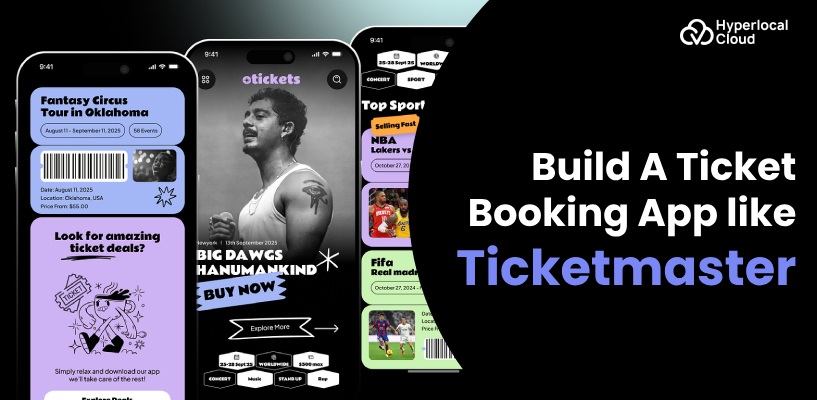
- A Ticketmaster clone helps businesses launch a branded event ticket booking platform.
- Essential features include event discovery, secure payments, digital tickets, and organizer dashboards.
- Advanced features such as QR-code verification, real-time seat selection, and personalized recommendations can improve user experience.
- Multiple revenue streams include booking fees, ticket commissions, subscriptions, and featured listings.
- Hyperlocal Cloud offers a white-label Ticketmaster clone solution for $8,000.
- Confirm customization options, integrations, deployment, and maintenance inclusions before launching your platform.
The growing demand for online event discovery and digital ticketing has created opportunities for businesses to launch their own event ticket booking platforms. From concerts and sports tournaments to theater performances, festivals, and corporate events, customers increasingly expect a convenient way to discover events, select tickets, and complete bookings online.
A Ticketmaster clone offers a practical starting point for businesses that want to enter the event ticketing market with a branded digital solution. It can bring event discovery, ticket inventory, secure payments, digital ticket delivery, and organizer management into one platform.
Hyperlocal Cloud provides a customizable, white-label Ticketmaster clone solution designed to help entrepreneurs, startups, event organizers, and established businesses launch their own ticket booking platforms. With a white-label solution cost of $8,000, businesses can start with an established product foundation and customize the platform according to their branding, business requirements, and target audience.
Whether you want to build a platform for concerts, sports events, entertainment venues, or multiple event categories, the right ticket booking software can help you streamline operations, improve customer experiences, and create new revenue opportunities.
What Is a Ticketmaster Clone App?
A Ticketmaster clone app is an event ticket booking solution inspired by the core functionality of platforms such as Ticketmaster. It allows businesses to develop a branded platform where customers can explore events, check ticket availability, make reservations, and receive digital tickets.
The platform can include customer-facing applications, an event organizer dashboard, and an administrative panel. These components work together to manage event listings, ticket inventory, transactions, attendee information, and booking operations.
A Ticketmaster clone does not mean copying another company’s proprietary software, branding, or intellectual property. Instead, it provides a foundation for developing an independent ticketing business with similar categories of functionality.
Custom-Built vs. White-Label Ticket Booking Software
Custom development involves building the platform from the ground up according to specific technical and business requirements. This approach may be suitable for businesses that need extensive customization, specialized integrations, or unique workflows.
A white-label Ticketmaster clone offers an alternative for businesses that want to launch using an existing solution foundation. The platform can be customized with your brand identity, supported features, and business-specific requirements.
White-label development may reduce initial development effort compared with building every component from scratch. The actual launch timeline, customization scope, integrations, and ongoing costs depend on the selected implementation.
Simplify Event Management with a White-Label Solution
Why Invest in an Event Ticket Booking App Like Ticketmaster?
An event ticketing platform can serve customers, event organizers, venue operators, and promoters through a centralized digital experience. Instead of managing bookings across disconnected channels, businesses can bring event discovery, ticket sales, and attendee management into one system.
Growing Demand for Online Event Ticketing
Customers want convenient access to event information, ticket availability, pricing, and booking confirmations. An online ticket booking platform can help businesses serve these expectations through web and mobile experiences.
Organizers can also use digital tools to publish events, manage ticket categories, monitor sales, and communicate important updates to attendees.
Opportunities Across Multiple Event Categories
A Ticketmaster-inspired platform can support different business niches, including:
- Concerts and music festivals: Sell tickets for live performances, tours, and music events.
- Sports events: Manage ticket categories, seating options, and attendance for tournaments and matches.
- Theater and performing arts: Offer reservations for plays, comedy shows, and stage performances.
- Corporate events: Support registrations and ticket sales for conferences, exhibitions, and networking events.
- Community events: Help local organizers promote workshops, cultural programs, and public gatherings.
- Entertainment venues: Centralize ticketing for attractions, special experiences, and recurring events.
Businesses can initially focus on a single niche and expand into additional event categories as their audience grows.
Benefits of Digital Ticketing for Businesses
A digital ticketing platform can simplify booking administration, improve ticket inventory visibility, reduce manual processing, and provide better access to sales data. Automated confirmations and digital tickets can also reduce repetitive support tasks.
For organizers, centralized dashboards make it easier to monitor event performance. For customers, online booking provides a convenient way to discover events and access tickets without relying entirely on offline channels.
Essential Features of a Ticketmaster Clone App
A successful ticket booking platform needs more than an event listing page. It should provide a smooth booking experience, reliable inventory management, and the administrative tools needed to operate the business.
Customer App Features
1. User Registration and Profiles
Allow customers to register, sign in, manage personal information, and review their booking history. Social sign-in options may also be considered where supported.
2. Event Discovery and Search
Provide event listings with search, categories, filters, location-based discovery, dates, and venue information. These capabilities help users find events that match their interests.
3. Event Details
Display event descriptions, dates, timings, venue details, ticket categories, pricing, availability, and organizer information on dedicated event pages.
4. Ticket Selection and Seat Booking
Enable customers to select ticket types or seats when supported by the venue’s seating configuration. Real-time inventory updates help prevent conflicting reservations and overselling.
5. Secure Checkout and Payments
Provide a streamlined checkout process with supported payment methods. Payment processing should handle successful transactions, failures, cancellations, and appropriate refunds.
6. Digital Tickets and Booking Confirmations
Generate booking confirmations and digital tickets containing the information required for entry. QR codes or barcodes can be used for ticket verification when included in the implementation.
7. Booking History and Notifications
Let users access previous and upcoming bookings. Email, push, or SMS notifications can communicate booking confirmations, event reminders, and important schedule changes.
8. Customer Support and Refund Requests
Offer clear support channels and booking-related assistance. Refund eligibility and processing should follow the platform’s policies and applicable consumer protection requirements.
Event Organizer Dashboard Features
1. Event Creation and Management
Allow approved organizers to create events, upload promotional images, add descriptions, configure venues, and publish event details.
2. Ticket Inventory Management
Enable organizers to define ticket categories, quantities, sales periods, pricing, and availability. Inventory controls are particularly important for events with limited capacity.
3. Sales and Revenue Reports
Provide dashboards for ticket sales, booking activity, revenue, cancellations, and attendance. These reports help organizers evaluate performance and plan future events.
4. Promotional Campaigns
Support discount codes, promotional offers, and featured event placements where included in the product configuration.
5. Attendee Management
Give organizers access to relevant booking and attendee information, subject to privacy controls. Exportable attendee lists and check-in tools can support event-day operations.
6. Check-In Management
Use QR-code scanning or other supported validation methods to verify tickets at venue entrances and reduce duplicate entry attempts.
Admin Panel Features
The administrative panel gives the platform owner control over users, events, transactions, and business settings.
- User and organizer account management
- Event review, approval, and moderation
- Ticket categories and inventory oversight
- Commission and service fee configuration
- Payment, refund, and transaction monitoring
- Promotional content and featured listings
- Reports, analytics, and operational settings
- Support requests and dispute management
The precise capabilities available should be confirmed against the selected Hyperlocal Cloud solution package.
Advanced Features to Make Your Ticket Booking Platform Stand Out
Advanced capabilities can help differentiate a ticket booking platform and support more complex event operations.
AI-Powered Event Recommendations
Recommendation features can suggest events based on customer preferences, browsing behavior, location, and previous bookings, subject to appropriate data permissions.
Real-Time Seat Availability
For reserved seating, synchronized seat availability and temporary booking holds can help reduce conflicts when multiple customers attempt to purchase the same seats.
Dynamic Pricing and Promotions
Organizers may need to configure early-bird pricing, promotional discounts, VIP categories, or time-limited offers. Automated dynamic pricing requires additional business rules and should be implemented transparently.
Ticket Security and Fraud Prevention
Unique ticket identifiers, QR-code validation, transaction monitoring, and controls against duplicate scans can help reduce ticket fraud. More advanced anti-bot protection may be necessary for high-demand events.
Ticket Transfers and Resale
Ticket transfer and resale functionality can provide flexibility for customers who cannot attend an event. These features require clear ownership verification, pricing rules, and compliance with applicable resale regulations.
Personalized Notifications
Automated notifications can remind customers about upcoming events, share booking updates, and provide important venue information.
Create Your Own Online Ticket Booking Platform
How Does a Ticketmaster Clone App Work?
A typical event ticket booking journey follows a series of steps.
Step 1: Discover an Event
Customers browse event categories, search by location, or filter listings by date and interests.
Step 2: Review Event Details
They view the event schedule, venue, ticket types, pricing, availability, and relevant booking policies.
Step 3: Select Tickets
Customers choose the required number of tickets or select available seats when reserved seating is supported.
Step 4: Complete the Booking
The platform validates ticket availability, calculates the order total, and processes payment through the integrated payment provider.
Step 5: Receive Digital Tickets
After the booking is confirmed, the system issues the appropriate digital ticket or booking confirmation.
Step 6: Verify Entry
Venue staff scan or validate tickets using the supported check-in workflow.
Step 7: Manage the Post-Event Experience
Customers may receive feedback requests or recommendations for future events, while organizers review sales and attendance reports.
How to Develop an App Like Ticketmaster
Building an event ticketing platform requires a structured approach that aligns the product’s capabilities with its intended market.
Step 1: Conduct Market Research
Identify your target audience, event categories, competitors, geographic market, and potential revenue streams. Determine whether the platform will serve individual organizers, established venues, ticketing agencies, or multiple customer segments.
Step 2: Define Business Requirements
Prepare a feature list covering customer booking, organizer operations, administration, payment processing, ticket validation, and reporting. Decide which features are essential for the initial launch and which can be introduced later.
Step 3: Choose a Development Approach
Compare custom development with a white-label ticketing solution. Consider the required customization, launch priorities, technical resources, and long-term roadmap before selecting the approach.
Step 4: Customize the UI/UX Design
Create a consistent brand identity and intuitive navigation. Prioritize event discovery, clear ticket pricing, straightforward checkout, and accessible booking information.
Step 5: Configure the Backend and Integrations
Set up the application logic, database, authentication, payment processing, notification services, and inventory management. The architecture should account for concurrent bookings and high-demand ticket releases.
Step 6: Test the Platform
Test the complete booking journey, payment failures, ticket availability, QR validation, refunds, access permissions, and application performance. Security testing is especially important for platforms handling personal information and payments.
Step 7: Launch and Maintain the Platform
Deploy the website or applications, configure monitoring, and establish customer support processes. Continue improving the product using operational feedback, sales data, and customer needs.
Technology Stack for Ticketmaster Clone App Development
The technology stack depends on the selected product architecture, platforms, integration requirements, and expected traffic.
Frontend Technologies
React or Next.js can be considered for web interfaces, while Flutter or React Native may support cross-platform mobile development.
Backend Frameworks and APIs
Node.js, Python, Java, or other suitable backend technologies can support authentication, booking workflows, ticket inventory, payments, and organizer management.
Database and Cloud Infrastructure
PostgreSQL or another suitable database can store users, events, bookings, and transaction references. Cloud infrastructure can support deployment, backups, monitoring, and scaling.
Payment Gateway Integration
Payment providers should be selected according to the target market, supported currencies, settlement requirements, and applicable regulations.
QR-Code Generation and Scanning
QR-code generation and validation tools can support digital ticket issuance and entry management. The implementation should include safeguards against duplicate use and unauthorized access.
Real-Time Communication and Analytics
WebSockets or other event-driven mechanisms can support live inventory updates where required. Analytics tools can help measure event discovery, checkout conversion, ticket sales, and customer engagement.
The final technology stack should be selected according to the product’s actual requirements rather than using every technology listed above.
Business Models and Revenue Streams for an Event Ticketing App
A Ticketmaster-inspired platform can generate revenue through several models, depending on its target customers and commercial strategy.
Ticket Booking and Service Fees
Charge a transparent service fee on eligible bookings. The fee structure may depend on ticket value, event category, and contractual arrangements with organizers.
Commission on Ticket Sales
Collect an agreed percentage of ticket sales from participating organizers. This model connects platform revenue to successful transactions.
Organizer Subscription Plans
Offer paid plans for organizers who need advanced analytics, additional promotional capabilities, or enhanced event management tools.
Featured Event Listings and Advertising
Generate revenue by offering clearly identified promotional placements to eligible organizers and event partners.
Premium Organizer Services
Consider additional services such as advanced reporting, customized event pages, marketing integrations, or specialized operational support.
The most suitable revenue model will depend on competition, customer acquisition costs, organizer expectations, and the economics of each booking.
Develop Your Own Ticketmaster-Like App
Ticketmaster Clone App Development Cost
The cost of launching an event ticketing platform depends on the development approach, feature requirements, branding, integrations, supported platforms, and ongoing operational needs.
Custom Ticket Booking App Development Cost- 17,000 to 50,000
Custom development requires a project-specific estimate based on the required features and technical scope. Building separate web, Android, and iOS experiences, developing a reserved-seat inventory system, or integrating complex payment and resale workflows may increase the budget.
For an accurate quotation, businesses should define their target platforms, expected transaction volume, integrations, security requirements, and required administrative features before finalizing the project scope.
White-Label Ticketmaster Clone Cost — $8,000
This option provides businesses with a starting point for launching their own branded event ticket booking platform without developing every component from scratch.
A white-label solution may be suitable for startups, entrepreneurs, event organizers, and companies expanding into digital ticketing. The implementation can be discussed according to branding needs, required functionality, and business objectives.
Before purchase, confirm the exact deliverables included in the $8,000 package, including supported platforms, source-code or licensing arrangements, integrations, customization limits, deployment, maintenance, and post-launch support.
Factors That Affect Development Costs
Feature scope: Advanced seat selection, resale, AI recommendations, and sophisticated reporting may require additional work.
Platform requirements: A website, mobile applications, or a combined solution can have different implementation needs.
Third-party integrations: Payment providers, messaging services, analytics, and venue systems may introduce additional setup or recurring charges.
Scalability and security: High-demand ticket releases require careful inventory handling, performance planning, and fraud prevention.
Maintenance and infrastructure: Hosting, monitoring, updates, support, and third-party subscriptions should be included in the long-term budget.
How to Optimize Your Development Budget
Start with essential customer booking, event management, payment, and ticket verification workflows. Launch with a focused event category, validate demand, and prioritize additional capabilities according to customer feedback.
A white-label solution can help reduce initial development effort, but businesses should assess the complete implementation and operating costs rather than comparing the initial price alone.
Legal, Security, and Compliance Considerations
Ticketing requirements differ by jurisdiction, event category, payment model, and resale functionality. Review the following areas before launching.
Payment Security and Data Privacy
Use appropriate payment processing practices, access controls, secure data transmission, and privacy policies. Select payment providers that support the intended markets and applicable compliance obligations.
Ticket Fraud Prevention
Use appropriate ticket identifiers, validation workflows, transaction monitoring, and controls against duplicate scans. High-demand events may require additional anti-bot and abuse-prevention measures.
Refund Policies and Consumer Protection
Clearly communicate cancellation terms, refund eligibility, service fees, and event postponement procedures. Ensure that policies align with applicable consumer protection requirements.
Organizer Agreements and Ticket Resale Rules
Establish clear agreements covering ticket allocation, fees, settlement, event cancellations, and organizer responsibilities. If ticket transfers or resale are offered, review the relevant local restrictions and contractual obligations.
Popular Ticket Booking Apps to Learn From
Studying established platforms can help identify customer expectations and opportunities for differentiation.
Ticketmaster
Ticketmaster provides a reference point for large-scale event discovery and ticket sales across entertainment categories. Businesses can study its event pages, ticket selection experiences, and customer booking journeys.
SeatGeek
SeatGeek offers a useful reference for ticket discovery and marketplace experiences, particularly for live sports and entertainment.
Eventbrite
Eventbrite provides examples of event publishing, registration, ticketing, and organizer management workflows.
BookMyShow
BookMyShow offers a reference for entertainment discovery and ticket booking across movies, live events, and other entertainment categories in its operating markets.
TickPick
TickPick provides another example of a ticket marketplace focused on discovering and purchasing tickets for live events.
Rather than reproducing competitors’ designs or proprietary features, businesses should identify the workflows that matter to their audience and build a distinct brand experience.
Why Choose Hyperlocal Cloud for Ticketmaster Clone Development?
Hyperlocal Cloud offers a white-label Ticketmaster clone solution for businesses interested in launching their own event ticket booking platform.
The solution provides a starting point for developing a branded ticketing business, with the final implementation shaped by the selected package and agreed customization requirements.
Businesses considering the solution should evaluate:
- White-label branding: Align the platform with your business identity and customer experience.
- Business-specific customization: Identify the features and workflows required for your target market.
- Event management capabilities: Review the tools available for event listings, ticket inventory, and organizer operations.
- Booking and payment workflows: Confirm the supported checkout, payment, and ticket delivery capabilities.
- Growth planning: Assess the platform’s suitability for your expected traffic, event categories, and future requirements.
- Implementation and support: Confirm deployment responsibilities, maintenance arrangements, and the support included in your agreement.
With a stated white-label solution price of $8,000, Hyperlocal Cloud provides an option for businesses exploring entry into the digital event ticketing market.
FAQs (Frequently Asked Questions)

Patt Cummins is an experienced content writer with over 10 years of experience creating clear and engaging content for technology-focused industries. He specializes in simplifying complex technical topics into easy-to-understand stories that educate readers, support brand communication, and help businesses effectively share their solutions.

Need Help With
Development?