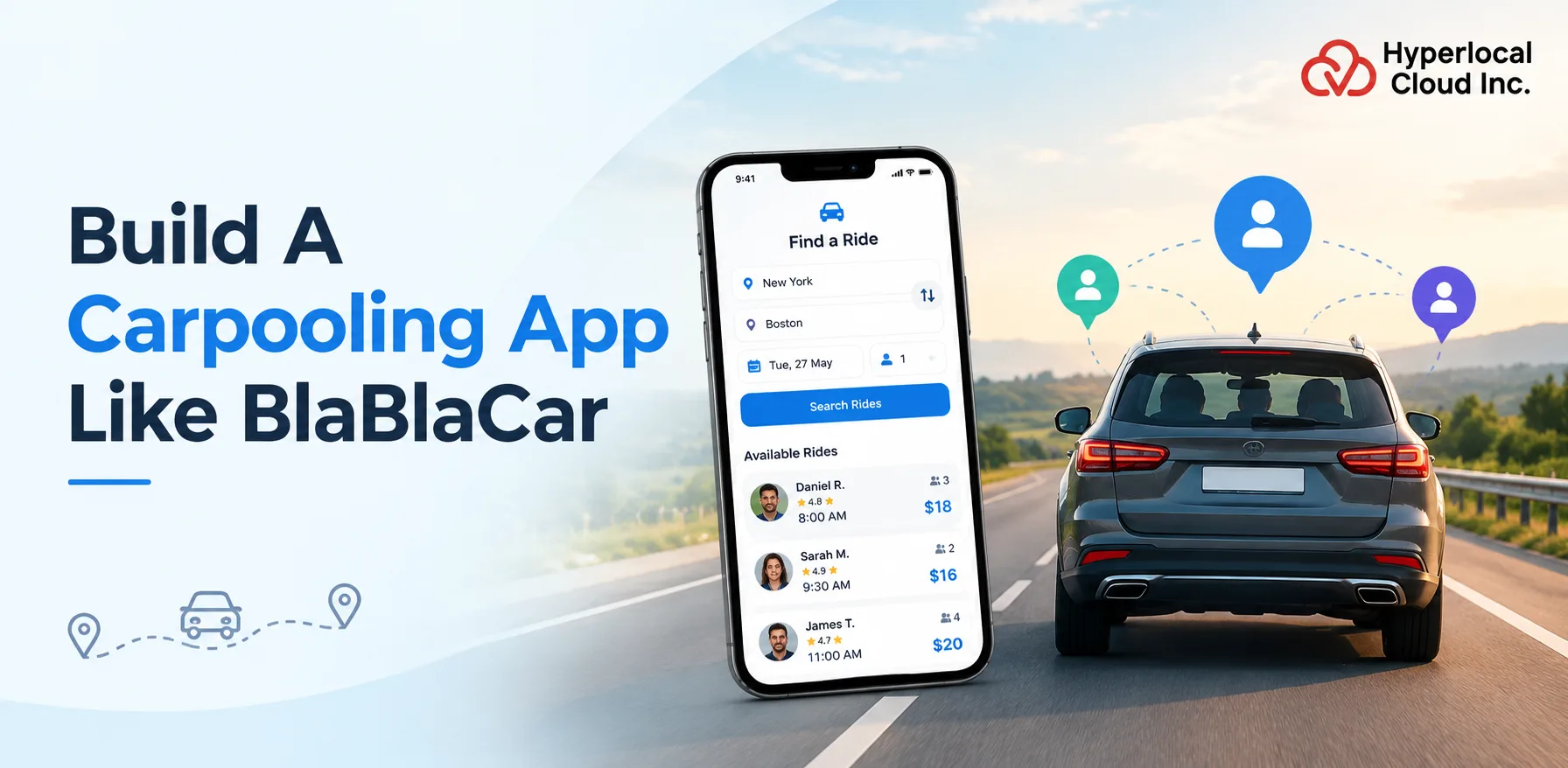
BlaBlaCar built a business on empty seats. People already driving somewhere sell the space next to them. That model turned intercity travel on its head across Europe, the USA, and Asian regions. For founders looking to invest in such a carpooling app development, the model sells itself. No cars to buy or drivers to pay.
However, turning that idea into a working business is another story. There are several decisions to make, from choosing the right development approach to setting a budget and prioritizing features. This guide breaks down what it takes to launch your own carpooling platform like BlaBlaCar.
Let’s get started.
What Is a BlaBlaCar Clone App?
A BlaBlaCar clone app is a ready-made platform based on BlaBlaCar’s carpooling business model. It gives businesses a foundation for running their own service, with features such as trip listings, route search, seat booking, payments, ratings, and identity verification. The platform’s branding and operating rules can be configured to suit the business’s needs.
Launch Your Own Carpooling App Faster With Our Ready-Made Solution
What Makes a BlaBlaCar Clone Different From a Standard Carpooling App?
The fundamental difference is found in the journey and the booking system. A BlaBlaCar-type website centers on planned journeys between cities, where the driver offers seats for trips they are going to make anyway. This contrasts with solutions that rely on commutes or instant trips within the city.
Accordingly, functionalities like trip announcement, route overlap matching, stops during the trip and cost sharing are critical in this solution. The system should have appropriate rules and policies for long journeys between strangers.
Carpooling Market Growth and Revenue Potential
A growing shared mobility market presents opportunities for businesses exploring new travel services. Entrepreneurs planning to build a carpooling app like BlaBlaCar need a clear revenue model, a defined target audience, and a practical plan for attracting regular users. Market demand provides the starting point, but sustainable growth depends on how well the platform serves drivers and passengers.
How Fast Is the Carpooling Market Growing?
The global ride-sharing market was valued at USD 42.9 billion in 2024 and is projected to reach USD 96.9 billion by 2030, growing at a CAGR of 13.7% from 2025 to 2030, according to Grand View Research. Its 2026 estimate stands at USD 59.7 billion. These figures cover the broader ride-sharing market, including services beyond carpooling.
For a more specific picture, Global Info Research estimates the global carpooling market at USD 6.21 billion in 2025, with a projected value of USD 15.44 billion by 2032 and a CAGR of 14.1%. The report also identifies app-based carpooling as the largest segment by product type.
How Do Carpooling Apps Make Money?
A carpooling platform has several ways to generate revenue. The right approach depends on booking volume, user expectations, and the services offered.
- Booking Fees: Charge passengers a service fee when they reserve a seat.
- Trip Commissions: Retain an agreed percentage of eligible bookings.
- Premium Services: Offer paid benefits, such as enhanced listing visibility or additional booking options.
- In-App Advertising: Earn revenue through relevant sponsored listings and promotional placements.
- Business Partnerships: Work with employers, travel providers, or other organizations to coordinate shared journeys.
For a new platform, booking fees or trip commissions offer a straightforward starting point. Additional revenue streams can follow once the service attracts regular users.
Why Sustainability Matters to Carpooling
Carpooling appeals to travelers looking to share fuel costs and make better use of vehicles already on the road. Its environmental benefits also support demand for shared mobility.
BlaBlaCar’s 2025 Sustainability Report, published in June 2026, reported that activity across its group platforms helped avoid 4 million tonnes of CO₂ emissions during 2025. The company also reported that drivers saved €568 million by sharing fuel and toll costs with passengers. These figures cover BlaBlaCar’s broader travel platform, including buses and trains, rather than carpooling alone.
For businesses planning to build a carpooling app like BlaBlaCar, these figures offer useful context on the financial and environmental value of shared travel. Long-term success still depends on attracting active users, generating completed bookings, and maintaining trust between drivers and passengers.
How a BlaBlaCar Clone App Works: The Complete Trip Workflow
A BlaBlaCar Clone App connects drivers offering spare seats with passengers looking for a ride along the same route. The platform coordinates trip listings, route matching, bookings, and payments through a series of connected steps. Understanding this workflow helps businesses plan their Carpooling App Development requirements around how people actually book and share journeys.
1. User Registration and Verification
Drivers and passengers create accounts using their email addresses or phone numbers. Depending on the platform setup, users may register for both roles through a single account.
During onboarding, the platform may verify phone numbers, email addresses, and driver documents, including driving licenses and vehicle registration details. User profiles provide additional information, helping drivers and passengers make informed decisions before confirming a trip.
2. Trip Creation and Publishing
Drivers enter their starting point, destination, departure date, and time before publishing a trip. They also specify available seats and the price per seat, along with preferences for luggage, pets, or smoking where supported.
The BlaBlaCar Clone App then makes the listing available to passengers searching for compatible journeys. Drivers may edit or cancel trips according to the platform’s booking policies.
3. Route Search and Matching
Passengers enter their departure point, destination, and travel date to find suitable rides. The platform compares these details with published trips and displays relevant options based on route compatibility, timing, price, and seat availability.
For effective BlaBlaCar-like app development, route matching needs to account for journeys that overlap. A passenger might join a trip at an intermediate pickup point rather than the driver’s starting location, provided the route and booking rules support it.
4. Booking and Seat Management
After selecting a suitable trip, passengers book an available seat. Depending on the configuration, the platform may offer instant booking or require the driver to approve a booking request.
The booking system updates seat availability after confirmation, preventing multiple passengers from reserving the same seat. Waiting lists and automatic availability alerts may also be included as optional features.
5. Payment Processing and Settlements
The platform calculates the booking amount using the seat price and applicable service fees. Passengers then pay through the supported payment methods, such as debit cards, credit cards, or digital wallets.
Payment settlement depends on the chosen business model and payment provider. The system may also handle refunds, cancellation charges, and disputed transactions according to the platform’s policies.
6. Communication and Notifications
Drivers and passengers may need to confirm pickup points, coordinate arrival times, or discuss travel arrangements. In-app messaging and privacy-conscious calling options help them communicate without unnecessarily sharing personal contact details.
Push notifications, SMS, or email alerts keep users updated about booking confirmations, departure reminders, payment status, and trip changes.
7. Trip Tracking and Safety
During a journey, drivers may use navigation tools to follow the planned route. Depending on the platform’s capabilities, passengers may also access live location sharing and trip-status updates.
Additional features, such as boarding confirmation and emergency assistance, support trip coordination and user safety. Their availability depends on the selected feature set and applicable requirements.
8. Ratings and Reviews
After completing a journey, drivers and passengers may rate each other and share feedback. These reviews help future users assess other members before booking or accepting a ride.
For businesses investing in BlaBlaCar Clone App Development, a well-managed review system also provides insight into recurring complaints and service quality, helping the platform build trust as its user base grows.
Turn Your Carpooling Business Idea Into Reality With Expert Developers
What Features Should a BlaBlaCar Clone App Include?
The feature set needs to support three groups: passengers booking rides, drivers managing trips, and administrators overseeing the platform. For BlaBlaCar Clone App Development, the priority is to make shared journeys easy to arrange while keeping bookings, seat availability, and user information organized.
Passenger App Features
Passenger-side features should make it easy to find a suitable trip, reserve a seat, and stay informed until the journey ends.
Secure Sign-Up and Login: Allow passengers to register through email or phone verification. Secure data handling helps protect account details and personal information.
Ride Search and Filters: Let passengers search by departure point, destination, and travel date. Filters for price, departure time, available seats, and driver ratings help narrow the results.
Geolocation and Route Selection: Use map integration to display pickup points, destinations, and compatible routes. Nearby pickup options help passengers find journeys that fit their plans.
Ride Booking and Seat Selection: Show available seats and the price per seat before passengers confirm a booking. The system updates availability after each confirmed reservation.
Driver and Co-Passenger Profiles: Display profile photos, ratings, verification status, and relevant travel preferences. These details help passengers assess their travel companions before booking.
Booking Notifications: Send alerts for booking confirmations, driver responses, upcoming departures, cancellations, and schedule changes.
Real-Time Trip Tracking: Provide live location updates during active journeys where supported. Passengers get better visibility into trip progress and estimated arrival times.
In-App Calls and Messaging: Give drivers and passengers a way to coordinate pickup points, arrival times, and other travel details without relying on separate messaging apps.
Online Payments: Integrate supported payment gateways so passengers can pay booking charges securely and review transaction details.
Ride Cancellation: Let passengers cancel bookings according to the platform’s policies. Keep cancellation windows, applicable fees, and refund status clear.
Ratings and Reviews: Allow passengers to rate completed trips and share feedback about drivers and the overall experience.
Ride History: Keep previous and upcoming bookings accessible, including trip details, payment records, and cancellation information.
Customer Support: Provide access to help resources or support requests for booking problems, payment issues, and trip-related concerns.
Driver App Features
Drivers need straightforward tools to publish trips, manage seat availability, respond to passengers, and track earnings.
Secure Sign-Up and Login: Give drivers a protected account for managing personal information, published trips, and bookings.
Driver and Vehicle Verification: Support checks for identity, driving licences, and vehicle documents before drivers offer rides, according to the platform’s verification policy.
Trip Publishing and Seat Availability: Let drivers enter their route, departure time, seat count, and price per seat. They should also be able to update trip details when plans change.
Booking Request Management: Allow drivers to accept or reject booking requests when approval is required. Instant-booking trips should confirm reservations automatically under the configured rules.
GPS Navigation and Route Guidance: Help drivers follow planned routes and navigate to pickup points through supported map services.
In-App Calls and Messaging: Enable drivers to confirm meeting points, notify passengers about delays, and coordinate changes before departure.
Payments and Earnings Management: Show booking income, platform deductions, completed transactions, and payout status in one place.
Passenger Ratings and Reviews: Let drivers leave feedback after completed trips, helping maintain accountability on both sides of the booking.
Driver Support: Give drivers a channel to report booking disputes, payment delays, account problems, or unexpected trip changes.
Admin Panel Features
The admin panel gives business owners control over users, bookings, payments, and service performance.
Dashboard and Business Overview: Display key figures such as total bookings, completed trips, registered users, cancellations, and revenue.
Revenue and Booking Analytics: Track booking trends, transaction values, popular routes, and cancellation rates to identify areas that need attention.
Driver Management and Verification: Review driver submissions, manage verification status, and take action on accounts that breach platform policies.
Passenger Management: Manage passenger accounts, review reported issues, and address suspicious activity or policy violations.
Vehicle Management: Maintain vehicle details and document records associated with driver accounts.
Payment and Transaction Management: Review payments, platform fees, refunds, and driver settlements. Clear transaction records make reconciliation easier.
Customer Support and Dispute Management: Give administrators tools to investigate complaints, review booking records, and resolve disputes between drivers and passengers.
Advanced Features to Add in Your BlaBlaCar Clone App
Once the core booking flow is in place, additional features help accommodate different travel habits and user preferences.
Offline Support: Keep selected trip details or previously viewed information accessible when connectivity drops. Live bookings and payments still require an available connection.
Favorite Locations: Let users save frequently used places to speed up searches and reduce repeated data entry.
Scheduled Trips: Help users plan journeys in advance by searching for or publishing trips for future dates.
Discounts and Promo Codes: Support promotional campaigns, referral incentives, or first-booking offers to encourage trial and repeat bookings.
Driver Tips: Allow passengers to leave an optional tip after a trip, where supported by the payment setup and local rules.
Multilingual Interface: Offer multiple language options so users can search, book, and manage trips in their preferred language.
Custom vs. White-Label Carpooling App Development: Which Is Right for Your Business?
The right development approach depends on the budget, launch goals, and level of customization a business needs. While custom development offers greater control over the build process, a white-label solution provides a ready-made foundation for launching a branded carpooling platform with less initial development effort.
Custom Carpooling App Development
Custom carpooling app development starts from the ground up. The development team builds the platform around specific business requirements, including workflows, features, integrations, and user experience. This approach suits businesses with specialized requirements, but it usually requires a higher initial investment, a longer development cycle, and ongoing maintenance.
White-Label Carpooling App Solution
A white-label carpooling app solution provides a ready-made platform that businesses can adapt to their own brand and operating model. Instead of building everything from scratch, the business starts with an existing foundation that includes supported features and core booking workflows.
This approach helps reduce initial development effort and shorten the route to market. Branding, pricing rules, booking settings, and other supported options are configured around business requirements. The available customization scope, source code ownership, and post-launch support depend on the provider’s offering and agreement.
For businesses planning BlaBlaCar clone app development, a white-label solution offers a practical starting point for launching a branded carpooling service while focusing resources on user acquisition, partnerships, and market expansion.
White-Label vs. Custom Development: Key Differences
| Factor | Custom Development | White-Label Solution |
| Starting point | Built from scratch | Uses a ready-made platform |
| Initial investment | Typically higher | Often lower than a full custom build |
| Launch timeline | Usually longer | Potentially shorter |
| Feature flexibility | Greater scope for bespoke functionality | Depends on supported features and customization terms |
| Maintenance | Managed internally or through a development partner | Defined by the provider agreement and ownership terms |
| Best suited for | Businesses with specialized technical requirements | Businesses seeking a faster route to market |
Which Carpooling App Development Approach Is Right for You?
For most startups and businesses looking to enter the carpooling market, a white-label carpooling app solution is the recommended starting point. It provides a ready-made platform, reduces the need for extensive development from scratch, and lets the business focus on launching the service and attracting users.
Custom development makes more sense when a business requires specialized workflows or functionality that an existing carpooling platform cannot support. So, in most cases, white-label app development makes more sense for businesses.
How to Launch Your Own Carpooling Platform
A successful carpooling platform starts with the right business model and a clear plan. Building an app like BlaBlaCar involves several decisions, from choosing essential features and configuring the platform to setting up payments, testing workflows, and attracting users. Here are eight practical steps to guide your BlaBlaCar clone app development journey from concept to launch.
1. Define the Business Model and Target Users
Start by deciding who the platform will serve. Intercity travelers, daily commuters, students, and corporate employees have different travel needs. Choose a target audience, identify its booking preferences, and decide how the business will earn revenue through booking fees, commissions, or other suitable models. These decisions help shape the platform’s booking rules, pricing structure, and initial feature requirements.
2. Select the Required Platform Features
List the features needed for the first release. Passenger registration, trip listings, route search, seat availability, booking management, payments, and user reviews form a practical starting point. Driver verification, live location sharing, multilingual support, and other advanced options may follow based on business requirements. For BlaBlaCar clone app development, prioritizing essential features helps keep the initial launch focused without adding unnecessary complexity.
3. Configure Branding, Booking Rules, and Pricing
A ready-made white-label carpooling app provides a starting point for launching the service under a business’s own brand. Set up the app name, logo, colors, and other supported branding elements. Functional customization addresses a different need: configuring booking preferences, seat pricing, service fees, cancellation rules, languages, and available features. The extent of customization depends on the solution and agreed scope, so confirm these details before finalizing the platform.
4. Set Up Payment and Location Integrations
Choose payment gateways that support the target market, preferred currencies, and planned transaction model. The platform also needs suitable map, geolocation, and route services to help users find trips and select pickup and drop-off points. Review transaction fees, location accuracy, API limits, and integration requirements before launch. These decisions affect operating costs and the booking experience, so test each integration with the actual platform configuration.
5. Test Booking, Seat Availability, and Payment Workflows
Test the complete journey from publishing a trip to confirming a booking. Check whether the system prevents two passengers from booking the same remaining seat, handles failed payments, and applies cancellation and refund rules correctly. Also test notifications, route details, account verification, and driver-passenger communication. Carpooling app development requires careful workflow testing because a small booking error may disrupt an entire trip. Resolve critical issues before opening the platform to users.
6. Prepare for Deployment and App Store Submission
Before deployment, review production settings, security controls, payment configurations, and customer support processes. Prepare the app listings with accurate descriptions, screenshots, icons, and required privacy disclosures. If the platform launches on both Android and iOS, account for each store’s submission requirements and review process. Approval timelines may vary, so build in enough time for testing, revisions, and any required changes.
7. Onboard Initial Users and Plan Launch Marketing
A carpooling marketplace needs active drivers and passengers traveling on compatible routes. Start by recruiting drivers, building partnerships with relevant communities, and promoting the service to the intended audience. Referral offers, introductory promotions, and local campaigns may help attract early users. Track whether new registrations lead to published trips and completed bookings. A large signup count alone does not establish a healthy marketplace; users need suitable trips available when they want to travel.
8. Monitor Performance and Improve the Platform
Once the service is live, review completed trips, booking conversion rates, cancellations, repeat bookings, support requests, and customer acquisition costs. These metrics help identify where users drop off and which parts of the service need attention. Use feedback from both drivers and passengers to prioritize improvements. As demand grows, evaluate additional features, new integrations, and operational changes based on actual usage, not assumptions.
How Should a Carpooling Platform Handle Trust, Safety, and Cancellations?
| Area | How the Platform Should Handle It |
| Identity Verification | Verify user contact details and check driver identity documents before allowing drivers to publish trips, according to the platform’s verification policy. |
| Vehicle Verification | Collect and review relevant vehicle documents to help ensure drivers meet the platform’s requirements. |
| Profile Transparency | Display driver ratings, profile details, and verification status so passengers have useful information before booking. |
| Secure Payments | Process bookings through supported payment gateways and maintain clear transaction records for passengers, drivers, and administrators. |
| Trip Safety | Provide access to trip details, pickup information, support channels, and optional location-sharing or emergency features where available. |
| Cancellation Rules | Define cancellation deadlines, applicable fees, and refund eligibility before users confirm a booking. |
| Refund Processing | Track eligible refunds and communicate their status to users, including cases involving driver cancellations or failed payments. |
| Dispute Resolution | Give users a way to report missed pickups, payment disagreements, inappropriate conduct, or other trip-related problems. |
| Data Protection | Protect personal and payment information through appropriate access controls, encryption, and secure data-handling practices. |
Explore Our White-Label Carpooling App and Accelerate Your Business Launch
What Technology and Integrations Does a Carpooling App Need?
A carpooling platform relies on several technologies working together, from mobile interfaces and booking management to payment processing and route matching. The right carpooling app technology stack depends on the required features, expected traffic, target platforms, and third-party services.
| Layer | Technologies and Tools | Purpose |
| Mobile App Development | Flutter, React Native, Swift, Kotlin | Build passenger and driver apps for Android and iOS. |
| Frontend Development | React.js, Next.js | Build web interfaces for users and administrators. |
| Backend Development | Node.js, Python, Java | Handle bookings, user accounts, trip listings, and business logic. |
| Database | PostgreSQL, MySQL, MongoDB | Store user profiles, trip details, bookings, and transaction records. |
| Maps and Geolocation | Google Maps Platform, Mapbox | Support route searches, pickup points, navigation, and distance calculations. |
| Payment Processing | Stripe, Adyen, PayPal | Process bookings, service fees, and eligible refunds, subject to provider availability. |
| Notifications | Firebase Cloud Messaging, Apple Push Notification Service | Send booking confirmations, trip updates, and cancellation alerts. |
| Cloud Infrastructure | AWS, Google Cloud, Microsoft Azure | Host services, manage infrastructure, and support application scaling. |
| Security and Authentication | OAuth 2.0, OpenID Connect, TLS | Protect user accounts, authenticate requests, and secure data in transit. |
| Analytics and Monitoring | Google Analytics, Firebase Analytics, cloud monitoring tools | Track app usage, booking activity, errors, and performance. |
What Should Businesses Consider When Choosing a Tech Stack?
The technology choices should match the platform’s requirements rather than follow a fixed combination of tools. Three factors deserve particular attention:
- Cross-platform compatibility: Frameworks such as Flutter and React Native support shared development across Android and iOS. Native development may suit projects that require platform-specific capabilities.
- Scalability and performance: The backend and database should handle concurrent searches, booking requests, payment updates, and growing trip volumes without creating booking conflicts.
- Integration requirements: Map services, payment gateways, notifications, and identity verification providers should support the target markets and required workflows.
For businesses choosing BlaBlaCar clone app development, it’s also worth reviewing the existing solution’s technology stack before launch. Confirm which technologies it uses, which third-party integrations it supports, and what changes the vendor permits. This helps establish whether the platform meets current business needs and supports planned upgrades.
How Much Does It Cost to Launch a Carpooling App Like BlaBlaCar?
The cost to develop a carpooling app like BlaBlaCar depends on the chosen development approach, required features, integrations, and customization needs. A white-label solution offers faster market entry, while custom development provides greater control over the platform’s architecture and functionality.
| Development Approach | Estimated Cost | Estimated Timeline |
| White-Label Carpooling App | $5,000–$10,000 | 2–3 weeks |
| Custom Carpooling App Development | $20,000–$100,000+ | 3–12+ months |
Custom development costs and timelines are indicative estimates. Actual figures depend on project scope and vendor rates.
What Affects Carpooling App Development Cost?
Several factors influence the overall budget:
Feature Requirements: Advanced booking workflows, verification systems, analytics, and additional features increase development effort.
Platform Compatibility: Supporting Android, iOS, and web platforms affects development and testing requirements.
Third-Party Integrations: Payment gateways, mapping services, SMS notifications, and identity verification tools may involve integration fees and recurring charges.
Customization and Branding: Custom interfaces, booking rules, multiple languages, and regional settings affect the project scope.
Hosting and Maintenance: Infrastructure, technical support, security updates, and future improvements add to ongoing expenses.
Why Choose Hyperlocal Cloud for BlaBlaCar Clone App Development?
Building a carpooling platform takes the right software partner. Hyperlocal Cloud stands out as one of the top white-label app development companies in the USA, offering a ready-made platform that businesses can brand and configure for their needs, with source code ownership governed by the agreed terms. Here are five reasons to consider Hyperlocal Cloud for a carpooling app project.
1. Ready-Made White-Label Carpooling App Solution
Building every part of a carpooling platform from scratch takes time and money. Hyperlocal Cloud offers a ready-made application built around the carpooling business model. Instead of starting with an empty development brief, the project begins with an existing product that can be prepared for launch under a new brand.
2. Custom Branding and Configuration
The platform should carry the business’s identity, not look like a copy of another company’s app. Our white-label approach supports branding with the business name, logo, colors, and other agreed design elements. Available configuration options also need to match the intended booking process and operating model. Any functionality that requires additional development should be discussed before the project begins.
3. Source Code Ownership
Buying a ready-made application raises an important question: who controls the software after delivery? Source code ownership matters when a business plans to maintain the product, work with developers, or make changes later. Confirm the ownership terms, handover arrangements, third-party licenses, and modification rights in the agreement with Hyperlocal Cloud before making the purchase.
4. Supported Features and Integrations
A carpooling app has to handle the practical details of shared travel. Passengers need to find suitable trips and reserve seats. Drivers need to publish journeys and manage bookings. The business needs oversight of users and transactions. Review Hyperlocal Cloud’s available features alongside the required payment, mapping, and notification integrations to establish what the selected package covers.
5. Pricing, Delivery Timeline, and Support
Hyperlocal Cloud’s white-label carpooling app costs 5,000–10,000, with an estimated delivery time of 2–3 weeks. That gives founders a clearer starting point for budgeting than an open-ended custom development project. The final cost and schedule depend on the agreed scope, so confirm what’s included, when the source code is handed over, and what support is available after delivery.
Ready to Launch? Get Your Custom-Branded Carpooling App Today
Conclusion
Carpooling offers entrepreneurs a practical way to connect drivers and passengers through shared journeys. With the right features, a clear revenue model, and a focused launch plan, the idea can grow into a useful travel service. BlaBlaCar Clone App gives businesses a starting point for entering this market, and Hyperlocal Cloud’s ready-made solution supports custom branding and configuration. If you’re considering this approach, get in touch with our Carpooling App development company in the USA to discuss your requirements and find the right way to get started.
FAQs (Frequently Asked Questions)

Nisha Bagga is a technical writer with more than 7 years of experience creating high-quality content for a wide range of industries. She specializes in developing clear, engaging, and well-researched technical and business content tailored to diverse audiences and industry requirements.

Need Help With
Development?