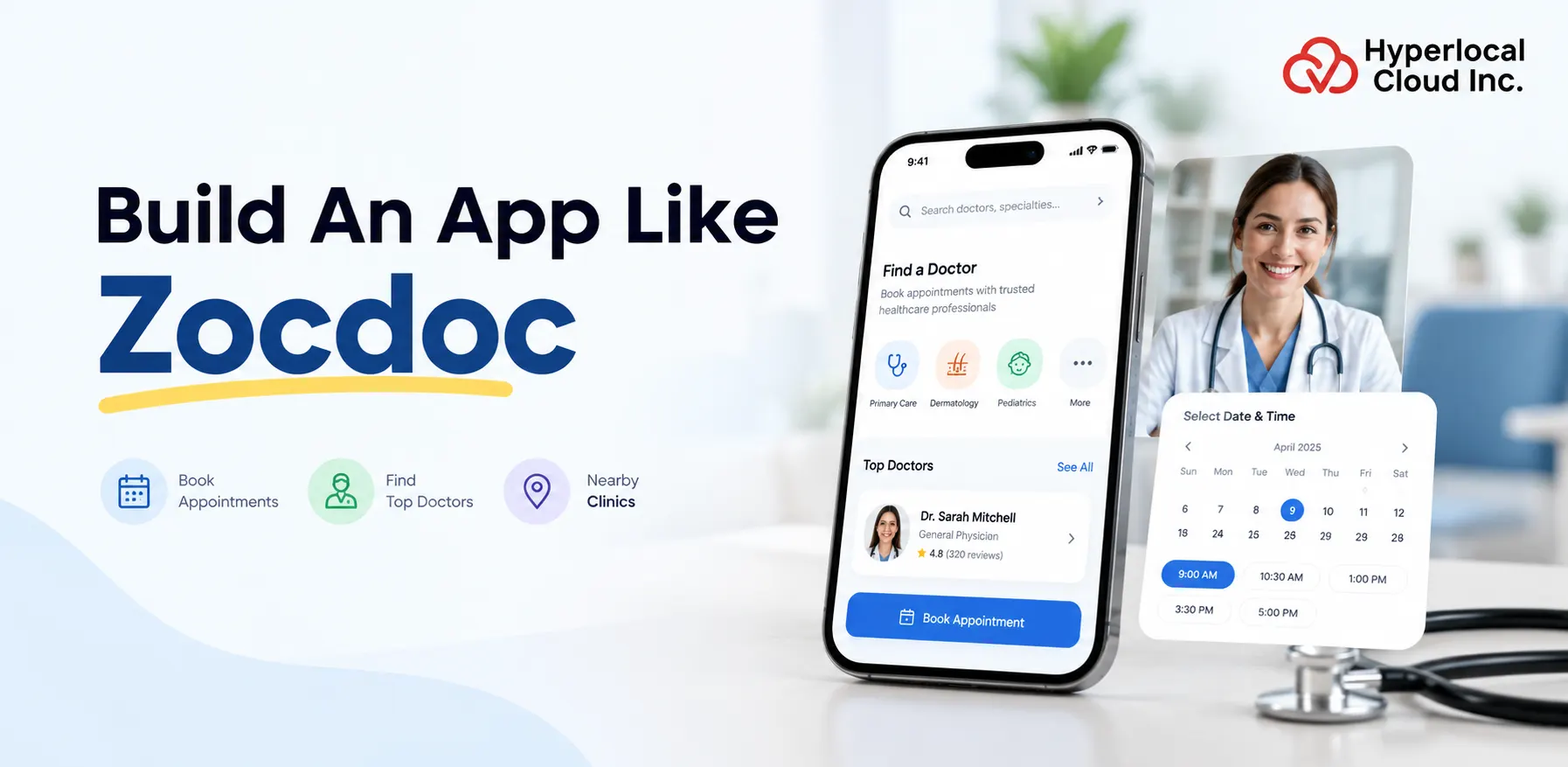
- Launch a branded doctor appointment booking platform with a customizable Zocdoc clone solution.
- Enable doctor search, appointment scheduling, provider profiles, patient reviews, and automated reminders.
- Choose white-label software for a faster launch or custom development for specialized requirements.
- Estimate development costs based on features, integrations, platforms, and security needs.
- Implement appropriate healthcare data privacy, security, and compliance measures.
- Generate revenue through provider subscriptions, clinic plans, software licensing, and permitted service fees.
- Partner with Hyperlocal Cloud to build a scalable healthcare appointment booking platform tailored to your business goals.
Launch your own doctor appointment booking platform with a customizable Zocdoc clone app. Connect patients with doctors, clinics, specialists, and healthcare providers through an easy-to-use digital healthcare marketplace. Our white-label doctor appointment booking solution helps startups, healthcare entrepreneurs, and established businesses build a branded platform with essential appointment scheduling, provider discovery, patient management, and administrative capabilities.
Whether you want to create a local doctor directory, a multi-specialty healthcare marketplace, or an online appointment scheduling platform, Hyperlocal Cloud offers a solution you can adapt to your business requirements. Customize the branding, user experience, booking workflows, integrations, and monetization options to build a healthcare platform under your own brand.
What Is a Zocdoc Clone App?
A Zocdoc clone app is a doctor appointment booking platform inspired by the core functionality of Zocdoc. It enables patients to search for healthcare professionals, compare provider profiles, check appointment availability, and book consultations online.
The platform acts as a digital marketplace connecting patients with doctors, specialists, clinics, and other healthcare providers. Instead of relying entirely on phone calls or manual scheduling, users can discover providers and manage appointments through a centralized application.
A Zocdoc-style platform can include patient-facing mobile apps, a doctor or clinic portal, and an administrator dashboard. Each interface serves a different purpose while sharing essential information such as provider profiles, schedules, appointment status, and notifications.
With a white-label Zocdoc clone solution, businesses can launch a platform using their own brand identity and customize its functionality according to their target market.
Who Can Benefit From a Zocdoc Clone Solution?
- Healthcare startups: Build a digital healthcare marketplace without developing every component from scratch.
- Doctor appointment booking businesses: Enable patients to discover providers and schedule consultations online.
- Hospitals and clinic networks: Manage provider discovery and appointment requests across multiple locations.
- Healthcare entrepreneurs: Establish a specialized platform for particular medical specialties or geographic markets.
- Digital health companies: Extend existing healthcare services with online provider discovery and scheduling.
Build a Healthcare Platform Like Zocdoc
How Does a Doctor Appointment Booking Platform Work?
A doctor appointment booking platform brings provider discovery, appointment scheduling, and booking management into one digital experience. Its workflow should be straightforward for patients and efficient for healthcare professionals.
Step 1: Patient Registration
Patients create an account using the supported registration options. They can manage their contact details, saved providers, appointment history, and relevant booking information from their personal dashboard.
Step 2: Search for Doctors and Specialists
Users search for providers based on medical specialty, location, appointment availability, language, consultation type, and other relevant filters. Clear profiles help patients compare their options.
Step 3: View Provider Profiles
Each doctor profile can display qualifications, areas of specialization, experience, clinic locations, consultation fees where applicable, accepted insurance plans where supported, and verified patient reviews.
Step 4: Select an Available Appointment
Patients view available time slots and choose a suitable appointment. The scheduling system checks availability and prevents conflicting bookings through appropriate reservation and calendar-management rules.
Step 5: Confirm the Booking
The platform displays the appointment details and sends a confirmation through supported communication channels, such as email, SMS, or push notifications.
Step 6: Manage Appointments
Patients can view upcoming appointments and use the permitted rescheduling or cancellation options. Doctors and clinic staff manage schedules, booking requests, and appointment status from their respective dashboards.
Step 7: Collect Feedback and Improve the Experience
After eligible appointments, the platform can invite patients to submit feedback. Administrators can monitor booking activity, provider engagement, cancellations, and other business metrics to improve the service.
Essential Features of a Zocdoc Clone App
A successful doctor appointment booking platform needs more than a basic booking form. It should provide separate, purpose-built experiences for patients, healthcare providers, clinics, and administrators.
Patient App Features
1. User Registration and Profile Management
Allow patients to register, sign in, update their profiles, and manage relevant account preferences. Implement appropriate access controls for any sensitive information collected.
2. Doctor Search and Advanced Filters
Enable users to discover healthcare professionals by specialty, location, availability, language, consultation type, and other relevant criteria. Insurance-based filters can be included where the platform supports accurate provider and plan information.
3. Doctor Profiles and Credentials
Display provider biographies, qualifications, specialties, practice locations, consultation details, and other relevant information. Where credential verification is offered, establish a clear verification process.
4. Real-Time Appointment Scheduling
Show available appointment slots and allow patients to book appointments without requiring manual coordination for every request. Scheduling rules should account for time zones, appointment durations, provider availability, and conflicting reservations.
5. Appointment History and Management
Give patients access to upcoming and previous bookings, with options to cancel or reschedule according to the platform’s policies.
6. Ratings and Patient Reviews
Enable eligible patients to share feedback after appointments. Use moderation and verification mechanisms to reduce fraudulent, misleading, or inappropriate reviews.
7. Notifications and Reminders
Send booking confirmations, appointment reminders, schedule changes, and cancellation notifications through supported channels. Notification preferences should be configurable.
8. Favorites and Saved Doctors
Let users save preferred doctors or clinics for easier access when making future appointments.
Doctor and Clinic Portal Features
1. Provider Registration and Verification
Allow doctors and clinics to submit their professional and business information for review before appearing on the platform. Verification requirements should reflect the applicable jurisdiction and provider category.
2. Availability and Calendar Management
Enable providers to configure working hours, appointment durations, blocked periods, breaks, and location-specific schedules.
3. Appointment Management Dashboard
Give doctors and authorized clinic staff a consolidated view of bookings, pending requests, cancellations, and upcoming consultations.
4. Profile and Practice Management
Allow providers to maintain their biographies, specialties, clinic addresses, consultation information, and supported appointment types.
5. Patient Booking Overview
Display the information needed to manage appointments, subject to appropriate permissions and privacy safeguards.
6. Performance Analytics
Provide relevant metrics such as appointment volume, booking trends, cancellation rates, and profile engagement to help providers understand their activity.
Admin Dashboard Features
1. User and Provider Management
Manage patient accounts, provider registrations, clinic profiles, permissions, and account status.
2. Appointment Oversight
Monitor booking activity, cancellations, disputes, and scheduling issues across the marketplace.
3. Listing and Review Moderation
Review provider submissions, handle reported content, and enforce platform policies for profiles and feedback.
4. Revenue and Subscription Management
Configure supported provider plans, subscription periods, payment status, invoices, and other commercial settings.
5. Reports and Analytics
Track platform activity, provider onboarding, appointment completion, user engagement, and business performance.
6. Configuration and Content Management
Manage service categories, specialties, location settings, platform policies, notification templates, and other configurable content.
Advanced Features to Differentiate Your Healthcare Platform
Once the core booking experience is established, advanced capabilities can help your platform serve specific patient needs and operational requirements.
Insurance-Based Doctor Discovery
Allow patients to filter providers by accepted insurance plans when accurate, current insurance information is available. The platform should clearly communicate coverage limitations and avoid presenting a listing as a guarantee of benefits or reimbursement.
Waitlists and Earlier Appointment Alerts
Offer patients the option to join a waitlist for a selected provider or specialty. Notify eligible users when an earlier slot becomes available, subject to provider rules and patient preferences.
Telehealth Appointment Support
Integrate supported video consultation services to facilitate remote appointments. Depending on the business model, the platform may include appointment links, pre-consultation instructions, and access controls for virtual visits.
Automated Scheduling and Reminders
Use scheduling rules to manage time slots, appointment durations, buffers, and reminder timing. Automation can reduce administrative work and help patients keep track of bookings.
Multilingual and Multi-Location Support
Support multiple languages, time zones, currencies where required, and clinic locations according to the target market. This is particularly useful for businesses serving geographically diverse populations.
AI-Assisted Doctor Discovery
Optional AI capabilities can help users navigate specialties, interpret service categories, or find providers using natural-language search. These features should support provider discovery rather than independently diagnose conditions or replace professional medical judgment.
Third-Party Integrations
Depending on the project scope, integrations may include payment gateways, calendar services, SMS and email providers, video consultation tools, identity verification services, and healthcare systems. Each integration should be evaluated for compatibility, security, licensing, and regulatory requirements.
Launch a Doctor Appointment Booking Platform
White-Label Zocdoc Clone vs. Custom Doctor Booking App Development
Businesses can choose a white-label solution or develop a doctor appointment booking platform from the ground up. The right approach depends on budget, launch priorities, customization needs, and long-term product strategy.
White-Label Doctor Booking Solution
A white-label solution provides prebuilt software that can be adapted to the business’s branding and agreed feature requirements. Depending on the package, it may include common user interfaces, appointment workflows, administrative tools, and configurable modules.
Advantages:
- Faster route to market when the required functionality is already available.
- Lower initial development effort than building every component from scratch.
- Opportunity to customize branding, supported workflows, and selected integrations.
- A practical option for startups validating a healthcare marketplace concept.
Considerations:
- Confirm which features are included and which require additional development.
- Review source-code ownership, licensing, customization rights, and deployment arrangements.
- Verify whether the solution supports your target market’s technical and compliance requirements.
Custom Doctor Appointment App Development
Custom development involves designing and building the platform around specific business objectives, workflows, and technical requirements.
Advantages:
- Greater control over product architecture and user experience.
- Flexibility to implement specialized workflows and integrations.
- More freedom to develop unique functionality and expand the platform over time.
Considerations:
- Typically requires a larger budget and more development effort.
- Product planning, design, testing, security, and maintenance must be accounted for.
- Integrations and specialized healthcare requirements can increase complexity.
Which Option Should You Choose?
Choose a white-label solution when your priority is launching a branded product using existing capabilities and controlled initial investment. Choose custom development when your business requires highly specialized workflows, extensive integrations, or a differentiated platform architecture.
Before making a decision, compare the total cost of ownership, not just the initial development price. Hosting, support, third-party services, compliance work, and future enhancements can affect long-term costs.
How Much Does Zocdoc Clone App Development Cost?
The cost of developing a Zocdoc-style platform depends on the number of applications, features, integrations, design requirements, deployment model, and security expectations.
A simple provider directory with appointment requests will generally require less effort than a multi-platform marketplace with advanced scheduling, insurance filters, telehealth, complex provider management, and healthcare system integrations.
Key Factors Affecting Development Cost
1. Feature Complexity
Basic search, provider profiles, and appointment booking require less effort than advanced scheduling, waitlists, analytics, and specialized workflows.
2. Platform Selection
Building a responsive website may involve a different budget from developing separate iOS and Android applications alongside a web-based provider portal.
3. User Interface and Experience
Custom designs, accessibility requirements, complex booking journeys, and localization can affect design and development effort.
4. Third-Party Integrations
Payment processing, messaging, calendars, video consultations, insurance-related services, and healthcare integrations can add implementation and ongoing service costs.
5. Security and Compliance Requirements
The cost depends on the applicable jurisdiction, data handled, hosting arrangements, access controls, audit requirements, vendor relationships, and validation needed for the deployment.
6. Maintenance and Scalability
Hosting, monitoring, technical support, updates, backups, and performance improvements should be included in the operating budget.
White-Label vs. Custom Development Pricing
White-label software may reduce initial development effort when the necessary features are already available. Custom development typically requires more resources because the platform is built around the buyer’s specific requirements.
Request a project estimate that clearly separates the initial software cost, customization, integrations, deployment, and recurring expenses. This provides a more useful basis for comparing vendors than an isolated headline price.
White Label Solution- $8,000
Custom Development- $18,000 to $70,000+
Technology Stack and Third-Party Integrations
A doctor appointment booking platform requires a technology stack that supports reliable scheduling, responsive user interfaces, secure data handling, and future expansion. The final stack should be selected after assessing the project requirements rather than relying on a fixed list of technologies.
Frontend Development
The frontend includes the patient-facing website or mobile application, provider portal, and administrative interface. Suitable technologies may include React, Next.js, Flutter, or React Native, depending on platform requirements and the existing product architecture.
Backend Development
The backend manages user authentication, provider profiles, search, appointment scheduling, notifications, permissions, and business rules. Technologies such as Node.js, Python, Java, or other suitable frameworks may be considered according to the team’s expertise and project requirements.
Database and Data Management
A suitable database stores provider information, user accounts, availability, bookings, configuration, and other application data. Relational databases can be particularly useful for structured booking workflows, while additional storage or search technologies may be selected for specific needs.
Cloud Infrastructure
Cloud hosting can support application deployment, monitoring, backups, scaling, and recovery. The infrastructure should be selected according to availability targets, data residency requirements, security obligations, and expected traffic.
Third-Party Integrations
Potential integrations include payment gateways, SMS and email services, calendar synchronization, maps, video consultation platforms, and healthcare systems. Integration availability depends on provider APIs, permissions, contracts, and compatibility.
Security and Monitoring
Implement appropriate authentication, role-based access, encryption, audit logging, secure secrets management, vulnerability testing, and incident-response processes. Production monitoring should cover performance, availability, errors, and suspicious activity.
Healthcare Data Security, Privacy, and Compliance
Healthcare platforms may process sensitive personal information, so privacy and security should be part of the initial product design. Requirements depend on the markets served, the types of data collected, and the roles of the platform operator and participating providers.
Protect User Information
Use appropriate encryption in transit and at rest, secure authentication, access controls, and data-minimization practices. Restrict sensitive information to authorized users who need it for their roles.
Implement Role-Based Permissions
Patients, doctors, clinic staff, and administrators should receive access only to the features and records required for their responsibilities. Administrative actions should be appropriately logged and reviewed.
Establish Clear Privacy Policies
Explain what data is collected, why it is needed, how it is used, how long it is retained, and how users can exercise applicable privacy rights.
Assess Applicable Regulations
For platforms operating in the United States, assess whether HIPAA applies to the organizations and services involved. Other markets may have different privacy, healthcare, data protection, and medical-record requirements.
Using a cloud provider or software package that supports security controls does not, by itself, establish compliance. Contractual arrangements, configuration, operational policies, risk assessments, and ongoing oversight may also be necessary.
Plan for Security Testing and Incident Response
Conduct appropriate security testing before launch and throughout the product lifecycle. Establish procedures for investigating incidents, managing vulnerabilities, restoring services, and communicating when legally required.
Start Your Online Doctor Booking Platform Today
Development Timeline: From Planning to Launch
The development timeline depends on the scope of the platform, existing software components, team capacity, integrations, and required testing. A defined delivery process helps stakeholders understand responsibilities and identify risks early.
Phase 1: Discovery and Requirement Analysis
Define the target audience, business model, supported regions, user roles, appointment workflows, core features, and technical requirements.
Phase 2: UI/UX Design
Develop user journeys, wireframes, booking flows, provider profiles, and interface designs. Validate the proposed experience before implementing the main functionality.
Phase 3: Development and Integration
Build or configure the patient experience, provider portal, administrative dashboard, backend services, database, and agreed third-party integrations.
Phase 4: Quality Assurance
Test registration, search, booking, cancellation, scheduling conflicts, notifications, permissions, accessibility, performance, and security requirements.
Phase 5: Deployment and Launch
Prepare the production environment, configure monitoring and backups, complete deployment checks, and make the platform available to the intended users.
Phase 6: Maintenance and Improvement
Monitor performance, resolve defects, update dependencies, improve the booking experience, and prioritize new features using user feedback and business data.
A white-label solution may shorten the implementation process when its existing capabilities match the project requirements. The actual timeline should be agreed after a technical and functional assessment.
Revenue Models for a Doctor Appointment Booking Platform
A doctor appointment marketplace can use different revenue models depending on its customers, market, and contractual arrangements. Select a model that provides sustainable income without compromising patient trust or appropriate healthcare practices.
Provider Subscription Plans
Charge participating doctors or clinics a recurring fee for access to agreed platform features. Different plans may offer different administrative tools, reporting capabilities, or listing-management options.
Clinic and Enterprise Plans
Offer tailored packages to multi-location clinics or healthcare organizations that need centralized provider management, scheduling, reporting, and administrative access.
Booking Fees Where Permitted
A platform may charge an appropriately disclosed service fee for eligible bookings where permitted by applicable laws, payer contracts, and professional rules. Evaluate restrictions before introducing this model.
Premium Listing Options
Offer eligible providers enhanced profile presentation or additional visibility through clearly disclosed promotional placements. Ensure paid placement does not mislead patients about clinical quality, suitability, or ranking criteria.
Software Licensing
Businesses operating a white-label or business-to-business model can license the software to healthcare organizations under agreed commercial terms.
Value-Added Services
Additional services might include appointment analytics, workflow automation, practice-management tools, or supported telehealth functionality. Introduce them based on genuine customer needs and applicable requirements.
Why Choose Hyperlocal Cloud for Zocdoc Clone Development?
Choosing a development partner involves more than evaluating a list of features. Businesses should understand the software they will receive, how it can be customized, and what support is available after launch.
Hyperlocal Cloud can be evaluated for your Zocdoc clone project based on the agreed product scope, customization options, technical approach, and delivery requirements.
Customizable Branding and User Experience
Build a platform that reflects your business identity through agreed branding, interface design, service categories, and booking workflows.
Business-Focused Feature Configuration
Prioritize the functions required by your target market, from provider discovery and appointment scheduling to administrative tools and analytics.
Integration Planning
Assess the third-party services needed for payments, messaging, calendars, video consultations, and other workflows before finalizing the implementation scope.
Scalable Product Planning
Plan the platform architecture around expected users, booking activity, operational requirements, and future enhancements.
Clear Project Scope and Delivery
Define deliverables, milestones, acceptance criteria, testing responsibilities, deployment arrangements, and support terms before starting the project.
Transparent Ownership and Support Terms
Confirm licensing, source-code access, intellectual property rights, documentation, maintenance, and post-launch support in the project agreement.
Before committing, request a product demonstration, a detailed feature list, relevant portfolio examples, and a written breakdown of implementation and ongoing costs.
FAQs (Frequently Asked Questions)


Need Help With
Development?