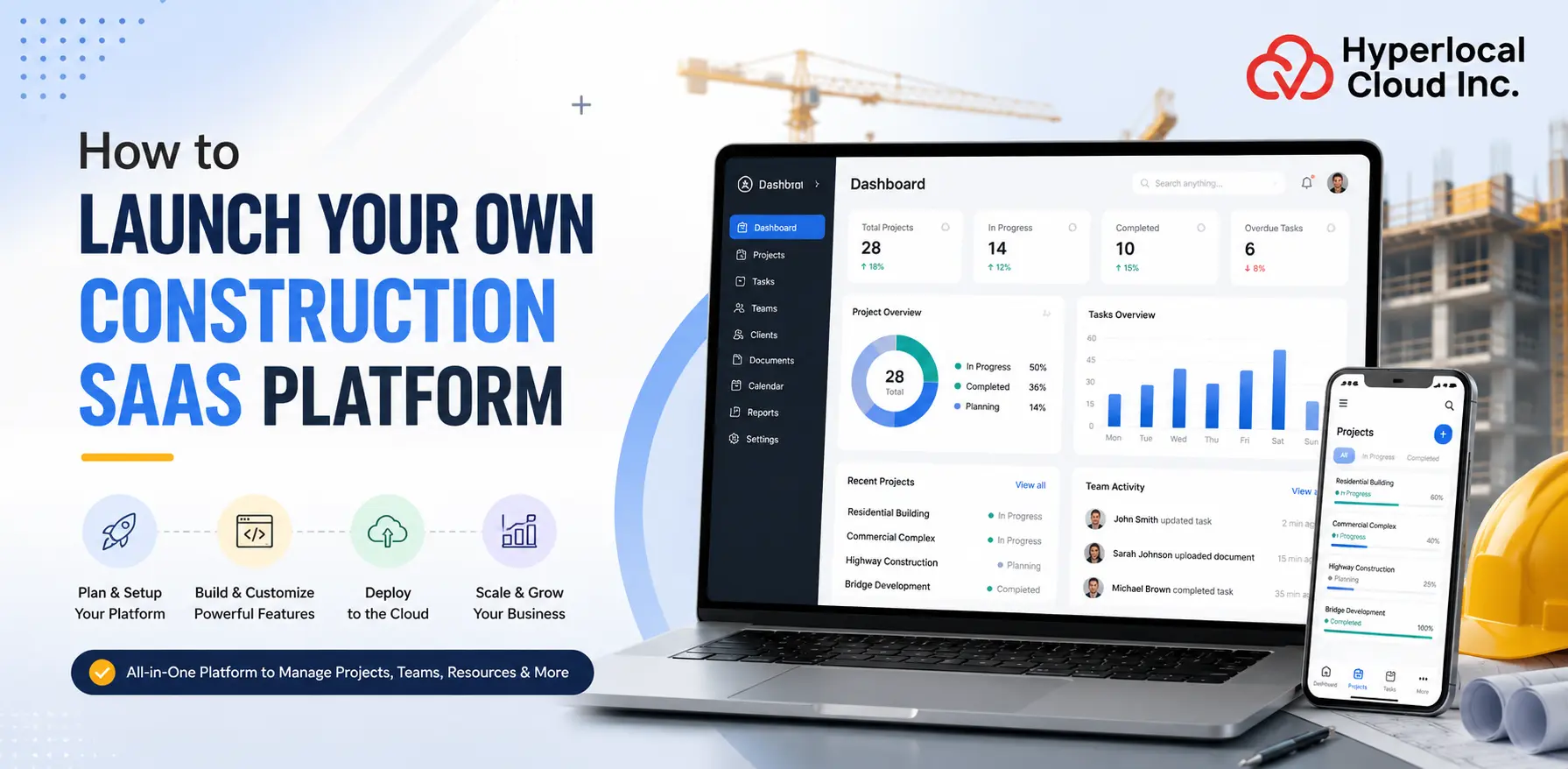
The construction industry has changed significantly over the past few years. However, the change has resulted in a reduction of manual intervention and paperwork. Digital tools are becoming more demanding among users to automate their workload. That’s the primary reason behind the immense success of construction SaaS platforms that are quite easy to access and simple to use.
Construction companies can use these platforms to manage projects, monitor budgets, assign tasks, store important documents, and improve collaboration among teams without investing in expensive hardware or complicated software installations. Unlike traditional software that needs to be installed on individual computers, SaaS platforms are cloud-based.
Understanding a Construction SaaS Platform
A Construction SaaS platform is a cloud-based software solution that helps construction companies manage different aspects of their business through a single online system. Instead of installing software on individual computers, users can access the platform through a web browser or mobile application from almost anywhere with an internet connection.
Ready to Build Your Construction SaaS Platform?
Why Construction Companies Need SaaS
Below are some of the major reasons why construction companies are adopting SaaS solutions.
1. Fragmented Project Management
Construction companies have many specific tasks that must be completed in the right order. A construction SaaS platform brings all task data into one domain. A centralized system also reduces rework and makes business management much more efficient.
2. Communication Gaps
Construction projects require frequent communication between the office workforce, contractors, subcontractors, suppliers, customers, and site personnel. The SaaS platform improves communication by allowing team contributors to instantly update records.
3. Cost Overruns
Controlling construction costs is one of the biggest challenges of all for any company. Unexpected fees, poorly priced site construction plans, material waste, and delays can inflate total assignment fees. Construction SaaS platforms provide tools for tracking price ranges, expenses, and finances.
4. Scheduling Issues
Construction projects rely on proper scheduling to ensure each task is completed on time. SaaS platforms help companies create detailed task schedules and monitor progress in real time.
5. Compliance Management
Construction companies need to comply with various safety standards, construction guidelines, legal requirements, and environmental requirements. A construction project management platform helps companies prepare inspection facts, issue certifications, schedule inspections, and maintain regulatory documents in a single location.
6. Document Control
The SaaS platform provides centralized file management, allowing authorized users to securely add, manage, and access contract documents. Version management ensures that groups are generally working with the latest files, reducing errors and improving average business performance.
7. Workforce Coordination
Construction companies often manage workers across multiple job sites. Construction SaaS platforms simplify workforce management by allowing managers to assign work, monitor employee availability, track working hours, and communicate with field teams from one system.
Popular Construction SaaS Niches
The growing demand for digital construction solutions has created opportunities for businesses to develop specialized SaaS platforms that solve specific industry challenges.
1. Project Management
Project management software makes it easier for construction companies to plan, prepare, and present all stages of work. These tools help with monitoring, budgeting, scheduling, file sharing, development tracking, and reporting.
2. Field Service Management
The software makes it easier to manage workers and monitor construction sites. Managers can display tasks, track team performance, handle inquiries, and receive updates from employees all at once.
3. Equipment Tracking
Construction companies use expensive machinery and equipment that must be carefully monitored. Equipment tracking systems help companies record equipment locations, track usage, maintain schedules, and reduce the risk of theft or unnecessary downtime.
4. Workforce Management
Workforce monitoring platforms help companies schedule worker events, ensure accountability, track attendance, measure productivity, and manage assets.
5. Construction CRM
Construction customer relationship management (CRM) software allows companies to manage communications with customers, managers, subcontractors, and business partners. Companies can track sales opportunities, manage customer information, track schedules, and maintain long-term patron relationships.
6. Procurement Software
Procurement software simplifies the process of procuring goods, equipment, and services. Companies can manage supplier records, create purchase orders, track inventories, compare vendor fees, and track deliveries.
7. Safety Compliance
The security software helps construction companies maintain security requirements for administrative centers and comply with industry regulations. These systems allow businesses to record security monitoring, manage incident reporting, organize employee training, and track compliance requirements.
8. Asset Management
Asset management software allows construction companies to inspect physical assets, including vehicles, supplies, and equipment. Companies can adjust asset utilization, repair schedules, repair history, and overall performance of shared assets.
9. Time Tracking
Time tracking software tracks employee working hours, overtime, assignments, and attendance. Accurate time data simplifies payroll processing and gives managers greater visibility into workforce productivity.
10. Payroll Management
Payroll management software automates payroll and tax deductions beyond standard timesheets, bonuses, and workers’ compensation. By reducing manual payroll processing, construction companies can increase accuracy, save administrative time, and pay specific employees on the right schedule.
11. Rental Management
Many construction companies rent the system as an alternative to buying it. Rental management software allows businesses to display lease agreements, equipment, rental fees, and maintenance schedules.
Turn Your Construction Software Idea Into Reality With Our Experts Today
Must-Have Features for a Construction SaaS Platform
The following features are considered essential for building a reliable and competitive construction SaaS platform. For a detailed breakdown, review the pointers below, which cover the top features of construction management software.
1. User Management
User management is the most important function of any build SaaS platform. Construction projects involve ordinary people, such as administrators, plant managers, engineers, contractors, subcontractors, suppliers, and customers. The platform should allow companies to effortlessly create and manage user accounts.
2. Role-Based Access
Not every user needs permission to view or edit all project information. Role-based access control allows administrators to control what each person can access within the platform.
3. Project Management
Project management is a central characteristic of a construction SaaS platform. It allows companies to design, organize, perform, and complete construction initiatives with extra efficiency.
4. Task Assignment
Construction projects involve a large number of responsibilities that must be completed by specialized teams. The task assignment helps managers allocate work to employees and contractors primarily based on their responsibilities.
5. Scheduling & Calendar
Proper scheduling enables construction companies to complete projects on time. A scheduling and calendar feature allows managers to create project timelines, schedule conferences, schedule inspections, and track critical deadlines.
6. Resource Allocation
Construction organizations must carefully control efforts, machinery, vehicles, and materials across multiple projects. Managers who assist with equipment and resource allocation assign available resources to where they are most needed.
7. Budget Tracking
Construction work has many one-off costs, including labor, machinery, materials, permits, and transportation. Monitoring the budget allows organizations to monitor spending throughout the work.
8. Cost Estimation
Accurate cost estimates are important before starting any construction project. This feature primarily helps organizations calculate expected labor costs based on labor, materials, systems, and various task requirements.
9. Time Tracking
Time tracking allows companies to record workers’ hours and monitor workforce productivity. Workers can log their hours on the platform via mobile or web applications without delay.
10. Workforce Management
Managing employees across multiple construction sites can be tricky. Workforce management features help companies prepare employee schedules, post responsibilities, announce attendance, and manage labor availability.
11. Inventory Management
Construction activities require continuous delivery of materials, equipment, and systems. Inventory management allows businesses to check inventory levels, monitor material usage, and receive signals when items are out of stock.
12. Purchase Orders
Purchase order management simplifies the process of purchasing construction products and supplies. Companies can create purchase orders, approve requests, review supplier deliveries, and maintain purchase records on the platform.
13. Digital Blueprints
Construction teams typically rely on architectural drawings and engineering plans. Digital blueprints allow users to upload, trade, proportion, and review assignment drawings in a centralized environment.
14. BIM Integration
Building information modeling (BIM) integration allows construction companies to combine virtual construction modeling with task management games.
15. Safety Management
Safety is one of the highest priorities in the construction industry. Security monitoring features help businesses record monitoring, maintain screen protection, log incidents, and schedule worker training.
16. Change Order Management
Construction projects often change after work begins. Customers can also request design changes, additional work, or updated task requirements.
17. Communication Tools
Construction projects involve regular communication between the workforce on the job site, contractors, suppliers, customers, and site personnel. Built-in communication tools allow users to send messages, share documents and project updates, and collaborate from a single platform.
18. Notifications
Notifications help users stay informed about important project activities. The platform can send project task reminders, completion date reminders, document approvals, business updates, monitoring, and payment reminders.
19. Payment Tracking
Payment tracking allows businesses to keep track of invoices, customer payments, supplier payments, and goods balances. Managers can view payment records and review financial transactions from one place.
20. Analytics Dashboard
An analytics dashboard provides a visual assessment of the initiative’s overall progress through charts, reports, and key business metrics. Managers can highlight business development, budgets, worker productivity, use of expendable resources, and economic performance.
21. Multi-language Support
Many construction companies hire people with certain language backgrounds. The multilingual guide allows customers to access the platform in their preferred language.
22. Multi-location Management
Large construction companies often run many campaigns in each particular city or region. Multi-location management logs into groups to display all projects from a centralized platform.
Advanced Features that Make a Construction SaaS Platform Stand Out
Advanced features help a construction SaaS platform meet the needs of a daily business organization to stand out in the market. These capabilities increase automation, support better decision-making, and align operations with future business needs.
1. AI-Powered Scheduling
Artificial intelligence can automatically create and regulate corporate plans based on assets, corporate dependencies, weather conditions, and interruption deadlines.
2. Predictive Analytics
Predictive analytics uses historical data to catch potential threats before they become major problems.
3. Smart Cost Forecasting
Smart cost forecasting uses artificial intelligence and historical economic records to predict shocking project costs.
4. AI Document Search
AI-powered document search allows users to quickly find contracts, invoices, searches, reports, and task records using organic keyword search.
5. OCR
Optical Character Recognition (OCR) converts published or scanned files into searchable digital textual content.
6. Drone Integration
Drone integration allows companies to capture aerial photos and videos of construction sites.
7. IoT Sensors
Internet of Things (IoT) sensors collect real-time data from construction equipment, buildings, and work sites.
8. Digital Twin
A digital twin is a virtual representation of a physical construction project. It combines real-time workflows with digital models that provide an accurate picture of the ongoing construction process.
9. AR/VR Visualization
Augmented reality (AR) and virtual reality (VR) help visualize projects before construction begins.
How to Launch Your Own Construction SaaS Platform
Launching a construction SaaS platform requires careful planning, a clear understanding of the construction industry, and a strong focus on solving real business and company problems. The following steps for the same are precisely discussed below.
1. Identify the Problem
Every successful SaaS product starts off evolving by solving a specific problem. Before starting development, spend time understanding the challenges that the company faces. Talk to contractors, project managers, website managers, engineers, and business owners to learn about the issues they face every day.
2. Validate the Market
Market validation can reduce the risk of creating a software program that few people want to use. Research your competition, review existing construction software, and understand what customers often like and dislike about modern solutions. Before investing heavily in development, you can also conduct a survey, job description interview, or a simple touch website to prove interest.
3. Define Your SaaS
Construction software can serve many unique purposes, so it’s important to determine what your platform will provide. Decide whether your product will be recognized in managing tasks, managing worker pools, purchasing, maintenance tracking, monitoring facilities, managing contractors, or a complete all-in-one solution. Clearly defining your platform allows you to prioritize your specialties, negotiate your costs with clients, and create a focused development plan.
4. Choose Technology Stack
The technology stack includes the programming languages, frameworks, databases, cloud offerings, and enhancements used to build your platform. Choose a technology that offers strong performance, security, flexibility, and long-term scalability. Since construction companies often manage large volumes of business data, your platform should support business growth without causing overall performance issues.
5. Design the Platform
A detailed user interface plays a key role in fulfilling any SaaS platform. Construction professionals often work under stress and want software that is easy to learn and smooth to navigate. Design smooth dashboards, organized menus, clean navigation, and mobile-friendly layouts. Users should have the ability to complete essential responsibilities quickly without seeing complicated displays. A well-designed platform reinforces user experience and encourages long-term use.
6. Build the MVP
The minimum viable product (MVP) is the first operational version of your software with the most accessible and important capabilities. Now, instead of building a big and complex platform, focus on solving the principal customer problem. Launching an MVP allows real customers to gather feedback, discover improvements, and reduce development costs before extending the product. Additionally, an MVP allows you to enter the market quickly while testing your business concept.
7. Add Construction-Specific Features
Once your MVP has proven successful, you can start adding features specifically for construction companies. This can include scheduling, labor and supply tracking, budgeting, purchasing, virtual blueprints, safety reports, contractor management, document management, daily logs, and cost tracking.
8. Security & Compliance
Construction companies have sensitive data that includes contracts, economic statistics, job information, job files, and customer accounts. Protecting this data should be one of your top priorities. Implement strong identity authentication, record encryption, regular backups, role-based permissions, and access controls. Your platform must comply with relevant information protection regulations and business requirements to build user consent and reduce business enterprise risk.
9. Beta Testing
Invite a small group of users to test the software in real construction environments before publicly launching your platform. Beta testing can identify software bugs, usability issues, missing features, and overall performance issues that are not visible during internal testing. Encourage customers to share candid feedback and use it to improve the platform before a public release. This approach helps deliver a more stable and reliable product.
10. Launch
After testing and making significant improvements, you can formally release your SaaS platform. Prepare a marketing strategy that includes your website, content marketing, social media, email campaigns, webinars, product demos, and customer service assets. A successful release should clearly explain the problems your software solves and deliver value to construction agencies. The launch is just the beginning. Continuous product development is critical to long-term success.
11. Measure Success
After you launch, monitor your platform’s performance frequently. Track key business metrics such as user registrations, direct users, subscription renewals, customer retention, persona engagement, sales growth, and patron satisfaction. Consumer feedback should still be an important part of your product strategy. By constantly analyzing statistics and being attentive to your customers, you can strengthen your platform, introduce new capabilities, and stay competitive in the construction software market for the long term.
Ready to Launch Construction SaaS? Let’s Build Your Platform Together Today
Common Mistakes to Avoid During the Launch of A Construction SaaS Platform
Launching a construction SaaS platform can be a profitable venture, but many startups face challenges due to avoidable mistakes. Understanding these common problems will help you build a stronger product and increase your chances of long-term success.
1. Building too many Features Initially
Many software groups try to match all possible features before launching their platform. While this may seem useful, it often increases correction time, costs, and unnecessary complexity.
2. Ignoring Field Workers’ Needs
Construction software is not best used by a group of office workers. Field workers, supervisors, engineers, and contractors also rely on the platform and drive to construction websites.
3. Poor Mobile Experience
Many construction professionals spend the majority of their working hours away from their desks. They use smartphones and tablets to access mission data while working online.
4. Weak Onboarding
Even advanced software can be difficult to adopt if users don’t know how to use it now. A complicated setup can also discourage customers from continuing with the platform.
5. Underestimating Security
Construction companies consider SaaS vendors with valuable company information. Poor security features can result in data breaches, financial losses, and damage to your company’s reputation.
6. Lack of Customer Validation
Some organizations spend months building software applications without talking to potential customers. As a result, they build capabilities that customers don’t really want.
7. Pricing Too Low
Additionally, setting subscription prices too low can tempt users to get started, yet is capable of making improvements, customer support, infrastructure, and future product updates difficult.
8. Ignoring Integrations
Construction businesses often use multiple software solutions for accounting, payroll, purchasing, report storage, and negotiations. If your platform cannot integrate with these existing systems, groups may also be hesitant to adopt it.
9. Not Planning for Scalability
As your patron base grows, your platform should be able to handle more users, larger campaigns, and increasing amounts of information. A scalable platform is more than ready to help a long-term commercial venture boom.
10. Neglecting Customer Support
Customer support remains important even after the software application is released. Users may also need help with setup, troubleshooting, training, or feature requests.
Primary Users of A Construction SaaS Platform
A construction SaaS platform is designed to help specific professionals involved in construction operations. Below are the primary customers of a SaaS platform.
1. General Contractors
General contractors are responsible for managing the entire construction company. A construction SaaS platform allows general contractors to manage all tasks from a single location.
2. Subcontractors
A construction SaaS platform allows subcontractors to take on painting jobs, publish development reports, upload files, and communicate with job managers without delay.
3. Construction Firms
A construction SaaS platform provides construction companies with a centralized system for handling campaigns, budgets, staffing, purchasing, orders, and buyer conversations.
4. Architects
A construction SaaS platform allows architects to add virtual blueprints, collaborate with project teams, review design revisions, and respond to change requests more efficiently.
5. Engineers
Using the SaaS platform, engineers can access technical documentation, review inspection reports, track post-job progress, and communicate with construction teams in real time. This improves accuracy and increases task completion.
6. Facility Managers
A construction SaaS platform can store valuable construction information, maintenance records, equipment details, warranties, and inspection records. This data makes it easier for business leaders to position assets more effectively through the lifecycle.
7. Property Owners
With a SaaS platform, property owners have secure access to task dashboards, economic summaries, development reviews, documents, and communication data. This improves transparency by keeping contributing owners informed without the need for static meetings or manual updates.
What Makes Your SaaS Platform Different?
The construction software market continues to grow, with many companies offering similar products. The following factors can help your platform stand out in the market.
1. Automation
Automation helps construction companies reduce repetitive manual work and improve operational efficiency. Instead of entering the same information multiple times or manually tracking project activities, the platform can automatically handle many routine tasks.
2. AI Capabilities
Artificial intelligence can make a construction SaaS platform smarter and more helpful. AI can analyze project data, identify patterns, predict possible delays, estimate costs, recommend schedules, and assist with document searches.
3. Better UX
User experience plays a major role in software adoption. Construction professionals need software that is simple to understand and easy to use, even for people who have limited technical knowledge.
4. Faster Implementation
Many companies avoid adopting new software applications because they expect long and complicated installation processes. A platform that can be deployed quickly offers a big advantage.
5. Lower Pricing
Pricing is an essential part of many construction companies, especially small and medium-sized ones. While low price alone may no longer be the best-selling factor, flexible, affordable subscription plans can appeal to a much wider range of customers.
6. Industry Specialization
Many interrupt handling tools are designed for general business use and do not specifically address the needs of a development organization. A construction SaaS platform that focuses primarily on construction workflows can add quite a bit of value.
7. Integrations
A construction SaaS platform that integrates seamlessly with existing systems allows organizations to maintain their existing equipment while improving overall performance.
8. Customer Support
Good customer support is the most powerful way to build trust and retain customers. Even beautifully designed software needs guidance through installation, training, troubleshooting, and continued use.
Know the Future of Construction SaaS Platform
As time progresses, construction SaaS systems are becoming more powerful and more interconnected. Below are some key features expected to shape the future of construction SaaS systems.
1. AI Agents
Artificial intelligence goes beyond easy automation. In the future, AI should enable salespeople to perform many business functions with little or no human involvement. These smart systems help event managers display company progress, answer questions, create reports, develop conference agendas, and provide alerts based on real-time task data.
2. Autonomous Project Management
Project management is additionally computerized, as the program benefits from the ability to handle training games automatically. Future construction SaaS structures will regularly change schedules, assign tasks, check for interrupted progress, and respond to changing business conditions.
3. Robotics Integration
Construction companies typically introduce robots to perform repetitive, dangerous, or physically disruptive tasks. Future SaaS structures will help with direct integration with these robotic systems.
4. IoT Expansion
Internet of Things (IoT) refers to connected devices that receive and share data in real time. Sensors are increasingly used on construction sites to illuminate systems, materials, environmental conditions, and worker safety.
5. Blockchain
Blockchain technology provides a stable and transparent way to store digital records. This can improve the management of contracts, payments, project documents, and transaction history.
6. Smart Contracts
Smart contracts are virtual agreements that automatically execute certain actions when predetermined conditions are met. These contracts can simplify many production methods by reducing guideline paperwork and improving payment management.
7. Sustainability Reporting
Building the SaaS platforms of the future will include better sustainability reporting tools to help companies assess overall environmental performance, conduct compliance reviews, and identify opportunities to reduce their environmental impact.
8. Predictive Maintenance
Future SaaS systems will use artificial intelligence and real-time sensor information to predict when smart devices might need protection before they break.
9. Hyperautomation
Hyperautomation combines artificial intelligence, automation, device recognition, and virtual workflows to automate a wide range of business processes. Instead of automating just one project at a time, hyperautomation combines multiple business and enterprise functions into a single intelligent tool.
Partner With Us to Create Future-ready Construction SaaS Solutions
Conclusion
Building a successful construction SaaS platform requires more than simply developing software. It begins with understanding the real challenges faced by construction companies and creating solutions that address those needs. Features such as project management, workforce coordination, budgeting, document control, safety management, and mobile accessibility form the foundation of a practical platform.

Patt Cummins is an experienced content writer with over 10 years of experience creating clear and engaging content for technology-focused industries. He specializes in simplifying complex technical topics into easy-to-understand stories that educate readers, support brand communication, and help businesses effectively share their solutions.

Need Help With
Development?