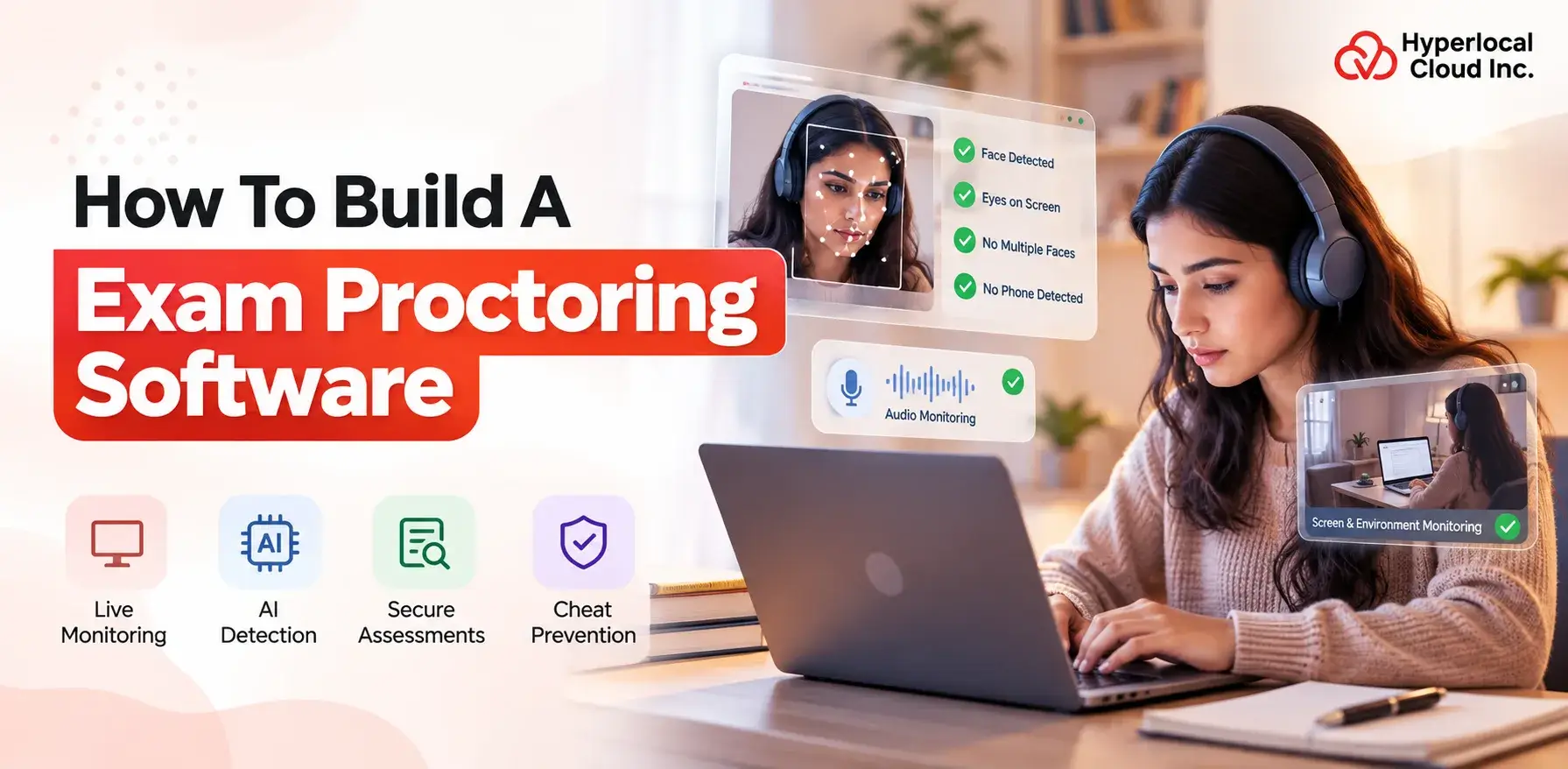
- Exam proctoring software combines AI, facial recognition, computer vision, and real-time monitoring to secure online exams.
- Start with an MVP featuring identity verification, webcam monitoring, exam management, and basic AI detection.
- Choose a scalable technology stack and cloud infrastructure to support growing users and examination volumes.
- Prioritize security, privacy, data protection, and compliance from the beginning.
- AI should assist with suspicious activity detection while human review helps reduce false positives.
- Businesses can monetize through subscriptions, pay-per-exam, per-candidate pricing, enterprise plans, and white-label solutions.
- Advanced features such as behavioral analysis, deepfake detection, risk scoring, and multimodal AI can enhance future versions.
Online education and remote assessments have changed how schools, universities, training institutes, and businesses conduct examinations. As more assessments move online, organizations need reliable ways to verify candidate identities, monitor exam sessions, prevent cheating, and maintain examination integrity.
This has increased demand for exam proctoring software powered by artificial intelligence, computer vision, facial recognition, behavioral analysis, and real-time monitoring.
Building an exam proctoring platform, however, requires more than creating an online examination interface. A successful solution needs secure authentication, AI-powered monitoring, video processing, suspicious activity detection, reporting, privacy controls, and scalable cloud infrastructure.
This guide explains how to build exam proctoring software, including its features, development process, AI technologies, technology stack, security requirements, monetization models, and estimated development costs.
What Is Exam Proctoring Software?
Exam proctoring software is a technology platform designed to monitor candidates during online examinations and identify activities that may violate examination rules.
Traditional examinations require physical classrooms and human invigilators. Online proctoring replaces or supplements this process through webcams, microphones, screen monitoring, identity verification, artificial intelligence, and remote supervision.
Depending on the platform, candidates may be required to verify their identity, show their examination environment, enable their webcam and microphone, and complete a system compatibility check before beginning the test.
During the examination, the platform can analyze video, audio, screen activity, candidate behavior, and other signals to identify potentially suspicious activity.
Modern solutions can use AI to detect events such as:
- Multiple people appearing on camera
- Candidate leaving the camera frame
- Unusual head movements
- Looking away from the screen repeatedly
- Unauthorized objects
- Mobile phone presence
- Suspicious audio
- Screen switching
- Attempts to access prohibited resources
The system can then flag these events for automated or human review.
Build A Powerful AI Exam Proctoring Software
How Does Exam Proctoring Software Work?
A typical online exam proctoring platform follows a multi-step workflow.
1. Candidate Registration
The candidate creates an account or receives an examination invitation. The system stores essential candidate information and associates the user with a specific examination.
2. Identity Verification
Before the exam begins, the candidate may be required to verify their identity using an ID document, facial recognition, OTP, biometric verification, or another authentication mechanism.
3. Device and System Check
The platform checks whether the candidate’s device meets the examination requirements.
It can verify:
- Camera availability
- Microphone availability
- Internet connectivity
- Browser compatibility
- Operating system
- Screen permissions
- Audio permissions
4. Environment Verification
Depending on the examination rules, candidates may be asked to scan their room using a webcam. AI can analyze the environment for potentially unauthorized people or objects.
5. Secure Exam Launch
After successful verification, the examination starts. The platform can activate the webcam, microphone, screen monitoring, browser restrictions, and other security mechanisms.
6. AI-Powered Monitoring
During the exam, AI models continuously analyze available signals.
These may include:
- Face position
- Facial presence
- Eye movement
- Head movement
- Audio
- Objects
- Screen activity
- Candidate behavior
7. Suspicious Activity Detection
When the system detects unusual activity, it can create an incident or warning.
For example, repeated absence from the camera could generate an alert for review.
8. Recording and Evidence Collection
Depending on the organization’s policies and applicable regulations, video, audio, screenshots, timestamps, and incident information can be stored for later review.
9. Exam Submission
Once the examination is completed, answers are submitted and the session is closed.
10. Report Generation
The platform generates an examination report containing relevant information such as session duration, candidate verification status, detected incidents, and review outcomes.
Key Features of Exam Proctoring Software
A successful platform should provide separate experiences for candidates, administrators, proctors, and educational institutions.
Candidate Features
Secure Login
Candidates should have secure authentication before accessing examinations. Email/password authentication, OTP, SSO, or multi-factor authentication can be implemented depending on the target market.
Identity Verification
Identity verification helps confirm that the registered candidate is the person taking the examination.
Possible methods include:
- Government ID verification
- Facial matching
- OTP verification
- Biometric verification
- Document verification
Face Recognition
Face recognition can compare the candidate’s face during onboarding with their identity document or previously registered profile.
Webcam and Microphone Access
The platform can request camera and microphone permissions before the examination starts. These inputs may be used for monitoring according to the examination policy and user consent.
System Compatibility Check
A pre-exam compatibility test helps reduce technical problems by checking the candidate’s hardware, browser, network, camera, and microphone.
Environment Scan
Candidates may be asked to show their surroundings before beginning the examination.
Secure Browser
A secure browser or browser lockdown mechanism can restrict access to unauthorized websites, applications, tabs, or functions.
Exam Timer
A countdown timer allows candidates to understand how much time remains.
Auto-Save
Answers should be periodically saved to reduce the risk of losing responses because of network interruptions or browser problems.
Exam Submission
Candidates should be able to submit their examination securely after completing the assessment.
AI Proctoring Features
AI is one of the most important components of modern examination monitoring software.
Facial Recognition
Facial recognition can verify candidate identity and support continuous authentication throughout an exam.
Face Detection
The system can determine whether a candidate’s face is visible and whether the candidate has moved outside the camera frame.
Multiple-Person Detection
Computer vision models can identify situations where multiple faces appear in the examination environment.
Eye-Gaze Tracking
Gaze analysis can identify repeated attention away from the examination screen. However, gaze signals should be treated as indicators rather than automatic proof of cheating because legitimate candidate behavior can vary.
Head Movement Detection
Frequent or unusual head movements can be flagged for further examination.
Object Detection
AI-powered object detection can identify potentially unauthorized objects such as mobile phones, books, or other materials depending on the examination rules.
Voice and Audio Monitoring
Audio analysis can identify unusual sounds or conversations that may require review.
Suspicious Behavior Detection
A combination of multiple signals can be used to calculate a risk score or generate incidents for human review.
AI-Generated Reports
AI can summarize examination incidents and organize them into reports, reducing the workload for administrators and human proctors.
Admin Features
A powerful admin dashboard gives administrators complete control over examinations, candidates, proctors, monitoring settings, and reports. Key features include:
Examination Management
Administrators can create, configure, schedule, and manage multiple examinations from a centralized dashboard.
Candidate Management
Manage candidate profiles, registrations, verification status, examination assignments, and performance records.
Proctor Management
Add and manage proctors, assign examination sessions, monitor their activities, and control access permissions.
Live Monitoring Dashboard
Monitor active examination sessions in real time and quickly identify candidates requiring attention.
Incident Management
Review AI-generated alerts, suspicious activities, violation records, timestamps, and supporting evidence.
Recording Review
Access examination recordings and review flagged events to make informed decisions about potential violations.
Question Bank Management
Create, organize, edit, and manage questions and categorize them according to subjects, difficulty levels, or examinations.
Exam Scheduling
Schedule examinations, configure start and end times, set duration limits, and manage candidate access.
Reports & Analytics
Generate detailed reports covering candidate activity, examination performance, suspicious incidents, completion rates, and monitoring results.
Role-Based Access Control
Assign different permissions to administrators, proctors, instructors, and other staff members based on their responsibilities.
Institution Features
Institution-focused features help schools, universities, training organizations, and certification providers manage large-scale online examinations efficiently.
Multi-Tenant Management
Allow multiple schools, departments, organizations, or branches to operate independently within the same platform.
Custom Branding
Institutions can customize the platform with their logo, colors, domain, and other brand elements.
Department Management
Create and manage multiple departments, courses, subjects, instructors, and examination programs from a centralized system.
Bulk Candidate Management
Import and manage large numbers of candidates using bulk upload tools, reducing manual registration work.
LMS Integration
Connect the proctoring platform with existing Learning Management Systems to synchronize courses, candidates, examinations, and results.
Single Sign-On (SSO)
Allow users to access the examination platform through their institution’s existing authentication system.
Institution-Level Analytics
Provide administrators with dashboards showing examination participation, completion rates, candidate performance, incidents, and other important metrics.
API Access
Enable institutions to connect the proctoring platform with their existing applications, portals, student information systems, and other software.
Centralized Examination Management
Give institutions a single platform to create, schedule, monitor, and manage examinations across multiple courses, departments, and locations.
Secure Data Management
Protect candidate information, examination records, monitoring data, and reports through encryption, access controls, and secure data management practices.
Upgrade Your Existing Online Examination System
How to Build Exam Proctoring Software Step by Step
Building an exam proctoring platform requires careful planning because the system combines education technology, AI, cybersecurity, video processing, and cloud infrastructure.
Step 1: Define Your Target Market
First, determine who will use the platform.
Potential customers include:
- Universities
- Schools
- Online education companies
- Certification organizations
- Professional training institutes
- Corporate training departments
- Recruitment companies
- Government examination bodies
Your target market will influence the feature set, security requirements, pricing model, and compliance obligations.
Step 2: Choose the Proctoring Model
Choose the appropriate monitoring model.
Live Proctoring
A human proctor monitors candidates in real time.
Recorded Proctoring
The session is recorded and reviewed later.
Automated AI Proctoring
AI analyzes the session and flags suspicious events automatically.
Hybrid Proctoring
AI identifies potentially suspicious events while human proctors review important incidents.
For many organizations, a hybrid approach can provide a useful balance between automation and human oversight.
Step 3: Define the MVP Features
Instead of developing every feature initially, create a minimum viable product.
An MVP can include:
- Candidate registration
- Examination management
- Identity verification
- Webcam monitoring
- Microphone monitoring
- Basic AI detection
- Secure examination environment
- Admin dashboard
- Reports
- Basic analytics
Advanced features can be introduced after validating the product with real users.
Step 4: Design the UI/UX
The interface should be simple because candidates may already be under stress during examinations.
The design should focus on:
- Clear instructions
- Simple navigation
- Minimal distractions
- Visible examination timer
- Easy permission management
- Clear warnings
- Accessible error messages
- Responsive layouts
Administrators and proctors require a different interface with dashboards, alerts, candidate lists, recordings, and incident information.
Step 5: Select the Technology Stack
Choose technologies that support real-time communication, AI processing, video handling, security, and scalability.
The technology stack is discussed in detail below.
Step 6: Develop the Candidate Module
The candidate application should support registration, verification, system checks, examination access, monitoring permissions, answer submission, and session completion.
Step 7: Develop the Admin and Proctor Dashboard
Administrators should be able to create examinations, manage candidates, schedule tests, configure monitoring rules, and review results.
Proctors need real-time access to candidate sessions, alerts, and incident information.
Step 8: Integrate AI Monitoring
AI models can be integrated into the platform for face detection, object recognition, audio analysis, behavior analysis, and other monitoring capabilities.
It is important to design AI outputs as review signals rather than assuming that every detected event represents misconduct.
Step 9: Implement Security and Anti-Cheating Measures
Security should be incorporated from the beginning.
Possible mechanisms include:
- Encryption
- Secure authentication
- Browser restrictions
- Session controls
- Screen monitoring
- Identity verification
- Audit logs
- Access control
Step 10: Integrate Payment and Subscription Systems
If the platform is SaaS-based, integrate payment processing and subscription management.
Plans can be based on:
- Number of candidates
- Number of exams
- Monthly usage
- Institution size
- Monitoring features
Step 11: Conduct Testing
Testing should cover:
- Functional testing
- AI accuracy testing
- Security testing
- Load testing
- Browser compatibility
- Device compatibility
- Network interruption testing
- Accessibility testing
- User acceptance testing
Step 12: Deploy and Maintain the Platform
After testing, deploy the platform on cloud infrastructure and continuously monitor performance.
Regular updates may be required for:
- AI models
- Security patches
- Browser compatibility
- Infrastructure
- Compliance requirements
- New integrations
Let’s Build Your Secure Proctoring Platform Today
Technology Stack for Exam Proctoring Software
Choosing the right technology stack is critical because exam proctoring involves real-time video, audio, AI processing, databases, and secure cloud infrastructure.
Frontend
Popular technologies include:
- React.js
- Angular
- Vue.js
- HTML5
- CSS3
- JavaScript/TypeScript
React.js can be useful for building interactive candidate and administration interfaces.
Mobile Development
If mobile examination or monitoring capabilities are required, businesses can consider:
- Flutter
- React Native
- Swift
- Kotlin
However, organizations should carefully evaluate device capabilities and examination security before allowing high-stakes examinations on mobile devices.
Backend
Possible backend technologies include:
- Node.js
- Python
- Java
- .NET
Python is particularly useful when AI and machine learning services need to be closely integrated with backend workflows.
Database
Depending on the application architecture, businesses can use:
- PostgreSQL
- MySQL
- MongoDB
- Redis
A relational database can manage structured information such as candidates, examinations, questions, results, and permissions.
AI and Machine Learning
AI functionality can use technologies such as:
- Python
- TensorFlow
- PyTorch
- OpenCV
- Computer vision models
- Machine learning frameworks
Real-Time Communication
WebRTC can support real-time audio/video communication, while WebSockets can support live alerts and dashboard updates.
Cloud Infrastructure
Cloud platforms such as AWS, Microsoft Azure, or Google Cloud can provide:
- Compute resources
- Object storage
- Databases
- CDN
- Monitoring
- Security services
- Auto-scaling
Security
Security technologies can include:
- HTTPS
- SSL/TLS
- OAuth
- JWT
- Multi-factor authentication
- Role-based access control
- Encryption
Security Features for Exam Proctoring Software
Security is particularly important because exam proctoring platforms can process identity information, video, audio, examination answers, and potentially biometric information.
Data Encryption
Sensitive information should be encrypted during transmission and storage.
Secure Authentication
Use secure authentication and session management to prevent unauthorized access.
Biometric Verification
If facial or biometric verification is used, the implementation should follow applicable legal and privacy requirements.
Secure Browser
Browser lockdown mechanisms can reduce access to unauthorized resources during examinations.
Access Control
Different users should receive permissions based on their roles.
For example:
- Candidates can access their own examinations.
- Proctors can access assigned sessions.
- Administrators can manage examinations.
- Super administrators can manage the platform.
Audit Logs
Important activities should be logged to support security monitoring and investigation.
Data Retention
Organizations should establish clear policies regarding how long recordings, identity information, examination data, and incident reports are retained.
Privacy and Compliance Considerations
Privacy should be considered from the initial product design stage.
Depending on the target market, an exam proctoring platform may need to address regulations such as GDPR, FERPA, and CCPA/CPRA.
Important considerations include:
- Obtaining appropriate user consent
- Explaining monitoring practices
- Minimizing collected information
- Protecting stored recordings
- Establishing retention periods
- Providing appropriate access and deletion mechanisms
- Controlling third-party data access
- Protecting biometric information
- Maintaining audit trails
Organizations should obtain appropriate legal and compliance advice for the jurisdictions in which they operate.
Advanced AI Features to Consider
AI can make an exam proctoring platform more intelligent and scalable.
AI Cheating Detection
AI can combine multiple signals to identify potentially suspicious patterns.
For example, a system could consider repeated absence from the camera, multiple faces, unauthorized objects, and unusual audio as separate signals.
Real-Time Risk Scoring
The system can assign a risk score to sessions or incidents based on configured rules and model confidence.
Deepfake Detection
As synthetic media becomes more sophisticated, identity verification systems may incorporate technologies designed to detect manipulated or synthetic video.
Behavioral Analysis
Machine learning can identify unusual patterns over the course of an examination.
Automated Incident Classification
AI can categorize incidents according to predefined categories such as:
- Face not detected
- Multiple faces
- Unauthorized object
- Audio anomaly
- Screen activity
- Candidate absence
This can make human review more efficient.
How Much Does It Cost to Build Exam Proctoring Software?
The cost of developing exam proctoring software depends on the complexity of the platform, AI capabilities, number of platforms, integrations, security requirements, and development team.
A basic MVP with examination management, candidate authentication, basic monitoring, and an administration dashboard will generally cost less than an enterprise platform with sophisticated AI, real-time monitoring, advanced analytics, mobile applications, and extensive integrations.
A rough development range can be structured as:
Basic MVP
$15,000–$30,000
Suitable for startups testing an initial concept.
AI-Powered Platform
$30,000–$70,000+
Suitable for organizations requiring AI monitoring, identity verification, analytics, and stronger security.
Enterprise Platform
$70,000–$150,000+
Suitable for universities, certification providers, large enterprises, and examination organizations requiring extensive customization, integrations, scalability, and advanced security.
These are indicative ranges. The final cost depends on the exact scope and development requirements.
Monetization Models of Exam Proctoring Software
Businesses can monetize exam proctoring software through several models.
Subscription Plans
Offer monthly or annual packages based on features, users, or usage.
Pay-Per-Exam
Charge institutions based on the number of examinations or candidates monitored.
Per-Candidate Pricing
Organizations pay according to the number of candidates using the system.
Enterprise Licensing
Large organizations can purchase customized enterprise packages.
White-Label Licensing
Businesses can offer the platform under their own brand.
API-Based Pricing
Organizations can pay according to API calls or verification volume.
A hybrid pricing strategy can combine subscriptions with usage-based charges.
Third-Party Integrations
Integrations can expand the functionality of the platform.
Potential integrations include:
- Learning Management Systems
- Payment gateways
- Identity verification providers
- Cloud storage
- Email services
- SMS providers
- Single sign-on systems
- Analytics platforms
- CRM systems
- Video communication services
LMS integration is particularly valuable for educational institutions because it allows examinations and student information to work within existing academic workflows.
Start Your AI-Powered Proctoring Journey Today
Challenges in Building Exam Proctoring Software
Privacy Concerns
Continuous monitoring can raise privacy concerns. Organizations need transparent policies explaining what is collected and why.
False Positives
AI systems may incorrectly flag legitimate candidate behavior. Human review and multiple signals can help reduce inappropriate decisions.
AI Accuracy
AI performance can vary depending on lighting, camera quality, device capabilities, network conditions, and other factors.
Internet Connectivity
Poor connectivity can interrupt video streams and examination sessions.
Device Compatibility
Candidates may use different operating systems, browsers, webcams, microphones, and hardware configurations.
Data Storage Costs
Video and audio recordings can consume significant storage resources.
Security Threats
Examination platforms can become targets for account attacks, data breaches, unauthorized access, and attempts to bypass monitoring controls.
Accessibility
The platform should accommodate candidates with disabilities and avoid relying on monitoring signals that may unfairly penalize legitimate accessibility-related behavior.
ation data to improve model performance.
Severity Classification
Separate minor events from high-priority incidents.
This approach can help institutions create a more balanced examination monitoring process.
How to Make Exam Proctoring Software Scalable
Scalability becomes critical when thousands or millions of candidates take examinations simultaneously.
Cloud-Native Architecture
Cloud infrastructure allows resources to scale based on demand.
Microservices
Separate services can handle authentication, examinations, monitoring, notifications, reporting, and other functions independently.
Load Balancing
Load balancers can distribute traffic across multiple servers.
Auto-Scaling
Infrastructure can automatically add or remove resources according to workload.
Distributed Video Processing
Video processing workloads can be distributed across multiple processing resources.
Database Optimization
Indexes, caching, replication, and appropriate database architecture can improve performance.
Queue-Based Processing
Background jobs such as video analysis and report generation can be processed asynchronously.
Exam Proctoring Software MVP vs. Advanced Platform
A startup does not necessarily need to build every advanced feature at launch.
An MVP can focus on:
- Candidate registration
- Exam management
- Identity verification
- Webcam monitoring
- Basic AI detection
- Secure examination
- Admin dashboard
- Reports
Once the platform gains users, additional capabilities can be introduced:
- Advanced computer vision
- Deepfake detection
- Behavioral analytics
- Advanced risk scoring
- Mobile applications
- LMS integrations
- Enterprise analytics
- White-label functionality
- Advanced APIs
This staged development strategy can reduce initial investment and allow businesses to validate market demand before expanding the platform.
Why Choose a White-Label Exam Proctoring Solution?
White-label exam proctoring software allows businesses to launch an examination monitoring platform under their own brand without developing every component from scratch.
Faster Market Launch
Pre-built functionality can significantly reduce development time.
Lower Initial Development Cost
Businesses can start with an existing foundation and customize it according to their requirements.
Custom Branding
Organizations can add their own:
- Logo
- Colors
- Domain
- Branding
- User interface
Ready-Made Features
A white-label solution can provide essential examination, monitoring, administration, and reporting capabilities.
Scalability
Businesses can expand features and infrastructure as their customer base grows.
Custom Integrations
The platform can be customized to connect with LMS platforms, identity providers, payment systems, and other business applications.
Create Your Own Secure Exam Monitoring Platform
Benefits of Exam Proctoring Software
Reduces Cheating
Automated monitoring and secure examination environments can make unauthorized behavior more difficult.
Enables Remote Examinations
Students and candidates can participate in examinations without traveling to a physical testing center.
Reduces Administrative Work
Automation can reduce repetitive monitoring and reporting tasks.
Supports Large-Scale Assessments
Cloud infrastructure allows organizations to conduct examinations for large numbers of candidates.
Improves Examination Integrity
Identity verification and monitoring provide additional controls for remote assessments.
Provides Detailed Reports
Administrators can access examination session data, incidents, and analytics.
Enables Flexible Testing
Organizations can conduct assessments across different locations and schedules.
Future Trends in Exam Proctoring Software
The future of online examination monitoring will likely involve more sophisticated AI and privacy-focused technologies.
Generative AI
Generative AI can assist with incident summaries, reports, administrative workflows, and examination analytics.
Multimodal AI
Future systems may combine video, audio, behavioral, and contextual signals for more comprehensive analysis.
Deepfake Detection
Identity verification systems will increasingly need to address synthetic media and identity manipulation.
Behavioral Biometrics
Platforms may use patterns such as interaction behavior and typing characteristics as additional authentication signals where appropriate.
Continuous Authentication
Instead of verifying candidates only at login, systems can continuously evaluate identity signals during the examination.
Edge AI
Some processing may move closer to the candidate’s device to reduce latency and potentially minimize the amount of raw data transmitted to centralized servers.
Privacy-Preserving AI
Future systems will increasingly focus on achieving examination integrity while collecting and retaining less sensitive information.
How to Choose an Exam Proctoring Software Development Company
Choosing the right development partner can have a major impact on the reliability and security of the platform.
Consider the following factors:
AI/ML Expertise
The development team should understand computer vision, machine learning, and AI model integration.
EdTech Experience
Experience with education and examination platforms can help developers understand real-world requirements.
Security Expertise
The development partner should understand secure authentication, encryption, access control, and data protection.
Scalable Architecture
The platform should be designed to support increasing candidate and examination volumes.
Integration Capabilities
Check whether the team can integrate LMS platforms, identity verification services, payment gateways, and other systems.
Customization
Choose a development partner capable of adapting the platform to your business model.
Post-Launch Support
Continuous monitoring, maintenance, security updates, and technical support are important after deployment.
Why Choose Our Exam Proctoring Software Development Services?
Building a secure and scalable exam proctoring platform requires expertise across software development, AI, cloud infrastructure, cybersecurity, and user experience.
Our exam proctoring software development services can help businesses build customized platforms with features such as AI-powered monitoring, candidate verification, examination management, administrator dashboards, reporting, analytics, secure infrastructure, and third-party integrations.
Whether you need an MVP, a fully customized AI-powered platform, or a white-label exam proctoring solution, the development approach can be tailored around your target market, budget, security requirements, and scalability goals.
FAQs (Frequently Asked Questions)

Patt Cummins is an experienced content writer with over 10 years of experience creating clear and engaging content for technology-focused industries. He specializes in simplifying complex technical topics into easy-to-understand stories that educate readers, support brand communication, and help businesses effectively share their solutions.

Need Help With
Development?