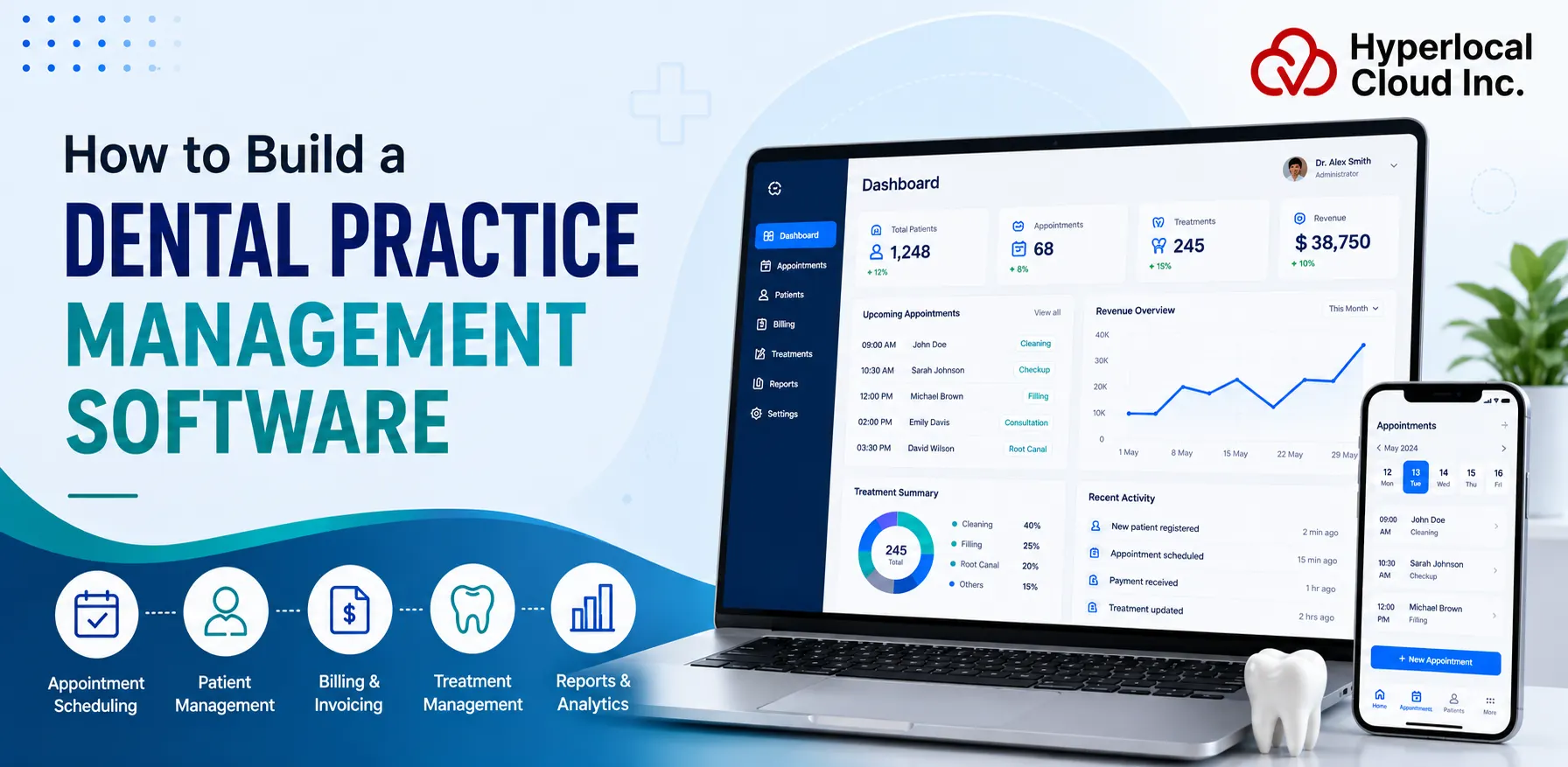
Running a modern dental practice involves managing far more than patient appointments. Clinics must handle scheduling, electronic health records, dental charting, insurance claims, billing, treatment planning, inventory, compliance, and patient communication while maintaining a high standard of care.
Dental practice management software brings these workflows together in a centralized platform, helping dental organizations reduce administrative workload, improve operational efficiency, enhance patient experiences, and make better business decisions.
As dental practices move toward cloud-based systems, automation, and artificial intelligence, the demand for scalable dental software solutions continues to grow. Independent clinics, multi-location dental groups, and Dental Service Organizations (DSOs) are increasingly investing in technology that can simplify daily operations while supporting long-term growth.
This guide explains how to build dental practice management software, covering essential features, technology choices, compliance requirements, development costs, timelines, challenges, and best practices for creating a successful dental technology platform.
What Is Dental Practice Management Software?
Dental practice management software is a specialized healthcare technology platform designed to manage the operational and clinical workflows of dental organizations.
Unlike basic appointment scheduling tools or standalone billing applications, comprehensive dental practice management platforms connect multiple areas of a dental business into one integrated system.
A modern dental software platform typically helps clinics manage:
- Patient registration and digital profiles
- Appointment scheduling and chair management
- Electronic health records (EHR)
- Dental charting and treatment documentation
- Digital imaging workflows
- Billing and insurance claims
- Treatment planning and patient consent
- Inventory and supply management
- Staff scheduling
- Reporting and business analytics
- Patient communication
By centralizing these processes, dental software reduces administrative complexity and allows dental teams to spend more time focusing on patient care.
For dental organizations, the goal is not simply replacing paperwork with software. The objective is creating a connected digital ecosystem where clinical workflows, business operations, and patient experiences work together efficiently.
Build Custom Dental Practice Management Software Today
Why Dental Practices Need Management Software
Dental clinics face unique operational challenges compared with many other healthcare environments. Dentists must manage both medical workflows and highly specialized dental processes such as tooth charting, treatment planning, imaging, and procedure tracking.
A purpose-built dental management platform helps solve these challenges by providing tools designed specifically for dental workflows.
Inefficient Appointment Scheduling
Many clinics lose revenue because of scheduling conflicts, unused chair time, cancellations, and missed appointments.
Modern scheduling systems help practices optimize provider availability, automate reminders, manage waiting lists, and improve patient attendance.
Manual Patient Record Management
Paper records and disconnected systems make it difficult to quickly access patient histories, previous treatments, consent forms, and diagnostic information.
Digital patient records allow dental professionals to securely access complete patient information from a centralized system.
Delayed Insurance Processing
Insurance claims are a major administrative challenge for dental organizations. Manual verification and claim submission processes can lead to delays and rejected claims.
Integrated billing and insurance workflows help reduce errors, improve reimbursement speed, and provide better financial visibility.
Limited Business Visibility
Many practice owners lack real-time insights into revenue performance, appointment utilization, provider productivity, and patient retention.
Analytics dashboards provide actionable information that helps owners make informed decisions.
Business Benefits of Dental Practice Management Software
1. Improved Operational Efficiency
Dental practices manage hundreds of administrative tasks every week, including appointment confirmations, patient registration, billing updates, insurance verification, and reporting.
Automation reduces repetitive manual work and allows staff members to focus on higher-value activities.
Key efficiency improvements include:
- Automated appointment reminders
- Digital patient intake forms
- Faster record retrieval
- Reduced duplicate data entry
- Automated billing workflows
- Streamlined administrative processes
A well-designed system can significantly reduce operational friction across the entire practice.
2. Better Patient Experience
Patients increasingly expect convenient digital healthcare experiences. Dental practices that provide easy communication and online services can improve satisfaction and retention.
Modern dental software can include:
- Online appointment booking
- Digital registration forms
- Patient portals
- Automated reminders
- Secure messaging
- Treatment progress updates
- Post-treatment follow-ups
These features help patients stay informed while reducing communication gaps between clinics and patients.
3. Increased Revenue Performance
Revenue management is one of the biggest advantages of dental practice management software development.
Automated financial workflows help clinics:
- Submit insurance claims faster
- Reduce claim errors
- Track outstanding balances
- Monitor treatment acceptance rates
- Analyze revenue trends
- Improve payment collection
For multi-location dental organizations, centralized financial reporting provides leadership teams with visibility across all practices.
Types of Dental Practice Management Software
Different organizations have different operational requirements, making it important to choose the right deployment model.
On-Premise Solutions
On-premise software is installed and maintained within a clinic’s own IT environment. Although it offers greater control over infrastructure, it requires higher upfront investment, dedicated maintenance resources, and ongoing hardware management.
Hybrid Solutions
Hybrid deployment combines local infrastructure with cloud services, allowing organizations to balance security, compliance, and operational flexibility while gradually modernizing legacy systems.
Single-Practice Solutions
Designed for independent clinics, these platforms focus on appointment scheduling, patient records, billing, reporting, and communication without the complexity required by larger healthcare organizations.
Multi-Location Enterprise Platforms
Enterprise solutions support centralized administration across multiple clinics. Features typically include shared patient records, consolidated financial reporting, centralized scheduling, role-based access management, and advanced analytics for executive decision-making.
Essential Features of Dental Practice Management Software
A successful dental software platform should solve real operational problems faced by dentists, hygienists, administrators, and patients.
The most effective platforms combine administrative functionality with dental-specific clinical workflows.
1. Patient Management System
Patient management serves as the foundation of every dental software solution. It centralizes patient information, making it easy for clinicians and administrative staff to access complete medical histories, treatment records, prescriptions, consent forms, and uploaded documents from a single dashboard.
An integrated patient management module also reduces duplicate records, improves coordination between departments, and supports faster decision-making during consultations.
Key capabilities include:
- Digital patient profiles
- Medical and dental history
- Treatment records
- Document management
- Patient search and filtering
2. Appointment Scheduling and Chair Management
Efficient scheduling helps maximize chair utilization while reducing patient wait times and missed appointments. Modern scheduling modules allow staff to manage appointments through drag-and-drop calendars, automate reminders, and coordinate schedules across multiple providers or clinic locations.
Features typically include:
- Online appointment booking
- Calendar management
- Automated SMS and email reminders
- Appointment confirmations
- Waitlist management
- Provider availability tracking
3. Electronic Health Records (EHR)
Electronic Health Records (EHR) provide clinicians with secure access to comprehensive patient information throughout the treatment journey. Integrating clinical documentation with administrative workflows improves continuity of care while reducing paperwork.
Many platforms also integrate a dental charting solution that enables dentists to document oral conditions, treatment history, restorations, and procedures using interactive visual charts.
Common EHR capabilities include:
- Clinical notes
- Digital dental charting
- Imaging integration
- Prescription management
- Treatment history
- Diagnostic documentation
4. Digital Dental Charting
Dental charting is one of the most important features that separates dental software from general healthcare platforms.
A dental charting module should support:
- Tooth numbering systems
- Existing conditions
- Restorations
- Missing teeth
- Periodontal measurements
- Treatment recommendations
- Procedure history
Interactive visual charts allow dentists to document conditions quickly and communicate treatment plans more effectively with patients.
5. Billing and Insurance Management
Managing payments and insurance claims efficiently is essential for maintaining healthy cash flow. Automated billing systems reduce administrative workload while minimizing claim errors and reimbursement delays.
Key features include:
- Electronic invoicing
- Insurance eligibility verification
- Claims submission
- Payment tracking
- Outstanding balance management
- Revenue reporting
6. Treatment Planning and Patient Acceptance
Treatment planning modules help clinicians create personalized care plans while improving communication with patients. Digital estimates, consent forms, and progress tracking simplify treatment acceptance and ensure transparency throughout the care process.
Typical capabilities include:
- Customized treatment plans
- Cost estimation
- Digital consent forms
- Treatment progress tracking
- Case documentation
7. Inventory Management
Dental clinics depend on a steady supply of consumables, instruments, and equipment. Inventory management tools automate stock monitoring, helping practices avoid shortages while reducing unnecessary inventory costs.
Core features include:
- Supply tracking
- Automated stock alerts
- Purchase management
- Vendor management
- Equipment maintenance records
8. Staff and Workforce Management
Managing clinical and administrative teams becomes increasingly challenging as practices grow. Staff management modules simplify scheduling, role assignment, attendance tracking, and performance monitoring.
Typical capabilities include:
- Employee scheduling
- Role-based permissions
- Leave management
- Payroll integrations
- Performance reporting
9. Reporting and Analytics
Business intelligence enables clinic owners and managers to monitor operational performance through real-time dashboards and customizable reports.
Reports commonly include:
- Revenue trends
- Appointment utilization
- Treatment performance
- Patient retention
- Insurance claims status
- Operational KPIs
These insights support data-driven decision-making while identifying opportunities to improve profitability and efficiency.
10. Patient Communication Tools
Maintaining regular communication strengthens patient relationships and reduces missed appointments.
Communication features often include:
- SMS reminders
- Email notifications
- Patient portals
- Secure messaging
- Post-treatment follow-ups
- Patient feedback collection
Advanced Features That Differentiate Modern Dental Software
As the dental technology market becomes more competitive, simply offering scheduling and billing capabilities is no longer enough. Modern buyers expect intelligent automation, seamless connectivity, and personalized experiences. Advanced features can significantly improve user adoption while differentiating your product from competing platforms.
AI-Powered Scheduling and Documentation
Artificial intelligence can automate repetitive administrative tasks by recommending optimal appointment slots, predicting scheduling conflicts, generating clinical documentation, and reducing manual data entry. This improves productivity while allowing providers to focus more on patient care.
Tele-Dentistry
Virtual consultations have become an important extension of traditional dental care. Integrating secure video consultations enables dentists to conduct follow-up appointments, provide preliminary assessments, and communicate with patients remotely.
Voice Recognition
Voice-enabled documentation allows clinicians to dictate treatment notes directly into patient records. This reduces documentation time and improves workflow efficiency during busy clinical hours.
Mobile Applications
Mobile apps provide dentists, staff, and patients with convenient access to essential information anytime, anywhere. Patients can schedule appointments, receive reminders, access treatment plans, and communicate with providers through dedicated mobile applications.
Business Intelligence Dashboards
Executive dashboards provide clinic owners and DSOs with real-time visibility into financial performance, patient growth, provider productivity, appointment utilization, and operational efficiency.
Advanced analytics help leadership teams make informed business decisions based on measurable performance metrics.
Multi-Clinic Management
Organizations operating multiple locations require centralized control over scheduling, billing, reporting, inventory, and workforce management.
Enterprise platforms often include:
- Shared patient records
- Centralized reporting
- Unified scheduling
- Cross-location analytics
- Standardized workflows
Third-Party Integrations
A successful platform should integrate seamlessly with external healthcare systems and business tools.
Common integrations include:
1. Payment Systems
Enable secure digital payments, invoices, and transaction tracking.
2. Insurance Networks
Support eligibility checks, claims processing, and reimbursement workflows.
3. Imaging Systems
Allow dentists to view diagnostic images directly inside patient records.
4. Laboratory Systems
Improve communication between dental practices and external laboratories.
5. Accounting Platforms
Connect financial information with business accounting workflows.
6. Communication APIs
Support automated messages, reminders, and patient engagement.
Interoperability increases software value and creates a better user experience.
Transform Your Dental Practice Using Secure, Scalable Software Built for Growth Today
How to Build Dental Practice Management Software
Developing a successful dental software platform requires much more than coding features. It begins with understanding market needs, validating product ideas, and building a scalable architecture that supports future growth.
Step 1: Conduct Market Research
Every successful software product starts with comprehensive market research. Analyze your target audience to understand their operational challenges, technology preferences, and unmet needs.
Research should include:
- Competitor analysis
- Customer interviews
- Market trends
- Regulatory landscape
- Pricing models
- Feature benchmarking
Understanding these factors helps define a product strategy that aligns with real market demand.
Step 2: Define Your MVP
Rather than building every possible feature from the beginning, focus on developing a Minimum Viable Product (MVP). Launching with essential functionality allows you to validate assumptions, gather user feedback, and reduce development risk.
An MVP typically includes:
- Patient management
- Appointment scheduling
- EHR functionality
- Billing and insurance management
- Basic reporting
- User authentication
Advanced AI capabilities, analytics, and enterprise features can be introduced in later releases based on customer feedback.
Step 3: Plan Healthcare Compliance
Healthcare compliance should be planned from the beginning of the project rather than added later. Identify the regulatory requirements for your target market and incorporate them into the platform’s architecture and development process.
Depending on your target market, requirements may include:
- HIPAA compliance
- GDPR compliance
- Regional healthcare regulations
- Secure patient data management
- Audit logging
- Access controls
Building compliance into the platform early minimizes legal risks and strengthens customer trust.
Step 4: Design User-Friendly Interfaces
User experience plays a critical role in software adoption. Dentists, hygienists, receptionists, and administrators interact with the system differently, so interfaces should be tailored to each role.
Effective design principles include:
- Simple navigation
- Minimal clicks for routine tasks
- Responsive design
- Accessible interfaces
- Consistent workflows
- Role-based dashboards
A well-designed interface reduces training time, improves productivity, and increases user satisfaction.
Step 5: Choose the Right Technology Stack
Selecting the right technology stack affects performance, maintainability, integrations, and long-term product growth. Healthcare security and compliance should be incorporated across the architecture.
When evaluating technologies, consider:
- Scalability for growing customer bases
- Performance under high workloads
- Security requirements
- Integration capabilities
- Development speed
- Long-term maintenance
Choosing a modern, modular architecture enables faster feature releases while supporting future product expansion.
Step 6: Develop the MVP
The MVP development phase transforms your product strategy into a functional software solution. The goal is not to create every possible feature but to build a reliable foundation that solves the most important problems for dental professionals.
A well-designed MVP allows businesses to test market demand, collect feedback from early users, and refine the product roadmap before investing in advanced capabilities.
During development, teams typically focus on:
- User authentication and role management
- Patient information management
- Appointment scheduling
- Electronic health records
- Billing workflows
- Basic reporting dashboards
- Data security implementation
During development, ensure the platform follows healthcare security and compliance requirements while remaining flexible for future integrations.
Step 7: Integrate Third-Party Services
Modern healthcare platforms rarely operate independently. Integrations allow dental software to connect with existing systems and provide a seamless workflow for clinics.
Common integrations include:
Payment Gateways
Payment integrations allow patients to make digital payments while helping clinics manage transactions, invoices, and outstanding balances more efficiently.
Insurance Providers
Insurance integrations simplify eligibility verification, claims processing, and reimbursement tracking. This reduces administrative workload and improves revenue cycle management.
EHR Systems and Healthcare Platforms
Connecting with existing healthcare systems improves interoperability and enables secure data exchange between different platforms.
Imaging Systems
Dental practices rely heavily on digital imaging. Integrating X-rays, scans, and imaging tools provides clinicians with complete patient information within a unified interface.
Communication APIs
Messaging integrations enable automated appointment reminders, notifications, patient follow-ups, and secure communication channels.
A strong integration strategy improves usability and increases the overall value of the platform.
Step 8: Testing and Quality Assurance
Healthcare software requires extensive testing to ensure reliability, privacy, and compliance. Quality assurance should cover multiple areas:
Functional Testing
Ensures all features work as expected, including scheduling, billing, patient records, and reporting.
Security Testing
Identifies vulnerabilities related to authentication, data access, encryption, and privacy protection.
Performance Testing
Measures how the platform performs under different workloads, especially for multi-location dental organizations managing large volumes of data.
Usability Testing
Evaluates whether dentists, administrators, and patients can easily navigate and complete tasks.
Compliance Testing
Ensures the software follows healthcare regulations and security standards.
A comprehensive testing process helps prevent operational disruptions and builds confidence among healthcare organizations.
Step 9: Deployment
Once testing is complete, the software can be deployed to production environments. Deployment strategies depend on the product model and target users.
For a cloud-based dental practice management software platform, deployment typically involves:
- Database configuration
- Security implementation
- User account migration
- Performance monitoring
- Backup configuration
A phased rollout is often recommended for enterprise customers. This allows teams to monitor performance, identify issues, and make improvements before expanding adoption.
Step 10: Maintenance and Scaling
Software development does not end after launch. Continuous improvement is essential for maintaining security, improving user experience, and adapting to changing market requirements.
Post-launch activities include:
- Security updates
- Feature enhancements
- Performance optimization
- Customer support
- System monitoring
- New integrations
- AI feature improvements
As the customer base grows, the platform must support increased users, larger databases, additional locations, and more complex workflows.
A scalable architecture ensures the product can evolve from an MVP into a complete enterprise solution.
How AI Is Transforming Dental Practice Management Software
Artificial intelligence is reshaping how dental organizations manage operations, engage patients, and make business decisions. As AI technologies become more accessible, software providers are incorporating intelligent features that improve efficiency and create better experiences.
Intelligent Appointment Scheduling
AI-powered scheduling systems analyze provider availability, appointment patterns, and patient preferences to recommend optimized schedules.
Benefits include:
- Reduced scheduling conflicts
- Improved chair utilization
- Fewer missed appointments
- Better resource allocation
Automated Documentation
AI-assisted documentation helps clinicians create accurate notes faster by analyzing voice input, treatment details, and patient interactions.
This reduces administrative workload and allows dental professionals to spend more time with patients.
Predictive Patient Engagement
AI can analyze patient behavior to identify individuals who may need reminders, follow-ups, or preventive care.
Examples include:
- Predicting missed appointments
- Personalized communication
- Treatment follow-up recommendations
Clinical Decision Support
AI-based tools can assist dentists by organizing patient information, analyzing patterns, and supporting more informed clinical decisions.
Revenue Forecasting
AI analytics can identify financial trends and predict future revenue based on appointment volume, treatment acceptance, and payment patterns.
Operational Analytics
Advanced analytics help practice owners understand performance across locations, providers, and services.
AI-driven insights can improve:
- Workflow efficiency
- Resource planning
- Patient retention
- Business growth strategies
Best Practices for Building a Successful Dental Practice Management Platform
Creating successful dental software requires a combination of strong technology, market understanding, and customer-focused development.
Start With an MVP
Launching with a focused MVP reduces risk and allows businesses to validate demand before investing heavily in advanced features.
Design for Scalability
The platform should be designed to support future growth, including additional users, locations, integrations, and advanced capabilities.
Enable Interoperability
Healthcare ecosystems depend on connected systems. Strong APIs and integration capabilities increase product value.
Use Analytics for Continuous Improvement
Data-driven insights help businesses understand user behavior, improve workflows, and identify opportunities for innovation.
Key Trends Driving Growth in Dental Software Adoption
Digital Healthcare Adoption
Healthcare providers are replacing paper-based workflows with digital platforms that improve efficiency, data accessibility, and patient engagement.
AI Integration
Artificial intelligence is enhancing appointment scheduling, clinical documentation, patient communication, workflow automation, and business analytics, helping practices improve both operational efficiency and decision-making.
Cloud Migration
Many organizations are moving away from legacy systems in favor of cloud-based dental practice management software, which offers lower infrastructure costs, automatic updates, improved accessibility, and easier adaptability for growing organizations.
Telehealth Expansion
Although dentistry remains largely hands-on, virtual consultations, follow-up appointments, and remote patient communication have become increasingly valuable. Tele-dentistry capabilities expand access to care while improving convenience for both providers and patients.
Partner With Experts to Develop Compliant Dental Practice Management Software
Common Challenges When Building Dental Software
Building dental software involves several technical and business challenges. Understanding these challenges helps companies create better strategies and avoid costly mistakes.
Regulatory Compliance
Healthcare regulations are complex and constantly evolving. Failure to implement proper security measures can result in legal risks and loss of customer trust.
Solution:
Work with healthcare technology experts who understand requirements and build them into the product architecture from the beginning.
Legacy System Integration
Many dental clinics still rely on older software systems. Migrating data and integrating with existing platforms can be technically challenging.
Solution:
Develop flexible APIs and interoperability-focused architecture that allows seamless data exchange.
Data Migration
Moving patient records from existing systems requires careful planning to prevent data loss or inconsistencies.
Solution:
Implement secure migration processes with validation, backups, and data quality checks.
User Adoption
Healthcare professionals may resist new technology if the system is complicated or disrupts existing workflows.
Solution:
Prioritize intuitive design, provide training resources, and continuously improve the platform based on user feedback.
Cybersecurity Risks
Healthcare data is a valuable target for cyber threats. Data breaches can damage reputation and create significant financial consequences.
Solution:
Follow healthcare security and compliance requirements while continuously monitoring and improving the platform.
Monetization Models for Dental Practice Management Software
Choosing the right business model is essential for creating a sustainable healthcare software company. Most successful dental platforms use recurring revenue models that align with customer growth.
SaaS Subscription Model
Software-as-a-Service (SaaS) is one of the most popular approaches for dental technology companies.
Customers pay recurring monthly or annual fees to access the platform.
Benefits include:
- Predictable revenue
- Easier customer acquisition
- Continuous product improvement
- Scalable business growth
Per-User Pricing
This model charges customers based on the number of users accessing the platform.
It works well for clinics where usage increases as teams grow.
Per-Clinic Pricing
Dental organizations pay based on the number of locations using the software.
Multi-location practices and DSOs commonly use this model.
Enterprise Licensing
Large healthcare organizations may prefer customized licensing agreements with dedicated support, integrations, and advanced features.
Freemium Model
A free version with limited features can help attract smaller clinics while encouraging upgrades to premium plans.
Add-On Modules
Businesses can generate additional revenue by offering optional features such as:
- AI-powered tools
- Advanced analytics
- Tele-dentistry
- Additional integrations
- Marketing automation
Cost to Develop Dental Practice Management Software
The cost of developing dental practice management software depends on several factors, including product complexity, feature requirements, technology choices, compliance needs, and the development team’s expertise. A simple clinic-focused application requires fewer resources, while an enterprise platform designed for DSOs and multi-location dental groups demands advanced architecture, integrations, and security capabilities.
Businesses planning to invest in dental software development should evaluate costs based on long-term growth rather than only initial development expenses. Building a reliable healthcare platform requires investment in user experience, data security, infrastructure, and continuous improvement.
Factors Affecting Development Costs
1. Features and Functional Complexity
The number and complexity of features directly impact development costs. A basic platform with appointment scheduling, patient records, and billing functionality requires fewer resources compared to a complete enterprise solution with AI capabilities, analytics dashboards, imaging integrations, and multi-location management.
Factors that influence cost include:
- Number of modules
- Custom workflows
- Third-party integrations
- Mobile application development
- AI-powered functionality
- Reporting requirements
2. Development Team Size
The size and expertise of the development team also affect project investment. A typical healthcare software development team may include:
- Product managers
- UI/UX designers
- Frontend developers
- Backend developers
- Mobile developers
- Quality assurance engineers
- Cloud specialists
- Security experts
Experienced teams with healthcare expertise can help reduce risks related to compliance and architecture decisions.
3. Compliance Requirements
Dental applications require additional secure measures compared to standard business software because they manage sensitive patient records, dental charts, treatment plans, imaging data, and insurance information. Implementing HIPAA compliance, encryption, audit logging, authentication systems, and robust infrastructure increases development complexity.
However, these investments are essential for protecting patient data, maintaining regulatory compliance, and building trust with dental organizations and healthcare providers.
4. Integrations
Modern dental platforms often need to connect with external systems such as payment processors, insurance providers, imaging tools, laboratories, and healthcare platforms.
Each integration requires development, testing, and ongoing maintenance, which can influence the overall project budget.
5. AI Capabilities
Adding artificial intelligence increases both development complexity and investment. AI features such as automated documentation, predictive analytics, intelligent scheduling, and business forecasting require specialized expertise and additional infrastructure.
Estimated Development Costs
The approximate cost of developing dental practice management software can vary depending on the product scope.
| Product Stage | Estimated Cost |
| MVP | $10,000–$25,000 |
| Mid-Level Product | $25,000–$40,000 |
| Enterprise Platform | $40,000–$60,000+ |
Large enterprise platforms with advanced AI, integrations, and multi-location capabilities may require significantly higher investment.
Development Timeline for Dental Practice Management Software
The timeline for building dental software depends on product complexity, team size, and technical requirements. A well-planned development process helps businesses launch faster while maintaining quality.
| Development Phase | Estimated Duration |
| Discovery and Planning |
2–4 weeks |
| UI/UX Design |
3–5 weeks |
| Development |
3–5 months |
| Testing and Quality Assurance |
4–6 weeks |
| Deployment and Launch |
2–3 weeks |
A well-defined development timeline enables businesses to manage resources effectively, reduce technical risks, and create a scalable platform ready for future enhancements.
Schedule a Free Consultation to Build Your Custom Dental Software Solution Today
Why Partner With a Healthcare Software Development Company
Building dental technology requires specialized knowledge beyond traditional software development. A healthcare software development company brings experience in healthcare workflows and scalable architecture.
Dental Domain Knowledge
Experienced teams understand the unique requirements of dental organizations, including clinical workflows, patient data management, and operational challenges.
Regulatory Compliance Experience
Healthcare specialists understand requirements such as
- HIPAA
- GDPR
- Data protection practices
Faster Product Development
An experienced development partner can accelerate product development through proven processes, reusable frameworks, and technical expertise.
Long-Term Maintenance and Support
Successful software requires continuous updates, technical improvements, and feature enhancements after launch.
A reliable technology partner helps businesses maintain and evolve their platform over time.

Ritu Thakur is a technical writer with more than 7 years of experience creating high-quality content for a wide range of industries. She specializes in developing clear, engaging, and well-researched technical and business content tailored to diverse audiences and industry requirements.

Need Help With
Development?