

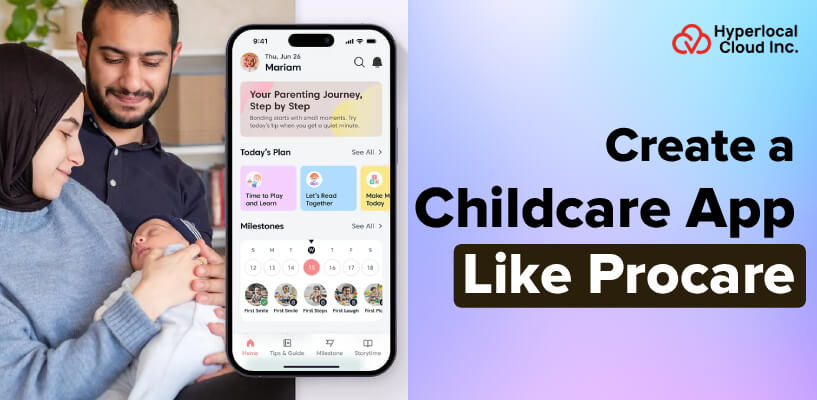
Digital solutions have changed the childcare industry. Procare is such a platform that transformed the way childcare centers operate on a day-to-day basis, in terms of attendance tracking, parenting, and billing. It made complicated administrative duties simpler, saved time for educators, and provided parents with real-time peace of mind.
The market of childcare management software is currently doing well due to the increased demand for organized, technology-based care. Parents are interested in transparency, centers in efficiency. It provides business owners with a tremendous chance to invest in a similar childcare management application, with an expanding market, and achieve both tangible value for the family and the childcare provider.
An Overview of the Procare App
Procare is a childcare management application that is an online tool that is designed to assist the daycare centers, preschools, and after-school programs in running their daily activities without any hitch. It integrates attendance tracking, parent communication, billing, staff scheduling, and child health records together. As Procare provides thousands of children facilities throughout the US, there is an equivalent app that provides the same potent tools with added flexibility, cloud-based capabilities, and modern mobile-friendly options, making childcare management easier for administrators, teachers, and parents alike.
Turn your childcare app idea into reality
How Procare Simplifies Childcare Management
Procare simplifies childcare management by linking staff, parents, and administrators of a center on a single platform. The following are the steps involved:
1. Easy Registration & Setup
The centers upload their staff, children, and family profiles to the system in a short time. Starting at the very beginning, everything is organized in a single dashboard.
2. Digital Check-In & Check-Out
The parents and staff use PIN codes or QR codes to check in and out children safely. The system captures the actual time without the use of paper sign-in sheets.
3. Real-Time Parent Communication
Parents have a chance to be informed about the activities of their child, photos, and other noteworthy messages sent to their staff daily, without a single phone call.
4. Automated Billing & Payments
The app will automatically create invoices based on attendance and introduce them to parents at the right time. Parents are able to make payments within seconds online, and thus, the complete billing process is quick with no errors.
5. Health & Attendance Tracking
Recording meals, nap schedules, drugs, and health observations right into the app throughout the day. This provides a comprehensive record of the day that can be reviewed at any time by the parent.
6. Staff Scheduling & Management
The directors of the centers designate shifts, record the hours worked by the staff, and handle payroll within the platform. This saves much of the administrative time and minimizes conflict in scheduling.
7. Reports & Compliance Management
The application produces comprehensive reports about the attendance, revenue, and child development with only a few clicks. Without additional paperwork, centers remain audit-ready and regulation-compliant.
Why Childcare Centers Should Invest in Procare-Like Digital Management Solutions
The purchase of a childcare management app is a good corporate decision in the current expanding digital childcare market. The following are the best advantages that make it a very good opportunity:
| Advantages | Description |
| High Market Demand | There is an increasing demand for the use of digital childcare solutions in the US and other parts of the world. There are thousands of childcare facilities that are seeking new, modern, and cheap software to upgrade high-tech, obsolete systems. |
| Steady Recurring Revenue | The subscription-based childcare application will provide a steady stream of monthly income for each center that is registered. This renders it a stable and scalable financial business model with a cash flow that can be predicted. |
| Strong Customer Retention | When a childcare center educates its staff and parents regarding your platform, they would hardly change to another tool. This will result in reduced rates of churn and customer relationships that increase your revenue in the long term. |
| Low Competition in Niche Segments | As much as there are big player childcare centers, thousands of small and medium-sized ones are not sufficiently served by available solutions. At least by attacking these gaps, your app will have a clear way to early adoption and repeat users. |
| Scalable Business Growth | A childcare application that works on a cloud can be expanded to cover more than local centers, to the nation, or even globally, without significant alterations in infrastructure. The larger your user base, the lower your operation costs will be and the higher the profits. |
Transforming Childcare App Like Procare with Smart App Features
An effective childcare management app is created based on three major user experiences. The following is a description of each panel and its most critical characteristics:
Admin Panel
1. Child & Family Profile Management
Admins are able to develop and maintain elaborate profiles of all the kids attending the center. Emergency contacts, health notes, authorized pickups, and family information are stored in one safe place in each profile.
2. Attendance & Check-In Oversight
The administrator will be able to track live attendance of all the classrooms and groups at the same time. Check-in and check-out logs are well-kept automatically to be in compliance and to report.
3. Automated Billing & Invoice Management
The system is programmed to produce tuition invoices through enrollment schemes and attendance data. The paid, pending, and overdue payments can be monitored through one organized dashboard by admins.
4. Staff Management & Scheduling
The admins are able to add staff profiles, give classroom responsibilities, and schedule shifts effectively. Any cross-shift issues or coverage loopholes are also alerted immediately to prevent a lapse in operations.
5. Enrollment & Waitlist Management
Application of new families is received, processed, and reviewed in the whole of the admin panel. The waiting list is automated, and families are informed when a position opens.
6. Health & Immunization Records
Admins will be able to save, revise, and access the health records of every child, such as allergies, medication, and vaccination history. This will keep the center in line with the state health and safety regulations at any given time.
7. Financial Reporting & Analytics
Coherent financial statements, including revenue/expenses, subsidy paid, and balances, are created with a couple of clicks. Such reports enable the directors to make good decisions concerning the financial health of the center.
8. Role-Based Access Control
Admins are able to provide definite access privileges to various staff members depending on their roles and responsibilities. This secures family and sensitive child information against unauthorized access in the platform.
9. Compliance & Audit Management
The system contains all regulatory documents, incident reports, and health logs, which are in a readable form to undergo audits. Compliance reports can be drawn on demand by admins whenever a state inspection or licensing audit is needed.
10. Center-Wide Announcements & Alerts
The system enables the administrators to deliver instant messages and newsletters to the entire staff and parents simultaneously. Any emergency notifications, vacation plans, and modifications of policies are communicated to the entire group in real-time, and no delays occur.
Teacher Panel
1. Daily Attendance Marking
The teacher can easily tick or put all the present and absent children at the beginning of every session at the convenience of their mobile phone. The attendance records are automatically updated on the admin dashboard, and everybody is updated in real time.
2. Activity & Daily Report Logging
The teachers record their daily activities, such as meals, snack breaks, nap time, and learning activities of every child. These will also be automatically displayed to parents using the parent app and enable families to be aware of what is going on throughout the day.
3. Child Development & Milestone Tracking
Teachers will be able to take notes regarding the social, emotional, and cognitive developments of each child in the long run. Such written milestones assist the parents in comprehending the development of their child and in the encouragement of the individualized method of learning.
4. Photo & Video Sharing
During classroom lessons and special occasions, teachers are able to take real-time photos and short videos of children and share them. These updates are immediately transmitted to parents and provide them with valuable insight into the everyday life of the child.
5. Health & Incident Reporting
Any medical issues, minor accidents, and behavioral incidents may be recorded instantly with thorough documentation and time marks. Admins and parents are informed immediately, and transparency and immediate follow-ups, where necessary, are observed.
6. Medication & Allergy Tracking
The information regarding the allergy of every child can be seen by teachers, and any medicine given to the child during the day, along with the dosage, can be entered. This provides an effective health record that safeguards children and holds staff accountable to medical roles.
7. Parent Communication & Messaging
The teachers may send particular messages to the individual parents and group messages to all families in the classroom. This will remove the necessity to make phone calls and will centralize all communication to a single platform.
8. Shift Scheduling & Timesheet Tracking
Teachers will be able to see their future work schedules, monitor clock-in and clock-out time, and report on timesheets on a digital basis. This will ease the processing of payroll and remove the controversy of working hours.
9. Classroom Resource Management
The staff panel can allow teachers to manage classroom supplies, request new materials, and monitor the consumption of resources. This assists in placing directors to budget for buying regularly, and they can always furnish the classrooms.
10. Emergency Contact & Pickup Authorization
The emergency contacts of every child and the names of people to whom they can be picked up can be immediately available to the teachers. It will make sure that child safety is not lost at all, even in emergency cases or in cases when a child is picked up late.
Parent Panel
1. Real-Time Check-In & Check-Out Notifications
Whenever a child is admitted or discharged from the center, the parents are notified. This is the live tracking, and it is able to make the parents comfortable, and the worry of not knowing where the child is removed.
2. Daily Activity Feed
The parents are also allowed to have a brief insight into what their child did during the day, what they have eaten, their sleep patterns, what they are engaged in, and their moods. This update, day-to-day, will enable the parent to track the life of the child on a daily basis, despite not being at the workplace.
3. Photo & Video Updates
Real-time photos and videos of the children are sent by the teachers directly to the parent app throughout the day, and parents can save the captured photos and videos and share and treasure them in those moments that the children spent at the center.
4. Online Tuition Payment
Parents are able to access their invoices and pay tuition fee through a secure method in the app by using a credit, debit card, or bank transaction. Receipts and payment history are digitized, and thus it is easy to track expenses, and no paperwork is required.
5. Billing History & Invoice Access
Parents can at any time get the full history of all the past invoices, payments made, and balances. Such openness will nullify the confusion in billing and establish a relationship of trust between the families and the childcare facility.
6. Direct Messaging with Teachers
With a safe in-app chat, parents are able to send and receive messages with the teacher or staff at the center where the child is. Every conversation is documented and arranged, and when the need arises, past discussions can be easily referred to.
7. Child Health & Profile Management
The parents have the option to maintain the health, allergy, diet, and emergency contacts of the child directly in their app; this way, the staff will have the most recent information when attending to them.
8. Developmental Progress Reports
Teachers are able to provide detailed reports on developmental milestones, the learning process, and any behavioral observations of the child to parents. These reports will help parents get to know the development of their child and where they might require assistance.
9. Authorized Pickup Management
Parents are able to add, update, or delete authorized persons who come to pick up their child in the center. This will allow parents to have complete control of the safety of their child and ensure that there is never a time when an unauthorized pickup of their child takes place.
10. Push Notifications & Emergency Alerts
Parents will receive immediate push notices in case of emergencies, center closures, weather announcements, and major policy changes. This will make the families aware of any development that will affect the care of their child.
Partner with experts to build your Procare clone
Intelligent Features Integrated into the Procare App
It will bring the management app to a new level of childcare administration by introducing artificial intelligence to it. The intelligent AI features that will make the platform stronger, more efficient, and valuable to all the participants are as follows:
| AI-Powered Features | Description |
| AI-Powered Attendance Tracking | Children can be automatically checked in with facial recognition or smart QR scanning, and AI records this information automatically without any operator intervention. This does away with human errors and reduces the morning rush, and ensures that the attendance records are flawlessly accurate day in and day out. |
| Smart Billing & Payment Predictions | AI also uses past payment records and attendance to decide in advance which parents will miss future payment due dates. The administrators of the center are given early warnings to pursue them in advance, and without embarrassing moments of trying to explain the healthy cash flow. |
| Automated Daily Activity Reports | AI gathers the information about teacher inputs during the day and automatically composes individualized reports daily for each child. Students are given meaningful and well-organized summaries without teachers taking the time to make individual updates by hand. |
| Child Development Insights & Recommendations | AI monitors the developmental milestones of every child over a period and determines trends in their learning process and behavior development. It then proposes more individualized activities and learning strategies that the teachers can adopt to enhance the individual development of the child. |
| Smart Staff Scheduling & Optimization | Through AI, the attendance and enrolment patterns, and the available staff state are analyzed and automatically propose the most effective shifts to optimize the organisation. This guarantees that there are never any inappropriate child-to-staff ratios and minimizes scheduling problems and last-minute coverage problems. |
| Intelligent Parent Communication Assistant | The chatbot is an AI-based application that manages frequent requests by parents in real time, such as requests about bills, schedule changes, and pickup requests. This lowers the communication burden on employees and enables parents to maintain a 24-hour fast and accurate response. |
| Predictive Enrollment & Waitlist Management | AI analyzes admission patterns and seasonal demand patterns to know when places are going to be open and which families on the waitlist have the best chances of admission. This will aid in making the directors’ plan capacity and fill vacancies more quickly with the correct families. |
| Real-Time Safety & Anomaly Alerts | AI will constantly check in data and raise red flags that are out of the ordinary, like an unauthorized pickup attempt or a child failing to check out when he should. Administrators and parents receive instant alerts on this, which introduces an important dimension of child safety to the platform. |
Designing and Developing a Childcare Management System Like Procare
Developing a childcare management application will need proper planning, appropriate technology, and a stepwise methodology to make the end product reliable, safe, and user-friendly. The entire development process follows this way:
Step 1: Research & Requirement Gathering
The initial one is to comprehend what the childcare centers, teachers, and parents require out of a management platform. The developers conduct market research, analyze the work of competitors’ apps, and interview actual childcare professionals to understand which problems are the most critical to address. This study is the basis of all the features and design decisions taken in the whole project.
Step 2: Planning & Defining the MVP
After research has been done, determine what the minimum viable product is, which is the set of features that should be developed first before all others. This is normally attendance tracking, billing, parent communication, and simple reporting that provides instant value to users. A proper project roadmap with schedules, milestones, and cost projections is developed to ensure that every individual member is on course and schedule.
Step 3: UI/UX Design & Prototyping
The wireframes and interactive prototypes of the admin panel, teacher app, and parent app were designed by the designers depending on the specification requirements. It is centered on the development of a clean, easy-to-use, and simple interface that even the childcare employees who are not that technical can start navigating without any training. Several design cycles and user tests are carried out prior to commencing the development to make the experience look natural to all types of users.
Step 4: App Development
This step focuses on app development. At this point, you need to decide which approach you will be using to develop the app. There are two ways, one is custom-based, and the other is purchasing a white-label solution. If you choose a custom way to develop the app, then everything is required to be done from scratch and will require months to develop, and a huge investment. On the other hand, if you decide to buy a white-label childcare management software, you will be able to rebrand it as your own and launch it within a week or two. You don’t need to spend a lot on this solution; these are often affordable.
Step 5: Third-Party Integrations
This is the point at which the developers incorporate third-party tools that are necessary in making the app complete in terms of actual childcare business activity. Online tuition collection is enabled with payment gateways such as Stripe, whereas QuickBooks is linked to smooth accounting and financial transactions. Other features of the platform include push notification services, real-time chat tools, cloud storage, and a government subsidy platform, which complete the feature list.
Step 6: Testing & Quality Assurance
The QA team performs extensive tests of all the features, such as functional testing, performance testing under heavy user load, and security audits. Particular care is taken with the matters of payment processing, health data storage, and user authentication to make sure that each sensitive area complies. Such beta testing often uses real childcare staff and parents so that real usability problems can be dealt with before the actual launch.
Step 7: Deployment & Post-Launch Support
The application runs on a stable cloud system like AWS or Google Cloud to promote high availability, good performance, and easy scalability with the increase in the user base. It is suggested that it should be introduced in phases, beginning with a limited number of centers and then expanded to a broader market, to be able to respond to the feedback. Once it is launched, the development team keeps monitoring itself, making frequent releases, bug fixes, and introducing new features as per actual user feedback and market changes.
Start your childcare app development project with us today!
Revenue Generation Framework for the Procare Clone App
A childcare app management can create a high and stable income using various monetization methods. The following are the most efficient revenue sources that ensure that this business model is very profitable:
Subscription-Based Plans
The surest source of revenue is through the provision of a monthly or annual subscription that is based on the size of the center and access to features. Small daycare centers, mid-sized daycare centers, and large chains of childcare facilities all have their own plan that fits their operational requirements and financial capability.
Per-Child or Per-Seat Pricing
Each active child on the platform or any staff member on the platform incurs a fixed fee to the centers every month. This model naturally scales the revenue according to the size of the centers, and your income goes up automatically according to the size of your customers, expanding the business.
Transaction Fees on Payments
There is a low percentage fee applied to each payment of tuition made via the built-in payment gateway of the app. This will offer a passive and steady source of revenue, which increases with the number of payments that are going through your platform.
Premium Feature Add-Ons
Such advanced functions as AI-based insights, custom reporting, multi-location management, and dedicated customer support are provided as paid upgrades. Organizations that require more powerful tools than the standard plan pay additional fees that drive up the average revenue made per customer.
White-Label Licensing
Big childcare chains or education-based organizations can license the platform to use under their brand name with a considerable one-time or recurring fee. This provides you with a whole new high-value source of revenue without necessitating significant investment into further development on your part.
Summing Up!
The childcare management software is a market with a lot of opportunity, and the companies that take action now will have a high competitive edge in this fast-growing market. Developing a feature-rich childcare management application, such as Procare, will provide you with a recurring income business that actually changes the lives of childcare centers, teachers, and families equally.
At Hyperlocal Cloud, we have been one of the top on-demand app development companies in the provision of strong, bespoke childcare app solutions at a low cost. Our professionals will see your vision and offer you a solution at a reasonable cost, starting at $8,000. Get in touch with us, and we will create something great!

Patt Cummins is an experienced content writer with over 10 years of experience creating clear and engaging content for technology-focused industries. He specializes in simplifying complex technical topics into easy-to-understand stories that educate readers, support brand communication, and help businesses effectively share their solutions.

Need Help With
Development?