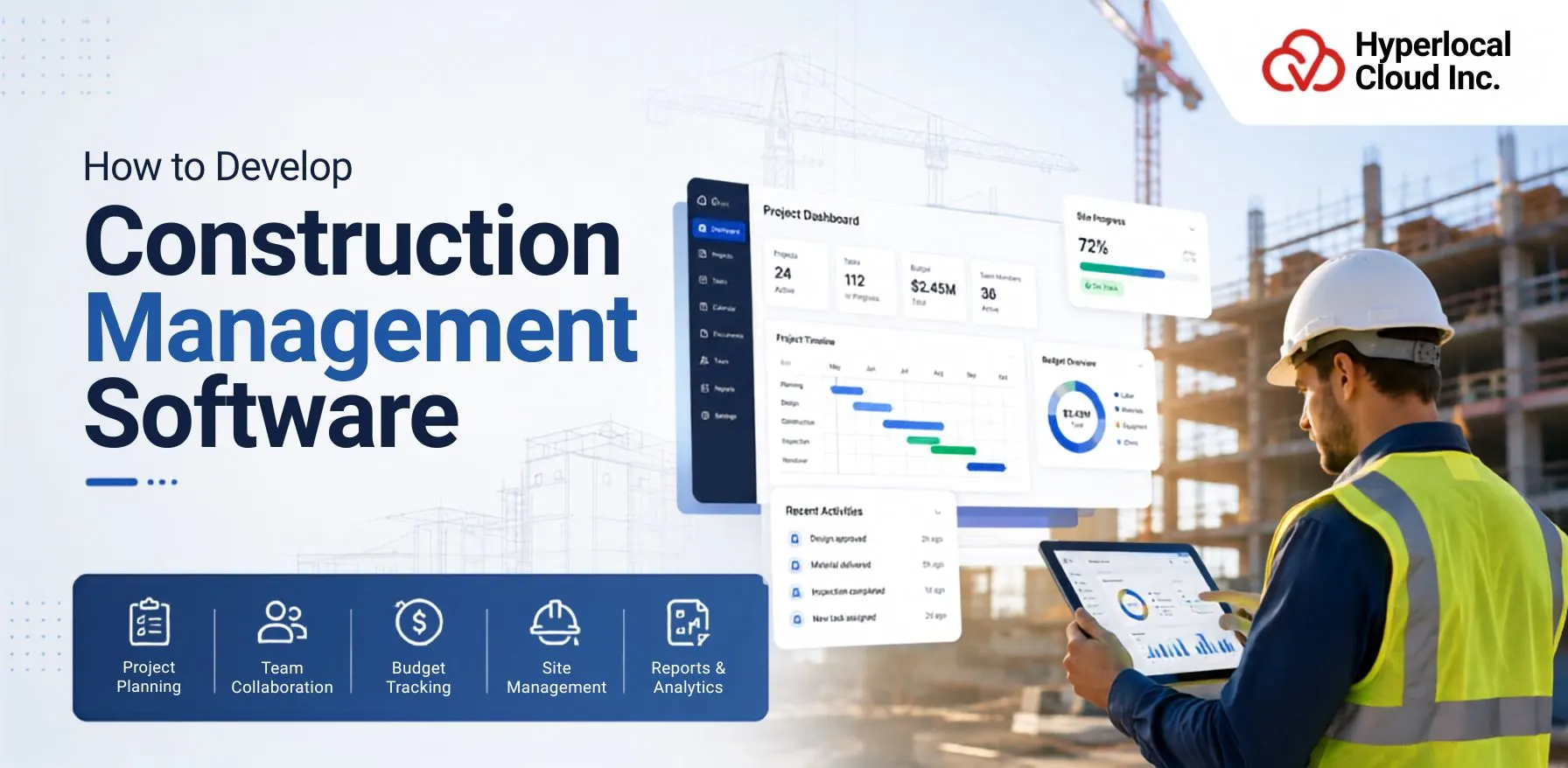
The demand for construction management software is leading businesses to automate every project with ease. This simply means that rather than using multiple tools for different projects, businesses can now use construction management software to do so.
Companies that adopt digital tools can often complete projects more efficiently. To know how to develop construction management software, you must review the entire blog that gives you valuable insights on the same.
How Construction Management Software Works
Construction management software is designed to simplify the way construction projects are planned, managed, and completed. Instead of handling different responsibilities with separate tools or paperwork, the software brings everything together into one platform.
1. Centralized Project Management
Construction management software provides a centralized platform where all task data is stored in one place. Project managers can access schedules, contracts, reports, invoices, and other critical files whenever they want without having to worry about access rights.
2. Real-Time Collaboration
Construction management software allows individuals on the team to collaborate in real-time. They can generate updated percentages, upload documents, send messages, and edit files directly through the platform.
3. Budget Tracking
Construction management software allows groups to display enterprise costs from start to finish. Managers can track material costs, labor charges, equipment charges, and other business-related expenses.
4. Resource Allocation
Construction management software allows managers to allocate resources where they are most desired. This helps provide a clean assessment of availability so managers can avoid overbooking systems or assigning too many responsibilities to the same workers.
5. Progress Monitoring
Construction management software provides real-time progress tracking through dashboards, timelines, and task updates. Team members can submit completed tasks directly from the construction site, allowing managers to monitor project progress without waiting for manual reports.
6. Reporting and Analytics
Construction management software provides automated, real-time reviews of company data. Managers can see reviews of project progress, budgets, resource utilization, costs, productivity, and typical performance.
Build Custom Construction Management Software for Seamless Project Execution
Benefits of Construction Management Software
Construction management software offers many benefits that help construction teams enhance day-to-day operations and deliver high-quality projects. It facilitates better planning, stronger communication, better financial management, and greater overall efficiency. Below are some of the major benefits of using construction management software.
1. Improved Project Planning
Construction management software allows project managers to create specific schedules, declare task milestones, assign responsibilities, and prepare project scopes in a dependent manner.
2. Better Cost Control
The software provides greater visibility into the work budget through real-time cost monitoring. Managers can deliberately review budgets against actual costs, issue purchase orders, and review financial reports when necessary.
3. Increased Team Productivity
Construction management software automates many common tasks, allowing employees to focus on high-value project activities. Because information is easy to access and access rights and tasks are clearly assigned, teams can fulfill their responsibilities more efficiently.
4. Enhanced Communication
Construction project management software creates a common platform where all team members can communicate seamlessly. Team members can exchange updates, share files, ask questions, and capture notifications about important changes.
5. Reduced Project Delays
The software allows managers to identify potential issues early by tracking project progress in real time. When delays are detected, managers can quickly adjust schedules, reassign resources, and update project plans.
6. Better Risk Management
It helps companies identify and monitor potential risks throughout the project. Managers can record issues, assign corrective actions, monitor safety compliance, and track risk mitigation activities.
7. Compliance Management
Construction software helps organize permits, inspection reports, certifications, safety documents, and compliance records in one place. Managers can monitor key deadlines and ensure all required documentation is available when needed.
8. Improved Customer Satisfaction
The software improves transparency by providing accurate project updates, clear communication, and better project control. Since projects are managed more efficiently, companies are more likely to complete work on schedule and within budget.
Types of Construction Management Software
Construction companies work on different types of projects, and every project has its own requirements. This is why construction management software comes in different types to meet the needs of various construction businesses.
1. Residential Construction Software
Residential Construction Software is designed for companies that build or renovate houses, apartments, villas, townhouses, and other residential properties. These projects often involve close communication with homeowners, subcontractors, suppliers, and design teams.
2. Commercial Construction Software
Commercial Construction Software is built for businesses that manage projects such as office buildings, shopping centers, hotels, hospitals, schools, warehouses, and industrial facilities. These projects are usually larger and involve multiple contractors, suppliers, consultants, and project managers.
3. Infrastructure Project Software
Infrastructure Project Software is developed for companies working on large public and private infrastructure projects. These projects may include roads, highways, bridges, railways, airports, tunnels, dams, water supply systems, and utility networks.
4. Enterprise Construction ERP
Enterprise Construction ERP is a complete business management solution designed for large construction companies that manage multiple projects at the same time. Unlike basic project management software, an ERP system combines project management with other business functions such as finance, accounting, payroll, procurement, inventory, human resources, and equipment management.
5. Field Service Construction Software
Field Service Construction Software focuses on managing work that takes place outside the office. It is useful for companies that perform on-site construction work, repairs, inspections, equipment maintenance, installations, and post-construction services.
Essential Features of Construction Management Software
Construction management software has many features that help groups manage campaigns more efficiently. These features simplify everyday tasks, increase communication, reduce manual work, and provide better control over the project.
1. User Management
Construction projects include project managers, engineers, contractors, subcontractors, supervisors, accountants, and clients. Not every user requires access to the same information.
2. Project Planning
Successful construction operations start with proper planning. Project planning features help managers create project timelines, define milestones, assign responsibilities, and organize responsibilities before construction begins.
3. Resource Management
Construction projects require careful control of workers, materials, tools, and equipment. Resource allocation allows organizations to efficiently allocate those assets at a given level of operations.
4. Budget & Cost Management
Monitoring corporate expenses is important to maintaining profitability. Budget and expense management capabilities allow organizations to create budgets, track expenses, track purchase orders, and compare estimated costs with actual costs.
5. Document Management
Construction projects generate a vast amount of important documents, including contracts, blueprints, leases, invoices, inspection reports, maintenance records, and change orders.
6. Time Tracking
Monitoring employee work hours is important for payroll, productivity, and task scheduling. Time Tracking allows employees to record their working hours through a software application.
7. Construction Scheduling
Construction scheduling allows managers to plan tasks to fit a planned timeline. Tasks should be scheduled in advance, and supervisors can monitor whether projects are progressing according to schedule.
8. Communication Tools
Clear communication helps construction teams pull together more effectively. Communication tools allow team members to send messages, share updates, exchange documents, and access information through a single platform.
9. Field Reporting
The field reporting feature allows employees and managers to use mobile devices to publish reports directly from the construction site. They can record daily progress, upload photos, report maintenance issues, and document completed work.
10. Quality Control
Quality control is critical to maintaining high quality, customer satisfaction, and regulatory compliance. Quality control capabilities help organizations create inspection checklists, define quality standards, record inspection results, and manage corrective actions.
11. Equipment Management
Construction companies rely on heavy machinery and systems to run day-to-day operations. The Equipment Management module allows you to view system availability, maintenance schedules, maintenance logs, and usage statistics.
12. Procurement Management
Construction requires continuous delivery of materials, equipment, and services. Purchasing management allows organizations to manage supplier records, purchase requisitions, purchase orders, deliveries, and communicate with suppliers.
13. GPS & Location Tracking
Many Construction groups manage a couple of project sites and a mobile workforce. GPS and location tracking allow managers to display the real-time location of vehicles, systems, and field personnel.
14. Mobile Accessibility
Construction work takes place on job sites and working sites, making mobile access a critical feature. Mobile accessibility allows employees to use software applications through smartphones and tablets while working within the field.
15. Dashboards & Analytics
Construction companies want actionable insights to make smarter business decisions. Dashboards and analytics provide visual reviews that show critical project metrics, along with budget, schedule, resource utilization, company progress, and overall performance.
Streamline Construction Projects With Intelligent Software Development Services
Step-by-Step Process to Develop Construction Management Software
A dependent development process allows for the creation of a reliable solution that helps construction teams with operations every day. Below are the key steps involved in developing construction management software.
1. Define Business Objectives
The first step is to understand why a software program is being developed and what problems it needs to solve. Every Construction company has unique business goals, project sizes, and operational requirements. Some groups may also want to enhance business planning, while others may want better control over payment management, document management, or resource planning.
2. Conduct Market Research
Before starting software development, it is important to study the marketplace and understand the current industry trends. Market research allows you to learn what construction companies expect from existing software applications and which features are most valuable.
3. Define Software Requirements
After understanding business aspirations and market requirements, the next step is to outline the software requirements. This includes the complete scope of the capabilities, modules, and technical functions that the software application will provide.
4. Choose the Development Approach
The development approach depends on the company’s budget, timeline, and business desires. Companies can also choose to build custom software applications from the ground up or customize existing solutions to their liking.
5. Create UI/UX Design
User interface and user experience have an important place in the usability of construction management software. Construction professionals often work in busy environments, so the software needs to be easy to use, organized, and flexible.
6. Develop Core Modules
Once the configuration is complete, the developers start building the main features of the application. These core modules are the foundation of the construction management software.
7. Third-Party Integrations
Construction companies typically use dedicated software applications for accounting, payroll, workforce management, mapping, file storage, and communication. Integrating those systems improves workflow efficiency and reduces manual data entry.
8. Testing
Before a software application is released, it must be tested very thoroughly to ensure that every feature works effectively. Testing allows customers to identify technical, security, performance, and usability issues before they start using the software.
9. Deployment
After successful testing, the application is deployed and available to users. Depending on the deployment model chosen, the application can be installed on enterprise servers or released as a fully cloud-based solution.
10. Maintenance & Updates
Regular maintenance is necessary to keep the software application stable, reliable, and well aligned with changing business needs. Development teams continuously monitor software application performance, update technical aspects, release security updates, improve existing features, and introduce new capabilities based entirely on customer feedback.
Best Technology Stack for Construction Management Software
The table below consists of the list of tech stacks that are the core part while developing robust construction management software. To know more, you must review the information below.
| Category | Tech Stack |
| Frontend Technologies | HTML5, CSS3, JavaScript, React, Angular, and Vue.js |
| Backend Technologies | Node.js, Java, .NET, PHP, and Ruby on Rails |
| Mobile Development | Flutter, React Native, Kotlin, and Swift |
| Database Technologies | PostgreSQL, MySQL, Microsoft SQL Server, MongoDB, and Oracle Database |
| Cloud Platforms | Amazon Web Services (AWS), Microsoft Azure, and Google Cloud Platform |
| API Integration | REST APIs and GraphQL |
| Security Technologies | Data encryption, secure authentication, multi-factor authentication |
AI in Construction Management Software Development
Modern construction management software increasingly includes AI-powered features that enhance task scheduling, assistant management, maintenance monitoring, and overall company performance.
1. AI-Based Cost Estimation
Accurate construction cost estimation is one of the biggest requirements in construction. AI can analyze historical company records, material costs, labor costs, equipment costs, and market conditions to produce more accurate cost estimates.
2. Predictive Maintenance
Construction equipment plays a major role in performing tasks. Unexpected equipment failures can delay projects and increase repair costs. AI analyzes overall equipment performance, maintenance history, and sensor data to determine when maintenance may be needed.
3. Intelligent Scheduling
Managing a construction schedule can appear difficult when companies include many workers, contractors, and activities. AI enables smarter project scheduling by analyzing task dependencies, labor availability, equipment utilization, and event timelines.
4. Risk Prediction
Construction companies pose economic, operational, and environmental risks. AI can examine past project data and detect patterns that may indicate potential risks.
5. Image Recognition for Site Monitoring
AI-powered image recognition can analyze images taken from construction sites to monitor project progress and detect quality or safety issues.
6. Drone Data Analysis
Many construction companies use drones to take aerial photos and inspect construction sites. AI can process this drone data much faster than manual analysis.
7. Chatbots & Virtual Assistants
AI-powered chatbots and digital assistants provide concise guidance to users of software and applications by answering common questions, guiding users through specific tasks, and helping them find information.
8. Computer Vision for Safety Monitoring
Construction site safety is a top priority for every construction company. AI-powered computer vision and predictive analytics can monitor live camera feeds and automatically detect dangerous situations.
Challenges in Construction Management Software Development
During system development, software businesses face many technical and operational challenges. By understanding these challenges, teams can develop better solutions and create software that supports long-term growth.
1. Complex Workflows
A residential construction enterprise may have quite distinct processes compared to commercial building or infrastructure work. In addition, each construction company has its own unique way of completing assignments, approvals, reports, budgets, and communications.
2. Legacy System Integration
Many construction companies use existing software applications for accounting, payroll, inventory management, customer monitoring, or tracking usage. These older systems routinely include valuable enterprise information that agencies already rely on.
3. Mobile Connectivity Issues
Construction sites are frequently located in remote regions where internet connectivity may be poor or unavailable. Because many workers rely on mobile devices to access work data, poor network coverage can disrupt day-to-day operations.
4. User Adoption
Even the best software cannot deliver value if personnel are unwilling or unable to use it. Construction teams are often staffed with people who have a unique technical understanding.
5. Data Security
Construction businesses manage huge amounts of private data, such as task schedules, financial information, contracts, employee information, customer data, and project documents, and it is especially important to keep these records.
6. Scalability
Construction companies often increase their operations by coping with additional work, hiring more employees, or opening offices in new locations. The software should be able to grow with the company without affecting performance.
7. Real-Time Synchronization
The construction team posts photos of job sites, work websites, warehouses, and remote locations. All group participants want access to up-to-date work records to make informed decisions.
8. Regulatory Compliance
The construction industry is governed by many local, national, and international regulations regarding safety, labor, environmental safety, building standards, and economic reporting, etc. These regulations may additionally change over time.
Build Secure Construction Software With Expert Development Services
Trends Shaping Construction Management Software
The following trends are shaping the future of construction management software and helping companies improve the way they plan, manage, and complete construction initiatives.
1. Artificial Intelligence
Artificial intelligence is one of the most valuable technologies in construction management software. AI can analyze large amounts of corporate data, identify patterns, automate repetitive tasks, and make suggestions entirely based on historical records.
2. Building Information Modeling (BIM)
Building Information Modeling, commonly referred to as BIM, allows construction crews to create accurate virtual models of homes and infrastructure before construction begins or evolves.
3. Internet of Things (IoT)
The Internet of Things connects construction equipment, machines, motors, and sensors to the Network, allowing information to be stored automatically.
4. Cloud-Based Platforms
Cloud technology has changed the way construction companies handle operations. The cloud-based construction management software allows you to access critical data from any location using a computer, tablet, or smartphone.
5. Digital Twins
A digital twin is a digital representation of a physical building, structure, or construction site. It combines real-time data with virtual models to create a comprehensive picture of places.
6. AR/VR for Construction
Augmented reality (AR) and virtual reality (VR) provide useful tools for construction planning, layout critique, employee training, and client presentations.
7. Drone Integration
Drones have become an important part of modern production inspection. They can quickly take aerial photographs, films, and site surveys that would otherwise require a lot of time and effort.
8. Predictive Analytics
Predictive analytics uses historical and real-time task information to predict future outcomes. Instead of reacting when issues arise, construction companies can detect capacity bottlenecks before they intensify.
9. Sustainability & Green Construction
Environmental responsibility has become an important priority for construction companies. Construction companies are increasingly looking for ways to reduce waste, improve energy performance, and reduce environmental impact.
10. Blockchain for Contracts
Contract administration, payments, and business agreements often involve many parties and many documents. Blockchain technology provides a secure and straightforward way to track transactions and manipulate contract information.
Tips for Building Successful Construction Management Software
By following proper improvements, companies can build software that improves business management, increases productivity, and helps in long-term business growth. Below are some important indicators that can help in building construction management software successfully.
1. Focus on Mobile Usability
Building and projecting take place on challenging websites instead of in offices. Engineers, supervisors, contractors, and field staff want quick access to task files while working on the website.
2. Build Scalable Architecture
Construction companies often grow over the years by taking on more projects, hiring more employees, and expanding into new areas. Software that works well for a small employer these days can also help larger operations in the future.
3. Prioritize User-Friendly Design
Construction management software is used by humans with a specific technical background. Some users may be comfortable with digital tools, while others may be using the application for the first time.
4. Automate Repetitive Workflows
Construction teams spend a lot of time performing repetitive administrative tasks, including creating reviews, sending reminders, updating schedules, tracking approvals, and recording project facts.
5. Support Offline Functionality
Construction teams generally access areas that are not located with reliable internet. Workers may also experience slow connections or intermittent network disconnects as critical mission activity fades.
6. Ensure Robust Security
Construction businesses manage personal data, including contracts, financial data, project schedules, employee information, buyer documents, and legal records. Protecting this is critical to business operations and maintaining customer trust.
7. Use Cloud Infrastructure
Cloud infrastructure provides flexibility, reliability, and accessibility of mission-critical data from any location. Instead of relying on local servers, organizations can securely put their task data in the cloud and allow authorized users to access it when they need it.
8. Gather User Feedback Continuously
As new technologies, policies, and challenge requirements emerge, the desires of construction groups are constantly shifting. By collecting feedback from users of software applications, developers can understand what is working well and what areas need improvement.
Launch Smarter Construction Projects With Innovative Software Development
Conclusion
Developing construction management software is a modern approach that lets businesses reduce manual work and manage projects with ease. For every stage of a construction project, the software helps businesses streamline their operations. However, to build their own construction equipment management software, businesses must partner with an experienced custom software development company to get cost-effective yet advanced solutions.

Nisha Bagga is a technical writer with more than 7 years of experience creating high-quality content for a wide range of industries. She specializes in developing clear, engaging, and well-researched technical and business content tailored to diverse audiences and industry requirements.

Need Help With
Development?