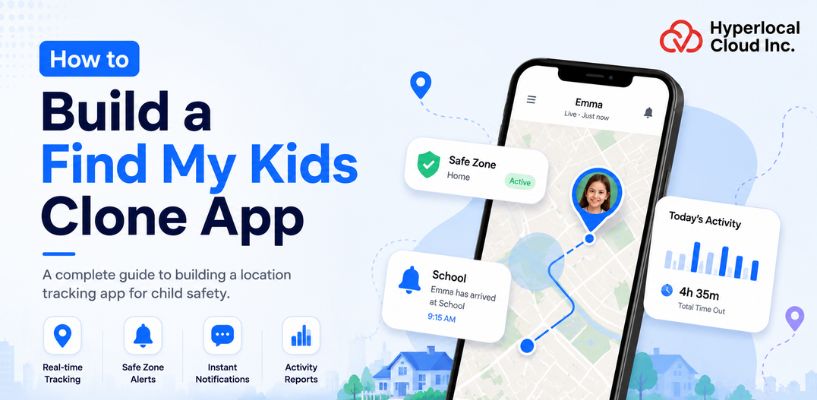
The children these days are highly attached to digital devices. They utilize smartphones, tablets, and the Internet on a daily basis. Although this facilitates learning and engagement, it also subjects them to dangers such as unsafe sites, online harassment, and over-screen use. To parents, it is becoming increasingly difficult to monitor their activities all the time. This is where solutions like the Find My Kids app come into play. These applications provide real-time location tracking, insights into activities, and safety notifications, allowing parents to have ease of information in a simple and controlled manner.
To the business, this change creates a good market opportunity. The need to have credible parental control systems is increasing rapidly. Early-investing companies can access a high-growth segment, develop recurring revenue models, and also create long-term user engagement with value-driven digital products.
What is the Find My Kids app?
Find My Kids is a parental control app designed to track children. It provides the child’s real-time location on a map via GPS to their parents. They can also view the child’s day-to-day travel history. Parents can create safe areas, such as home and school, on the app. When the child enters or leaves these zones, the parent is immediately notified.
It also provides other features such as a loud signal to locate a lost phone, battery status, and family messenger. The focus is to help parents feel relaxed and have real-time information about the child.
Start Building Your Find My Kids Clone App With Expert Help Today
The Complete Working Model of a Find My Kids Clone App
A step-by-step overview of how the app functions, from user setup to real-time tracking and alerts, ensuring a smooth and reliable system.
1. Child app setup:
The Pingo app is downloaded onto the child’s device. It stays in the background. The child doesn’t need to reopen it. It keeps location services on to ensure tracking.
2. Parent app setup:
The parent app is the command centre, they can log in and see all updates. This includes the child’s current location, notifications, and past locations. The design is generally user-friendly.
3. GPS tracking:
GPS tracking provides the real-time location of the child to the parents. It updates every few seconds. This allows parents to know the child’s location quickly.
4. Location history:
Location history logs previous routes. It allows parents to check the child’s movements during the day. It’s useful for monitoring routine and safe areas.
5. Geofencing:
Geofencing allows parents to create safe zones, such as home or school. When the child enters or leaves these areas, the app gives an instant alert. This is more like a virtual fence.
6. Instant alerts:
Instant alerts are sent for important actions. For instance, when the child leaves a safe zone or turns off location services. Parents are notified without having to refresh.
7. Battery monitoring:
Battery monitoring displays the phone battery charge. The parent is alerted if the phone battery is running low. This stops loss of service in emergencies.
8. Loud signal:
The sound feature is a way for parents to make the phone ring (even if it is in silent mode). This is useful if the child is not answering or has lost the phone.
9. Secure connection:
Data between the parents’ and the child’s apps is encrypted. This ensures location and personal data are secure. No one can easily get it.
The Dual Advantage of Find My Kids Clone Apps for Users and Businesses
Find My Kids clone apps create a safer experience for families while helping businesses enter the growing child safety and parental control app market.
For Users:
1. Live location tracking of children: Parents can track their child’s actual location through real-time tracking. The map updates its information at regular intervals, which lasts a few seconds. Parents can quickly detect when their child takes an alternate route. The system eliminates the uncertainty of the child’s location, which allows users to experience complete relief.
2. Safe zone alerts using geofencing: Parents can mark places like home, school, or tuition as safe zones. The app sends an alert when the child enters or leaves these areas. This feature is very important when you build a kid tracker App like Find My Kids, providing parents with updates that eliminate the need for continuous app checks.
3. Better safety during school and outdoor time: The app provides an additional security measure for users when the child is in school or playing outside. Parents can respond immediately when they detect something unusual. The device also assists parents in crowded environments, as children tend to wander away at such places.
4. Easy communication between parent and child: Most apps include simple calling or voice chat features. Some even allow quick alerts or SOS buttons. A child can reach out to parents with just one tap. Parents can also check in without making a full phone call. It keeps communication clear and fast.
5. Quick phone or device tracking: If the child’s phone gets lost, parents can track the device’s location. This helps recover it faster. The app also shows battery level. So parents know if the phone is about to switch off.
6. Less dependency on calls and messages: Parents do not need to call their kid again and again to ask, “Where are you?” The app already shows the answer. This system helps both parties to experience less pressure. Kids feel less disturbance, and parents have permanent access to information about their location.
For Businesses:
1. Entry into a High-Demand Market: A Find My Kid app clone helps businesses enter the fast-growing family safety and parental monitoring market, where demand for child tracking and real-time communication solutions continues to rise.
2. Recurring Revenue Model: A Find My Kid app clone gives businesses the opportunity to build a stable recurring revenue stream through subscription-based plans. Features like live location tracking, screen time monitoring, and emergency alerts encourage long-term user retention and consistent monthly earnings.
3. Strong User Retention: The app clone encourages daily usage by offering real-time location tracking, safety alerts, and activity monitoring features that parents rely on regularly. Consistent engagement helps businesses improve customer retention rates, increase subscription renewals, and build long-term user loyalty.
4. Scalable across different regions and markets: The app functions efficiently across different regions, making it easier for businesses to enter multiple markets with minimal operational barriers. Companies can initially launch the parental control app in a single country, analyze user behavior and market demand, and then gradually expand their services to new regions through a scalable growth strategy.
Full Feature Breakdown of a Find My Kids Clone App for Modern Child Tracking
A detailed feature breakdown helps businesses build a parental control app that improves safety, supports real-time monitoring, and gives parents better peace of mind.
Parent Panel Features
1. Real-time GPS location: This shows the child’s current location. The map refreshes automatically. This is good for the time when the kid is in school or playing outside. You don’t have to call your kid again and again.
2. Location history and route tracking: The app keeps track of the kid’s past locations, it will be possible for parents to see the day’s itinerary. It also displays the route taken. This helps to identify any detours or delays.
3. Safe zones with geofencing: Parents can set safe zones such as home, school, or friends’ houses. These are safe zones. The app will send a quick notification if a child leaves or enters these zones. It keeps parents informed, without being intrusive.
4. Real-time location alerts: The app notifies parents of an abrupt location change. For instance, if the child visits a new place. This allows parents to be quick to respond if something is wrong.
5. SOS emergency notifications: The child can trigger the SOS alert in emergencies. It sends an instant alert with location. It’s very basic but important for saving time in urgent moments.
6. Battery level: Parents can check the child’s phone battery level. Parents do not have to worry if the phone is off; they can ask their child to charge it on time.
7. Loud sound to locate phone: If the phone is lost or on silent mode, parents can sound an alarm. It can help to locate the phone, even inside a backpack.
8. In-app chat: Parents can chat with kids in the app. It’s a safe way to chat. No need to switch between apps; all messages are in one place.
9. Movement and activity reports: The app displays a daily report of activity. It can be steps, time moving, or time inactive. This helps parents to know the child’s daily routine.
Features for child (On Pingo app)
1. Easy check-in button for safety: The app features a quick check-in button. Children can easily update their status as “I am at school” or “I am at home”. This will send a message to the parent without them having to make a phone call.
2. SOS button to call for emergency: It features a prominent SOS button on the home screen. Pressing it will send the child’s current location to their parents.
3. Background GPS sharing (with permission): Location sharing is done in the background once the child has given permission. The app will show real-time location without the need to ask.
4. Chat with parents: It has a basic chat feature. The child can message parents via text or voice. It’s well-organized, so they can respond quickly.
5. Energy-efficient mode: The app includes a power-saving mode. It adjusts location updates to use less battery. It also alerts parents when the child’s device battery is low.
6. Kid-friendly user interface: The user interface has large icons and bright colours. Text is kept brief and simple. The app is easy to learn in a few minutes and easy to use.
Admin Panel Features
1. User Management (Parents and Children Accounts): This feature gives admins complete control over all user accounts from a single interface. Admin can view, edit, or remove accounts when needed. The system allows them to track the number of children who are currently being monitored. The admin has the ability to take immediate action when someone reports an issue.
2. Subscription and Payment Management: This section handles all payments inside the app. It tracks who is using free plans and who has paid for premium features. Admins can manage pricing plans. They can add offers or discounts during special times. They also get a full record of transactions, which helps with financial tracking and audits.
3. Location and Data Monitoring Tools: The system provides complete visibility on location tracking. It enables admins to verify the accuracy of GPS data. Admin can monitor tracking performance through its delay and error detection capabilities. They can track location problems when users provide incorrect location reports.
4. Push Notification Control System: Admins can broadcast messages to all users, such as updates about the app or safety information. They can also control auto-notifications (such as low battery or location-based). If it’s too much for users, admins can change the frequency of notifications.
5. Analytics Dashboard (Usage, Activity, Engagement): The analytics dashboard shows how people use the app. Admins can view active users each day. They can see how much time parents spend looking up their child. This information helps them identify what’s working and what’s not. And they can use it to add new features or modifications to the old ones.
6. Content and Feature Management: Admins can include or exclude content at any time. They can change the app’s content, such as help guides or parent tips. This makes the app flexible.
7. Security and Privacy Control Settings: Admins can manage permissions, they can manage access to location information, and can keep track of logins as well. Admins can quickly respond if there is a security issue, which will keep parents and children safe.
Launch Your Own Parental Control App and Enter Growing Market Now
What are the AI-driven Integrations of the Find My Kids clone app
AI-driven integrations make a Find My Kids clone app smarter by improving live location tracking, safety alerts, behavior monitoring, and real-time communication between parents and children.
1. AI-Powered Parenting Assistant
This is a parenting assistant. It learns the child’s routine. It knows when school starts and ends, when the kids play, and where they go. This could be helpful when your child typically gets home or when there is a change in their schedule.
2. Unusual Movement Alerts
This app doesn’t just know where the kids are; instead, it understands daily patterns of child movements, too. It will alert if the child has taken a different route or has stopped at a new location. It also detects prolonged stops in a place where a child is not supposed to be. This helps parents act fast.
3. Intelligent Battery Management
This feature solves a common problem where kids forget to charge their devices. This app tracks the battery status and estimates the chances of dying, notifies the parent and the child about it. The app also changes to a low-power mode, which extends the time that the location is tracked.
4. Smart Activity Monitoring
AI can monitor more than just locations. It can recognize walking, running, or being still patterns of the kid. If a child isn’t moving enough or moving at strange times, the app will alert parents. This allows parents to be aware of any potential problems. It enhances security without being overly intrusive.
5. Safety Zone Analysis
Parents can create safe zones such as home or school in the app. AI enhances this by knowing how long and often the child is in these zones. It notifies parents if they leave too early or come home late. It also proposes new safe zones based on the child’s movements.
6. Smart Emergency Signal System
This tool recognizes danger signs using AI. It could detect rapid movement, a fall, or panic of a kid. The app may then automatically trigger an SOS. It immediately sends the child’s current location to the parents. They can also notify trusted people nearby. This ensures faster response times.
From Idea to Launch: The Full Development Process of a Find My Kids App Clone
A clear development process helps businesses build a Find My Kids app clone with better safety features, smooth tracking, and a user-friendly experience for parents.
1. Project Planning & Market Research
All apps need research and planning. This step is the base of a strong Find My Kids Clone App Development. Check the similar apps for their features, prices, and user reviews. Reviews help a lot, you get to know what people love and what they don’t. Set a clear goal & think about how your app will solve a problem and be unique.
2. Feature Definition
Next, determine what features your app will have. Start with basic features. Don’t add too much.
Key features can include:
- Live location tracking
- Geo-fencing (notifies when out of safe zone)
- SOS button for emergencies
- Screen time tracking
- Status of the battery of the child’s device
3. UI/UX Design
UI/UX design is about the user experience. Parents should not have to search for things in the app. The child’s location should be at the top. Crucial buttons such as SOS should be accessible. Use clean layouts, avoid clutter, and use soft, but distinct colors. If you can, test the design. Do it. This will save you and your time in the future.
4. Development Approach
This is an important step where you decide how to create your app. You have two main options:
Build it from ground level: You have complete freedom. You can create an app exactly the way you want, making customizations to it. But the development process is slower and more expensive.
White-label solution: This is faster and cheaper. You get an app and add your branding. It’s suitable for fast launches.
Choose according to your time and money. If originality is key, build your own from scratch, and if time is more important, then go with a white-label solution.
5. Development Phase
Time for the real work, this is where you start to bring your idea to life. Programmers create the frontend, which is what users see. Then they link it with the backend, which deals with data, location, and alerts. Test each feature as you go; this approach avoids big problems later.
6. Testing & Quality Assurance
Never skip testing. No matter how small, a bug will damage trust. Try the app on several devices, see if the location service is working, and make sure alerts are on time. Try weak internet connections, too many users will face that. Also, test for safety, because this app is for children, and privacy is important. Be certain that data is being protected.
7. Launch of the App
After testing, it’s time to launch the parental control app. Publish the app on the Google Play Store and the Apple App Store. Describe the app, use screenshots that demonstrate features. You can advertise it on social media. Users will provide feedback to enhance the user experience.
8. Post-Launch Maintenance
The job is not done after launch; the real work of updates starts from here. Fix bugs quickly, listen to user feedback, and introduce new features when they are needed. Keep updating the app; it shows your app is alive and well. This builds trust over time. A good app is not built in one go; it is improved again and again. This is how you go from an idea to a real product.
The Ultimate Tech Stack Behind The Find My Kids App
A simple look at the tools and technologies that power real-time tracking, smooth performance, and reliable app functionality.
| Component | Technology Stack |
| Frontend (Android) | Kotlin |
| Frontend (iOS) | Swift |
| Backend | Node.js |
| Real-time Communication | WebSockets |
| Database | PostgreSQL |
| Cloud Hosting | AWS |
| Maps & Location | Google Maps API |
| GPS Tracking | Android Location Services |
| Push Notifications | Firebase Cloud Messaging |
| Authentication | OAuth 2.0 |
| Data Security | SSL/TLS Encryption |
| AI Features | TensorFlow Lite |
Launch Your Gps-based Safety App With Advanced Tracking Capabilities Today
Real-World Use Cases of the Find My Kids App Clone You Should Know
These apps are not built for one group only. They support many real-life needs across age groups and roles.
1. Parents with Young children.
Parents with little children should always be on their toes. Young children are not always able to explain their location. The app displays real-time location at any time. Home or school can also be designated as safe zones by parents. When the child is out of his/her place, he/she gets an alert. This minimizes stress on day-to-day activities, particularly when in school or when playing outside.
2. Parents of Teenagers
Teenagers value independence. Meanwhile, parents remain concerned. The application assists in maintaining a balance between the two. By doing this, parents will only be able to check the location of their teenage kids when required and not call frequently. It is also beneficial for late outings or travel. This generates trust without compromising safety.
3. Families (All Members)
The application will be able to unite the entire family. Children and their parents remain in the same system. This assists in traveling, in busy areas, or in everyday activities. It maintains alignment easily and straightforwardly.
4. Carers of Older people.
Older people might experience memory problems or risks to their health. The caregivers have the ability to monitor their positions and to make sure they are safe. In case they go missing or require assistance, the application can help easily locate them within a short period. This provides families with peace of mind.
5. Schools & Transport Operators
The app helps schools to monitor routes and buses. Real-time visibility of the bus position can be seen by parents. The operators of transport can be capable of managing routes. This enhances the safety and creates confidence in the parents.
6. Safety-Conscious Individuals
There are those who desire added security in their day-to-day activities. When kids are traveling or going out alone, the app can give their location to trusted people. It provides extra protection at a very low effort.
Latest Trends Shaping the Find My Kids App Clone
These latest trends are helping businesses build smarter Find My Kids app clones with better child safety features, real-time tracking, and a more reliable user experience.
1. Real-Time but Smarter Tracking
Now tracking is not just about a dot on a map. It is quicker and more accurate. Mobile apps like Find My Kids combine GPS, Wi-Fi, and mobile data, even when the child is indoors or in a busy place. The app updates every few seconds and even indicates the direction of kid’s movement. Parents can see if the child is walking, stopped, or mistakenly heading in the wrong direction.
2. AI Route & Risk Detection
They gradually get to know the child’s normal patterns. For instance, the child’s normal route to school or tuition. If the child changes their route, the app can tell. It gives parents an instant notification. Not an alarm, but a warning.
The apps can also tag dangerous places. This could be a lonely road or a dangerous area. Parents receive an alert if children enter these areas. This provides an additional layer of protection without micromanagement.
3. Adaptive Safe Zones (Smart Geofencing)
Geofencing is not so simple anymore. It used to only alert you if the child left a certain place. Now it is more flexible. Parents can set time-based zones, for example: the child needs to be at school from 8 AM to 2 PM. If it doesn’t go the way they set the time, an alert is sent.
The app can automatically adjust zones. If the child goes to a place a lot, such as a friend’s home, the app gets to know. This stops the app from giving false alarms and makes it seem clever.
4. SOS + Instant Emergency Sharing
SOS has been enhanced. It’s no longer just a button. SOS sends the real-time location of the child; sometimes it sends short voice messages or live location. This helps parents understand the situation better.
It takes a matter of seconds for the message to get through, no delays. This can be vital in a life-threatening situation.
The Hidden Challenges Behind a Find My Kids App Clone Development Process
Building a successful app in this space requires strong planning, smooth performance, and a secure system that users can trust every day.
1. Real-Time GPS Accuracy
Finding the right location isn’t easy; GPS is not always stable. Satellites can be blocked in urban areas or indoors. The app may not display the correct location or may be delayed. A few seconds’ delay can be stressful for parents. Smart tracking with GPS, Wi-Fi, and mobile towers will help.
2. Battery Consumption
GPS tracking uses up the phone battery. When the child’s phone battery is low, the app stops working. This is a big problem. Developers need to consider both location and power. For instance, only update if the child is moving. Also include some other battery-saving optimizations.
3. Child Protection & Data Privacy Policies
This app handles sensitive data and monitors a child’s movements. There are strict laws for children’s data. If you don’t follow those laws, you could get into trouble. Data must be encrypted.
4. Internet Dependency
Most features need the internet, and it’s necessary for accurate tracking. Users often have poor connections, particularly when you are moving. The app should be able to function with weak networks, too. For example, it can store data and update once the internet is back.
5. Security Risks
When your app isn’t secure, trust is lost. You need to secure the login, location, and messaging. Implement secure authentication and testing. A cyber attack will hurt the app’s reputation.
6. Device Compatibility
Kids and parents use different phones. Some use old ones, some use new ones. You want your app to work for everyone. If it crashes on some users’ devices, they will abandon the app. It needs to be tested on different screen sizes and iOS versions.
7. False Alerts Problem
Excessive false alarms may bother users. For instance, if the app is sending alerts because of small GPS inaccuracies, parents may mistakenly believe something is wrong. This could lead to losing trust. The app should have filters that provide alerts only when necessary.
Monetization Strategies Behind Find My Kids Apps
A strong monetization strategy helps Find My Kids apps grow steadily while creating long-term revenue opportunities in the parental control app market.
1. Subscription Plans
The Find My Kids app generates most of its revenue through its subscription plan. Users can begin using the service without cost, but essential features remain unavailable.
Parents pay monthly or yearly to unlock full access. The package includes location history, smart alerts, and detailed tracking features. The idea is simple: basic safety is free, but advanced features come with a price.
2. Freemium Model
The app operates under a freemium model, which allows users to test its features before they need to make payments.
This freemium model establishes trust with parents who need to verify its accuracy before they will accept tracking results. Parents need to first verify tracking accuracy before they upgrade to paid services. The free version offers value to users, although it lacks complete functionality. The push notification system effectively transforms users into active paying customers.
3. In-App Purchases
Parents can purchase the specific feature they need instead of having to buy the entire plan. The application provides both flexibility and ease of use to its users.
4. Family Plans
The Find My Kids app also earns through family packages. Parents with more than one child prefer a single plan. It covers multiple devices at once. This feels more affordable for users but increases total revenue for the app.
5. Device Integration Revenue
The app can work with GPS watches made for kids. When parents buy such devices, they often need the app to connect and track. This creates a strong link between hardware and software. Revenue can come from bundled offers or partner deals.
6. Limited Ads in Free Version
The app can show ads to free users, but only in a limited way. Since it focuses on child safety, too many ads are avoided. Paid users do not see any ads at all.
How Much Does It Cost to Build an App Like Find My Kids?
The initial cost would be about $7,000 to develop a basic clone app of “Find My Kids.” But this cost is just the initial approximation for developing an app. The final cost can go higher based on what you choose to include. A simple version with live location and alerts will stay closer to this range. But once you start adding smart features and better design, the budget grows fast.
A few key factors that affect the total cost:
1. Platform choice: Building for both Android and iOS costs more than building for one platform
2. UI/UX design quality: A clean and smooth design takes more time and skilled work, and eventually increases the cost of an app
3. Backend strength: Apps with real-time tracking need a powerful server setup, which adds to the cost.
4. App security level: Strong data protection adds extra development effort and extra development cost.
Turn Your App Idea Into a Successful Find My Kids Clone Now
Final Verdict
Building a Find My Kids clone is about trust, not just features. Parents expect fast tracking, clear alerts, and strong data safety. If you want to know How to build a Parental Control App, this model is a great start because it solves a real need and has steady demand. Focus on accuracy, simple design, and smooth performance. For businesses, this is also a strong opportunity to enter a growing market of parental control app and build a recurring revenue model through subscriptions and premium services. It helps companies increase user engagement while offering a product that has long-term demand.
To launch faster, partner with Hyperlocal Cloud. We can help startups build and launch Find My Kids clone apps quickly with the right features and support.

Patt Cummins is an experienced content writer with over 10 years of experience creating clear and engaging content for technology-focused industries. He specializes in simplifying complex technical topics into easy-to-understand stories that educate readers, support brand communication, and help businesses effectively share their solutions.

Need Help With
Development?