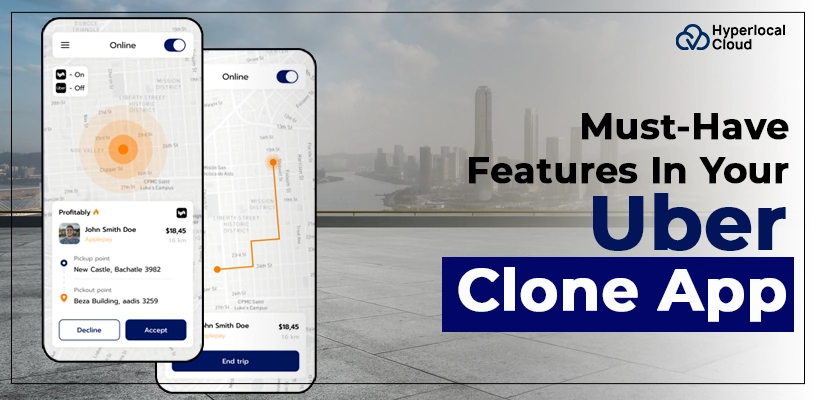
- An Uber clone app needs three core components: rider app, driver app, and admin panel.
- GPS tracking, ride booking, fare estimation, payments, and notifications form the foundation of the user experience.
- Driver verification, emergency assistance, secure payments, and privacy controls are essential considerations.
- Advanced capabilities should be selected according to customer needs and operational priorities.
- An MVP can help businesses validate demand before expanding their feature set.
- White-label and custom development approaches offer different levels of flexibility and implementation effort.
- Continuous testing, customer feedback, and performance monitoring help improve the platform over time.
The ride-hailing industry continues to evolve as customers expect faster bookings, transparent fares, safer journeys, and convenient digital payments. For entrepreneurs planning to enter this market, developing an app with the right combination of features is essential for attracting riders, retaining drivers, and managing daily operations efficiently.
An Uber clone app provides a foundation for launching a ride-hailing platform with dedicated rider and driver applications and an administrative dashboard. However, building a competitive platform requires more than replicating basic booking functionality. Businesses must consider real-time tracking, automated dispatch, driver verification, payment management, safety tools, and scalable infrastructure.
Understanding the essential Uber clone app features helps startups prioritize development requirements, choose the right technology, and build a platform that aligns with their business goals.
In this guide, we explore the must-have features for riders, drivers, and administrators, along with advanced capabilities, MVP planning, and strategies for launching a successful ride-hailing business.
What Is an Uber Clone App?
An Uber clone app is a ride-hailing software solution that enables businesses to launch their own taxi-booking platform using a feature framework similar to popular ride-hailing services. It connects passengers looking for transportation with drivers offering rides through mobile applications.
A typical Uber clone app consists of three primary components:
- Rider app: Allows customers to book rides, track drivers, estimate fares, make payments, and rate their experiences.
- Driver app: Enables drivers to manage availability, accept ride requests, navigate to pickup locations, and monitor earnings.
- Admin panel: Helps business owners manage users, drivers, bookings, pricing, payments, promotions, and platform performance.
Depending on the business model, the platform can support standard taxi bookings, premium transportation, airport transfers, corporate travel, scheduled rides, and multiple vehicle categories.
Businesses can choose a white-label solution for a faster launch or invest in custom development when they require specialized workflows, integrations, or unique operational capabilities.
Upgrade Your Ride-Hailing Business With Smart App Features
Why Are Features Important in an Uber Clone App?
The feature set of a ride-hailing platform directly influences how customers book rides, how drivers complete trips, and how efficiently the business operates.
A well-planned application should balance convenience, reliability, safety, and operational control.
Improve the passenger experience: Simple booking, accurate ETAs, transparent pricing, and multiple payment options reduce friction throughout the journey.
Increase driver productivity: Smart dispatch, navigation, and earnings tracking help drivers manage their working hours and complete trips efficiently.
Simplify business operations: An administrative dashboard gives operators visibility into bookings, cancellations, revenue, driver activity, and customer complaints.
Build customer trust: Driver verification, emergency assistance, secure transactions, and trip-sharing functionality can improve users’ confidence in the platform.
Support business expansion: Configurable pricing, multiple vehicle categories, and location-based operations help businesses adapt as they enter new markets.
Choosing features strategically is therefore an important step in creating a scalable ride-hailing platform rather than simply developing an application with numerous functions.
Essential Rider App Features
The rider application is the primary interface between passengers and the ride-hailing business. It should make booking a ride straightforward while keeping customers informed before, during, and after their journeys.
Easy Registration and User Profiles
A smooth registration process helps new customers start using the application without unnecessary steps.
The rider app should support registration through mobile numbers, email addresses, or other appropriate authentication methods. Depending on the target market, social sign-in may also be available.
User profiles can store essential information, including names, contact details, preferred payment methods, saved addresses, and booking history.
Additional capabilities may include:
- OTP-based phone verification.
- Profile editing and account management.
- Saved home and work locations.
- Preferred language settings.
- Account recovery and logout options.
Keep registration simple while applying suitable verification and security controls. Reducing unnecessary friction at sign-up can help businesses improve the onboarding experience.
Smart Ride Booking and Saved Locations
Ride booking is the central function of an Uber clone app. Passengers should be able to enter their pickup and destination locations, choose a suitable vehicle, review the estimated fare, and confirm their bookings.
An interactive map can help users select accurate pickup points and identify nearby roads or landmarks. Address autocomplete and location suggestions can reduce errors when entering destinations.
Useful booking capabilities include:
- Automatic pickup location detection.
- Manual pickup and destination selection.
- Saved addresses and recent destinations.
- Multiple stops, where supported.
- Booking confirmation and ride status updates.
- Options to cancel a booking under defined policies.
A straightforward booking flow reduces confusion and helps customers complete reservations more quickly.
Real-Time GPS Tracking and Estimated Arrival Time
Real-time tracking allows passengers to follow their assigned driver’s location on a map after a booking is accepted.
The application can display the driver’s estimated arrival time, pickup location, vehicle information, and trip progress. Location updates help passengers understand when their ride is approaching and where they are during the journey.
Important capabilities include live driver location updates, route visualization, estimated arrival times, pickup notifications, and trip-status tracking.
The accuracy of these features depends on location permissions, GPS quality, network connectivity, routing services, and the frequency of location updates.
For businesses, tracking also improves operational visibility by helping support teams investigate delays and respond to trip-related issues.
Upfront Fare Estimation and Transparent Pricing
Passengers want to understand the approximate cost of their journey before confirming a ride. A fare estimation feature provides this information using relevant pricing rules.
The application may calculate estimated fares based on distance, expected travel time, vehicle category, base fare, applicable demand-based adjustments, tolls, and other permitted charges.
The fare screen should clearly communicate the expected price and disclose relevant additional charges wherever applicable.
Useful pricing features include:
- Estimated trip cost before booking.
- Fare breakdowns.
- Vehicle-category-based pricing.
- Cancellation fee notifications.
- Promotional discounts.
- Receipts showing the final fare.
Actual fares may change when the business permits adjustments for route changes, waiting time, tolls, or other disclosed conditions.
Transparent pricing helps customers make informed decisions and reduces disputes over unexpected charges.
Multiple Vehicle Options
Different passengers have different transportation needs. Offering multiple vehicle categories allows businesses to serve a wider audience.
Depending on the market and available driver network, an Uber clone app can support economy cars, sedans, premium vehicles, SUVs, shared rides, or other suitable transportation categories.
Each category may have its own fare structure, capacity, availability, and service requirements.
Passengers should be able to compare available options before booking. Displaying estimated fares, passenger capacity, and approximate arrival times makes selection easier.
Businesses can introduce additional categories as their operations expand, provided they have the necessary vehicles, drivers, and operational support.
Multiple Payment Methods and Digital Wallets
A convenient payment experience is essential for completing ride bookings and collecting fares.
An Uber clone app can integrate supported payment methods based on the target market, including credit cards, debit cards, digital wallets, and cash where appropriate. Local payment services and instant bank-payment options may also be supported through suitable providers.
A digital wallet can allow customers to maintain a balance, receive promotional credits, or use refunds according to the platform’s policies.
The payment system should support transaction confirmations, digital receipts, refund workflows, and appropriate handling of failed payments.
Businesses must also consider payment security, provider requirements, applicable financial regulations, and the protection of sensitive customer information.
Ride Scheduling and Advance Booking
Not every passenger needs an immediate ride. Scheduled booking allows customers to reserve transportation for a future date and time.
This feature is especially useful for airport transfers, business meetings, medical appointments, and planned journeys.
Customers should be able to select a pickup time, enter trip details, review applicable fares, and receive booking confirmations.
The platform can notify customers before the scheduled pickup and help administrators monitor upcoming reservations.
Businesses must establish clear policies for driver assignment, scheduling windows, cancellations, and situations where a driver becomes unavailable.
Advance booking can make the platform more useful for passengers who prefer planning their transportation in advance.
In-App Chat, Calling, and Notifications
Communication features help passengers and drivers coordinate pickups and resolve minor issues without leaving the application.
In-app messaging can support discussions about pickup points, nearby landmarks, or delays. Masked calling, where supported by the communication provider, can help users contact one another without exposing personal phone numbers.
Push notifications can inform passengers about booking confirmation, driver assignment, arrival, trip completion, payment status, and cancellation updates.
Important communication capabilities include:
- Real-time booking notifications.
- Driver arrival alerts.
- In-app chat and calling.
- Trip status updates.
- Payment and receipt notifications.
- Customer support notifications.
Notifications should be relevant, timely, and configurable where appropriate. Businesses should also consider accessibility and localization when designing communication workflows.
Ratings, Reviews, and Ride History
A rating and review system helps businesses understand service quality and identify recurring issues.
After completing a trip, passengers can rate drivers and provide feedback about punctuality, cleanliness, communication, and overall experience. Drivers may also be able to rate passengers, subject to platform policies.
Ride history allows users to review previous trips, access receipts, and retrieve booking details.
The feature can include trip dates, pickup and destination information, fare details, payment status, and a process for reporting problems.
Businesses should establish moderation rules and safeguards against abusive reviews or manipulation.
Analyzing feedback can help operators identify training requirements, service problems, and opportunities to improve customer satisfaction.
Promo Codes, Referrals, and Loyalty Rewards
Customer acquisition and retention are important challenges for new ride-hailing businesses. Promotional features can help businesses attract first-time users and encourage repeat bookings.
Promo codes allow administrators to offer discounts under predefined conditions. Referral programs can reward eligible users for inviting new customers, while loyalty programs can recognize frequent riders.
Possible capabilities include:
- First-ride discounts.
- Referral rewards.
- Limited-time promotions.
- Loyalty points.
- Campaign eligibility rules.
- Promotional usage reports.
Administrators should be able to define eligibility, expiry dates, redemption limits, and applicable ride categories.
A well-managed promotion system helps businesses run targeted campaigns while monitoring their impact on bookings and revenue.
Essential Driver App Features
The driver application should simplify trip acceptance, navigation, earnings management, and communication. A reliable driver experience is important because the availability and performance of drivers directly affect service quality.
Driver Registration and Document Verification
Driver onboarding helps the business verify whether applicants meet its operational and legal requirements.
The driver app can collect personal information, driving licence details, vehicle registration documents, insurance information, and other required credentials.
Depending on local regulations, additional background checks or eligibility verification may be necessary.
The administrative panel should support document review, approval, rejection, and expiry reminders. Drivers should be informed when additional documentation is required.
Useful capabilities include profile management, vehicle details, document uploads, verification status, and notifications about pending requirements.
Verification procedures should reflect the laws and transportation regulations of the markets in which the platform operates.
Online/Offline Availability and Ride Requests
Drivers need control over when they are available to accept bookings.
An online/offline toggle allows drivers to indicate their availability. When online, eligible drivers can receive ride requests based on factors such as location, vehicle category, service area, and dispatch rules.
A ride request screen should display relevant trip information, such as the pickup location, estimated distance, and other details permitted by the platform’s policies.
Drivers should be able to accept or decline requests within the defined workflow. Once a ride is accepted, the app should guide them through pickup, passenger confirmation, trip initiation, and completion.
Clear booking status updates help reduce missed requests and confusion during active trips.
In-App Navigation and Route Guidance
Navigation helps drivers travel to pickup locations and destinations efficiently.
An Uber clone app can integrate mapping and routing services to display directions, traffic conditions where available, estimated travel time, and alternative routes.
The driver should be able to navigate to the pickup point, confirm passenger pickup, and follow directions to the destination.
Additional capabilities may include location-based pickup suggestions, destination details, route recalculation, and trip progress updates.
Accurate navigation depends on the mapping provider, location permissions, connectivity, and the quality of available road data.
Businesses should also consider how route changes and destination changes affect fares, trip tracking, and passenger communication.
Earnings Dashboard and Payout Tracking
Drivers need a clear view of their earnings to understand their performance and manage their income.
An earnings dashboard can display daily, weekly, and monthly summaries, completed trips, applicable incentives, commissions, adjustments, and payout status.
Drivers should be able to review individual trip earnings and understand how deductions or platform commissions are calculated.
Where supported, the application can provide payout history, payment notifications, and information about pending transfers.
Accurate earnings information improves transparency and reduces disputes between drivers and platform operators.
The underlying financial system should reconcile completed trips, refunds, commissions, adjustments, and payouts consistently.
Trip History, Performance Ratings, and Driver Support
A dedicated driver dashboard can bring together completed trips, performance indicators, customer ratings, and support options.
Drivers should be able to review previous trips, access relevant trip details, and report issues involving passengers, payments, or route information.
Performance information may include acceptance rates, cancellation rates, completed trips, and ratings, provided these metrics are calculated fairly and explained clearly.
A support system can enable drivers to raise concerns, submit evidence, and track the progress of their requests.
Businesses should apply transparent performance policies and avoid relying on a single metric without considering relevant circumstances.
These tools can help drivers understand their performance while giving administrators better visibility into operational problems.
Admin Panel Features
The admin panel is the operational control center of an Uber clone app. It allows business owners and authorized staff to oversee bookings, manage users, configure pricing, and monitor service performance.
Rider and Driver Management
Administrators should be able to review user profiles, approve driver applications, manage vehicles, update account statuses, and respond to complaints.
Role-based access controls help ensure that staff members can access only the functions required for their responsibilities.
Real-Time Booking and Dispatch Management
A centralized dashboard should display booking statuses, driver assignments, cancellations, and ongoing trips.
Administrators may need tools to investigate delayed pickups, reassign eligible bookings, and assist users when a trip encounters a problem.
Automated dispatch rules should be configurable according to the business’s operating model.
Fare, Commission, and Surge Pricing Controls
Pricing controls allow businesses to configure base fares, distance-based charges, time-based rates, vehicle-category pricing, and platform commissions.
Where permitted, demand-based pricing can adjust fares in response to changing demand and driver availability.
The system should maintain clear pricing rules and records so that operators can investigate disputes and understand how fares were calculated.
Payment, Refund, and Payout Management
Administrators need visibility into completed transactions, failed payments, refunds, commissions, and driver payouts.
Reconciliation tools help identify discrepancies between trip records and payment-provider reports.
Access to sensitive financial actions should be restricted and logged to support accountability.
Promotions, Reports, and Customer Support
The admin panel should allow authorized staff to create promotional campaigns, monitor their performance, and manage customer support requests.
Reporting features can help track bookings, revenue, cancellations, driver utilization, customer feedback, and other relevant business indicators.
These insights support operational planning and help identify areas where the service needs improvement.
Build a Feature-Rich Ride-Hailing App With Hyperlocal Cloud
Safety and Security Features for a Ride-Hailing App
Safety should be considered throughout the development process rather than added as an afterthought.
SOS and Emergency Assistance
An emergency assistance feature can help riders or drivers quickly access emergency contacts or configured support channels during a trip.
Its implementation should account for the operating region, available emergency services, location-sharing permissions, and the business’s ability to respond.
The platform should clearly explain how emergency requests are handled and avoid implying that assistance is guaranteed unless an operational response system exists.
Driver and Vehicle Verification
Verification helps the business confirm that drivers and vehicles satisfy applicable requirements before accepting bookings.
Document checks, identity verification, and periodic renewal reminders can support ongoing compliance.
Trip Sharing and Trusted Contacts
Passengers can share trip information with selected contacts, where supported, so that someone they trust can follow their journey.
Shared information should be limited to what is necessary and protected through suitable privacy controls.
Secure Payments and Data Protection
The platform should protect user accounts, location information, payment data, and trip records.
Appropriate safeguards may include secure authentication, encrypted communications, controlled administrative access, secure payment-provider integrations, and monitoring for suspicious activity.
Businesses should also implement privacy policies, data-retention rules, and applicable legal requirements for each market.
Advanced Features to Make Your Uber Clone App Stand Out
Once the essential booking and operational workflows are reliable, businesses can consider advanced capabilities that address specific customer needs or operational challenges.
AI-Assisted Customer Support
AI-assisted support can help answer common questions about bookings, cancellations, payment status, and platform policies.
More complex complaints should be routed to human agents. AI responses should rely on approved information and avoid making unsupported promises about refunds, safety incidents, or account decisions.
Smart Driver Allocation and Demand Forecasting
Intelligent dispatch systems can evaluate driver proximity, estimated arrival time, vehicle availability, and relevant business rules when assigning rides.
Demand forecasting can help operators anticipate busy periods based on historical booking patterns and other permitted signals.
These tools can support better resource planning, but their effectiveness depends on data quality, market conditions, and well-designed allocation rules.
Route Optimization and Traffic-Aware ETAs
Traffic-aware routing can help estimate journey times and recommend suitable routes using available mapping data.
Businesses can use these capabilities to improve ETA estimates and help drivers navigate efficiently.
Corporate Ride Booking and Business Accounts
Corporate travel features allow organizations to arrange rides for employees, customers, or visitors.
Possible capabilities include business profiles, centralized billing, employee booking permissions, ride limits, and downloadable expense reports.
This functionality can help ride-hailing businesses serve customers beyond individual passengers.
Multi-City, Multi-Language, and Multi-Currency Support
Businesses planning to expand across regions may need location-specific service areas, currencies, languages, fare rules, and payment methods.
A configurable architecture makes it easier to introduce these capabilities while maintaining appropriate operational controls.
Expansion requirements should be planned around the regulations, payment infrastructure, and transportation requirements of each market.
How to Choose the Right Features for Your Ride-Hailing Business
The ideal feature set depends on the market, audience, operational model, and growth strategy.
Identify your target customers: A premium chauffeur service may require scheduled bookings and high-end vehicle categories, while an economy-focused service may prioritize affordability and quick pickups.
Understand local transportation requirements: Licensing, driver eligibility, insurance, privacy, and payment regulations can influence both features and operating procedures.
Evaluate driver availability: Dispatch and booking features should reflect the size and distribution of the available driver network.
Select the appropriate payment methods: Offer options that are widely used and supported in the target market.
Prioritize usability: Rider and driver interfaces should be intuitive, particularly for essential actions such as booking, accepting a ride, and reporting an issue.
Plan for scalability: The system should support increasing bookings, additional service areas, and new feature integrations without requiring unnecessary redevelopment.
Measure real-world performance: Track metrics such as booking completion, cancellation rates, pickup delays, repeat bookings, and support requests to guide future improvements.
A feature roadmap based on real customer needs and business priorities is more valuable than adding functionality simply to match competitors.
How Hyperlocal Cloud Can Help You Launch an Uber Clone App
Launching a ride-sharing app requires a combination of customer-facing applications, driver tools, backend services, and administrative controls.
Hyperlocal Cloud’s Uber clone app solution can provide a starting point for businesses looking to establish their own ride-hailing service. A white-label approach can help reduce the amount of foundational software that needs to be developed from scratch, depending on the included functionality and deployment requirements.
Businesses can evaluate the available rider and driver features, administrative capabilities, customization options, and integration requirements before selecting a solution.
For organizations with specialized workflows, custom development can be considered for requirements that extend beyond the standard offering.
Before moving forward, clarify the included features, source-code and ownership arrangements, supported payment gateways, deployment process, maintenance responsibilities, and any recurring service costs.
FAQs (Frequently Asked Questions)

Patt Cummins is an experienced content writer with over 10 years of experience creating clear and engaging content for technology-focused industries. He specializes in simplifying complex technical topics into easy-to-understand stories that educate readers, support brand communication, and help businesses effectively share their solutions.

Need Help With
Development?