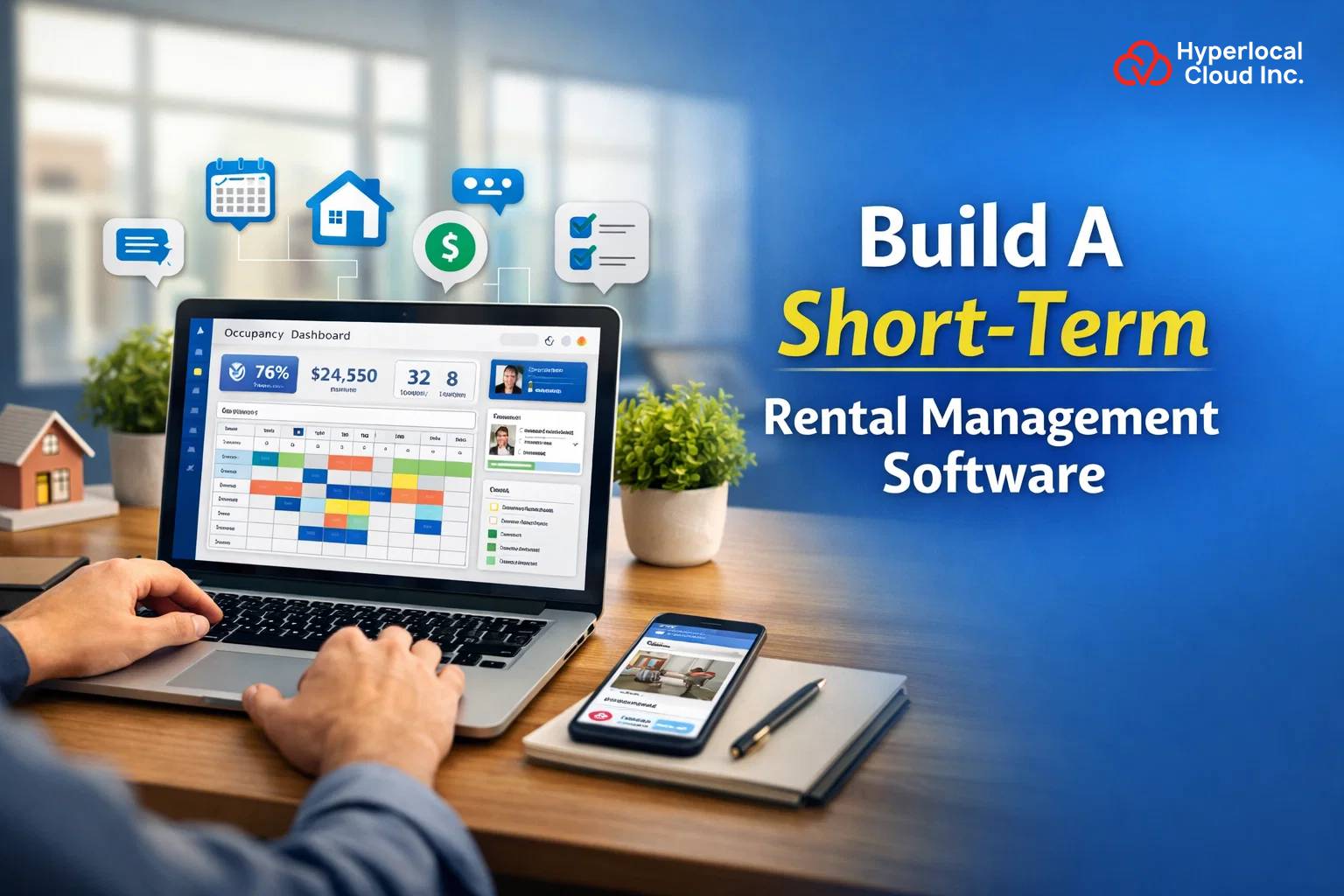
The short-term rental industry has changed significantly with the growth of vacation homes, serviced apartments, holiday rentals, and flexible accommodation. Property owners and managers are handling more listings, bookings, guests, payments, cleaning schedules, and maintenance activities than ever before. Managing these operations manually can quickly become complicated, especially when a business manages multiple properties across different locations.
This is where short-term rental management software can make a major difference.
A rental management platform can centralize property listings, reservations, guest communication, payments, availability, maintenance, reporting, and other operational activities within a single system. Businesses can use the software to reduce repetitive administrative work, improve operational visibility, and provide a smoother experience for property owners, managers, and guests.
This guide explains how to build a short-term rental management software, the features you should include, the technology stack, development process, cost factors, monetization opportunities, and the difference between custom and white-label solutions.
What Is Short-Term Rental Management Software?
Short-term rental management software is a digital platform designed to help property owners, rental companies, and property managers manage properties that are rented for relatively short periods.
Unlike traditional property management systems that may focus heavily on long-term tenants, short-term rental software is designed around frequent bookings, guest turnover, dynamic pricing, availability management, check-ins, checkouts, cleaning, and guest communication.
A typical platform can allow users to:
- Add and manage rental properties
- Create property listings
- Manage room and property availability
- Accept and manage reservations
- Process online payments
- Communicate with guests
- Manage check-ins and checkouts
- Assign cleaning and maintenance tasks
- Track revenue and expenses
- Manage multiple properties
- Generate business reports
The software can be developed as a web-based platform, mobile application, or a combination of web and mobile solutions.
For businesses operating several rental properties, a centralized system can make it easier to monitor operations without switching between multiple tools.
Turn Your Rental Idea Into a Digital Platform
Why Build Short-Term Rental Management Software?
The short-term rental market creates opportunities for businesses that can simplify property operations and improve the guest experience. However, managing properties manually becomes increasingly difficult as the portfolio grows.
Here are some of the main reasons businesses consider building rental management software.
Centralize Property Operations
Property managers can manage listings, reservations, guests, payments, maintenance, and other activities from one dashboard.
Instead of maintaining separate spreadsheets and communication tools, the business can bring important information into one platform.
Automate Repetitive Tasks
Rental businesses deal with repetitive activities such as booking confirmations, payment reminders, check-in notifications, checkout reminders, and cleaning assignments.
Automation can reduce manual work and help staff focus on higher-value activities.
Manage Multiple Properties
A centralized dashboard allows property managers to monitor multiple properties from one location.
They can view occupancy, upcoming reservations, property availability, revenue, and maintenance tasks without opening separate systems for every property.
Improve Guest Communication
Automated notifications can keep guests informed about their reservations, payments, check-in instructions, property rules, and checkout details.
A better communication process can also reduce repetitive questions handled by property managers.
Improve Revenue Visibility
Analytics and reporting features can provide information about bookings, occupancy, revenue, cancellations, and individual property performance.
Managers can use these insights to understand how their rental portfolio is performing.
Support New Rental Business Models
Businesses can use rental software to support vacation homes, serviced apartments, holiday homes, corporate rentals, equipment rentals, and other short-term rental models.
Entrepreneurs exploring different opportunities can also research online rental business ideas to understand how rental platforms can be structured around different products and services.
How Does Short-Term Rental Management Software Work?
A short-term rental management platform typically connects property managers, owners, guests, and administrators through a centralized system.
The basic workflow can look like this:
Step 1: Property Owner Adds a Property
The owner or manager creates a property profile by entering information such as:
- Property name
- Location
- Description
- Photos
- Amenities
- Pricing
- Availability
- House rules
- Cancellation policy
Step 2: Property Becomes Available for Booking
Once the property is configured, its availability can be displayed through the platform.
The system can maintain a real-time calendar to prevent conflicting reservations.
Step 3: Guest Searches for Accommodation
Guests can search properties based on location, dates, price, amenities, property type, and other filters.
Step 4: Guest Makes a Reservation
The guest selects a property, chooses available dates, enters required information, and confirms the reservation.
Step 5: Payment Is Processed
The platform can connect with payment gateways to process booking payments securely.
Depending on the business model, the system can also support deposits, partial payments, refunds, taxes, and platform commissions.
Step 6: Booking Confirmation Is Sent
The guest receives confirmation through email, SMS, push notifications, or in-app messaging.
The property manager can also receive booking alerts.
Step 7: Check-In and Stay Management
The system can provide check-in instructions, access information, and other relevant details.
During the stay, guests can communicate with the property manager or submit maintenance requests.
Step 8: Checkout and Review
After checkout, the system can update property availability, trigger cleaning tasks, request guest reviews, and generate relevant reports.
This automated workflow can make rental operations easier to manage as the number of properties and bookings increases.
Types of Short-Term Rental Management Software
The type of software you build depends on your target market and business model.
Vacation Rental Management Software
This solution is designed for businesses managing vacation homes, holiday properties, villas, cabins, apartments, and similar accommodations.
Rental Marketplace Software
A rental marketplace connects multiple property owners with guests.
Property owners can list their properties while guests can search, compare, book, and pay through the platform.
Property Rental Management Software
Businesses that want to launch quickly can use a pre-built solution and customize its branding, features, workflows, and user experience.
A white-label property management software solution can be particularly useful for businesses that want to launch a branded rental management platform without developing every component from the ground up.
Hybrid Rental Platform
A hybrid platform can combine property management functionality with marketplace capabilities.
For example, a business could manage its own properties while also allowing third-party property owners to list properties on the platform.
Essential Features of Short-Term Rental Management Software
The feature set should be based on the business model, target users, and scale of operations. However, several features are common across modern short-term rental management platforms.
Property Listing Management
Property listing management is one of the most important components of the platform.
Property owners should be able to create and update listings with:
- Property title
- Description
- Images and videos
- Location
- Property type
- Amenities
- Pricing
- Availability
- Guest capacity
- House rules
- Cancellation policies
Administrators can review listings before publishing them.
Booking and Reservation Management
The booking module should provide an overview of upcoming, completed, cancelled, and pending reservations.
Useful functionality can include:
- Booking calendar
- Reservation confirmation
- Booking modification
- Cancellation management
- Availability updates
- Booking history
- Automated booking notifications
The system should update availability as soon as a reservation is confirmed or cancelled.
Calendar Management
A centralized calendar can help property managers understand which properties are occupied, available, blocked, or undergoing maintenance.
Color-coded status indicators and calendar synchronization can make the interface easier to use.
For businesses managing many properties, calendar management becomes particularly important because even a small availability error can result in booking conflicts.
Guest Management
A guest management module can maintain information such as:
- Guest name
- Contact details
- Booking history
- Communication history
- Check-in and checkout information
- Payment records
- Reviews
This information can help property managers provide more personalized service.
Multi-Property Management
Businesses managing multiple properties should be able to access all their properties from a single dashboard.
The system can provide:
- Property-wise performance
- Property availability
- Booking status
- Revenue information
- Maintenance status
- Cleaning schedules
- Occupancy data
This eliminates the need to manage each property independently.
Payment Management
The platform should provide secure payment functionality for booking transactions.
Depending on the business model, payment functionality can include:
- Credit and debit card payments
- Digital wallets
- Deposits
- Partial payments
- Refunds
- Taxes
- Service charges
- Platform commissions
- Invoices
- Transaction history
The payment system should also provide appropriate security measures and maintain accurate transaction records.
Automated Notifications
Automation can significantly improve rental operations.
The system can automatically send:
- Booking confirmations
- Payment confirmations
- Payment reminders
- Check-in instructions
- Checkout reminders
- Cancellation notifications
- Maintenance updates
- Review requests
Notifications can be delivered through email, SMS, push notifications, or in-app messages.
Guest Communication
An integrated communication module can allow property managers and guests to communicate without relying entirely on external messaging applications.
The system can support:
- One-to-one messaging
- Automated messages
- Booking-related communication
- Check-in instructions
- Support requests
- Maintenance communication
Businesses can create message templates for frequently used communications.
Cleaning Management
Cleaning is a critical part of short-term rental operations because properties can have frequent guest turnover.
The software can allow managers to:
- Create cleaning tasks
- Assign cleaners
- Set deadlines
- Track task status
- Add cleaning notes
- Upload completion photos
Once a guest checks out, the system can automatically create a cleaning task for the property.
Maintenance Management
Property managers can use maintenance functionality to track issues such as plumbing problems, electrical issues, appliance failures, or other property-related concerns.
A maintenance module can support:
- Issue reporting
- Task assignment
- Priority levels
- Status tracking
- Technician management
- Maintenance history
- Cost tracking
This can help businesses resolve issues faster and maintain property quality.
Reviews and Ratings
Guest feedback can be collected after checkout.
Guests can rate properties based on factors such as:
- Cleanliness
- Location
- Amenities
- Communication
- Overall experience
Property managers can monitor reviews and identify recurring issues.
Analytics and Reporting
Analytics can help rental businesses understand their performance.
Reports can include:
- Total bookings
- Occupancy rate
- Gross revenue
- Net revenue
- Average booking value
- Cancellation rate
- Property performance
- Guest statistics
- Monthly revenue
- Maintenance expenses
The dashboard can present important KPIs using charts, graphs, and summary cards.
Advanced Features to Add
Once the core platform is established, businesses can introduce advanced functionality to improve efficiency and differentiation.
Dynamic Pricing
Dynamic pricing can adjust rental prices based on factors such as:
- Demand
- Season
- Local events
- Occupancy
- Booking history
- Competitor pricing
AI-Powered Pricing Recommendations
AI can analyze historical booking data and market signals to suggest pricing adjustments.
For example, the system could recommend higher prices during high-demand periods and promotional pricing during periods of lower demand.
AI Guest Communication
AI-powered assistants can respond to common guest questions about:
- Check-in
- Checkout
- Property amenities
- Location
- House rules
- Booking information
Complex questions can be forwarded to human support staff.
Revenue Forecasting
Predictive analytics can help property managers estimate future revenue based on historical and current booking patterns.
Smart Recommendations
The platform can recommend properties to guests based on their location preferences, budget, dates, amenities, and previous interactions.
Smart-Lock Integration
For properties using smart locks, the platform can integrate access systems and provide guests with appropriate entry information.
Build an AI-Powered Rental Management Platform
Admin, Property Manager, and Guest Panels
A successful rental platform should provide different interfaces according to user roles.
Admin Panel
The administrator can manage:
- Users
- Properties
- Bookings
- Payments
- Categories
- Commissions
- Reviews
- Reports
- Support requests
- Platform settings
The admin dashboard should provide an overview of the entire platform.
Property Owner or Manager Panel
Property managers can use their dashboard to manage:
- Properties
- Availability
- Reservations
- Guests
- Payments
- Cleaning
- Maintenance
- Reviews
- Earnings
The dashboard should focus on operational efficiency and provide quick access to frequently used functions.
Guest Panel
Guests should be able to:
- Search properties
- Apply filters
- View property details
- Check availability
- Make bookings
- Pay online
- View reservations
- Receive notifications
- Communicate with hosts
- Request support
- Leave reviews
A simple guest experience can help reduce friction during the booking process.
How to Build Short-Term Rental Management Software
Developing rental management software requires more than simply creating a booking application. The platform needs to connect multiple operational processes into one scalable system.
Step 1: Define the Business Model
First, determine what type of platform you want to build.
For example, you may want to create:
- A property management platform
- A vacation rental management system
- A rental marketplace
- A white-label rental solution
- A hybrid marketplace and property management platform
The business model will influence the features, user roles, monetization model, and technology architecture.
Step 2: Identify Your Target Users
Determine who will use the software.
Potential users include:
- Individual property owners
- Professional property managers
- Vacation rental companies
- Real estate businesses
- Hospitality companies
- Rental marketplace operators
Understanding the target users helps define the right functionality.
Step 3: Research Competitors
Analyze existing rental management platforms to understand:
- Their features
- Pricing models
- User experience
- Target customers
- Integrations
- Monetization strategies
The objective should not be to copy competitors feature by feature. Instead, identify operational gaps and opportunities for differentiation.
Step 4: Define the MVP
Start with the features necessary to launch the first version.
An MVP could include:
- User registration
- Property listings
- Property search
- Booking management
- Availability calendar
- Payments
- Guest management
- Notifications
- Admin dashboard
Advanced features can be introduced after validating the initial product.
Step 5: Design the UX/UI
The interface should be designed around the workflows of owners, managers, guests, and administrators.
The design process can include:
- User flows
- Wireframes
- Prototypes
- Dashboard design
- Mobile layouts
- Responsive web design
The objective is to make complex property operations easy to understand.
Step 6: Select the Technology Stack
Choose technologies based on scalability, security, development requirements, and expected traffic.
The technology stack may include React or Next.js for web interfaces, Flutter or React Native for mobile applications, Node.js or Python for backend services, and PostgreSQL, MySQL, or MongoDB for data storage.
Cloud infrastructure such as AWS, Google Cloud, or Microsoft Azure can be used to support scalable deployment.
Step 7: Develop the Software
Development can be divided into several modules:
- Frontend
- Backend
- Database
- Admin dashboard
- APIs
- Payment system
- Notification system
- Booking engine
Agile development can allow teams to build, test, and improve functionality incrementally.
Step 8: Integrate Third-Party Services
Depending on the requirements, integrations may include:
- Payment gateways
- Maps
- Email services
- SMS providers
- Push notifications
- Calendar APIs
- Accounting systems
- Identity verification
- Smart-lock systems
Third-party integrations should be selected carefully because they can affect reliability and ongoing operating costs.
Step 9: Test the Platform
Testing should cover:
- Functional testing
- UI testing
- API testing
- Payment testing
- Security testing
- Performance testing
- Cross-browser testing
- Mobile testing
- Booking conflict testing
Particular attention should be given to payment processing and availability synchronization.
Step 10: Launch and Scale
After testing, the platform can be deployed to production.
After launch, monitor:
- User behavior
- Booking conversion
- Platform performance
- Payment failures
- Customer support requests
- Feature usage
- Property-owner retention
The product can then be continuously improved using real user feedback.
Technology Stack for Short-Term Rental Management Software
The technology stack depends on the scope of the project.
Frontend
Common options include:
- React.js
- Next.js
- HTML5
- CSS3
- JavaScript
Mobile Application
For mobile applications, businesses can consider:
- Flutter
- React Native
- Swift for iOS
- Kotlin for Android
Cross-platform technologies can be useful when businesses want to launch Android and iOS applications using a shared development approach.
Backend
Potential backend technologies include:
- Node.js
- Python
- PHP
- Java
The backend should be designed to handle bookings, payments, authentication, notifications, property data, and other business logic.
Database
Potential database technologies include:
- PostgreSQL
- MySQL
- MongoDB
The final choice depends on the data structure and application requirements.
Cloud Infrastructure
Cloud services can provide:
- Scalable hosting
- Database infrastructure
- File storage
- CDN
- Monitoring
- Backup
- Security controls
AWS, Google Cloud, and Microsoft Azure are commonly considered for scalable applications.
Integrations Required for Short-Term Rental Software
Integrations can significantly expand the functionality of a rental management platform.
Payment Gateway Integration
Allows guests to pay for reservations and businesses to manage transactions.
Maps and Location Integration
Maps can help users discover properties, understand locations, and calculate distances.
Calendar Integration
Calendar synchronization can help maintain accurate availability.
Email and SMS Integration
These services can automate booking confirmations, reminders, and other notifications.
Identity Verification
Verification services can help businesses collect and validate required guest information.
Accounting Integration
Accounting integrations can simplify financial reporting and reconciliation.
Smart-Home Integration
Smart locks, thermostats, sensors, and other devices can potentially be connected to the rental management system.
Talk to Our Rental Software Development Experts
Short-Term Rental Management Software vs Rental Marketplace
Short-term rental management software and rental marketplace software are related but serve different primary purposes.
A management platform is primarily focused on helping owners or managers operate their properties.
A marketplace is focused on connecting property providers with customers.
For example, a property management platform might be used internally by a company managing 100 vacation homes. A rental marketplace could allow hundreds of independent property owners to list their properties and receive bookings from guests.
Businesses that want to create a broader marketplace model can explore an online rental marketplace approach, where multiple providers and customers interact through one digital platform.
A hybrid solution can combine both models, allowing a company to manage its own properties while also onboarding external property owners.
Custom vs White-Label Short-Term Rental Software
Businesses generally have two major development approaches: custom software development and white-label software.
Custom Software
Custom development starts with the company’s specific requirements.
It provides greater control over:
- Features
- User experience
- Integrations
- Business logic
- Branding
- Technology architecture
- Future expansion
However, custom development generally requires more time and resources.
White-Label Software
White-label software provides a pre-built foundation that can be customized with a company’s branding and selected functionality.
Businesses can customize elements such as:
- Logo
- Colors
- Domain
- User interface
- Features
- Payment options
- Business workflows
This approach can reduce the initial development effort and help businesses enter the market faster.
The right option depends on the company’s budget, timeline, customization requirements, and long-term product strategy.
How Much Does It Cost to Build Short-Term Rental Management Software?
The cost of developing short-term rental management software depends on the complexity of the platform.
A basic MVP with property management, booking, payments, and administration will require fewer resources than a large platform with AI, dynamic pricing, smart-home integrations, advanced analytics, and multi-channel synchronization.
Major cost factors include:
UI/UX Design
The number of user roles, screens, dashboards, and mobile applications affects design requirements.
Development
Backend complexity, frontend functionality, mobile applications, APIs, and administrative tools all influence development costs.
Integrations
Payment gateways, maps, calendars, accounting systems, smart locks, and external rental channels can increase development requirements.
Security
Authentication, payment security, data protection, access controls, and monitoring need to be considered during development.
Testing
A complex booking platform requires extensive testing to prevent problems such as double bookings, payment errors, incorrect availability, and notification failures.
Maintenance
After launch, businesses need ongoing maintenance, security updates, bug fixes, infrastructure management, and feature enhancements.
For a more accurate estimate, development teams generally evaluate the required features, platforms, integrations, target market, and expected scale before preparing a project proposal.
How Long Does It Take to Build?
Development time depends on the product scope.
A basic MVP can be developed faster than a full-scale rental management ecosystem.
A typical development process may include:
- Business analysis
- UI/UX design
- Backend development
- Web development
- Mobile development
- API integrations
- Testing
- Deployment
A white-label solution can generally reduce the time required to launch because the underlying software already exists.
Custom development requires more time because the product architecture and functionality are created around the business requirements.
Build Your Short-Term Rental Software Today
How to Monetize Short-Term Rental Management Software
There are several ways to generate revenue from rental management software.
Subscription Plans
Charge property owners or managers a recurring monthly or annual fee.
Plans can be based on:
- Number of properties
- Number of users
- Features
- Booking volume
Booking Commission
A platform can charge a percentage of each completed reservation.
Listing Fees
Property owners can pay to list their properties on a rental marketplace.
Transaction Fees
The platform can charge a small fee on transactions processed through the system.
Premium Features
Advanced functionality such as analytics, dynamic pricing, automation, AI tools, or additional integrations can be offered as premium features.
Enterprise Plans
Large property management companies can be offered customized plans with advanced permissions, integrations, dedicated support, and higher usage limits.
Challenges in Building Short-Term Rental Management Software
Although rental software can automate many operations, development comes with several challenges.
Real-Time Availability
Availability must remain accurate across bookings, cancellations, blocked dates, maintenance periods, and external channels.
Payment Security
Financial transactions require secure payment processing and appropriate data protection practices.
Calendar Synchronization
Multiple booking channels can create synchronization challenges if availability is not updated correctly.
Scalability
The architecture should be capable of supporting more properties, users, bookings, and transactions as the business grows.
Data Privacy
The platform may handle personal, booking, and payment-related information, making security and privacy important considerations.
Third-Party API Dependencies
External APIs can change their pricing, functionality, limits, or technical requirements, which can affect the platform.
Property Quality Management
Managing cleaning, maintenance, check-ins, and guest expectations becomes increasingly difficult as the number of properties grows.
How Property Management Software Fits Into the Larger Rental Ecosystem
Short-term rental management is one part of the broader property technology ecosystem.
A complete platform can eventually expand into:
- Long-term property management
- Tenant management
- Rental payments
- Maintenance management
- Property accounting
- Property marketing
- Rental marketplaces
- Vacation rental management
Businesses planning a broader property technology product can also explore property management app development to understand how property management functionality can be structured into a dedicated application.
For smaller property owners, the requirements can be different from those of large property management companies. Features such as rent tracking, tenant communication, maintenance, and property expenses may become more important. Businesses targeting this audience can therefore study solutions focused on property management software for small landlords before finalizing their product scope.
How Hyperlocal Cloud Can Help Build Short-Term Rental Management Software
Building a rental management platform requires expertise across web development, mobile applications, backend systems, payment integrations, cloud infrastructure, and user experience.
Hyperlocal Cloud can help businesses develop rental technology solutions based on their specific business models.
The development approach can include:
- Custom rental management software
- White-label rental solutions
- Property management platforms
- Rental marketplace development
- Web applications
- Mobile applications
- Admin dashboards
- Payment integrations
- API integrations
- Scalable cloud infrastructure
Businesses can start with an MVP and gradually introduce advanced functionality such as automation, AI-based recommendations, analytics, dynamic pricing, and smart-property integrations.
The development strategy should ultimately be based on the target market, number of properties, user types, revenue model, required integrations, and expected growth.
Final Thoughts
Short-term rental management software can help property owners and rental businesses bring booking, property, guest, payment, maintenance, and operational activities into one centralized system.
The development process should begin with a clearly defined business model and target audience. From there, businesses can identify the essential MVP features, design the user experience, select an appropriate technology stack, integrate third-party services, test the platform, and launch it in stages.
For businesses that require complete control over their product, custom development provides flexibility for creating unique workflows and features. Businesses looking for a faster route to market can consider a white-label solution and customize it according to their branding and requirements.
As the short-term rental industry continues to evolve, features such as automation, dynamic pricing, AI-powered communication, analytics, smart locks, and predictive insights can help rental businesses build more efficient technology ecosystems.
FAQs (Frequently Asked Questions)


Need Help With
Development?