How to Build a Calorie Tracker App Like Foodvisor
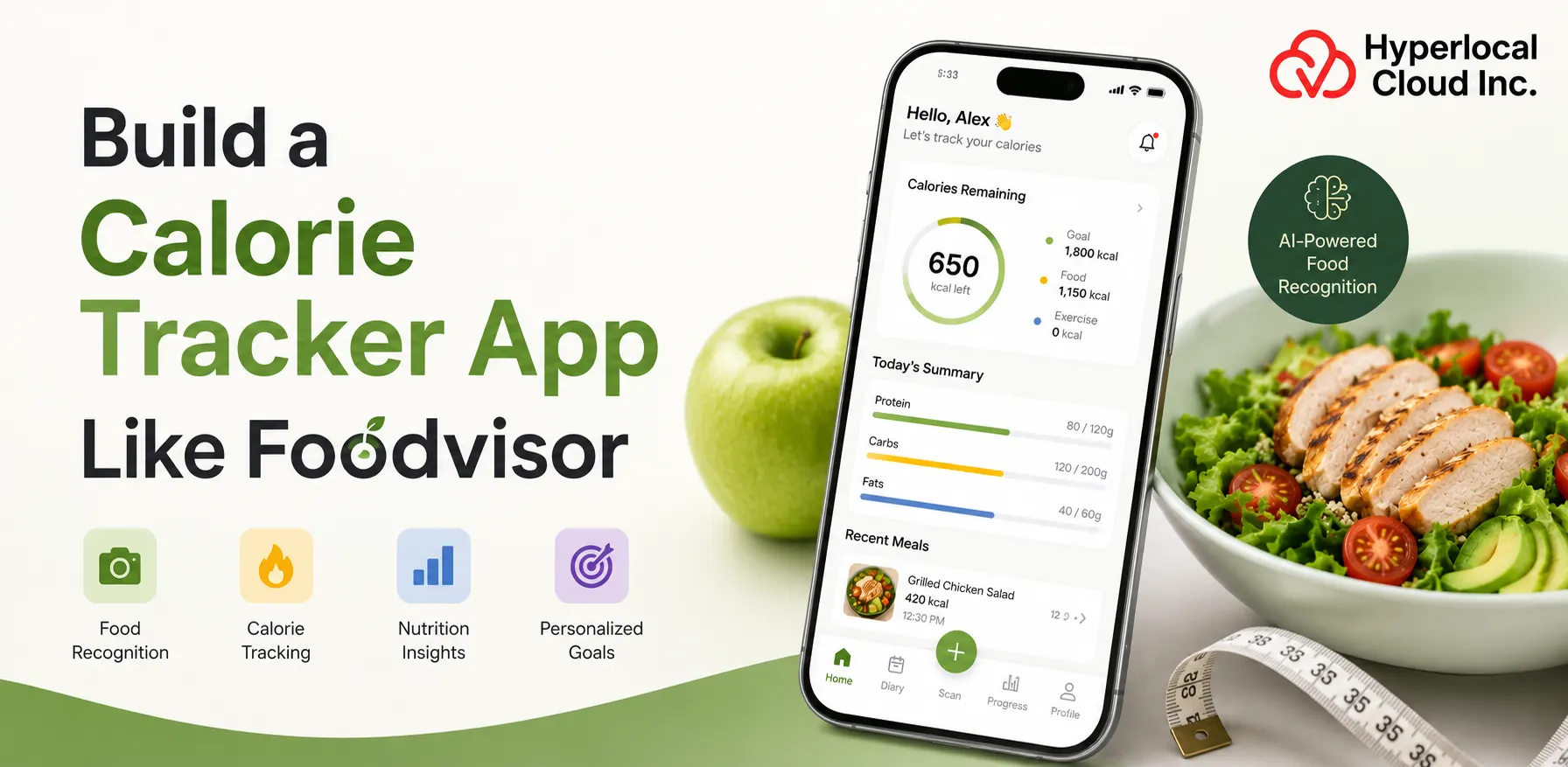
- Foodvisor is a calorie and nutrition tracking app that helps users understand what they eat and keep track of their daily food intake.
- The app uses AI to identify foods from meal photos. Users can also enter food details manually or scan a product barcode.
- Foodvisor lets users set goals such as weight loss, weight maintenance, muscle gain, or a more balanced diet.
- The app also includes activity tracking, recipes, nutrition information, meal summaries, and personalized calorie and nutrition targets.
- The calorie-tracking app market is moving toward simpler, more personalized experiences. AI-based food recognition, photo-based meal logging, goal tracking, and personalized nutrition guidance are becoming important parts of these apps.
- Foodvisor reflects this shift by combining food tracking with AI, personalized goals, nutrition information, and coaching features.
In a world where health and wellness have become an everyday priority, understanding what we eat is becoming just as important as staying active. Yet keeping a detailed record of every meal, ingredient, and calorie can be difficult. This is where Foodvisor enters the picture.
Foodvisor is a nutrition and calorie-tracking app that uses artificial intelligence to make food tracking simpler and more personalized. From taking a photo of a meal to scanning a barcode or logging food manually, the app gives users a convenient way to monitor their calorie and nutrient intake.
A report from Grand View Research states that the global market for diet and nutrition apps is valued at $2.1 billion in 2024, is expected to grow to around $2.8 billion in 2026, and is expected to reach around $4.6 billion by 2030, at a CAGR of 13.4% from 2025-2030.
This is a great opportunity for businesses looking to start their business journey with an application that can transform the health and wellness industry. That’s why businesses should review this blog to learn how to build their own calorie-tracking app like Foodvisor, with advanced features, an effective revenue model, and an understanding of development costs.
Know About Foodvisor App
Foodvisor is a calorie-tracking and nutrition app designed to help people understand their eating habits in a simple, convenient way. Instead of relying only on a traditional food diary, the app gives users different ways to record what they eat. Users can take a photo of a meal, scan a food barcode, or manually enter the food and its quantity. Foodvisor then provides information about the food and its nutritional value.
Build Your Calorie Tracker App With Our Expert Development Team Today
From Food Photo to Calorie Count: How a Foodvisor-Like App Works
Overall, a Foodvisor-like app combines AI-powered food recognition, calorie estimation, nutrition analysis, and personalized insights to make everyday dietary tracking faster, simpler, and more accurate.
1. User creates an Account
The first step is to create an account. Individuals can typically log in with an email address, a smartphone number, or a current social account, depending on the app.
2. User Enters Personal Information
After creating an account, users are usually asked to provide some basic non-public information. This may also include age, gender, height, weight, activity level, and other information useful for assessing daily caloric needs.
3. App Calculates Recommended Calorie Intake
Once the user has provided their information and goals, the app can estimate how much energy they will want per day. The calculation takes into account factors such as age, height, weight, and goal.
4. User Searches for Food
After setting up their profile, the user can start recording meals. An easy option is to take food photos. This allows the app to use image recognition technology to identify the food seen within the image.
5. AI Identifies Food Items and Estimates Portions
When a user takes a picture of food, AI and image recognition technology can examine the image. The app looks at the picture and tries to identify any unusual food items present. For example, a user could take a picture of rice, vegetables, bread, or fruit.
6. Nutrition Data is Retrieved from a Food Database
After identifying meal items, the app requests nutrition data for a meal. The app allows verified foods to join a food database. This database can contain information about calories, protein, carbohydrates, fat, fiber, and other nutrients.
7. Calories and Macronutrients are Calculated
When the app has foods, ingredient sizes, and vitamin statistics, it can calculate the meal’s total calories and macronutrients. Basic macronutrients are protein, carbohydrates, and fat. The app can show how users have consumed each nutrient throughout their meals.
8. Daily Nutrition Targets are Updated
The final step is updating the user’s daily nutrition progress. When a meal is saved, the app adds its calories and nutrients to the user’s daily record. The app can then show how much of the user’s daily calorie target has already been used and how much is left.
Must-Have Features Every Calorie Tracking App Needs
By incorporating these essential features, your calorie tracking app can deliver a convenient, personalized experience that helps users monitor their nutrition, understand their habits, and stay consistent.
1. User Registration and Profiles
It also allows users to create accounts and add private information, health preferences, indulgence levels, and vitamin options.
2. Calorie and Nutrition Calculator
It calculates daily calorie needs and presents suggested goals for energy, protein, carbohydrates, fat, and other nutrients.
3. Food Logging
It allows users to record meals, snacks, fluids, and portions of food throughout the day.
4. AI-Powered Food Recognition
It uses AI to detect food items from images, making food logging faster and less complicated.
5. Food Calorie Database
Provides calorie and vitamin data for a wide range of foods, ingredients, and packaged goods.
6. Daily Nutrition Dashboard
Each day shows caloric intake, residual energy, macronutrients, and progress toward a nutritional goal in a neighborhood.
7. Personalized Recommendations
It primarily provides food and vitamin recommendations based on the user’s dreams, eating habits, and recorded meals.
8. Meal Planning
It helps users plan meals in advance based entirely on their calorie goals, meal options, and dietary preferences.
9. Progress Tracking
It allows users to see changes in their food intake, weight, activity, and overall development over time.
10. Notifications and Reminders
It sends reminders to log food, drink water, stay active, or track planned dates.
11. Integrations
It connects with fitness trackers, smartphones, fitness apps, and other platforms to collect fitness-related data.
12. Admin Panel
Enable an admin panel to manage customers, food data, subscriptions, content, reports, and other app settings.
Build Essential Calorie Tracking Features Into Your App With Experts
AI-Powered Features That Can Take Your Foodvisor-Like App Further
Advanced AI capabilities can take your app beyond basic calorie counting, offering smarter recommendations, deeper nutritional insights, and a highly personalized experience that keeps users engaged.
1. AI Food Image Recognition
Uses advanced AI to recognize multiple food items in a meal photo and make food identification more convenient.
2. Portion Size Estimation
Uses image analysis and other available information to estimate the amount or serving size of each food item.
3. AI Nutrition Estimation
Analyzes identified foods and estimated portions to provide calorie, protein, carbohydrate, fat, and other nutrition estimates.
4. Personalized AI Nutrition Coach
Acts as a virtual nutrition assistant that provides guidance, answers food-related questions, and supports users as they work toward their goals.
5. AI-Based Meal Recommendations
Suggests suitable meals and food combinations based on calorie targets, nutrition needs, dietary preferences, and previous eating habits.
6. Predictive Insights
Uses a user’s previous food and activity data to identify patterns and provide insights about future progress, eating habits, and possible goal outcomes.
How to Build a Calorie Tracking App Like Foodvisor From Idea to Launch
Following a structured development process helps transform your nutrition app idea into a reliable product while ensuring usability, scalability, performance, and alignment with your target audience’s evolving needs.
1. Define the Target Audience
The first step is to decide who the app is built for. The audience can be individuals who want to lose weight, fitness fans, people who need to improve their consumer behavior, athletes, or consumers who need to take their food intake further. It is also helpful to identify the issues customers face with current vitamin apps. This allows you to create a more convenient and useful app.
2. Define the MVP
The next step is to define a minimum viable product. It contains the primary tasks needed to launch the primary working version of the application. MVPs for a nutrition tracking app can include user registration, private profiles, calorie counting, food logging, food database, daily nutrition dashboards, primary goal tracking, and notifications.
3. Design UX/UI
User satisfaction should be paramount when designing a nutrition tracking app. Users may also want to document multiple instances of late feeding, so the system needs to be accurate and flexible. The app should have simple navigation and a clean display for important responsibilities, including adding meals, viewing calories, checking macronutrients, and reviewing progress.
4. Develop the Backend
The backend manages the application’s core functions. It manages individual bills, profiles, food records, nutrient records, subscriptions, notifications, and miscellaneous information. The backend also integrates mobile and web usability with external databases and services.
5. Develop AI/ML Components
If the application is a food brand that relies primarily on AI, the development team needs to build or assemble a food intelligence tool that can analyze food images. An AI tool can be trained or configured to identify unusual foods from images. It can also be designed to capture more than one meal in the same photo.
6. Integrate Nutrition and Food APIs
A calorie-tracking app needs access to reliable food and nutrition facts. Instead of creating an entire food database from scratch, developers can connect the app with appropriate food and nutrition APIs. These APIs can provide records that include energy, protein, carbohydrates, fat, ingredients, and various nutrient information.
7. Build and Test the App
Once the designs, backend, AI components, and external APIs are ready, developers can start assembling the entire application. The mobile application combines the user interface with the backend and various offers. Developers then create meaningful persona flows by creating an account, setting calorie goals, recording meals, viewing nutrient statistics, and checking daily trends.
8. Functional Testing
A functional test to assess whether each feature works as predicted. AI features should also explore different food images, lighting conditions, ingredient sizes, and food combinations. The team will look at how the app responds when the AI cannot confidently identify the food item.
9. Launch and Continuously Improve
After testing, the software can be released through select app stores or other distribution channels. The launch should not be considered the end of development. Once real users start using the app, they can provide valuable feedback on tasks, performance, food accuracy, and overall experience.
Choosing the Right Tech Stack for Your Nutrition Tracking App
Choosing the right technology stack ensures your app can efficiently handle AI workloads, nutrition databases, user data, integrations, and future feature expansion without compromising performance or security.
| Category | Tech Stack |
| Mobile App | Flutter or React Native for cross-platform development; Swift for iOS and Kotlin for Android when native development is preferred. |
| Frontend | React, Next.js, Flutter, or React Native depending on whether a web or mobile application is being developed. |
| Backend | Node.js with NestJS or Express, Python with FastAPI or Django, or another scalable backend framework. |
| Database | PostgreSQL or MySQL for structured user and nutrition data; MongoDB can be used for certain flexible data requirements. |
| Cloud Infrastructure | AWS, Google Cloud, or Microsoft Azure for hosting, storage, databases, and scalable application services. |
| AI/ML | PyTorch, TensorFlow, or other machine learning tools for food recognition and nutrition-related AI features. |
| Computer Vision | OpenCV and AI-based image processing tools for analyzing meal photographs. |
| Food and Nutrition Data | Food and nutrition APIs or licensed food databases for calories, nutrients, ingredients, and serving information. |
| Authentication | OAuth, Firebase Authentication, Auth0, or a custom secure authentication system. |
| Notifications | Firebase Cloud Messaging, Apple Push Notification service, or another push notification platform. |
| Analytics | Firebase Analytics, Google Analytics, Mixpanel, or similar analytics platforms. |
| Payments | Stripe, Apple in-app purchases, and Google Play Billing for subscriptions and premium features. |
Key Challenges to Solve When Developing a Calorie Tracking App Like Foodvisor
Understanding these challenges early allows development teams to plan effective solutions, reduce technical risks, improve data accuracy, and create a dependable nutrition tracking experience for users.
1. Food Recognition Accuracy
AI-driven food recognition should be able to efficiently identify specific foods in food snapshots. This can be difficult when foods look the same, when many foods are combined, or when the image is dark or unclear. Mistaking one food for another can lead to inaccurate estimates of calories and nutrients.
2. Portion-Size Estimation
Knowing what foods are in the picture is only part of the problem. The app will also estimate how much of the food the person ate. It can be difficult to estimate portion sizes from barefoot photos, especially when the photo does not accurately show the size or intensity of the meal.
3. Nutrition-Data Quality
The app wants reliable vitamin information to provide useful calorie and nutrient estimates. If the food database contains outdated, incomplete, or inaccurate data, the results displayed to consumers may also be incorrect. Therefore, it is important to choose reliable information resources and review the facts regularly.
4. Regional Food Differences
Food habits can vary greatly from one region or country to another. A database that works well for one market will not contain enough neighboring recipes, ingredients, packaged ingredients, or unusual portion sizes for another. If the app is designed for users in one type of nation, it should promote regional cuisines.
5. User Adherence
Users start monitoring their food; however, after a few days or weeks, they may stop if the system takes too much time. Asking customers to enter each component and part manually can make the experience tedious. The app wants to make food logging quick and easy so that customers are much more likely to continue using it.
6. Large Food Databases
A vitamin application can additionally be required to help with a huge number of foods, elements, recipes, restaurants, and packaged products altogether. Managing this volume of data may require a robust database configuration, regular updates, and appropriate search and filtering infrastructure.
7. Personalization
Different consumers have unique calorie preferences, food preferences, health preferences, and dietary requirements. By creating useful hints for each user, the app calls them to understand their profile and, furthermore, the business. At the same time, personalization must be treated carefully so that guidelines remain useful and do not become repetitive or flawed.
8. Privacy and Security
Nutrition apps can store personal data, including age, weight, height, activity level, food information, and fitness goals. Will deal with this file safely. Developers must use appropriate security practices for data storage, information exchange, identity authentication, and access management.
9. AI Inference Costs
As the number of users increases, AI inference costs can also rise. Developers need to stabilize overall AI performance through infrastructure spending.
10. Cross-Platform Performance
A calorie tracker app may additionally require images on certain smartphones, operating systems, screen sizes, and hardware levels. With a digital camera-based food recognition feature, features can behave differently depending on the device. Testing the software on specific systems is important for a smooth experience.
11. Maintaining Accurate Nutritional Information
Nutrition information can change as food products change, databases are updated, and new products enter the market. The development team needs a process to review and update nutritional information. This is especially important for packaged foods and products that may have different nutritional values in different regions.
Solve AI Food Recognition Challenges With Experienced Development Specialists
Development Pitfalls That Can Cost Your Foodvisor-Like Nutrition App Users
Avoiding these common mistakes can save development time and costs while helping you build an accurate, user-friendly, secure, and engaging calorie tracking application that delivers lasting value.
1. Building too many Features Before Validating the MVP
Adding more features at the beginning can increase development time and costs without showing whether customers really want them. Start with a profitable MVP, test it with real customers, gather feedback, and then add more functionality based on what users find valuable.
2. Depending Entirely on AI-Generated Nutritional Estimates
While AI could simplify food selection and logging, it shouldn’t be treated as a fully reliable source of nutrition facts. AI-based estimates can be inaccurate, especially for nutrient-dense foods. Users should be able to review and edit AI-generated results.
3. Using Unreliable Food Data
Poor-quality food information can affect the entire app experience. If calorie and nutrient numbers are incorrect, users may lose trust in the app. Developers should use reliable food statistics resources and create a process to review and replace records.
4. Ignoring Regional Foods
An overreliance on general content from one market can make the app much less useful to people in other regions. Developers should not overlook nearby recipes, ingredients, packaged ingredients, portion sizes, and eating habits while expanding the app to new markets.
5. Designing a Complicated Meal-Logging Experience
If users have to complete multiple steps to report food, they will stop using the app. Food logging should be simple and concise. Image recognition, food search, barcode scanning, fresh food, stored food, and agile growth can help reduce the effort required of customers.
6. Neglecting Privacy
Ignoring privacy throughout the redesign can create serious problems later. Developers should plan for data security from the beginning and explain what information the application collects and why it needs it. Strong authentication, secure data storage, managed access, and proper privacy practices must be part of the development process.
7. Underestimating AI Infrastructure Costs
AI capabilities can end up costing a lot when many customers use them frequently. Teams need to estimate the cost of image processing, publishing, website hosting, storage, and various AI services before starting. Effective fashion and business strategies can help manage those costs.
8. Failing to Test Recommendation Quality
Use individual food and nutrition recommendations carefully. The recommendation may look technically useful but be off-point or misleading for a particular user. Testing with unique user profiles can help identify terrible suggestions before they reach a larger target audience.
9. Not Planning for Scalability
An application that works well with a small number of users may also face performance issues as the user base grows. Developers must plan databases, backends, APIs, cloud infrastructure, and AI systems to handle growing traffic and data.
10. Treating Post-Launch Maintenance as Optional
Launching an app is the best start. Food databases will need updates, pests will need to be solved, AI models may need improvement, and operational infrastructure will continue to change. User comments can reveal new problems and feature requests. Thus, regular maintenance and updates are essential to keep the software reliable and useful over the years.
What Will Make Users Choose Your App Over the Competition?
A strong combination of AI innovation, personalization, intuitive design, reliable nutrition data, and meaningful user engagement can help your nutrition app differentiate itself in a competitive market.
1. Faster Meal Logging
Meal logging should take as little time as possible because clients also want to log multiple meals each day. Features like image-based food recognition, barcode scanning, recent meals, saved meals, and quick search can reduce manual effort.
2. Better Regional Food Coverage
The robust food database needs to include foods that people honestly eat in their area. The app can be especially useful in specific countries and markets by adding local dishes, ingredients, packaged ingredients, restaurant meals, and standard portion sizes.
3. More Accurate Portion Estimation
The app can use AI and image analysis to estimate food portions from snapshots. Giving customers a clean way to adjust anticipated ingredients can make it more realistic and improve the diet-control experience.
4. Personalized Nutrition Coaching
Customized nutrition coaching can use the user’s preferences, food records, activities, and choices to provide useful guidance. Instead of giving the same recommendation to everyone, the app can offer options more relevant to each user.
5. Strong UX
A simple, well-designed user experience can make the difference. Users can log meals, track their daily progress, and understand their nutritional stats without switching through too many screens.
6. Wearable Integrations
Combining the app with smartphones and health monitors can give customers a complete view of their interests for each day. Data such as steps, exercise, and activity can be used alongside food intake to help clients understand their normal development.
7. Recipe Intelligence
Recipe intelligence can help consumers understand the nutritional value of homemade food. The app can let users input ingredients or add a recipe, then estimate the calories and nutrients for the entire recipe and a personal serving.
8. Goal-Specific Recommendations
The recommendations should be tailored to the individual’s specific needs. Anyone trying to shed pounds may want meal suggestions from someone aiming for muscle gain or weight maintenance.
9. Gamification
Activities such as simple games can make routine supervision more appealing. Bars, milestones, badges, positions requiring progress, and fulfillment rewards can encourage customers to conserve and steer users towards their goals.
10. Community Features
Community features can help users feel more connected and stimulated. Depending on the app’s audience, these features could include businesses, challenges, progress sharing, chat, or the ability to modify healthy recipes and meal ideas.
11. Transparent Nutrition Estimates
Consumers should understand where the calorie and vitamin estimates come from. Clearly indicating that the quantity is an estimate and allowing users to change the size of a food item or ingredient can help create an idea within the app.
12. Offline-Friendly Functionality where Appropriate
Some basic skills can save a job if the user’s internet connection is poor or unavailable. For example, customers must document meals offline and have facts coordinated by sending connections back. This can make the app extra convenient for customers who are on the go or in areas with poor connectivity.
Finding a Development Team That Can Turn Your Foodvisor-Like App Idea Into Reality
The right development partner should offer proven technical expertise, relevant healthcare or fitness app experience, transparent communication, and a clear approach to delivering your product successfully.
1. Experience with Health, Fitness, or Nutrition Applications
A food delivery app development partner with experience with health, wellness, or nutrition apps may not already understand the unconventional product needs and individual expectations in this area. Ask to review current projects and share what the team learned from building them.
2. AI/ML Expertise
Whether the app uses food image recognition, portion estimation, customized advice, or an AI vitamin coach, the development follower can take real joy in learning AI and gadgets. Ask about previous AI jobs and how the team handles version checks, accuracy, and continuous improvement.
3. Mobile Development Capabilities
Participants should have strong experience improving mobile apps for systems you plan to help. This should include iOS, Android, or mobile platform improvements. The group must also understand how to create apps that work well on particular devices.
4. API and Third-Party Integration Experience
Nutrition applications often rely on food databases, wearable systems, payment services, analytics tools, information structures, and other third-party services. Your legal team should be comfortable integrating and managing these service types.
5. Security Practices
Since vitamin apps can handle private lifestyle data, remember protection from the start. Ask your development partner how they protect user accounts, store records, manage access, secure APIs, and handle touch data.
6. UI/UX Portfolio
Let colleagues review previous UI/UX images before making a decision. Look for packages that are smooth to navigate and have simple user flows. A proper design team should be able to showcase a complex system where nutrients are tracked and tracked in an experience that feels accessible to users.
7. QA Capabilities
Quality assurance is important to test every original and best software feature. Improvement trackers should have a clear testing process that includes capabilities, functionality, protection, individual tools, APIs, and, where applicable, AI-powered features.
8. Post-Launch Support
Approaching a development partner doesn’t have to end when the app launches. Ask whether or not the company provides ongoing maintenance, malware fixes, performance improvements, security updates, and new feature fixes.
9. Transparent Development Process
A trusted development partner should explain how to plan, develop, test, and add an event. Regular updates, clear timelines, defined responsibilities, and open conversations could simplify app development and drive improvements.
10. Ability to Scale the Product
The companion should be able to build an app that can scale as the user base grows. The technology infrastructure needs to be ready to deal with more users, larger food databases, more AI requests, and more integrations without requiring a full product redesign.
How Much Does It Cost to Build a Calorie Tracker App Like Foodvisor?
The cost to develop a calorie tracker app like Foodvisor starts at $7,000, which is a rough estimate because of the involvement of several cost-influencing factors. In simple words, the cost is not stable because the more advanced businesses look into the application, the higher the cost will be. Otherwise, businesses should consult with an experienced fitness tracking app development company to get the exact amount for the development cost.
Factors that Influence the Overall Development Cost
- Platform: iOS, Android, or both
- UI/UX complexity
- Backend complexity
- Food database/API costs
- AI model development
- Third-party integrations
- Admin dashboard
- Security and compliance
- Testing
- Post-launch maintenance
Get an Accurate Development Estimate Based on Your App Requirements
Proven Ways to Monetize Your Calorie Tracking App Like Foodvisor
Selecting the right monetization model depends on your target audience, feature set, and growth strategy, with subscriptions, premium features, partnerships, and in-app purchases offering scalable revenue opportunities.
1. Freemium Model
The freemium model lets users download and use the app’s basic model at no cost. Basic features can include food logging, calorie tracking, a simple vitamin dashboard, and access to a restricted food database.
2. Monthly Subscription
Monthly subscriptions give users access to top-of-the-line features at the standard monthly price. Depending on the app, the plan may include advanced diet tracking, AI food popularity, special reports, personalized advice, and other premium tools.
3. Annual Subscription
Annual memberships let customers pay for a full year to qualify for top-tier access. Businesses may offer a plan once a year for a lower monthly fee compared to a monthly subscription.
4. Premium AI Features
AI can be a top-tier feature that provides value to users. For example, paid users could get popular food images, progressive element ratings, AI-generated meal suggestions, or access to a customized AI nutrition assistant.
5. Personalized Meal Plans
Individual dining plans can be offered as part of top-class package deals. The app can create meal indicators based on calorie goals, food preferences, diet preferences, health goals, and prior meal information.
6. Coaching Subscriptions
The app can provide paid access to nutritionists or health professionals. Users can receive personalized guidance, progress assessment, food advice, and assistance based primarily on their personal preferences.
7. Partnerships
Partnerships can share sales communications. A vitamin program can create images with fitness brands, health clinics, gyms, food companies, healthcare facilities, or various related businesses.
Conclusion
Building a nutrition tracking app like Foodvisor involves much more than creating a calorie counter. A successful app needs to make food logging simple, provide useful nutrition information, and give users a clear way to understand their progress. With a clear product plan, useful features, reliable data, a simple user experience, and continuous improvement, a nutrition tracking app can provide real value to users while also creating a sustainable business opportunity.
If you’re planning to build a calorie tracking or nutrition app, our team can help turn your idea into a scalable product, from brainstorming to implementation. Contact us to discuss your app idea and get a customized development estimate.

Ritu Thakur is a technical writer with more than 7 years of experience creating high-quality content for a wide range of industries. She specializes in developing clear, engaging, and well-researched technical and business content tailored to diverse audiences and industry requirements.

Need Help With
Development?