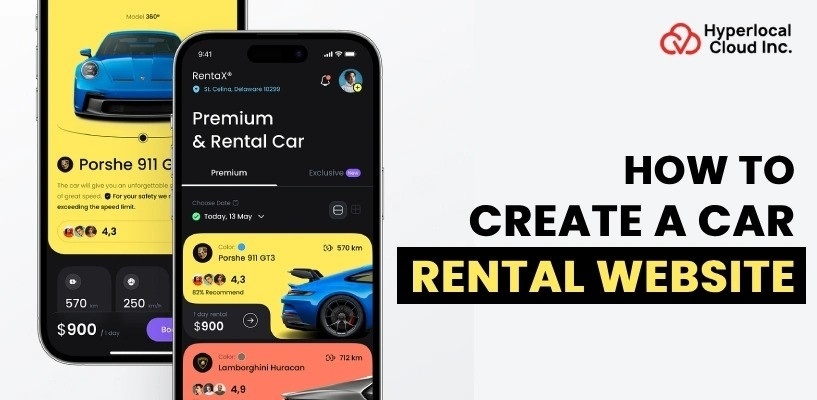
A car rental website is more than a digital catalog of vehicles. It needs to help customers find suitable cars, check availability, compare prices, make reservations, complete payments, and manage their rentals without relying on phone calls or manual coordination.
For rental businesses, the website also becomes a central place to manage vehicles, bookings, customers, pricing, payments, and daily operations. If you are planning to build one, the first step is to decide how the rental business will work and then design the technology around that model.
This guide explains how to create a car rental website, including the business models, booking workflow, essential features, technology stack, development process, cost, timeline, and factors to consider before launch.
How Does a Car Rental Website Work?
A typical web-based car reservation system connects customers with available vehicles and handles the reservation process from start to finish.
A customer generally begins by entering a pickup location, rental dates, and preferred vehicle type. The website checks the available inventory and displays cars that can be booked during that period.
After selecting a vehicle, the customer reviews the rental price, mileage limits, deposit requirements, insurance options, and other terms. They then provide their details, complete any required verification, pay for the booking, and receive a confirmation.
Behind the scenes, the system updates the vehicle’s availability and records the reservation. Depending on the business model, staff or vehicle owners can then prepare the car for pickup.
The basic workflow looks like this:
Search → Vehicle selection → Availability check → Pricing → Customer details → Verification → Payment → Booking confirmation → Pickup → Return
A well-designed system should also handle changes, cancellations, refunds, late returns, additional charges, and vehicle availability after the rental ends.
Build a Scalable Car Rental Website Tailored to Your Business Needs
Choose the Right Car Rental Business Model
Before creating a car rental website, decide how the rental business will operate. The business model affects the website’s user roles, booking process, payment flow, vehicle management, and required features.
Single-Vendor Car Rental Website
In this model, one rental company owns or manages the vehicles available on the website. Customers can browse the fleet, check availability, select rental dates, make payments, and manage their bookings online.
The company controls vehicle listings, pricing, availability, customer bookings, pickup and return processes, and maintenance. This model is suitable for rental companies that want to move their existing reservation operations online.
Multi-Vendor Car Rental Marketplace
A multi-vendor platform allows multiple rental companies or vehicle owners to list their cars and accept bookings through one website. Customers can compare vehicles from different providers and choose the option that fits their requirements.
The platform needs additional functionality for vendor registration, vehicle approval, vendor dashboards, commissions, payouts, and dispute management. The booking and payment system must also handle transactions between customers, vendors, and the platform.
Peer-to-Peer Car Rental Platform
A peer-to-peer platform allows individuals to list their personal vehicles for other users to rent. Customers can browse available cars, review owner and vehicle information, choose rental dates, and complete bookings through the platform.
Since vehicles are supplied by individuals, the platform may need identity and vehicle verification, security deposits, reviews, digital agreements, and damage or dispute management. This makes the model more similar to a marketplace than a traditional rental website.
Fleet and Branch-Based Car Rental Website
This model is designed for rental companies operating vehicles across multiple branches or locations. Customers can select where they want to pick up and return a vehicle while the system manages availability across the company’s fleet.
The website can also help administrators manage branch inventory, reservations, vehicle transfers, and maintenance. This is useful for rental businesses that need centralized control over vehicles across multiple locations.
What Features Should a Car Rental Website Have?
The features of a car rental website should be based on how the business operates and what customers need during the rental process. A single-company rental website may mainly require fleet, booking, payment, and customer management, while a marketplace will need additional tools for vendors, commissions, payouts, and verification.
Instead of trying to launch every possible feature at once, start with the functionality required to search for vehicles, complete bookings, process payments, and manage rentals. Additional features can be introduced as the platform grows.
Essential Customer Features
Vehicle Search and Filtering
The search experience should help customers find suitable vehicles without going through every listing manually. Customers should be able to enter their pickup location and rental dates and then narrow the results based on factors such as vehicle type, price, transmission, seating capacity, and other relevant requirements.
Detailed Vehicle Listings
Each vehicle should have a dedicated page containing the information customers need before making a booking. This can include vehicle images, specifications, rental rates, mileage limits, deposit requirements, pickup information, availability, and rental policies.
A clear vehicle details page reduces uncertainty and allows customers to compare different options before moving to checkout.
Availability and Booking
The website should show whether a vehicle is available for the selected rental period. Once a customer confirms a booking, the system should update the vehicle’s availability to prevent another customer from booking the same vehicle for overlapping dates.
Customers should also be able to view their upcoming and previous reservations and make changes or cancellations when permitted by the rental policy.
Online Payments
An integrated payment gateway allows customers to pay for their reservations directly through the website. Depending on the business model, the payment system may also need to handle security deposits, refunds, additional charges, and vendor payouts.
The checkout process should clearly display the rental price, taxes, fees, deposits, and any optional services before the customer completes the payment.
Customer Account
A customer dashboard gives renters a central place to manage their account and rental activity. It can contain personal information, booking history, upcoming reservations, uploaded documents, saved vehicles, and payment-related information.
Keeping these details within the account also makes repeat bookings easier because customers do not have to enter the same information every time.
Notifications
Customers should receive timely updates throughout the rental process. Booking confirmations, payment receipts, pickup reminders, cancellation notices, and return reminders can be delivered through email, SMS, or push notifications.
Business and Admin Features
The administrative side of the website should give the rental business control over its day-to-day operations. Rather than managing reservations, vehicles, customers, and payments through separate systems, administrators can handle these activities from a centralized dashboard.
Depending on the business model, the admin panel can include:
- Fleet and vehicle management
- Booking and reservation management
- Customer and vendor management
- Pricing and availability management
- Payment and refund tracking
- Location and branch management
- Coupon and promotion management
- Revenue and booking reports
- Vehicle maintenance records
- Review and dispute management
For a multi-vendor platform, vendor management becomes particularly important. Administrators may need to approve vehicle listings, monitor vendor activity, manage commissions, and process payouts.
Advanced Features
Once the basic booking and management functions are working properly, advanced features can be added based on customer demand and business requirements.
Dynamic pricing can help businesses adjust rental rates based on factors such as season, location, vehicle demand, or rental duration. GPS tracking can provide information about vehicle location, while digital rental agreements can reduce paperwork during the pickup process.
Other advanced functionality may include identity verification, automated security deposits, vehicle inspection workflows, insurance integrations, loyalty programs, real-time fleet tracking, and advanced business analytics.
These features are not necessarily required for the first version of the website. Building the core booking experience first can help control development costs and provide real-world feedback before investing in more complex functionality.
How to Create a Car Rental Website
The development process should begin with business requirements rather than coding. Each stage affects the functionality and cost of the final platform.
1. Define the Business Requirements
Start by identifying the target customers, operating locations, fleet size, rental model, pricing structure, and booking process.
For example, a local rental company with 30 vehicles may only require a customer booking website and an administrative dashboard. A marketplace with thousands of vehicles and multiple owners will need additional systems for listings, verification, commissions, payouts, reviews, and vendor management.
This stage should also define cancellation rules, deposits, insurance requirements, rental extensions, pickup and return procedures, and customer verification.
2. Research the Market
Study competing rental platforms to understand how customers search for vehicles, compare prices, make reservations, and manage their bookings.
The objective is not to copy another website. Instead, identify common customer expectations and areas where your platform can provide a better experience.
Research should also cover the target location. Rental requirements, payment preferences, vehicle categories, insurance practices, and customer behavior can vary considerably between markets.
3. Plan the Website Structure
Once the requirements are defined, map the platform’s major components.
A typical platform may contain:
- Customer-facing website
- Customer account area
- Vehicle listing and search system
- Booking engine
- Payment system
- Admin dashboard
- Fleet management module
- Customer management module
- Reporting and analytics
- Notification system
A marketplace will also require a vehicle-owner dashboard and payout management. Creating this structure before development helps prevent scope changes later.
4. Design the UI/UX
The interface should make the rental process straightforward. The homepage can focus on the primary search action, while vehicle pages should provide enough information for customers to make a decision. The booking flow should avoid unnecessary form fields and clearly communicate availability, pricing, policies, and payment information.
The design should also work consistently across desktops, tablets, and mobile devices because customers may search for rental vehicles while traveling.
5. Develop the Core Platform
Development begins with the customer interface, backend services, database, booking engine, administration system, and required APIs.
The booking engine is particularly important because it must accurately manage vehicle availability. A vehicle that has already been booked should not become available to another customer for the same period.
The system should also handle booking modifications, cancellations, payment status, refunds, rental extensions, and other exceptions according to the business rules.
6. Integrate Third-Party Services
Car rental platforms often rely on external services for functions that would be inefficient to build from scratch. Depending on the requirements, integrations may include payment gateways, mapping services, GPS, identity verification, email, SMS, push notifications, analytics, accounting systems, CRM software, and external vehicle inventory.
Each integration can affect development complexity and ongoing operating costs.
7. Test the Platform
Testing should cover more than visual errors. The team should test vehicle availability, overlapping reservations, payment failures, refunds, cancellations, pricing calculations, user authentication, document uploads, notifications, mobile responsiveness, and administrative permissions.
Security testing is also important because the platform may process personal information, payment information, identity documents, and rental records.
8. Deploy and Monitor
After testing, the website can be deployed to the selected cloud infrastructure. Post-launch monitoring should track uptime, page performance, booking failures, payment issues, customer behavior, and server performance. Regular maintenance can then address bugs, security updates, third-party API changes, and new business requirements.
Launch Your Car Rental Website With the Right Technology Strategy
What Technology Stack Is Used to Create a Car Rental Website?
The technology stack depends on the project’s requirements, development team, expected traffic, integrations, and long-term plans.
| Component | Common options | Purpose |
| Frontend | React, Next.js | Website interface and user experience |
| Backend | Node.js, Laravel | Business logic and APIs |
| Database | PostgreSQL, MySQL | Store users, vehicles, bookings and transactions |
| Cloud | AWS, Google Cloud | Hosting and infrastructure |
| Maps | Google Maps Platform | Locations, maps and distance-related features |
| Payments | Stripe, PayPal | Online payment processing |
| Notifications | Twilio, Firebase | SMS, push notifications and messaging |
| Storage | Amazon S3 | Vehicle images and documents |
| Analytics | Google Analytics, Mixpanel | Usage and business analytics |
The right stack should be selected based on the platform’s actual requirements rather than simply choosing the technologies that are currently popular.
How Much Does It Cost to Build a Car Rental Website?
The cost to build a car rental website can begin at about $8,000. The real price depends on what the platform needs to do and how complicated it is.
A simple version, with vehicle listings, user sign-up, search tools, booking options, payment processing, and an admin area, will not take much time or effort to build. But if the website must support car owners to handle automatic payments, verify user identities, manage fleets, use GPS tracking, and connect with other tools, the cost goes up significantly.
The budget is shaped by things. These include the number of features, how good the design and experience must be, how many different kinds of users will use it, what technologies are used, how many outside systems it needs to work with, where the developers are located, how much testing is needed, what kind of servers are used, and how much support is needed after the website launches.
To keep costs under control, it often makes sense to build a viable product first. This lets you test the idea with users and see if there is real interest. Once you know people want it you can slowly add advanced features.
Several factors influence the final cost:
Features and functionality: More complex booking rules, vendor workflows, dashboards, and automation require additional development.
Business model: A single-vendor website generally requires fewer components than a marketplace connecting multiple vehicle providers.
Third-party integrations: Maps, payment gateways, verification services, insurance systems, communication tools, and other external services can add both development and ongoing costs.
Design requirements: A custom user experience requires more design and development work than adapting a standardized interface.
Web and mobile applications: Building separate iOS and Android applications alongside the website increases the overall project scope.
Security and compliance: Handling customer information, payments, identity documents, and other sensitive data requires appropriate security measures.
It is also important to budget separately for hosting, third-party services, maintenance, updates, and payment-processing fees after launch.
Challenges to Consider When Building a Car Rental Website
Car rental platforms have several operational requirements that aren’t always obvious during the initial planning stage.
Preventing Double Bookings
Vehicle availability needs to be updated as soon as reservations are confirmed. The booking system should account for overlapping dates, cancellations, extensions, and maintenance periods.
Managing Pricing
Rental prices may vary according to vehicle type, rental duration, location, season, demand, mileage limits, and additional services.
The pricing system should therefore be flexible enough to support the rules used by the business.
Handling Deposits and Additional Charges
Some rental businesses collect a security deposit and may apply additional charges after the vehicle is returned. The system needs a clear process for authorizing, recording, and refunding these amounts.
Vehicle Inspection
Businesses may need to record the condition of a vehicle before and after a rental. Photos, inspection notes, mileage, fuel levels, and damage records can help create a clearer record for both parties.
Cancellations and Refunds
Cancellation policies should be reflected directly in the booking system. The platform may need different refund rules depending on how close the cancellation is to the pickup date.
Customer and Vehicle Verification
Depending on the market and business model, the platform may need to verify customer identities, driving documents, vehicle ownership, or other information before allowing a rental.
These workflows should be considered early because they can influence the database, user experience, and administrative processes.
Build Your Car Rental Website With Scalable Features and Architecture
Choose The Right Car Rental Website Development Company
The development partner should understand both software development and the operational requirements of rental businesses.
Before selecting a company, evaluate whether the team can handle the booking workflow, fleet management, payment integration, third-party APIs, security, testing, deployment, and post-launch maintenance.
It is also useful to ask how the company approaches scope definition and whether the proposed solution can be expanded later. A platform should not become difficult or expensive to maintain simply because the initial version was built quickly.
Ask potential development partners to explain:
- How they will structure the booking system
- How vehicle availability will be managed
- Which technology stack they recommend and why
- How third-party integrations will be handled
- How security and testing will be approached
- What is included in the quoted development cost
- What support will be available after launch
For businesses planning a custom platform, working with a development team that can explain these decisions clearly is generally more valuable than choosing a provider based solely on the lowest initial quote.

Nisha Bagga is a technical writer with more than 7 years of experience creating high-quality content for a wide range of industries. She specializes in developing clear, engaging, and well-researched technical and business content tailored to diverse audiences and industry requirements.

Need Help With
Development?