
Get 30% OFF on All Development Services – Limited Time!

Years of Experience

Countries Served

Ongoing Projects
Expert Developers
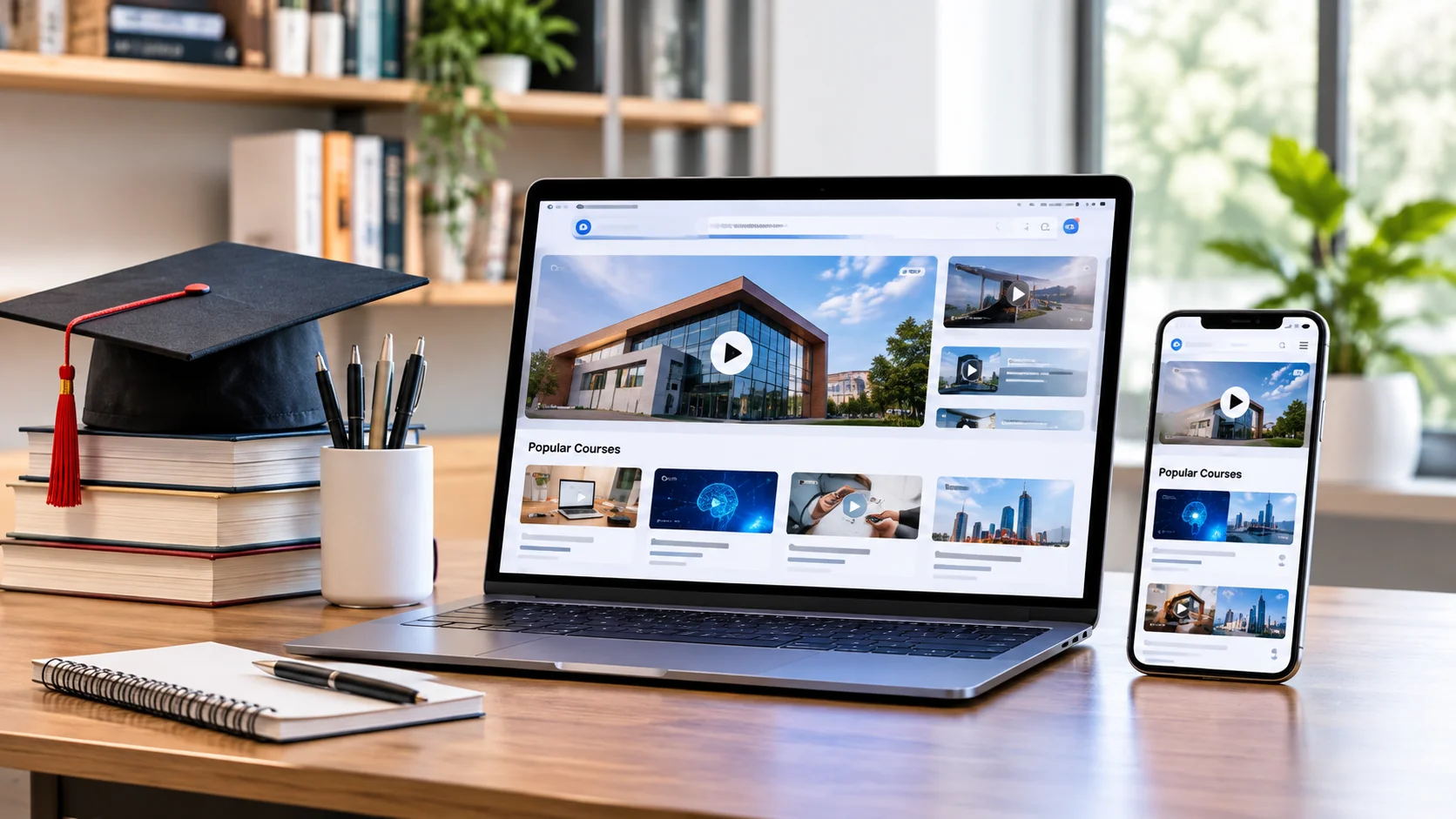
A Coursera Clone App is a ready-made software solution built to replicate the core features and experience of Coursera. It enables entrepreneurs and education businesses to launch their own branded online course platform across web and mobile devices without developing software from scratch.
With complete source code transfer, you receive full ownership of the codebase upon purchase. This eliminates recurring licensing fees and gives your team total freedom to host the platform on your own servers, customize features, and scale your business on your own terms.
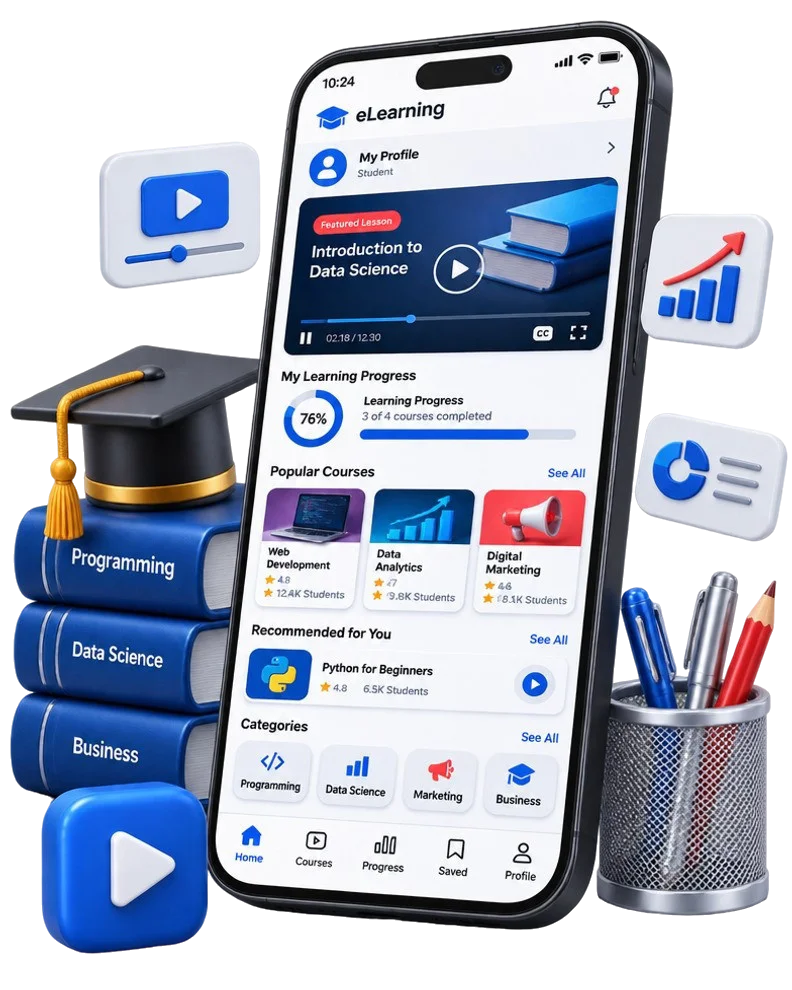
A modern eLearning platform gives education businesses a central place to publish courses, manage instructors, and serve learners. With our white-label learning management system like Coursera, you can establish an online learning marketplace where users can explore educational content, enroll in programs, and track their progress. Together, these capabilities create a smooth learning experience while keeping course delivery and platform management organized.
The learner interface gives students the tools to find courses, access educational materials, interact with instructors, and manage their learning activities.
Learners can browse available courses by category, skill level, price, or rating. Search filters help them find relevant programs without scrolling through the entire course catalog.
Students can watch recorded lessons with playback speed controls, subtitles, and bookmarking options. These tools make it easier to revisit important topics and follow lessons at their preferred pace.
Learners can join scheduled sessions, ask questions during live classes, and participate in discussion boards. This creates opportunities for direct interaction with instructors and other students.
Students can complete chapter-based quizzes, submit projects, and review grading feedback. These activities help them assess their understanding throughout a course.
Learners can check completed modules, view their course progress, and download certificates after meeting the completion requirements.
Students can access the platform in their preferred language, making course navigation and learning materials easier to understand. This feature helps education businesses serve learners from different linguistic backgrounds.
A Coursera Clone should give instructors practical tools to create courses, organize lessons, manage classes, and monitor their teaching performance. These capabilities support businesses planning to develop an eLearning platform like Coursera with multiple instructors and course contributors.
Instructors can upload videos, PDFs, and presentations, then arrange them into structured modules. They can also update lesson materials as course requirements change.
Instructors can schedule live classes, send session reminders, and manage enrollment limits. This helps them organize teaching activities and keep learners informed about upcoming sessions.
Instructors can view enrolled learners, check their participation, and review individual progress. This makes it easier to identify students who may need additional guidance.
Instructors can review course enrollments, student ratings, and payout histories from their dashboard. These reports provide a clear view of course performance and earnings.
Instructors can set prices for their courses and manage available pricing options, depending on the platform's business rules. This gives them control over how their educational content is offered.
Instructors can respond to student questions, share course announcements, and provide updates about lessons or assignments. These communication tools help keep learners informed throughout their courses.
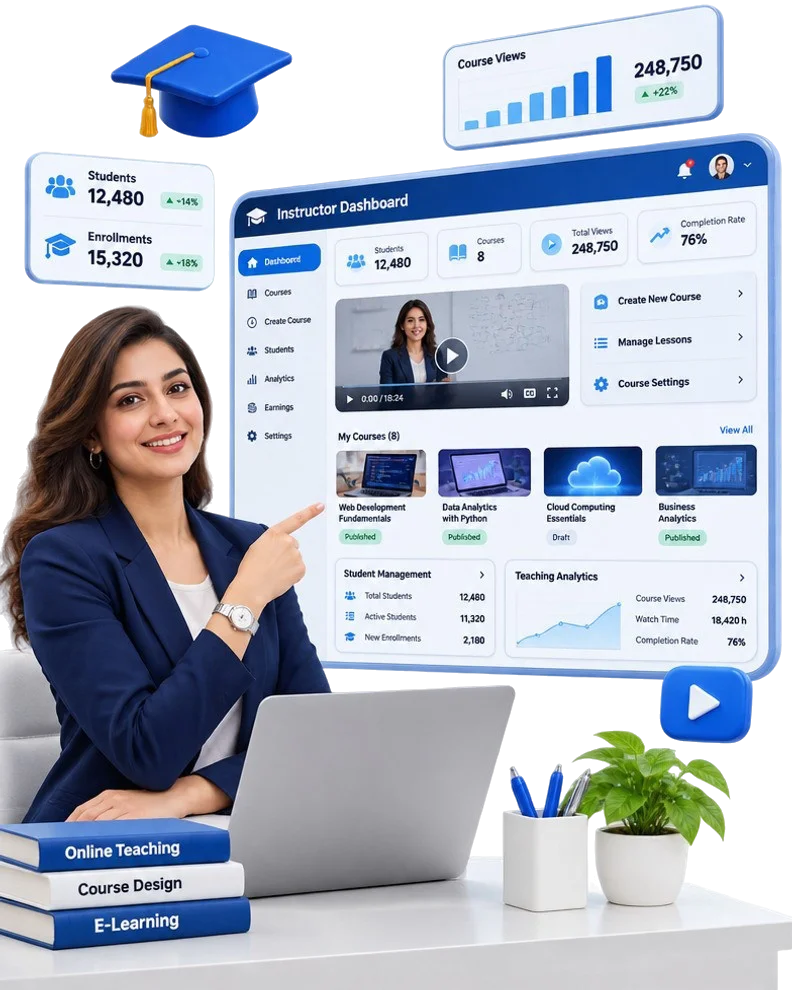
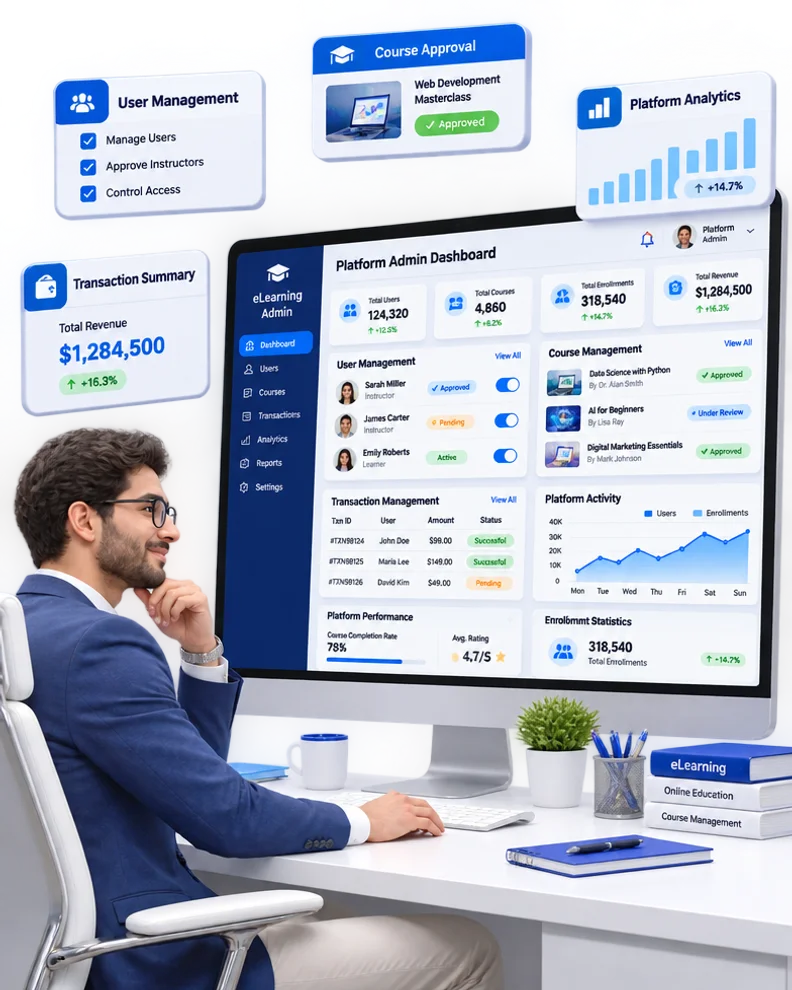
The admin dashboard gives platform owners control over users, courses, transactions, and business operations. Businesses investing in Coursera like App Development can use these tools to manage their learning marketplace and oversee its commercial activities.
Administrators can approve instructor accounts, review submitted courses, manage user access, and oversee platform activity. These controls help maintain quality across the learning catalog.
Platform owners can introduce one-time course purchases, monthly subscriptions, course bundles, and discount coupons. These options help businesses build an online course platform with different pricing structures.
Admins can set revenue-sharing rules, calculate instructor commissions, and manage payout records. This keeps financial activities organized between the platform and its instructors.
Integrate payment providers such as Stripe, PayPal, and Razorpay to process transactions. The available gateways can support different payment preferences across target markets.
Administrators can create subject categories, organize course listings, and update catalog information. This keeps the learning library structured as new programs become available.
Administrators can monitor platform revenue, active users, course enrollments, and top-performing programs through a centralized dashboard. These insights help them review business performance and make informed operational decisions.
Built-in AI tools help course takers find the right content faster while saving instructors and administrators hours of manual work.

Suggests relevant courses based on users' browsing history, interests, and completed modules. This personalized discovery keeps users engaged and encourages them to enroll in additional programs on your platform.

Helps instructors automatically create multiple-choice quizzes and practice tests directly from their uploaded lesson content. Teachers can review, edit, and publish these assessments in seconds rather than writing every question by hand.

Answers common questions about course topics in real time so users get immediate help without waiting for an instructor. This reduces repetitive support queries for teachers while keeping course progress moving smoothly.

Generates accurate captions and short lesson summaries for recorded videos to improve accessibility and quick revision. Users can read through key takeaways before watching a lecture or review important points after finishing a module.

Assists instructors in structuring modules, lesson titles, and course descriptions in minutes. Even first-time course creators can organize their knowledge into a clear, step-by-step curriculum with minimal effort.

Automatically tags uploaded courses and improves search accuracy so users find exact topics quickly. Administrators no longer need to manually categorize large course libraries as the catalog grows.
Launching an online education business in the USA becomes easier with a ready-made white-label solution. Our Coursera Clone App launch process covers the essential steps required to brand, configure, and deploy your platform. We work with businesses to provide branded web and on-demand app solutions that reflect their identity and operational requirements.
We begin by reviewing your business model, target audience, and monetization goals. Based on these requirements, our team identifies the necessary user, instructor, and admin modules, along with the right server and app setup. This planning provides a clear starting point to build an online course platform that meets your operational needs.
Our team updates the platform with your brand name, logo, color scheme, and visual assets. We apply your brand identity across the responsive website and Android and iOS apps, creating a consistent experience for your users. This is an important part of Coursera like app development for businesses launching their own branded learning platform.
We configure course categories, user permissions, and content approval workflows according to your business requirements. During this stage, our team also enables your preferred revenue models, including one-time course purchases, monthly subscriptions, course bundles, and discount coupons. This gives you the flexibility to develop an app like Coursera with your preferred operating and monetization structure.
We connect the external services required to run your Coursera clone smoothly. These include payment gateways, video hosting, live class streaming tools, and automated email or SMS notifications. Our team configures each integration according to your platform requirements and the services you plan to use.
Before launch, our quality assurance team tests learner, instructor, and admin workflows across web and mobile devices. We verify payment processing, video playback, and API connections to identify and resolve issues before deployment. This testing stage supports a reliable launch for businesses investing in Coursera clone development in USA.
Once the platform passes testing, we deploy the website to your cloud server and submit the branded mobile apps to Google Play and the Apple App Store. We also transfer the complete source code to your repository and provide ongoing technical support. With our white-label approach, you can launch your own Coursera Clone App without developing the entire platform from scratch.
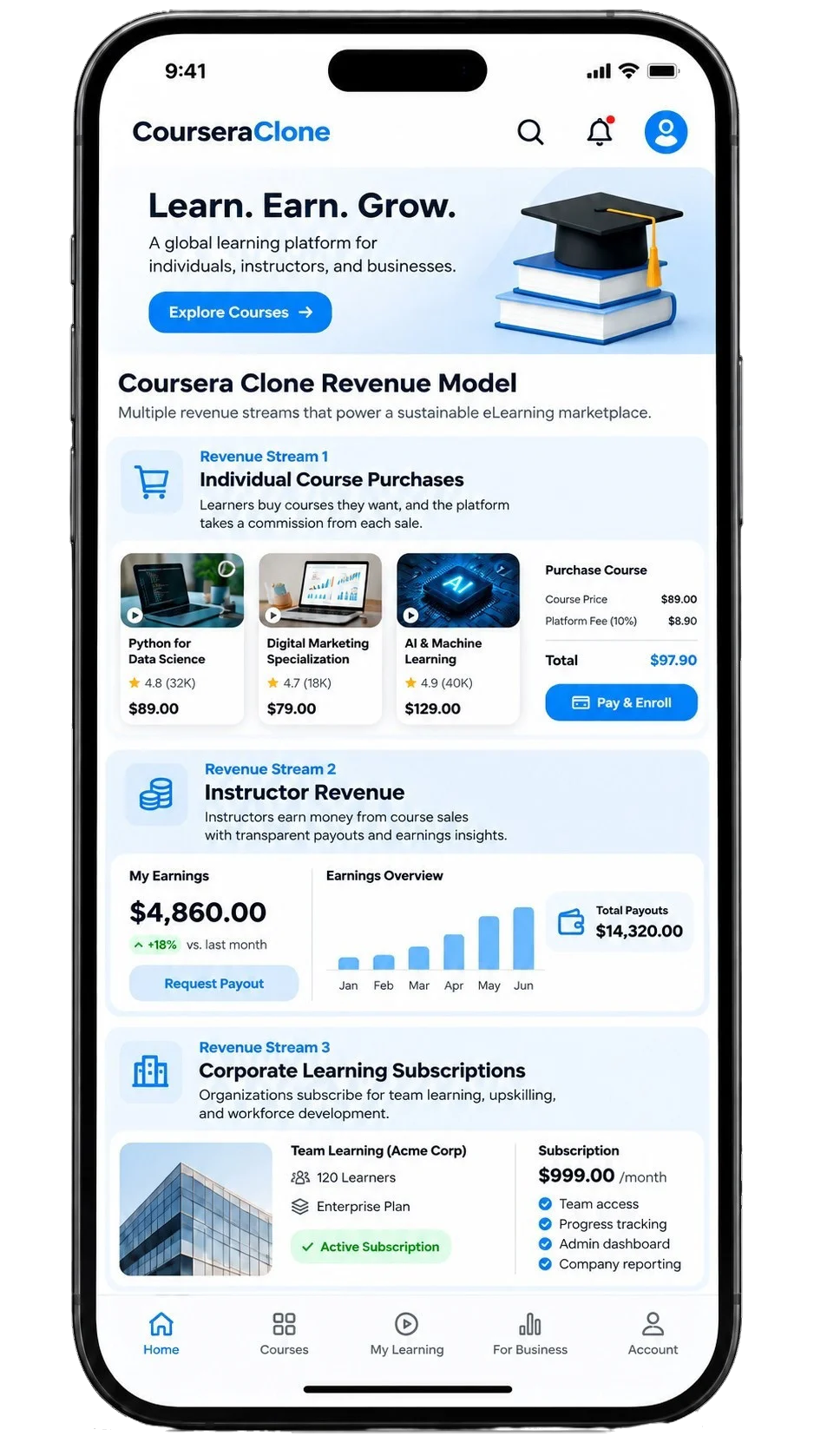
Frontend technologies shape how learners, instructors, and administrators interact with the platform. React.js and Next.js can support responsive web interfaces, while React Native or Flutter can be used to develop mobile applications for Android and iOS.
A suitable database helps store and organize user profiles, course information, enrollment records, assessments, and transaction details. PostgreSQL and MySQL support structured data, while MongoDB can handle flexible data structures and changing content requirements.
Video delivery technology helps learners access recorded lessons and live sessions across different devices. Solutions such as AWS Elemental MediaConvert, Cloudflare Stream, and Agora can support video processing, streaming, and live interactive sessions, depending on the platform’s requirements.
Payment gateways process course purchases, subscription payments, and other transactions. Stripe, PayPal, and Razorpay are examples of providers that can support online payments, subject to business location, supported currencies, and payment requirements.

For businesses planning to launch an online learning platform in the USA, the development cost depends on the approach they choose. A ready-made white-label solution offers a lower initial investment, while custom development requires a larger budget based on business requirements and desired functionality.
Choosing the right technology partner plays an important role when you build an app like Coursera for your education business. As a Coursera clone development company in USA, Hyperlocal Cloud offers ready-made eLearning software with white-label branding, customization options, and source code ownership. Our Coursera clone app helps businesses establish their learning or online teaching platforms with the flexibility to manage and expand their operations.
With our Coursera Clone Development solution, you receive complete access to the source code upon purchase, without recurring licensing fees or revenue-sharing obligations. Your team can host the software on preferred servers, modify existing modules, and manage future changes according to business requirements.
Building an eLearning platform from scratch can involve lengthy development and testing cycles. Our ready-made solution simplifies Coursera-like app development, helping you launch your website and mobile apps sooner. You can focus on onboarding instructors, adding courses, and attracting your first learners.
We apply your brand name, logo, color scheme, and domain across the platform. Whether learners access your website or Android and iOS applications, they get a consistent brand experience. This approach makes it easier to build an eLearning platform like Coursera under your own brand.
As your education business grows, your platform needs to accommodate larger course libraries, increased user activity, and video streaming requirements. Our Coursera clone app is designed to support growing operational demands, helping you manage higher enrollment volumes and an expanding learner base.
Different education businesses follow different workflows. Our development team can modify existing modules, introduce additional functionality, and integrate third-party services such as payment gateways, CRM systems, and video APIs. This flexibility helps you build an online course platform around your operational needs.
Our assistance continues after deployment. We provide technical maintenance, bug fixes, and server-related support to help keep your website and mobile applications functional and updated as your business evolves.

Yes. You can migrate existing course videos, documents, quizzes, descriptions, and other learning materials to your new platform. When you build an app like Coursera, our team can help organize and transfer your existing content while keeping the course structure and learner access in mind.
An online learning platform operating in the USA should consider relevant data privacy, child protection, accessibility, and payment security requirements. Depending on its audience and operations, this may include COPPA, FERPA, applicable state privacy laws such as CCPA/CPRA, and PCI DSS for payment processing. Businesses investing in Coursera clone development in USA should review the requirements that apply to their specific platform and consult qualified legal professionals.
The ownership of uploaded educational content generally remains with the instructor, institution, or organization that created it, subject to the platform's terms and applicable agreements. If you develop an app like Coursera, you can define content ownership, licensing permissions, and usage rights through your platform policies.
You can use secure user authentication, role-based access controls, protected video streaming, and restricted content permissions. A Coursera clone should also support secure payment verification and access rules that allow enrolled learners to view the courses they have purchased or subscribed to.
Launch your marketplace under your own brand identity

By sending, you agree to our Terms of Service.