Get 30% OFF on All Development Services – Limited Time!

Build A Live Streaming App Like Mico Live

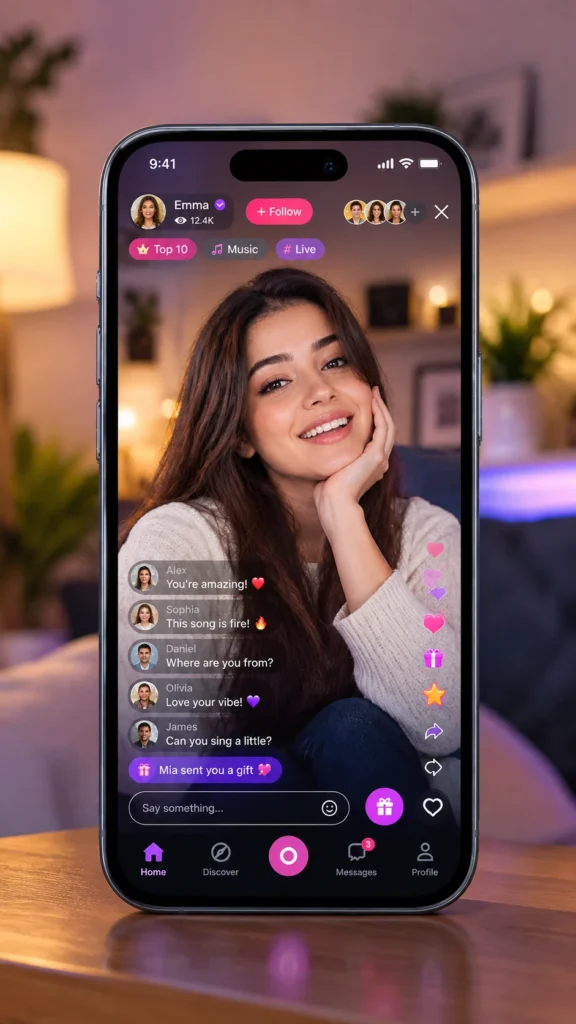
Launch a Mico-style live streaming app built around real-time interaction, creator engagement, and monetization. We build Mico Live clone apps with multi-guest video rooms, live chat, virtual gifting, user management, and a configurable admin panel. Launch your platform with source code ownership, custom branding, and post-launch technical support.

Build A Live Streaming App Like Mico Live

Experience That Builds Better Digital Products

Our team brings hands-on product development experience to projects across multiple industries. We focus on practical choices, clean user experiences, dependable technology, and scalable architecture that support your growth goals.

150+
App development
App Development
70+
countries served by hyperlocal cloud
Countries Served
250+
more than 250 clients over the world
Clients Worldwide
30+
many more ongoing projects
Ongoing Projects
What Is a Mico Live Clone App

What Is a Mico Live Clone App?

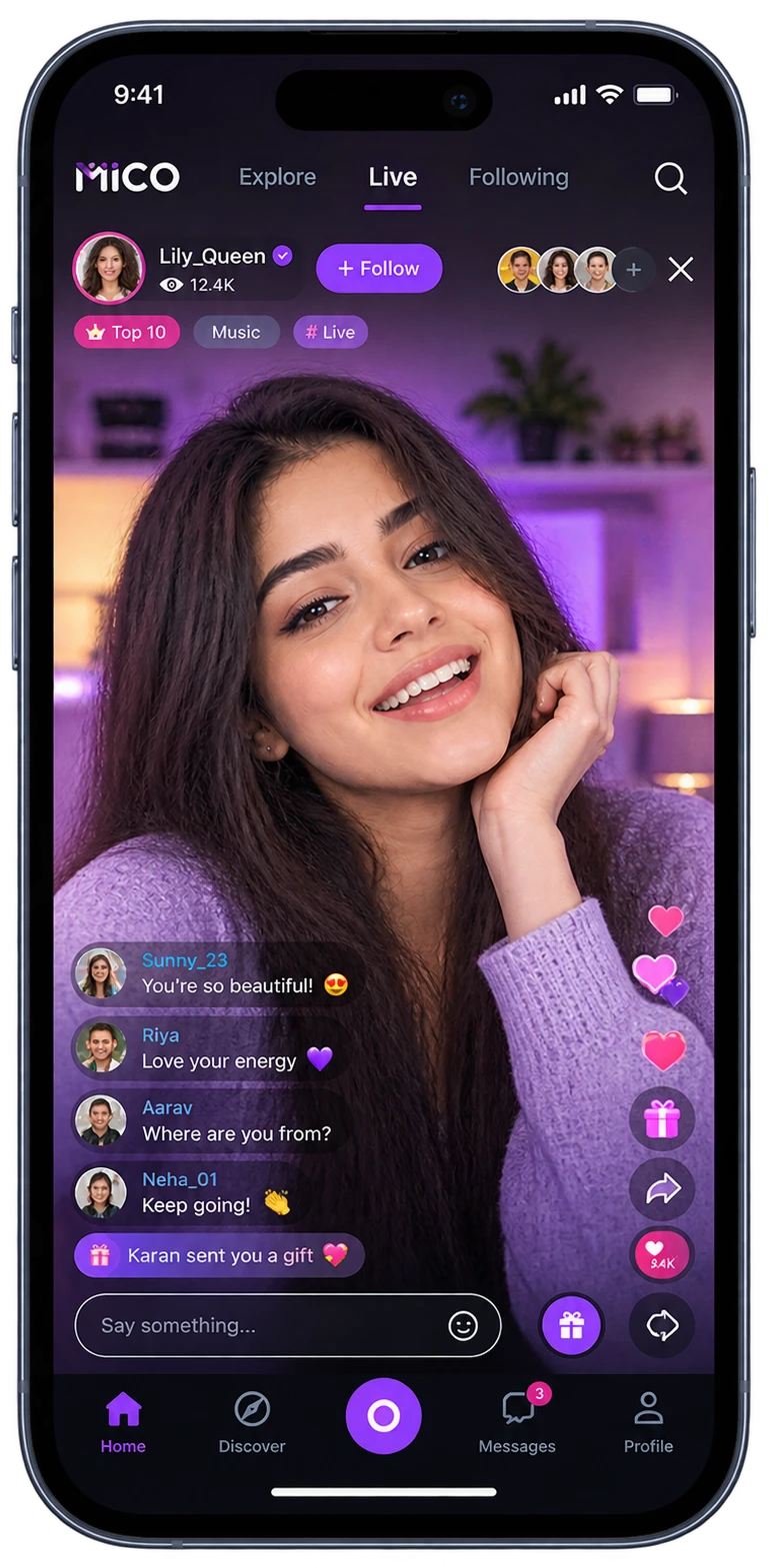
A Mico Live clone app is a customizable social streaming platform that connects users through live video and voice. They can find creators, join live sessions, jump into conversations, follow favorite hosts, and exchange virtual gifts. A clone app is not a copy of Mico. Businesses turn this model into a custom app. It uses a proven feature structure as the starting point. You can change the branding, add your own features, adjust the monetization setup, and retain ownership of the source code.

How Does a Mico Live Clone Application Work?

A Mico Live Clone app brings users, streamers, and platform operations into one connected flow. It offers separate experiences for each role. Users discover and join live content. Streamers run broadcasts and manage their earnings. Admins handle accounts, content, transactions, and platform settings. The basic journey can be explained in these steps:

OnlyFans Account Setup and Optimization

Create an Account

Users register, create profiles, and select interests that shape their streaming experience.

Discover Live Content

Users browse live streams, find creators, and explore content based on their interests.

Join Live Sessions

Users join video, voice, or multi-guest sessions and connect with creators.
How Does a Mico Live Clone Application Work

Engage in Real Time

Users chat, react, follow creators, and join live conversations.

Send Virtual Gifts

Users purchase virtual coins and send gifts to creators during live streams.

OnlyFans & Creator Platforms

Follow Creators

Users follow creators they enjoy and receive updates when they start new live sessions.

Get a Feature-Rich White Label App Like Mico Live Today

Mico Live Clone App Features

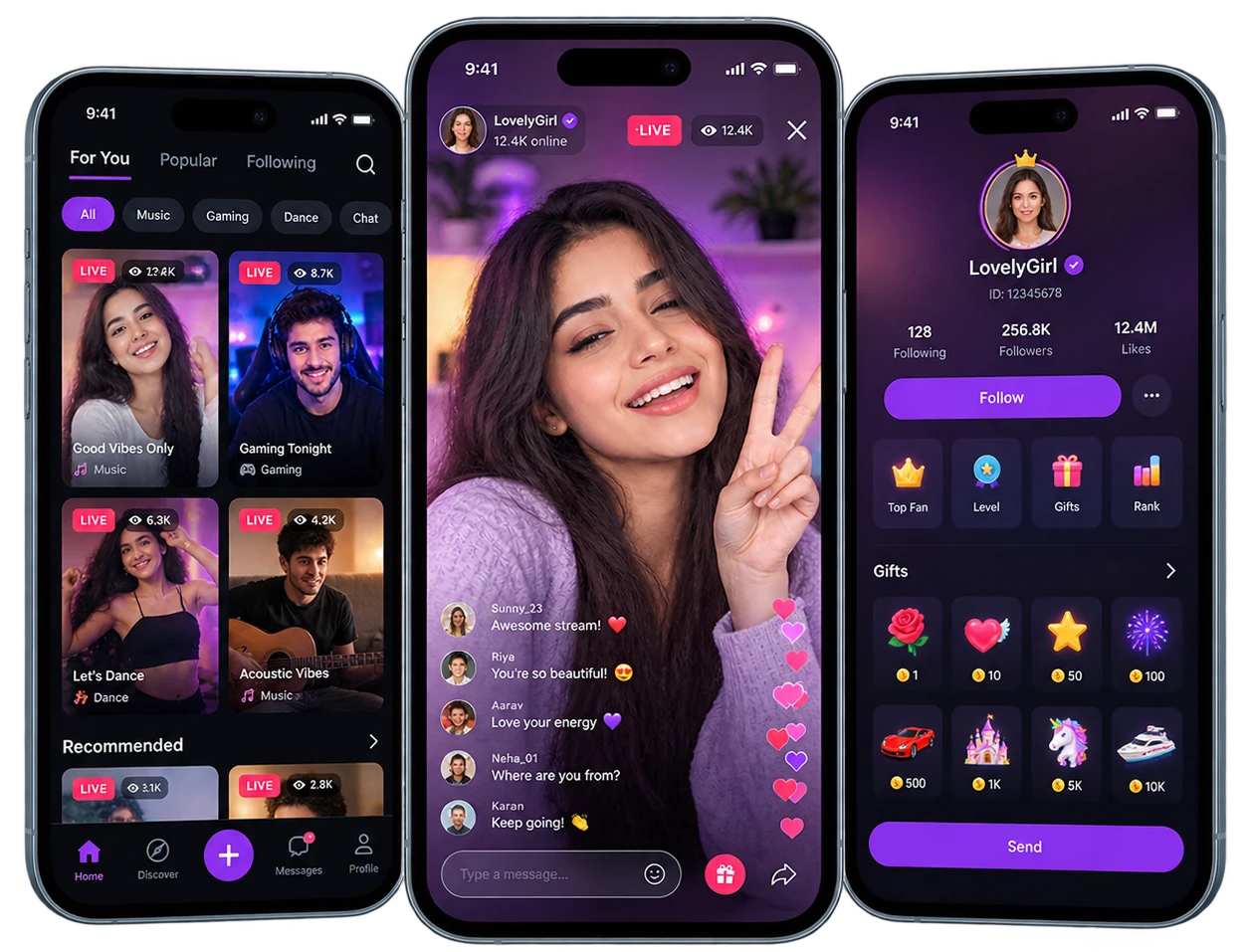
A Mico-style app needs the right mix of live interaction, creator tools, and platform controls. Our Mico Live Clone App Development approach covers the core features users expect, along with tools that give streamers and admins more control.

Interest-Based Discovery

Choose interests during signup and find live content that matches your preferences.

Live Room Feed

Browse active broadcasts, popular rooms, followed creators, and other live content from one feed.

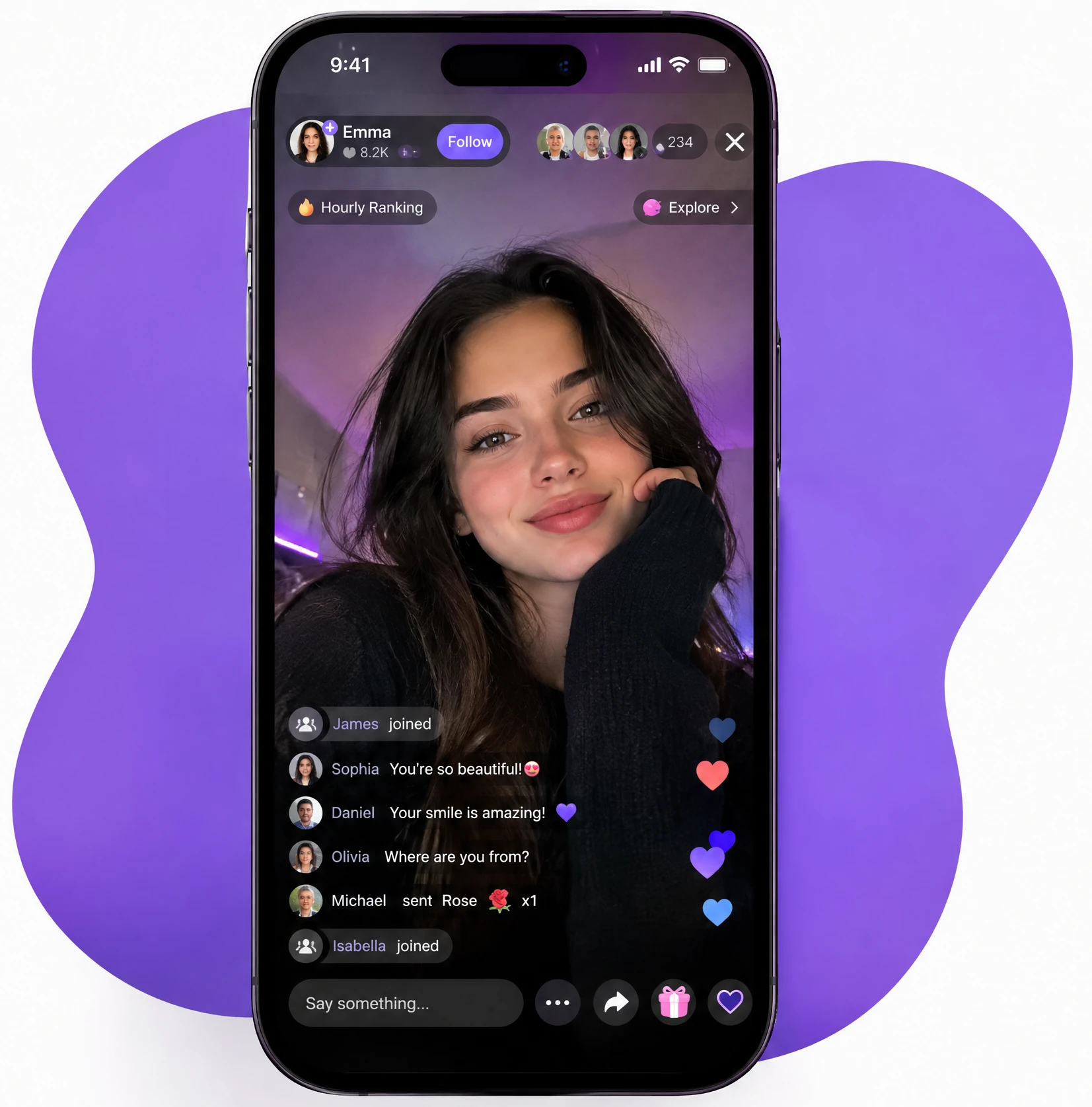
Live Chat & Reactions

Talk with people in the room through messages, emojis, stickers, and live reactions.

Guest Participation

Request to join a live room and appear alongside the host when accepted.

Virtual Gifting

Purchase coins and send virtual gifts to creators during their broadcasts.

Creator Following

Follow favorite creators and keep their upcoming or active streams within easy reach.

Fan Levels & Badges

Build fan status through engagement and unlock levels or badges within creator communities.

Personal Notifications

Get alerts for followed creators, live sessions, gifts, and other account activity.

Pricing Control

Safety Controls

Block, mute, or report accounts and content that users find inappropriate or unwanted.

Go Live

Start video broadcasts with camera and microphone controls from the streamer app.

Classroom Scheduling

Multi-Guest Rooms

Bring other users into a broadcast and host conversations with multiple participants.

Central Admin Dashboard

Stream Controls

Manage the title, category, guest access, comments, and other room settings during a session.

Audience Insights

View viewer count, watch time, engagement, and top gifters from your broadcasts.

Room Moderation

Mute, remove, or ban viewers without ending the current broadcast.

Stream Scheduling

Set upcoming broadcast times and give followers advance notice about planned sessions.

Camera Effects

Use beauty filters, backgrounds, and visual effects while broadcasting.

Gift & Earnings Tracking

See received gifts, earnings, commissions, and wallet activity from the streamer dashboard.

Withdrawal Requests

Submit payout requests after reaching the minimum threshold for creator withdrawals.

Account Administration

Manage user records, account status, verification, restrictions, and access permissions.

Verified Client Reputation

Streamer Verification

Review creator applications, submitted documents, and verification requests before approval.

Live Content Review

Monitor reported broadcasts and review content that requires administrative attention.

Virtual Economy Setup

Configure coin packages, exchange rates, gift values, and commission rules.

Gift Catalog

Create and manage the virtual gifts available for users to purchase and send.

Revenue Analytics

Review platform revenue, transaction activity, top-performing rooms, and other business metrics.

Creator Payouts

Process withdrawal requests and maintain records of creator payments and transactions.

Platform Announcements

Send system messages, promotional notices, and important updates to selected user groups.

Regional Configuration

Set supported languages, regional access rules, and market-specific platform settings.

AI-Powered Content Moderation

Scan live video, audio, and chat for content that may break your platform rules.

Smart Live Room Recommendations

Use viewing history, follows, interests, and session activity to surface relevant live rooms.

Live Chat Translation

Translate chat messages and captions so people speaking different languages can interact in the same room.

Fraud & Bot Detection

Spot unusual gifting patterns, fake accounts, and suspicious activity around the virtual currency system.

Voice-to-Text Captions

Turn spoken words into live captions, giving viewers another way to follow a broadcast.

AI Engagement Suggestions

Use viewer behavior to suggest creators, rooms, or features that may interest them.

The Mico Live Clone App Development Process

A successful Mico Live Clone needs a clear product plan, suitable technology, and a development process that keeps every part of the app aligned. We take the project from initial planning to launch, covering its core features, streaming infrastructure, integrations, testing, and post-launch support.

Discovery & Requirement Planning

We start by understanding your product idea, target audience, and business model. The discussion covers core features, monetization, supported platforms, technical requirements, and the scope needed for your Mico Clone App Development project.

UI & UX Design Planning

UI/UX Design & Branding

Your app starts taking shape during the design stage. We create the key screens, user journeys, navigation, and visual elements for viewers, streamers, and admins while keeping your brand at the center.

Backend & Core Development

With the design approved, developers begin building the application and its backend foundation. APIs, databases, authentication, user profiles, streamer tools, admin controls, and other core functions come together during this stage.

Live Streaming & Feature Integration

The streaming layer connects with the features that keep the app running. We integrate video and voice rooms, real-time chat, virtual gifting, coin wallets, payments, notifications, and other third-party services required for your Mico Live Streaming App Development project.

Testing & Performance Checks

Testing covers the parts that matter most in a live streaming application. We check live sessions, account flows, payments, gifting, security, device compatibility, and streaming performance across different use cases before the product goes live.

Deployment & Ongoing Support

The finished product will be ready for deployment to the platforms chosen during the planning stage. Post-deployment support may consist of maintenance, bug fixing, optimizations, feature enhancements, and other technical developments of the product.

Develop a Scalable Live Streaming App for Your Growing Business

Case Study

Mico Live Clone Revenue Model

A Mico Live Clone can build revenue through several connected channels. Viewer spending, premium access, advertising, affiliate partnerships, and creator-focused services can each contribute to the overall business model.

Virtual Gifts

Virtual gifting can sit at the center of a Mico-style monetization model. Users purchase coins, spend them on gifts during live sessions, and creators receive earnings based on the platform's payout structure.

Subscription Plans

Premium Subscriptions

Give users access to features or content that sit behind a paid subscription. Exclusive live rooms, subscriber badges, special content, and other premium benefits can support recurring revenue.

Advertising

Ads give the platform another way to earn without charging every user. Banner placements, native ads, video campaigns, and sponsored streams can be used across selected parts of the app.

Affiliate Marketing

Creators can recommend products or services to their audiences through affiliate links. The platform or creator can earn a commission when users complete qualifying purchases through those links.

In-App Purchases

Add paid digital items that complement the live experience. Creators can offer premium gifts, stickers, emojis, profile upgrades, and other digital add-ons as individual purchases or bundled packages.

Creator Services

Creators can pay for tools that help them grow on the platform. Featured placement, profile promotion, advanced analytics, and verification are some options that can support this revenue stream.


Technology Stack for Mico Like App Development

A live streaming app needs technology that can handle real-time communication, smooth video delivery, secure transactions, and growing user activity. For Mico Live Clone App Development, we select the stack around your features, supported platforms, streaming requirements, and expected scale.

Mobile App Development

Swift | Kotlin | Flutter | React Native — Build native iOS and Android apps or choose a cross-platform approach based on your product requirements and performance needs.

Frontend Development

React.js | Next.js — Power web interfaces such as admin dashboards, creator portals, landing pages, and other browser-based parts of the platform.

Backend Development

Node.js | Python | PHP | .NET — Handle user accounts, profiles, streaming sessions, virtual currencies, gifts, transactions, notifications, and core application logic.

Database & Caching

PostgreSQL | MySQL | MongoDB | Redis — Store user data, creator profiles, transactions, chat records, and platform activity, while Redis supports caching and fast data access.

Industry Knowledge

Live Streaming & Communication

WebRTC | Agora | Twilio | AWS IVS | WebSockets | Socket.IO — Power live video, voice rooms, multi-guest sessions, chat, reactions, and other real-time interactions across the platform.

Cloud & Storage

AWS | Google Cloud | Microsoft Azure — Support application hosting, media storage, content delivery, databases, and infrastructure for growing streaming workloads.

Payment & Wallet

Stripe | PayPal | Braintree — Handle coin purchases, subscriptions, and other payments while the platform manages virtual balances, gifts, commissions, and creator payouts.

AI & Content Moderation

OpenAI APIs | Google Cloud AI | AWS AI Services — Support content moderation, recommendations, chat translation, voice-to-text captions, and suspicious activity detection.

Analytics & Monitoring

Firebase Analytics | Google Analytics | Mixpanel — Track user engagement, streaming activity, retention, purchases, creator performance, and other product metrics.

How a Mico-Like App Handles Live Streaming

A live streaming app needs several systems working together behind the scenes. The streaming layer handles video delivery, while separate services manage chat, payments, user data, and moderation.

Streamer → Streaming Server / SDK → CDN → Viewer

Chat & Reactions → Real-Time Server

Gifts & Coins → Payment & Wallet System

Moderation → AI + Admin Review

User Data → Backend + Database

This setup keeps video delivery separate from other app functions, which helps the platform manage traffic and maintain a responsive experience as usage grows.
How a Mico-Like App Handles Live Streaming

Build Your Mico Live Clone With the Right Technology

Platforms We Support for Mico-Like App Development

A Mico-style platform can serve users across mobile and web environments. The right combination depends on your audience, product scope, and launch strategy.

iOS

Native iOS development supports a smooth experience across iPhone and iPad. Swift provides the foundation for live video, chat, notifications, payments, and creator features.

Android

Android development covers a wide range of devices and screen sizes. Kotlin supports features such as live streaming, virtual gifting, user profiles, and real-time communication.

Web

A web application gives users access through desktop and mobile browsers. It works well for viewer access, creator dashboards, administration, analytics, and selected platform features.

Cross-Platform Development

Flutter and React Native support shared mobile development across iOS and Android. This approach reduces duplicate development work while keeping the main product experience consistent.

Why Choose Hyperlocal Cloud for Mico-Like App Development?

Build your Mico Live Clone with a team that understands live streaming, real-time interactions, and creator-focused platforms. Our Mico Clone App Development approach combines scalable technology, custom features, and monetization options to shape the product around your business goals.

Live Streaming Expertise

Our team supports live video, voice rooms, multi-guest sessions, and real-time chat to deliver the features your platform needs. We also focus on smooth streaming and reliable real-time interaction.

Scalable Architecture

Your platform needs to stay reliable as usage grows. We plan the backend, cloud infrastructure, data layer, and streaming setup around expected traffic and future expansion.

Access to Platform Specialists

Complete Platform Development

iOS, Android, web, streamer tools, and admin controls come together under one development process. This keeps the different parts of your platform connected and simplifies ongoing development.

Customizable Clone Solution

A ready-made foundation gives you a starting point, not a fixed product. We can adapt the interface, workflows, feature set, branding, and monetization structure to create a Mico Live Clone that fits your business.

Built-In Monetization

Virtual gifts can turn viewer engagement into creator earnings and platform revenue. Depending on your model, we can also integrate coins, subscriptions, in-app purchases, commissions, and creator payouts.

Post-Launch Support

Launch day is just the beginning. Our support covers maintenance, bug fixes, technical updates, performance improvements, and changes needed as your Mico Live App Development project evolves.

How Much Does It Cost to Build a Mico Live Clone App?

The cost of building a Mico Live Clone app depends on the development approach, feature requirements, platform support, integrations, and level of customization. A white-label solution can reduce the initial development effort, while custom development gives you greater control over the product experience and functionality.

FactorCustom DevelopmentWhite-Label Mico Live Clone
Cost$40K–$120K+$7K–$15K
Development Time5–10 months4–8 weeks
UI/UXFully customPre-built & customizable
FeaturesFully customizableReady-made features
User AppCustom-builtReady-made
Creator AppCustom-builtReady-made
Admin PanelCustom-builtPre-built
Live StreamingCustom streaming setupIntegrated streaming setup
MonetizationFully flexibleBuilt-in monetization features
IntegrationsFully flexibleSupported integrations
ScalabilityHighly scalablePlatform-dependent
Branding100% customBrand customization
MaintenanceCustom-managedVendor-supported

FAQs

A Mico Live Clone is a ready-made foundation for launching your own live streaming and social discovery platform. It includes features such as live video, chat, virtual gifting, creator profiles, and user interaction, with room for custom branding and product requirements.
The cost of Mico Live Clone App Development changes with the feature set, platforms, streaming infrastructure, integrations, and level of customization. An MVP needs a smaller development scope, while advanced versions require additional work for AI, multi-guest streaming, monetization, and other complex features.
The timeline depends on the scope you choose. Design, backend development, streaming integration, testing, deployment, and the number of platforms all contribute to the overall development time.
iOS, Android, and Web are the primary options for Mico Like App Development. Flutter and React Native also support cross-platform mobile development when a shared codebase fits the project requirements.
Yes. Mico Clone App Development starts with a ready-made foundation that is adapted to your business requirements. Branding, UI, features, user flows, monetization, and admin controls are adjusted according to the product scope.
The core feature set covers live video streaming, voice rooms, multi-guest sessions, live chat, reactions, virtual gifting, coin wallets, creator profiles, notifications, and content reporting. Admin tools handle users, streamers, transactions, payouts, reports, and platform settings.
Virtual gifting provides one revenue stream. Users purchase coins and spend them on gifts during live sessions, while the platform manages creator earnings and its configured commission. Subscriptions, advertising, in-app purchases, and creator services provide additional options for Mico Live App Development projects.

AI fits into several areas of Mico Live Streaming App Development, including content moderation, live recommendations, chat translation, voice-to-text captions, and suspicious activity detection. The selected capabilities depend on your product requirements.
Source code ownership follows the terms agreed upon for your project. When ownership is included in the development agreement, the custom application code is handed over according to those terms.
Yes, post-launch support is available for your Mico Live App Development project. Maintenance, bug fixes, technical updates, performance improvements, and future feature changes are handled according to the selected support arrangement.

We Are Trusted By The Best In The World

Hyperlocal Cloud is a tech leader harnessing the power of state-of-the-art technologies and delivering innovative app solutions to businesses.

Get Free Consultation From Top Industry Experts